1. Увод
Хвала вам на куповиниasing the ZEBRONICS Zeb Vigor 100 Tower Speaker. This manual provides essential information for the safe and efficient operation of your device. Please read it thoroughly before use and retain it for future reference.
2. Безбедносна упутства
- Не излажите звучник води или влази.
- Не отварајте звучник casinг; све сервисирање препустите квалификованом особљу.
- Keep the speaker away from direct sunlight, heat sources, and open flames.
- Ensure proper ventilation around the speaker to prevent overheating.
- Користите само кабл за напајање који се испоручује са уређајем.
- Избегавајте слушање на високим нивоима јачине звука током дужег периода да бисте спречили оштећење слуха.
3. Садржај пакета
Проверите да ли су све ставке присутне у пакету:
- Trolley DJ Speaker: 1 Unit
- Даљински управљач: 1 јединица
- Wireless Microphone: 1 Unit
- Кабл за напајање: 1 јединица
- Input Cable (3.5mm): 1 Unit
- QR Code Guide: 1 Unit
4. Производ је готовview
The ZEBRONICS Zeb Vigor 100 is a versatile tower speaker designed for various audio applications, featuring multiple connectivity options and a robust sound output.
Кључне карактеристике:
- Triple Full Range 20.32cm Drivers for comprehensive sound.
- 100W RMS Output for powerful audio delivery.
- TWS (True Wireless Stereo) Function for connecting two speakers.
- Karaoke & Mic Recording Function with included Wireless MIC.
- Multiconnectivity: Bluetooth v5.0, USB, mSD, AUX, FM.
- LED Display for easy navigation.
- Даљински управљач за практичан рад.
- Carry Handle & Wheels for portability.
- RGB Lights for visual effects.
- Dual 6.3mm Microphone input.
- Уграђена пуњива батерија.
- Dedicated Control Buttons for intuitive use.
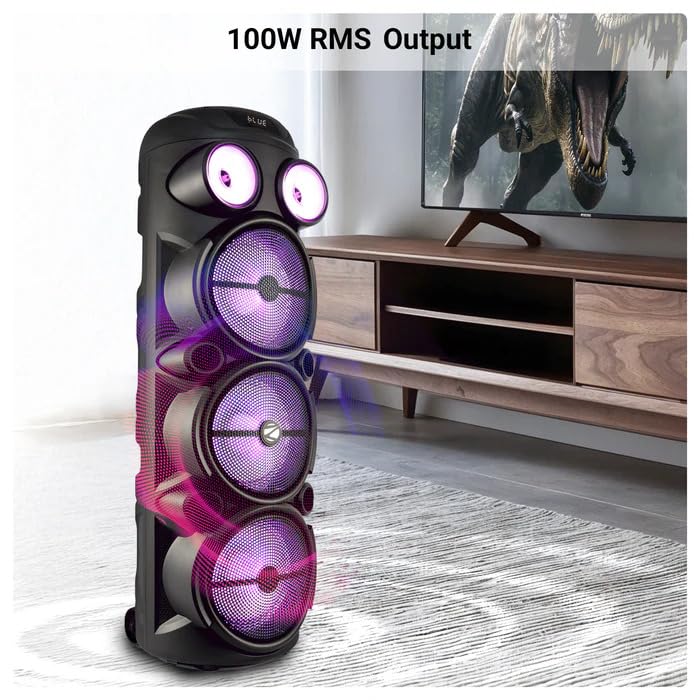
Image: The ZEBRONICS Zeb Vigor 100 Tower Speaker showcasing its 100W RMS output, positioned next to a television.
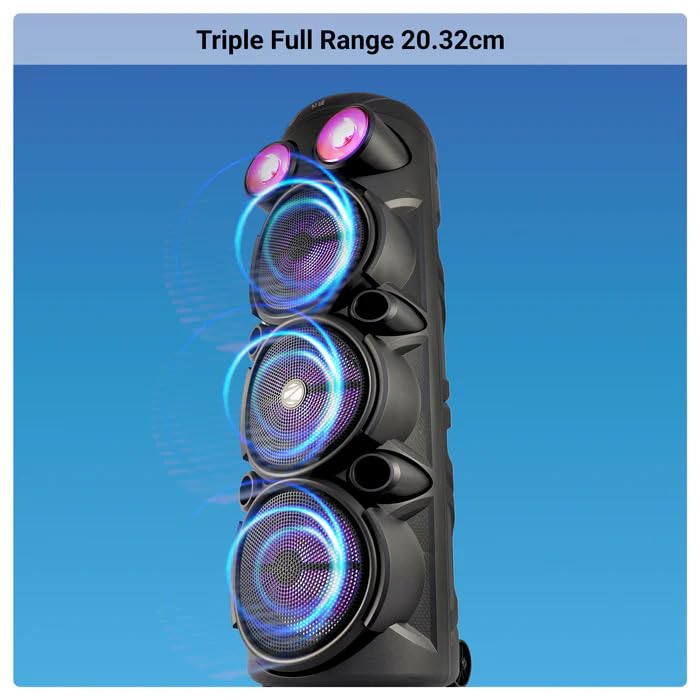
Слика: Крупни план view of the ZEBRONICS Zeb Vigor 100 highlighting its triple full-range 20.32cm drivers.
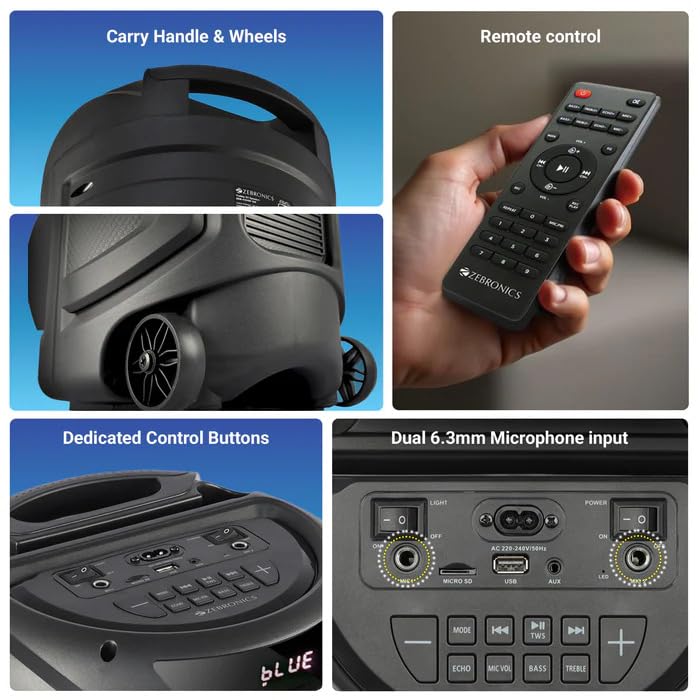
Image: A collage showing the speaker's carry handle and wheels for portability, the included remote control, the dedicated control buttons on the top panel, and the dual 6.3mm microphone inputs on the rear panel.
5. Подешавање
5.1 Пуњење звучника
Before initial use, fully charge the speaker. Connect the provided power cord to the speaker's AC input and a suitable power outlet. The charging time is approximately 9.8 hours. A full charge provides up to 5 hours of playback at 50% volume with LED lights off.
5.2 Укључивање/искључивање
Locate the power switch on the speaker's control panel. Toggle the switch to the 'ON' position to power on the speaker. Toggle to 'OFF' to power off.
6. Упутство за употребу
6.1 Bluetooth Connection (BT v5.0)
- Power on the speaker. The speaker will automatically enter Bluetooth mode or you can select it using the 'MODE' button.
- Омогућите Блутут на свом мобилном уређају или рачунару.
- Тражи available devices and select "ZEB-VIGOR 100" from the list.
- Once paired, the speaker will indicate a successful connection, and you can begin playing audio.
6.2 USB/mSD Playback
- Insert a USB flash drive or mSD card (up to 32GB) containing MP3 audio fileс у одговарајући порт.
- The speaker will automatically detect the storage device and begin playback. If not, press the 'MODE' button to select USB or mSD mode.
- Use the control buttons or remote to play, pause, skip tracks, or adjust volume.
6.3 АУКС улаз
- Connect one end of the 3.5mm input cable to the AUX port on the speaker.
- Connect the other end to the audio output jack of your external device (e.g., smartphone, MP3 player).
- Press the 'MODE' button to select AUX input.
- Control playback and volume from your external device or the speaker.
6.4 ФМ Радио
- Притисните дугме „MODE“ да бисте изабрали режим FM радија.
- Press the Play/Pause button to auto-scan and save available FM stations (frequency range 87.5 MHz - 108 MHz).
- Use the Previous/Next track buttons to navigate between saved stations.
6.5 Karaoke & Mic Recording Function
- Connect the wireless microphone or a wired microphone (not included) to one of the dual 6.3mm microphone inputs.
- Adjust the microphone volume and echo using the dedicated controls.
- To record, ensure a USB drive or mSD card is inserted. Press the 'REC' button (if available on the control panel/remote) to start recording. Press again to stop.
6.6 TWS (Прави бежични стерео) функција
To connect two Zeb Vigor 100 speakers for a stereo experience:
- Уверите се да су оба звучника укључена и у Bluetooth режиму.
- On one speaker (this will be the master), press and hold the 'TWS' button. The speaker will indicate it is searching for another TWS device.
- The two speakers will automatically pair. Once connected, they will function as a stereo pair.
- Connect your mobile device to the master speaker via Bluetooth as described in section 6.1.
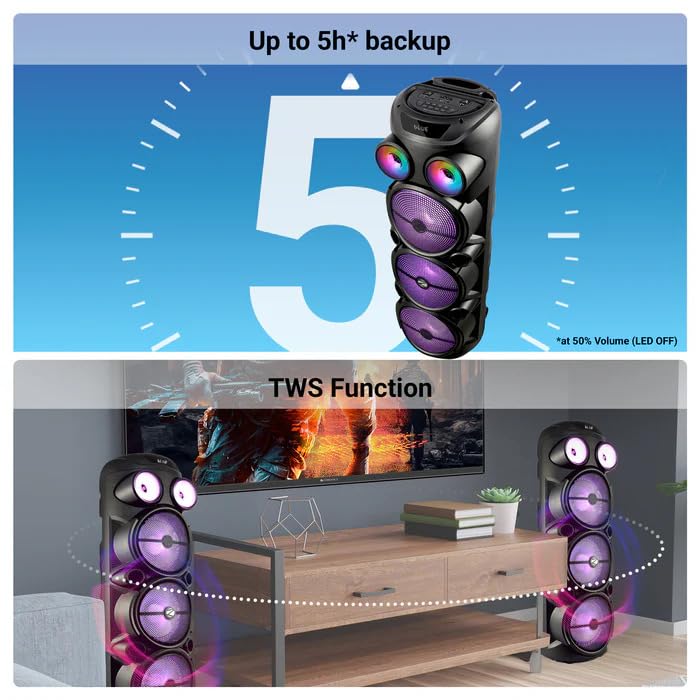
Image: The ZEBRONICS Zeb Vigor 100 speaker highlighting its up to 5-hour battery backup and the True Wireless Stereo (TWS) function, showing two speakers connected wirelessly.
6.7 РГБ светла
The speaker features dynamic RGB lights. Use the dedicated 'LIGHT' switch or button on the control panel or remote to cycle through different light modes or turn them off.
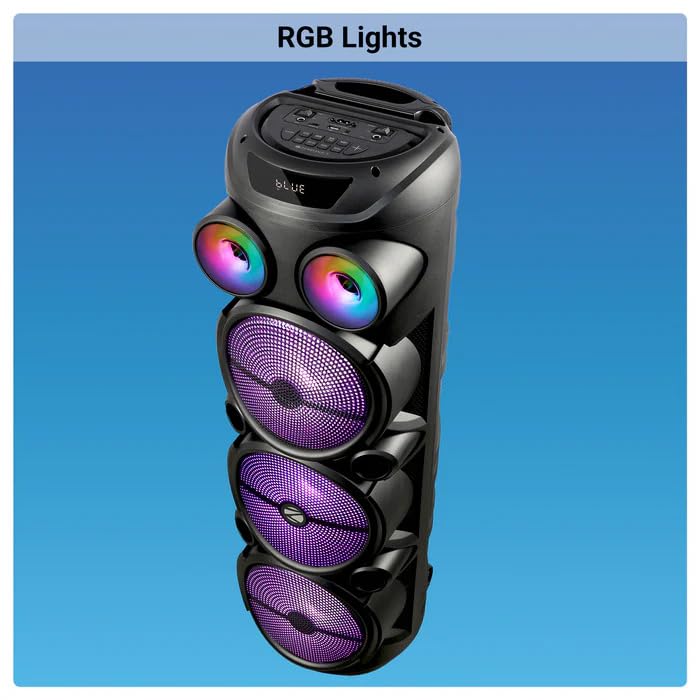
Image: The ZEBRONICS Zeb Vigor 100 Tower Speaker with its vibrant RGB lights illuminated.
6.8 Контролна табла и даљински управљач
The speaker features a top-mounted control panel with buttons for mode selection, playback control, volume adjustment, microphone controls, and light control. A remote control is also provided for convenient operation from a distance.
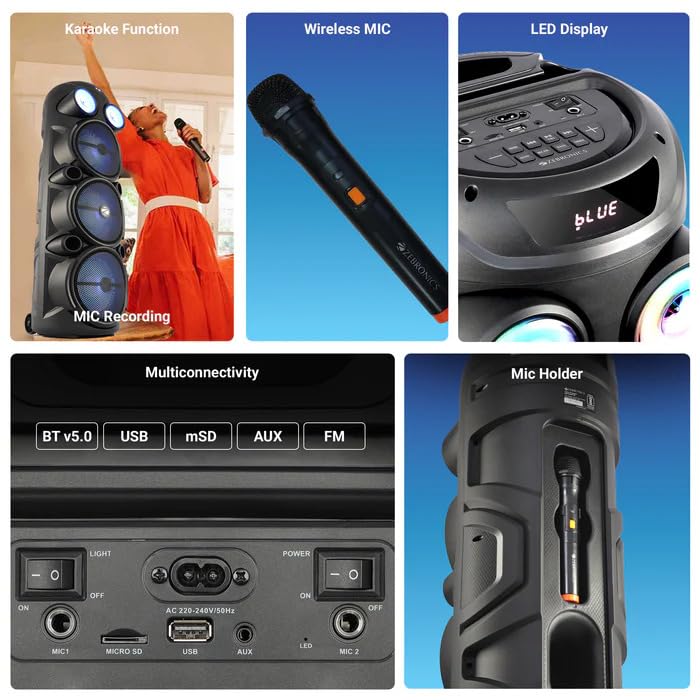
Слика: Детаљна view of the ZEBRONICS Zeb Vigor 100's control panel, showing options for Bluetooth v5.0, USB, mSD, AUX, and FM connectivity, along with various control buttons.
7. Одржавање
- Чишћење: Користите меку, суву крпу за чишћење спољашњости звучника. Не користите абразивна средства за чишћење или раствараче.
- Складиштење: Када се звучник не користи дуже време, чувајте га на хладном и сувом месту, даље од директне сунчеве светлости и екстремних температура.
- Одржавање батерије: Да бисте продужили век трајања батерије, избегавајте често потпуно пражњење батерије. Редовно пуните звучник, чак и ако га не користите.
КСНУМКС. Решавање проблема
| Проблем | Могући узрок | Решење |
|---|---|---|
| Звучник се не укључује. | Battery is depleted or power cord is not connected. | Charge the speaker or ensure the power cord is securely connected. |
| Нема излаза звука. | Volume is too low, incorrect mode selected, or device not properly connected. | Increase volume, select the correct input mode (BT, USB, AUX, FM), or re-establish connection. |
| Блуетоотх упаривање није успело. | Speaker is not in pairing mode, or device is too far. | Ensure speaker is in Bluetooth mode, move device closer, or clear previous pairings on your device. |
| Микрофон не ради. | Microphone not powered on, or volume too low. | Ensure wireless mic has batteries and is powered on. Adjust mic volume. |
9. Спецификације
| Феатуре | Спецификација |
|---|---|
| Излазна снага (РМС) | 100В |
| Дривер Сизе | Full range 20.32cm x 3, Tweeter 3.8cm |
| Импеданса | Full range 4Ω x 1, 8Ω x 2; Tweeter 8Ω |
| Фреквенцијски одзив | 65Хз-18кХз |
| С/Н однос | ≥60дБ |
| File Format Support (USB/SD) | МП3 |
| Линијски улаз | 3.5мм |
| Max Supported USB/SD Memory Size | 32ГБ |
| ФМ Фреквенцијски опсег | 87.5 MHz - 108 MHz |
| Време пуњења | 9.8 сата |
| Време репродукције | 5 hours* (at 50% Volume, LED OFF) |
| Блуетоотх име | ЗЕБ-ВИГОР 100 |
| Блуетоотх верзија | в5.0 |
| Димензије производа (Ш к Д к В) | 28.6 к 28.5 к 90 цм |
| Нето тежина | 6.4 кг |
| Тип конектора | Помоћни, УСБ |
| Број канала | 2 |
| Аудио улаз | Wired Microphone, Wireless Microphone, Line-Level Input |
| Боја | Црно |
| Компатибилни уређаји | Audio Player, DJ Mixer, DVD Player, Drum, Guitar, Headphone, Headset, Karaoke System, Keyboard, Laptop, MP3 Player, Microphone, Piano, Smartphone, Tablet, Television |
10. Гаранција и подршка
10.1 Информације о гаранцији
The ZEBRONICS Zeb Vigor 100 Tower Speaker comes with a 1 година гаранције од датума куповине. Молимо вас да сачувате рачун за куповину за потребе гаранције. Гаранција покрива производне недостатке у нормалним условима употребе.
10.2 Произвођач
Zebronics India Pvt Ltd.
13/7 Smith Road, Royapettah, Chennai, Tamil Nadu - 600 002, India
10.3 Корисничка подршка
For technical assistance, service, or warranty inquiries, please contact Zebronics customer support through their official website or the contact information provided in the QR code guide included in your package.


