Увод
This manual provides essential information for the safe and efficient operation of your TCL 65P7K 65-inch 4K Ultra HD Smart QLED Google TV. Please read these instructions thoroughly before using the television and retain them for future reference. This television combines advanced QLED display technology with the Google TV operating system, offering a superior viewing experience and smart functionalities.
Сетуп
1. Распакивање и провера компоненти
Пажљиво извадите телевизор из паковања. Уверите се да су присутне све компоненте наведене у наставку:
- 1N ЛЕД телевизор
- 1Н аудио кабл
- 1N Stand
- 1N Упутство за употребу (овај документ)
- 1Н гарантни лист
- 1N кабл за напајање
- 1Н даљински управљач
- 2N ААА батерије
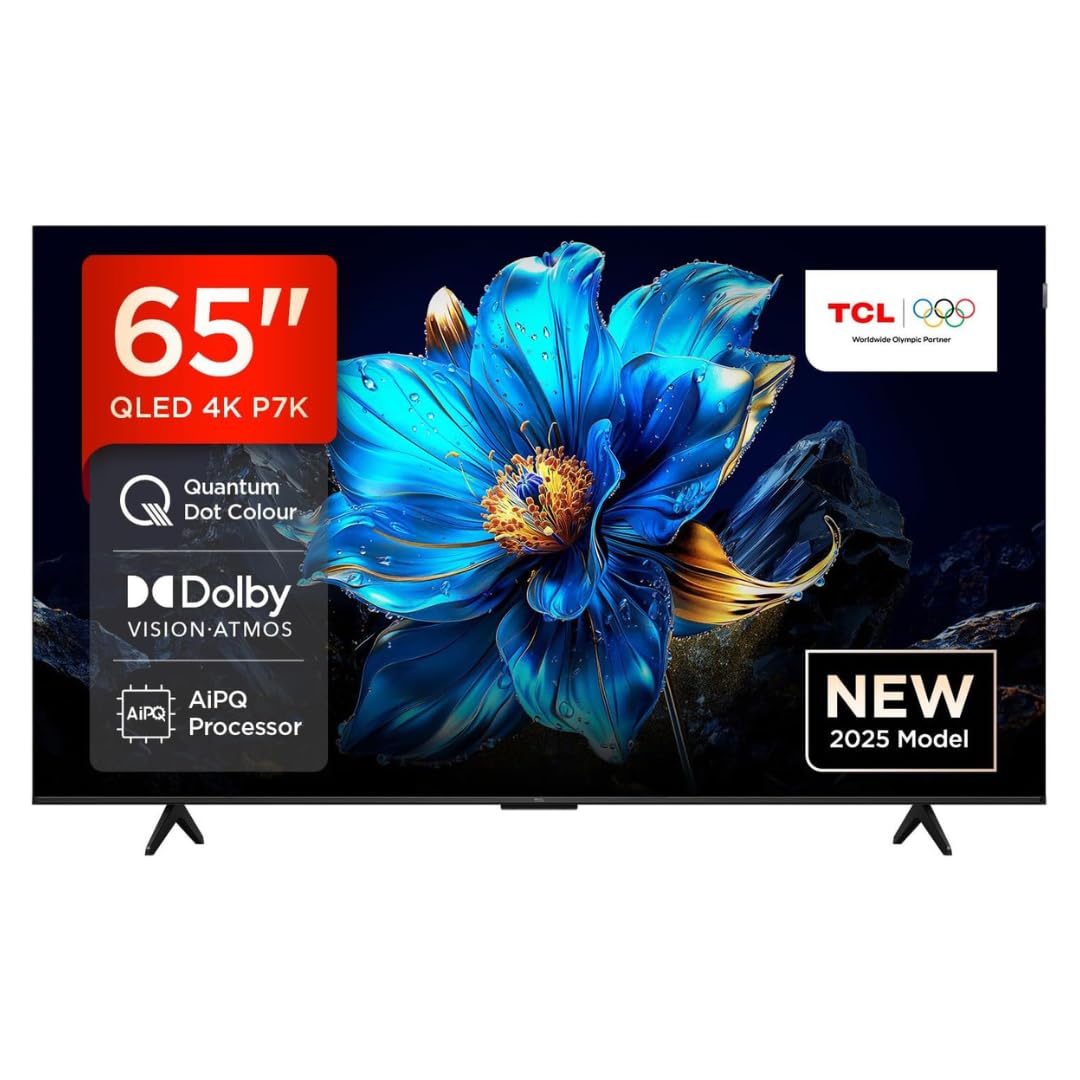
Слика: Фронт view of the TCL 65P7K television, showcasing its metallic bezel-less design and vibrant display.
2. Stand Installation (Table Mount)
If placing the TV on a table, attach the included stand:
- Поставите телевизор екраном надоле на меку, равну површину да бисте спречили оштећења.
- Поравнајте основе постоља са одговарајућим отворима на дну телевизора.
- Причврстите постоља помоћу приложених шрафова. Уверите се да су чврсто причвршћени.
3. Монтажа на зид
For wall mounting, use a VESA compatible wall mount (400x300mm) (sold separately). Follow the instructions provided with your wall mount kit. It is recommended to seek professional installation for wall mounting.

Image: Diagram showing the dimensions of the TCL 65P7K TV (1444mm width, 893mm height, 69.5mm thickness) and the included RC833A remote control.
4. Повезивање периферних уређаја
Connect your external devices to the TV's ports. Refer to the back panel image for port locations.

Слика: Позади view of the TCL 65P7K television, highlighting the various input and output ports for connectivity.
- HDMI портови (3): Connect Blu-ray players, gaming consoles, set-top boxes.
- УСБ порт (1): Повежите УСБ дискове за репродукцију медија.
- ЛАН порт (1): За жичану интернет везу.
- Улаз за антену (1): Connect an antenna for terrestrial broadcasts.
- Digital Audio Out (1): Connect to a soundbar or home theater system.
- AV Adapter (1): За старије аналогне уређаје.
5. Прво укључивање и прво подешавање
- Прикључите кабл за напајање на телевизор, а затим на утичницу.
- Притисните дугме за напајање на даљинском управљачу или на телевизору.
- Пратите упутства на екрану да бисте завршили почетно подешавање, укључујући избор језика, мрежну везу (Wi-Fi или Ethernet) и пријаву на Google налог.
Упутство за употребу
1. Даљинско управљањеview
Insert the two AAA batteries into the remote control. The remote uses both IR and Bluetooth technology. Familiarize yourself with the buttons for navigation, volume, channel, input selection, and smart features.
2. Навигација интерфејса Google TV-а
Your TCL 65P7K runs on Google TV. Use the directional pad and OK button on your remote to navigate through the home screen, apps, and settings. The home screen provides personalized recommendations and quick access to your favorite content.
3. Паметне карактеристике
- Апликације за стримовање: Access pre-installed apps like Prime Video, Netflix, Hotstar, Zee5, and more. Download additional apps from the Google Play Store.
- Гоогле помоћник: Press the Google Assistant button on your remote to use voice commands for searching content, controlling smart home devices, and getting information.
- Пресликавање екрана: Cast content from your smartphone or tablet to the TV using built-in Chromecast.
- Мајстор игре: Optimize your gaming experience with features like VRR (Variable Refresh Rate) up to 120 Hz and DLG (Dynamic Low Latency Gaming) 120 Hz.

Image: A collage illustrating key features of the TCL 65P7K TV, such as QLED display, AiPQ Processor, Dolby Vision Atmos, Multi HDR Format, Metallic Bezel-less design, HVA Screen, Google TV, Motion Clarity, and 120Hz Game Accelerator.
4. Подешавања слике и звука
Navigate to the TV settings menu to adjust picture and sound preferences:
- Режими слике: Choose from various modes (Standard, Dynamic, Movie, Game) or customize settings like brightness, contrast, color, and sharpness.
- Долби Вижн и ХДР10+: The TV supports multiple HDR formats for enhanced contrast and color.
- Режими звука: Select sound modes (Standard, Music, Movie) or adjust equalizer settings.
- Долби Атмос: Experience immersive audio with Dolby Atmos support.
5. Повезивање
- Ви-Фи: Connect to your home wireless network (Wi-Fi 5 supported).
- Блуетоотх: Pair Bluetooth devices like headphones or game controllers.
Одржавање
1. Cleaning the Screen and TV Body
- Увек искључите телевизор из струје пре чишћења.
- Користите меку крпу која не оставља влакна да нежно обришете екран. За тврдокорне мрље, благо обришитеampОбришите крпу водом или специјализованим средством за чишћење екрана (не прскајте директно по екрану).
- Wipe the TV body with a soft, dry cloth. Avoid using abrasive cleaners, waxes, or solvents.
2. Ажурирања софтвера
The TV may receive automatic software updates via the internet. Ensure your TV is connected to the internet to receive the latest features and performance improvements. You can also manually check for updates in the settings menu.
Решавање проблема
Ако наиђете на проблеме са телевизором, погледајте следећа уобичајена решења:
| Проблем | Могуће решење |
|---|---|
| Нема струје | Check if the power cord is securely plugged into the TV and the power outlet. Ensure the power outlet is active. Try a different outlet. |
| Нема слике, али је звук присутан | Проверите извор улаза. Уверите се да су спољни уређаји укључени и правилно повезани. Покушајте са другим HDMI каблом. |
| Нема звука, али је слика присутна | Check the volume level and mute status. Ensure external audio devices are connected and powered on. Check audio output settings. |
| Даљински управљач не ради | Replace the batteries. Ensure there are no obstructions between the remote and the TV's IR sensor. Re-pair the Bluetooth remote if applicable. |
| Повезивање на Ви-Фи није могуће | Уверите се да је ваш рутер укључен и да ради. Поново унесите лозинку за Wi-Fi. Покушајте да поново покренете телевизор и рутер. |
| Апликације су споре или се замрзавају | Close unused apps. Clear app cache in settings. Restart the TV. Ensure sufficient internet speed. |
If the problem persists after trying these solutions, please contact TCL customer support.
Спецификације
| Феатуре | Детаљ |
|---|---|
| Модел | 65П7К |
| Величина екрана | 65 инча (165 цм) |
| Дисплаи Тецхнологи | КЛЕД |
| Резолуција | 4K UHD (3840 x 2160 пиксела) |
| Рефресх Рате | 60 Hz (VRR 120 Hz / DLG 120 Hz) |
| Оперативни систем | Гоогле ТВ |
| Процесор | 64-bit Quad Core Processor (AiPQ Processor) |
| РАМ | 2 ГБ |
| Складиштење (РОМ) | 16 ГБ |
| ХДР подршка | HDR 10+, Dolby Vision Atmos |
| Viewинг Англе | 178 степени |
| Аудио излаз | 35 вати (Долби Атмос) |
| Повезивање | 3 HDMI Ports, 1 USB Port, 1 LAN Port, Wi-Fi 5, Bluetooth, Digital Audio Out, AV Adapter |
| Технологија даљинског управљања | ИР, Блутут |
| Димензије производа (ДкШкВ) | 144.4 к 32 к 76.3 цм |
| Тежина артикла | 15.7 кг |
| Потрошња енергије (годишње) | 200 кВх / год |
| Оцена енергије | 4 звездица |
Информације о гаранцији
Your TCL 65P7K television comes with a 2 година гаранције provided by the manufacturer from the date of purchase. Please retain your purchase receipt and warranty card for any warranty claims. The warranty covers manufacturing defects under normal use conditions. For detailed terms and conditions, refer to the warranty card included with your product.
Корисничка подршка
For further assistance, technical support, or service requests, please contact TCL customer service. You can find contact information on the TCL official webсајту или на вашем гарантном листу.
TCL India Customer Service:
- Visit the official TCL India webсајт за ресурсе подршке.
- Refer to the contact details provided in your warranty documentation.


