1. Увод и крајview
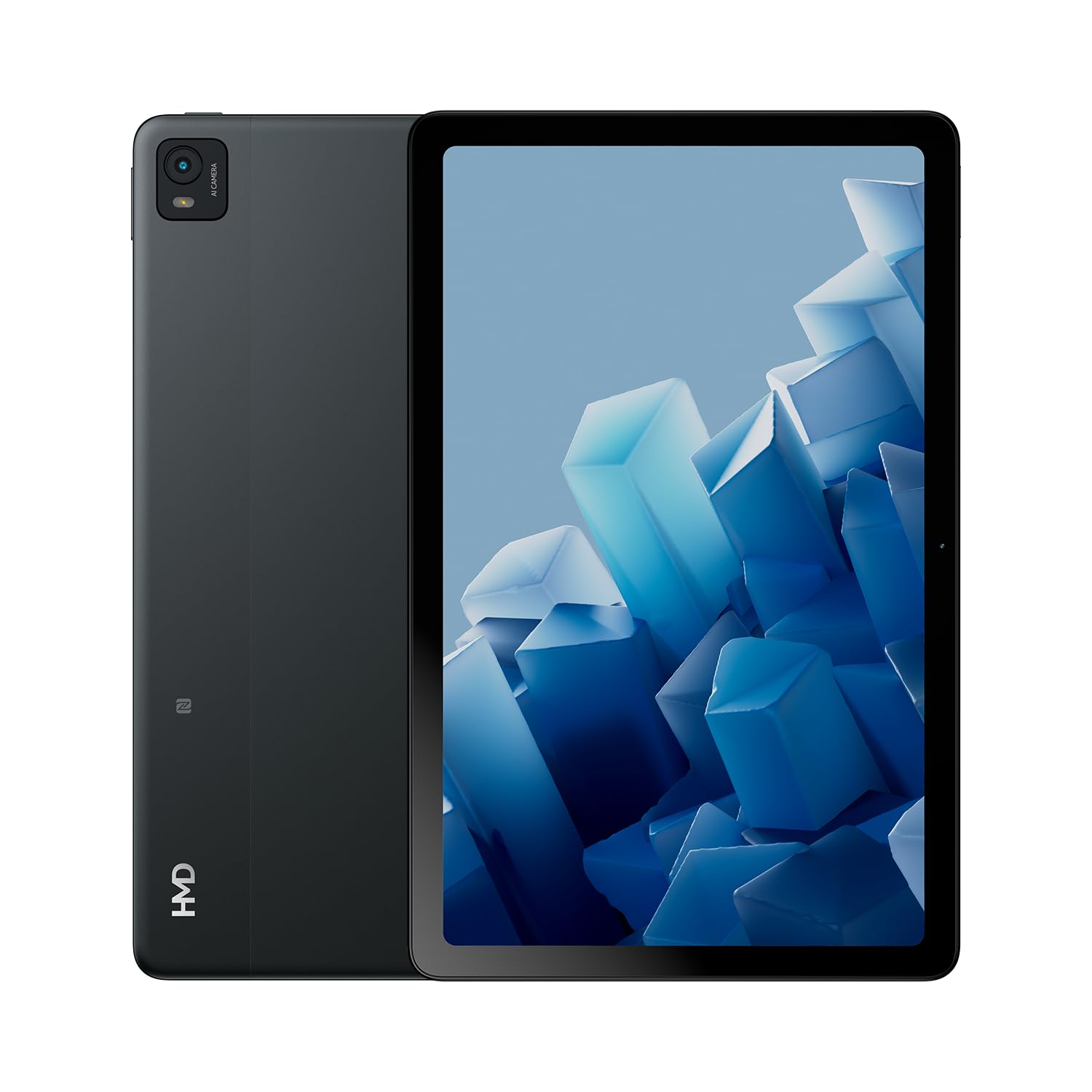
The HMD T21 tablet is designed for entertainment and productivity, featuring a clear 10.36-inch HD display and immersive audio. It supports an active pen for creative tasks and offers extended screen real estate for computer integration. Enjoy long-lasting battery performance with monthly security updates until summer 2027.
- Fortress of Security: Bank, surf, and shop online fearlessly with monthly security updates until the summer of 2027.
- Имерзивна забава: Dive deep into entertainment on the clear 10.36-inch cover glass display with immersive audio.
- Продужено трајање батерије: Stay powered up with an 8200 mAh battery, offering up to 3 days of usage and 18W fast charge support with 800 full charging cycles.
- Creative and Productive: Unleash your creativity with active pen support and enhance productivity by using the tablet as additional screen real estate for your computer.
- Crystal Clear Audio-Visuals: Enjoy HD video for calls and streaming, complemented by stereo speakers with OZO playback.

2. Шта је у кутији
Your HMD T21 package includes the following items:
- HMD T21 Tablet
- УСБ кабл
- Повер Адаптер
- Сим Пин
- Упутство за употребу
- Водич за брзи почетак
- Сигурносна књижица

3. Подешавање
3.1 Почетно укључивање
- Press and hold the Power button (located on the side) until the HMD logo appears on the screen.
- Пратите упутства на екрану да бисте изабрали језик, повезали се са Wi-Fi мрежом и подесили свој Google налог.
3.2 Пуњење уређаја
Before first use, it is recommended to fully charge your HMD T21 tablet.
- Connect the USB cable to the tablet's USB-C port.
- Повежите други крај УСБ кабла на адаптер за напајање.
- Укључите адаптер за напајање у зидну утичницу.
- The battery icon on the screen will indicate charging status. The tablet supports 18W fast charging.
3.3 Уметање СИМ картице (ако је применљиво)
If your model supports cellular connectivity, follow these steps:
- Пронађите лежиште за СИМ картицу са стране таблета.
- Insert the provided SIM pin into the small hole on the tray to eject it.
- Поставите Nano-SIM картицу(е) и/или microSD картицу у лежиште са златним контактима окренутим надоле.
- Пажљиво поново уметните лежиште у таблет.
4. Упутство за употребу
4.1 Навигација по екрану
The HMD T21 features a 10.36-inch HD display. Navigate the interface using touch gestures:
- Додирните: Изаберите ставку или отворите апликацију.
- Превуците: Померајте се кроз екране или листе.
- Зумирање штипкањем прстију: Увећајте или умањите фотографије и web странице.
- Дуго притисните: Приступите контекстуалним менијима или преместите иконе апликација.

4.2 Употреба камере
The tablet is equipped with an 8MP rear camera and an 8MP front camera for photos and video calls.
- Open the Camera app from the home screen.
- Додирните дугме затварача да бисте снимили фотографију.
- Пребацујте се између предње и задње камере помоћу иконе за пребацивање камере.
- Изаберите видео режим за снимање видео записа.
4.3 Аудио и повезивање
Enjoy clear audio through the stereo speakers with OZO playback. Connect to the internet via Wi-Fi (802.11a/b/g/n/ac) or cellular data (if supported by your model).
- Ви-Фи: Идите на Подешавања > Мрежа и интернет > Wi-Fi да бисте се повезали са доступним мрежама.
- Блуетоотх: Идите у Подешавања > Повезани уређаји > Bluetooth да бисте упарили уређај са Bluetooth додацима.
- Слушалице: Use the 3.5mm audio jack for wired headphones.
5. Одржавање
5.1 Одржавање батерије
Да бисте максимално повећали век трајања и дуговечност батерије:
- Избегавајте екстремне температуре.
- За оптимално пуњење користите приложени пуњач.
- Повремено дозволите да се батерија испразни испод 20% пре поновног пуњења.
5.2 Ажурирања софтвера
HMD provides monthly security updates until summer 2027 to keep your device secure and up-to-date.
- Go to Settings > System > System update to check for and install available updates.
5.3 Чишћење уређаја
Користите меку крпу која не оставља влакна да бисте очистили екран и кућиште таблета. Избегавајте јаке хемикалије или абразивне материјале.
КСНУМКС. Решавање проблема
If you encounter issues with your HMD T21, try the following basic troubleshooting steps:
- Поново покрените уређај: Притисните и држите дугме за напајање, а затим додирните Поново покрени.
- Проверите ажурирања софтвера: Уверите се да ваш уређај користи најновију верзију софтвера.
- Обриши кеш меморију апликације: If an app is misbehaving, go to Settings > Apps > [App Name] > Storage & cache > Clear cache.
- Фабричко ресетовање (последње средство): If problems persist, you may need to perform a factory reset. Back up your data first. Go to Settings > System > Reset options > Erase all data (factory reset).
7. Спецификације
| Феатуре | Спецификација |
|---|---|
| Назив модела | Т21 (ТА-1597) |
| Оперативни систем | Андроид 13 |
| Величина екрана | 10.36 инча |
| Резолуција екрана | 2000x1200 пиксела |
| Процесор | 1.8 GHz Unisoc |
| Меморија (РАМ) | 4 ГБ |
| Капацитет складиштења | 64 GB (прошириво путем microSD картице) |
| Позади Webцам Ресолутион | 8 МП |
| Резолуција предње камере | 8 МП |
| Трајање батерије (просечно) | 24 Hours (up to 3 days with typical usage) |
| Fast Charge Support | 18В |
| Вирелесс Типе | 802.11a, 802.11ac, 802.11b, 802.11g, 802.11n |
| Тежина артикла | 1.04 фунти |
| Димензије производа | 6.19 к 9.75 к 0.3 инча |
| Боја | Блацк Стеел |

8. Гаранција и подршка
Your HMD T21 tablet comes with a manufacturer's warranty. Please refer to the warranty card included in your package for specific terms and conditions.
For technical support, troubleshooting assistance, or warranty claims, please visit the official HMD support website or contact customer service through the details provided in your product documentation.


