1. Увод
This manual provides essential information for the proper use and maintenance of your Logic B10L 4G Bar Phone. Please read it carefully to ensure optimal performance and longevity of your device. The Logic B10L is designed for reliable communication with modern 4G connectivity, a user-friendly interface, and essential features.
2. Садржај пакета
Проверите да ли су све ставке присутне у паковању вашег производа:
- Logic B10L 4G Bar Phone
- Ли-јонска батерија од 1800 мАх
- Повер Адаптер
- Кориснички приручник (овај документ)
3. Phone Layout and Components
Familiarize yourself with the physical components of your Logic B10L phone.

Слика 3.1: Предње и задње view of the Logic B10L 4G Bar Phone. The front displays the 2.4-inch LCD screen and alphanumeric keypad. The back shows the VGA camera with flash and the Logic B10L branding.
- 2.4-inch Curved LCD Display: Main screen for viewинг информације.
- Алфанумеричка тастатура: За бирање бројева и унос текста.
- Navigation Key (D-pad): За навигацију кроз мени.
- Тастери за позив/прекид: За покретање и завршавање позива.
- VGA Camera with Flash: Located on the rear for capturing photos.
- Микро УСБ порт: За пуњење и пренос података.
- 3.5 мм аудио прикључак: За слушалице.
- Torchlight: Integrated flashlight, accessible via a dedicated key.
4. Подешавање
4.1. Инсталација батерије
- Remove the back cover of the phone by gently prying it from the designated notch.
- Align the 1800mAh Li-ion battery with the contacts inside the battery compartment.
- Press the battery down until it is securely in place.
- Вратите задњи поклопац, водећи рачуна да кликне на место.
4.2. Инсталација СИМ картице
The Logic B10L supports Dual Nano SIM cards.
- With the back cover and battery removed, locate the SIM card slots.
- Insert your Nano SIM card(s) into the designated slot(s) with the gold contacts facing down, following the orientation indicated on the phone.
- Ensure the SIM card(s) are fully seated.
4.3. Инсталација MicroSD картице (опционо)
You can expand the phone's storage up to 32GB using a MicroSD card.
- With the back cover and battery removed, locate the MicroSD card slot.
- Insert the MicroSD card into the slot with the gold contacts facing down, following the indicated orientation.
- Gently push until it clicks into place.
4.4. Пуњење батерије
- Connect the Micro USB end of the power adapter to the Micro USB port on your phone.
- Укључите други крај адаптера за напајање у зидну утичницу.
- Индикатор батерије на екрану ће приказивати статус пуњења.
- Када се потпуно напуни, искључите пуњач.
5. Упутство за употребу
5.1. Укључивање/искључивање
- За укључивање: Притисните и држите Заврши позив/Напајање key until the screen lights up.
- За искључивање: Притисните и држите Заврши позив/Напајање key until the power-off options appear, then select 'Power Off'.
5.2. Основна навигација
Use the navigation key (D-pad) to move through menus and options. The center key typically acts as a selection button.
5.3. Позивање
- Са почетног екрана користите тастатуру да бисте позвали жељени број телефона.
- Притисните тастер Цалл тастер да започнете позив.
- Да бисте прекинули позив, притисните Заврши позив кључ.
5.4. Слање порука
- Идите до менија „Поруке“.
- Select 'New Message' or 'Create Message'.
- Унесите број примаоца или га изаберите из контаката.
- Унесите своју поруку користећи алфанумеричку тастатуру.
- Притисните „Пошаљи“.
5.5. Употреба камере
The Logic B10L features a VGA camera with flash for capturing photos.
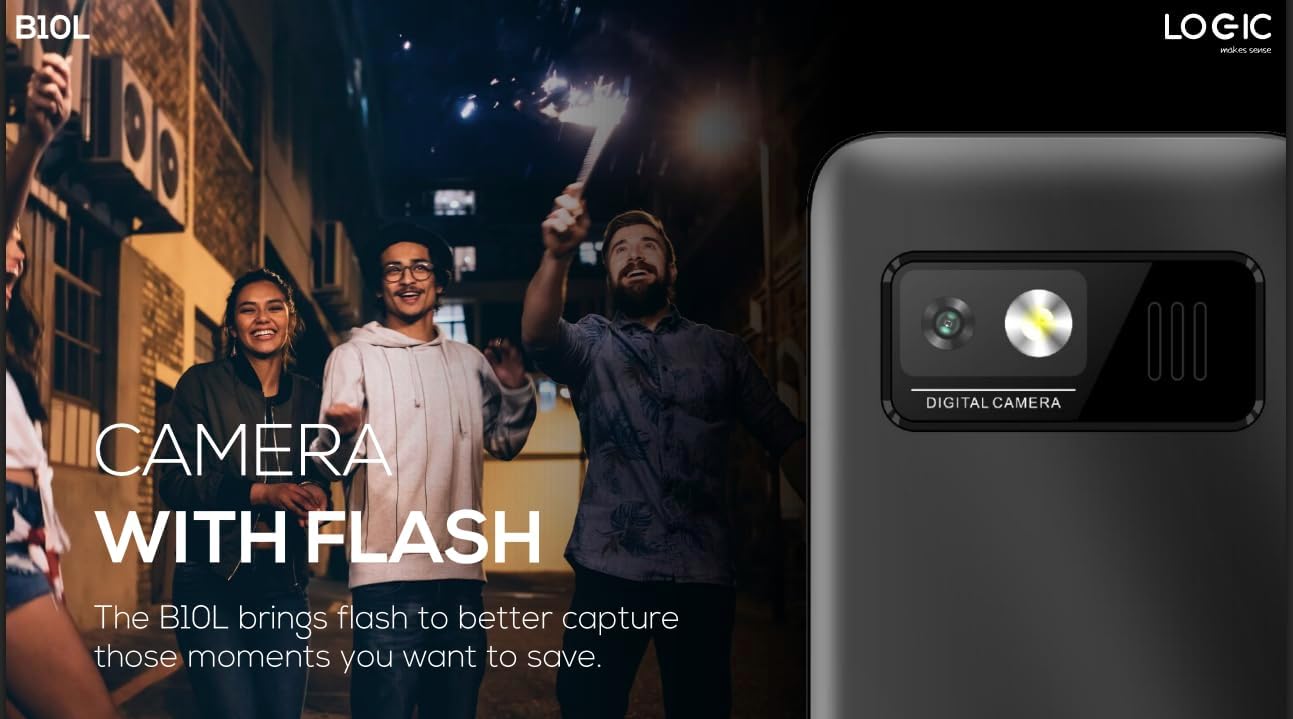
Слика 5.1: Позади view of the Logic B10L phone, highlighting the VGA camera and flash module. This feature allows for capturing images even in low-light conditions.
- Navigate to the 'Camera' application from the main menu.
- Кадрирајте снимак користећи екран као viewфиндер
- Press the designated 'Capture' or 'OK' key to take a photo.
- Photos are saved to the phone's memory or MicroSD card.
5.6. Бежични ФМ радио
Enjoy your favorite radio stations without needing headphones.
- Go to the 'FM Radio' application in the menu.
- Користите тастере за навигацију да бисте скенирали доступне станице.
- Select a station to listen.
5.7. Бакља
The phone includes a direct access key for the torchlight function.

Слика 5.2: Сиде проfile of the Logic B10L phone, illustrating the dedicated direct access key for activating the built-in torchlight. This provides quick illumination.
- Press the dedicated torchlight key on the side of the phone to turn the flashlight on or off.
5.8. Блуетоотх повезивање
Connect your phone to other Bluetooth-enabled devices.
- Go to 'Settings' and then 'Bluetooth'.
- Укључите Блутут.
- Тражи available devices and select the one you wish to pair with.
- Enter the passkey if prompted.
5.9. 4G LTE and VoLTE
The Logic B10L supports 4G LTE for faster data speeds and VoLTE for clearer voice calls.

Слика 5.3: The Logic B10L phone screen showing the 'VoLTE' logo, indicating support for Voice over LTE for enhanced call quality and simultaneous voice and data usage.
- Ensure your SIM card and network provider support 4G LTE and VoLTE services.
- These features are typically enabled by default when available.
5.10. Curved LCD Display
The phone features a 2.4-inch curved LCD screen for clear visuals.
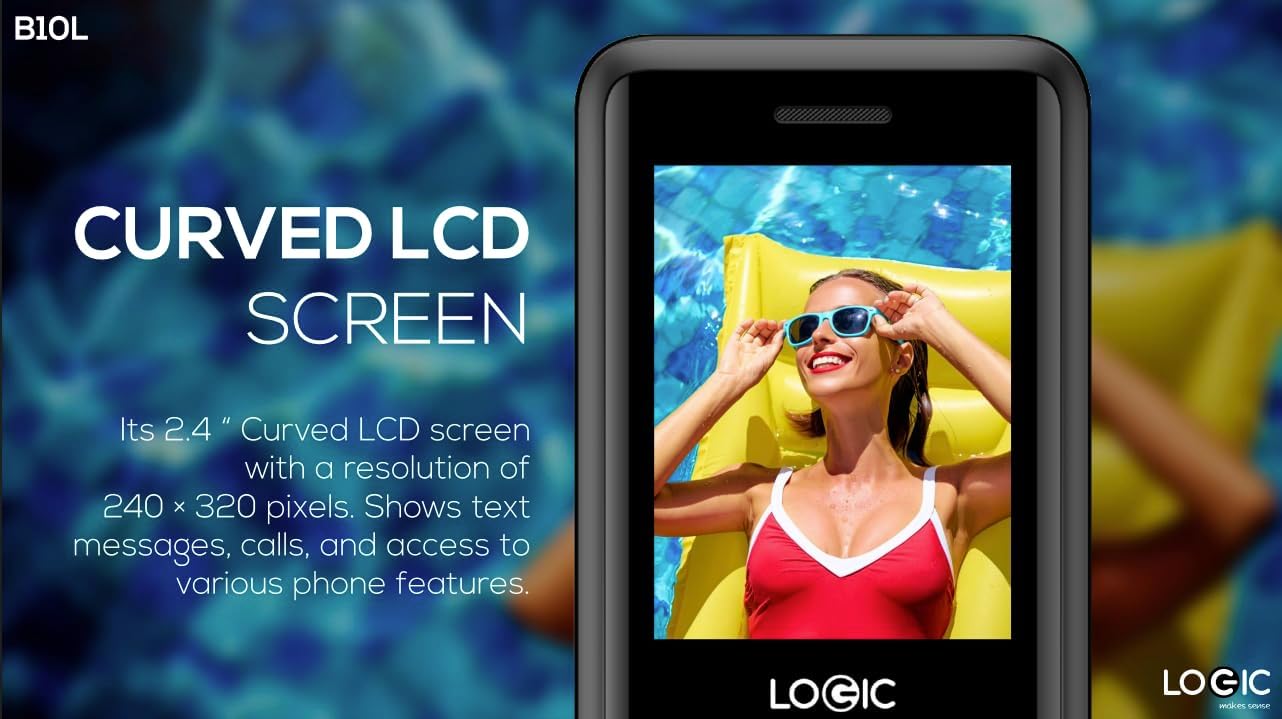
Слика 5.4: Close-up of the Logic B10L's 2.4-inch curved LCD screen, displaying a colorful image. The curved design enhances viewing comfort and aesthetics.
6. Одржавање
6.1. Чишћење телефона
- Користите меку, суву крпу која не оставља влакна да бисте очистили екран и кућиште телефона.
- Избегавајте употребу јаких хемикалија, растварача за чишћење или абразивних материјала.
6.2. Брига о батерији
- Не излажите батерију екстремним температурама.
- Избегавајте често потпуно пражњење батерије.
- If the phone will not be used for an extended period, charge the battery to about 50% before storing it.
6.3. Складиштење
- Чувајте телефон на хладном и сувом месту, заштићено од директне сунчеве светлости и влаге.
- Чувати ван домашаја деце и кућних љубимаца.
КСНУМКС. Решавање проблема
This section addresses common issues you might encounter with your Logic B10L phone.
| Проблем | Могуће решење |
|---|---|
| Телефон се не укључује | Ensure the battery is correctly installed and charged. Connect the charger and try again. |
| Не могу да упућујем или примам позиве | Check if the SIM card is properly inserted. Verify network signal strength. Contact your service provider. |
| Батерија се не пуни | Ensure the charger is correctly connected to the phone and a working power outlet. Try a different charger or cable if available. |
| Лош квалитет позива | Move to an area with better network coverage. Check for obstructions around the phone's antenna. |
| MicroSD card not detected | Ensure the MicroSD card is correctly inserted. Try reinserting it or using a different card to check for card malfunction. |
8. Спецификације
Detailed technical specifications for the Logic B10L 4G Bar Phone.
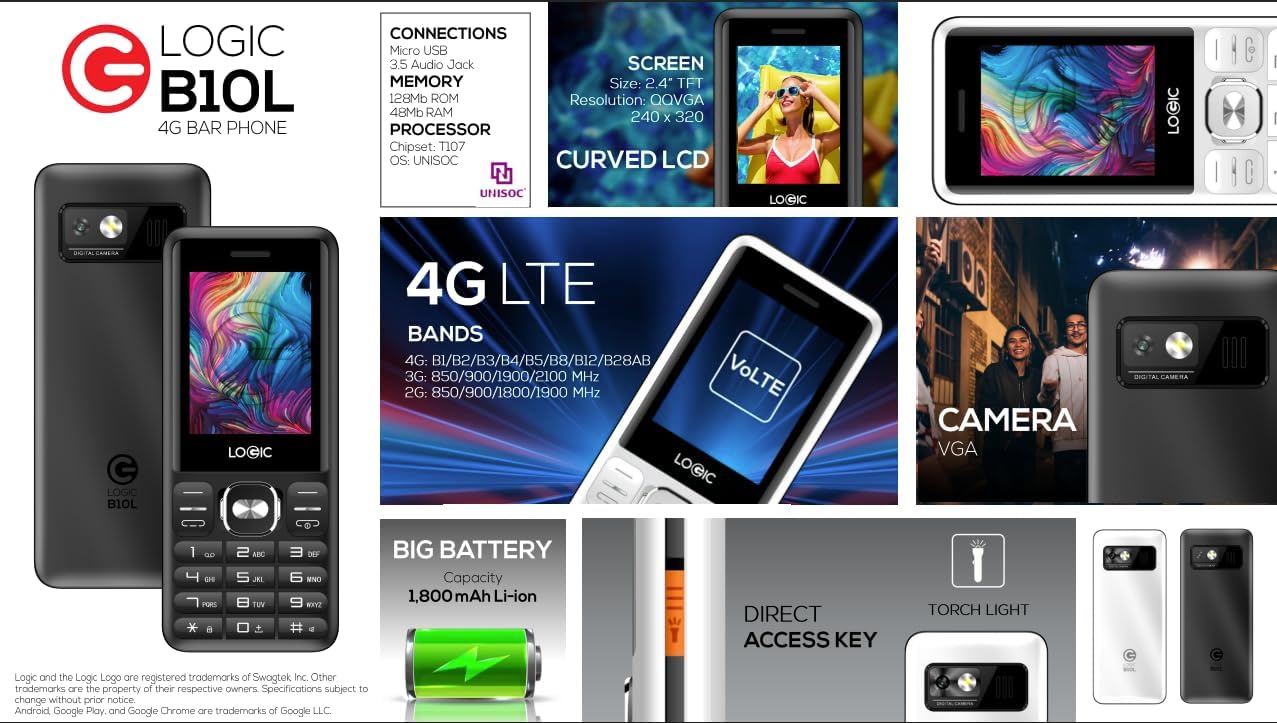
Слика 8.1: A visual summary of the Logic B10L's key features and specifications, including screen size, memory, processor, 4G LTE bands, battery capacity, and direct access torchlight.
- Назив модела: Б10Л
- Број модела ставке: LO-27B10L90-C
- Оперативни систем: Нуклеус ОС
- Ћелијска технологија: 4G LTE, VoLTE
- Бежични оператер: Откључано
- Приказ: 2.4-inch Curved LCD (240x320 resolution)
- камера: VGA Rear Camera with Flash
- батерија: 1800mAh литијум-јонска батерија (3.7 волти)
- РАМ меморија: 48 МБ
- Интерна меморија: 0.13 GB (прошириво до 32 GB путем MicroSD картице)
- Подршка за СИМ картицу: Дуал Нано СИМ
- Повезивање: Bluetooth, Micro USB, 3.5mm Audio Jack
- Посебне карактеристике: Wireless FM Radio, Direct Access Torchlight
- Фактор форме: Бар телефон
- Тежина артикла: 7 унци
- Димензије пакета: 5.67 к 2.8 к 2.44 инча
9. Гаранција и подршка
For warranty information and technical support, please refer to the warranty card included in your package or visit the official Logic webсајт. Сачувајте рачун као доказ о куповини.
If you encounter issues not covered in this manual, please contact Logic customer support for assistance.


