1. Увод
Thank you for choosing the havit OWS915 Open Ear Headphones. These headphones are designed to provide a comfortable and secure listening experience while maintaining awareness of your surroundings. Featuring Bluetooth 5.4 connectivity, 64 hours of total playtime with the charging case, IPX5 water resistance, and Environmental Noise Cancellation (ENC) for clear calls, the OWS915 is suitable for various activities.
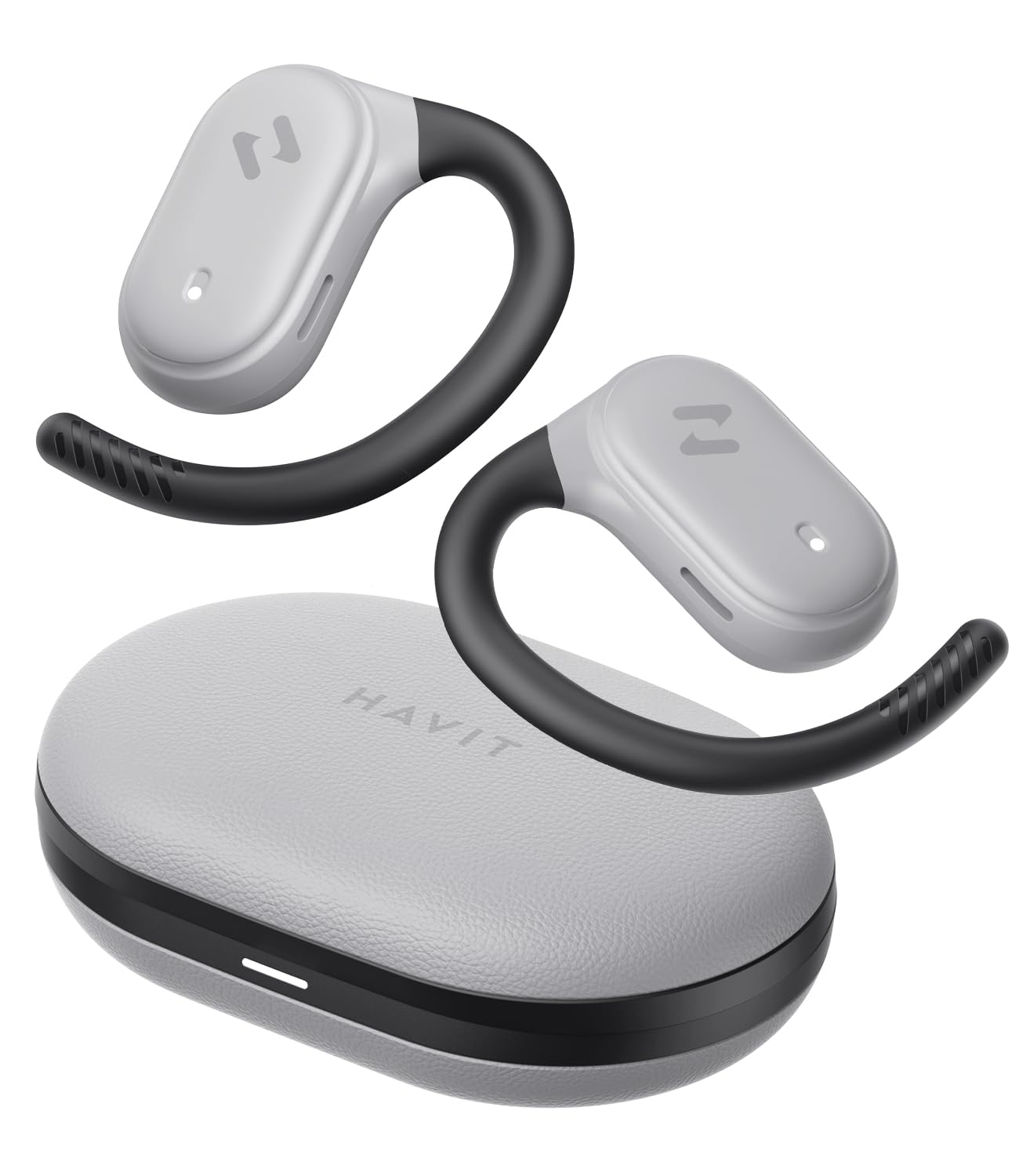
Image: havit OWS915 Open Ear Headphones and their charging case, showcasinг дизајн производа.
2. Шта је у кутији
- havit OWS915 Open Ear Headphones (Left and Right)
- Футрола за пуњење
- УСБ-Ц кабл за пуњење
- Упутство за употребу

Image: A visual representation of all items included in the havit OWS915 product packaging.
3. Упутство за ношење
For optimal comfort and sound quality, ensure the headphones are worn correctly.
- Отворите кућиште за пуњење и уклоните слушалице.
- Поставите кукицу за ухо преко врха уха.
- Adjust the earbud so that the speaker rests comfortably outside your ear canal, directing sound towards your ear.

Image: A three-step visual guide demonstrating the proper way to position the open-ear headphones on the ear.
4. Подешавање
4.1 Почетно упаривање
- Уверите се да су слушалице напуњене.
- Отворите кућиште за пуњење. Слушалице ће аутоматски ући у режим упаривања, што ће бити назначено трепћућим ЛЕД светлом.
- На свом уређају (паметном телефону, таблету, рачунару) омогућите Блутут и потражите доступне уређаје.
- Select "havit OWS915" from the list of devices.
- Када се повежу, ЛЕД индикатор на слушалицама ће престати да трепери.
4.2 Пуњење слушалица и футроле
The headphones provide up to 8.5 hours of playtime on a single charge, with the charging case extending this to a total of 64 hours.
- Слушалице за пуњење: Ставите слушалице у кутијицу за пуњење. Аутоматски ће почети да се пуне. Индикаторска светла на слушалицама ће приказивати статус пуњења.
- Футрола за пуњење: Connect the provided USB-C cable to the charging port on the case and to a power source. The indicator light on the case will show charging progress.

Image: The havit OWS915 headphones in their charging case, highlighting the 8.5 hours of playtime per charge and 64 hours total with the case.
5. Упутство за употребу
5.1 Контроле на додир
The havit OWS915 headphones feature intuitive touch controls on each earbud.
| Функција | Акција |
|---|---|
| Пусти/Паузирај | Двапут додирните било коју слушалицу |
| Претходна песма | Touch and hold left earbud for 1 second |
| Нект Сонг | Touch and hold right earbud for 1 second |
| Одговори/Заврши позив | Двапут додирните било коју слушалицу |
| Одбаци позив | Touch and hold either earbud for 1 second |
| Гласовни асистент | Додирните леву слушалицу три пута |
| Режим игре/Музички режим | Три пута додирните десну слушалицу |

Image: A visual guide detailing the various touch control functions on the havit OWS915 earbuds.
5.2 HAVIT LIFE APP
Enhance your listening experience by downloading the HAVIT LIFE APP. The app allows you to:
- Customize EQ settings to match your audio preferences.
- Adjust touch control functions.
- Monitor headphone battery levels.
- Switch between game and music modes.

Image: Screenshots of the HAVIT LIFE APP, demonstrating options for equalizer settings and other customizations.
6. Карактеристике и технологија
6.1 Open-Ear Design and Comfort
The OWS915 headphones feature an open-ear design with lightweight (7.9 grams) and soft TPU materials, ensuring a comfortable and secure fit for extended wear without fatigue. This design allows you to remain aware of your surroundings.

Image: A person wearing the havit OWS915 headphones, illustrating the comfortable and secure open-ear design.
6.2 Powerful Sound Performance
Equipped with advanced 14.2mm dynamic drivers and bass enhancement technology, these headphones deliver rich bass and vibrant 3D surround sound for an immersive audio experience.

Image: An illustration of the 14.2mm dynamic drivers, highlighting their role in delivering powerful bass.
6.3 Crystal Clear Calls with 4-Microphone ENC
The integrated 4-microphone Environmental Noise Cancellation (ENC) technology ensures your voice is transmitted clearly during calls, even in noisy environments.
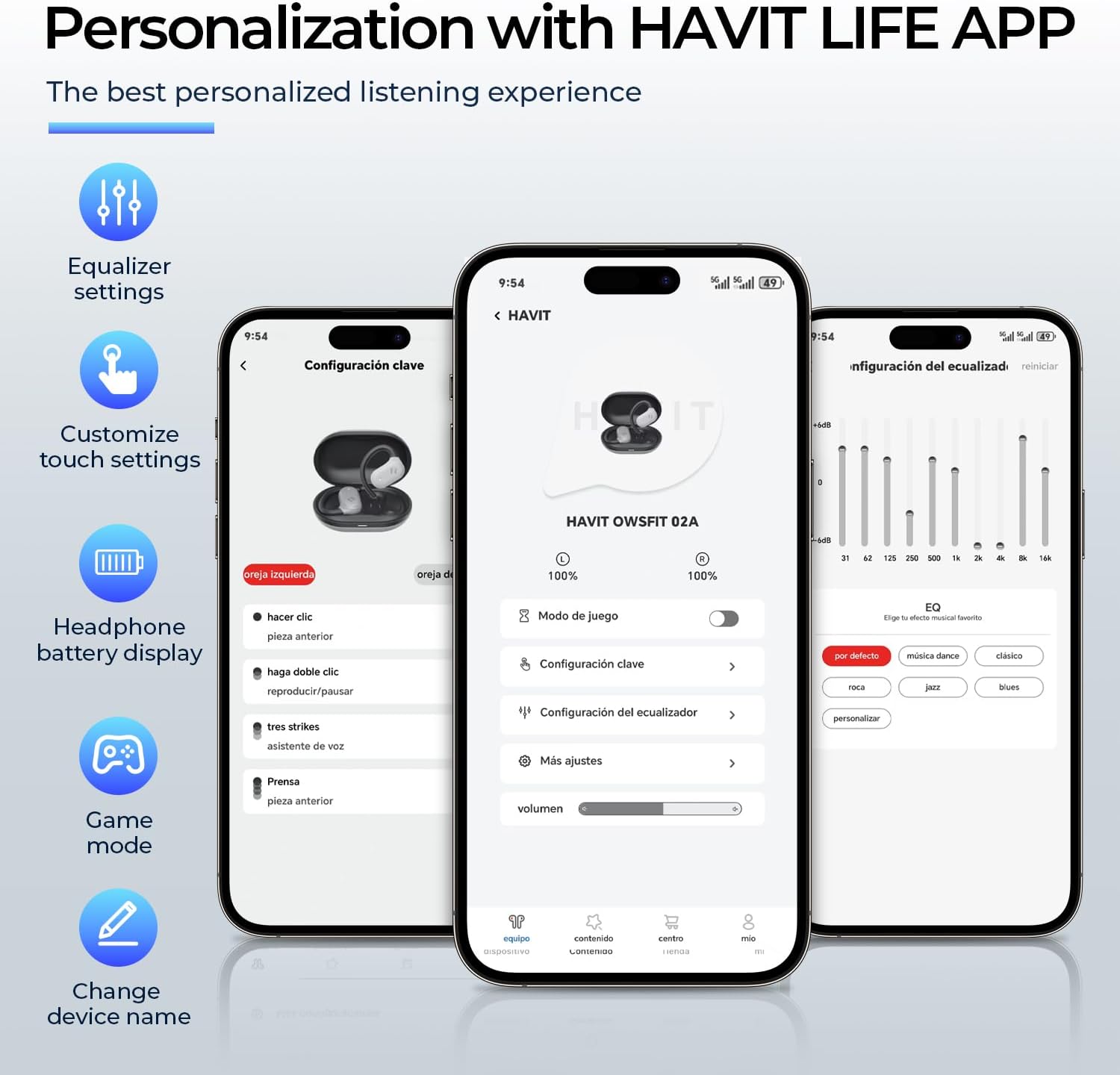
Image: A person using the havit OWS915 headphones for a call, illustrating the clear communication provided by 4-microphone ENC technology.
6.4 Cutting-Edge Directional Audio Technology
Innovative directional audio technology provides precise sound placement, minimizing sound leakage while improving bass quality. This allows you to enjoy your audio without disturbing others and without compromising your awareness.

Image: A visual representation of the directional audio technology, showing sound waves directed towards the ear with minimal leakage.
6.5 IPX5 водоотпорност
With an IPX5 rating, the OWS915 headphones are resistant to sweat and splashes, making them suitable for workouts, outdoor activities, and light rain.
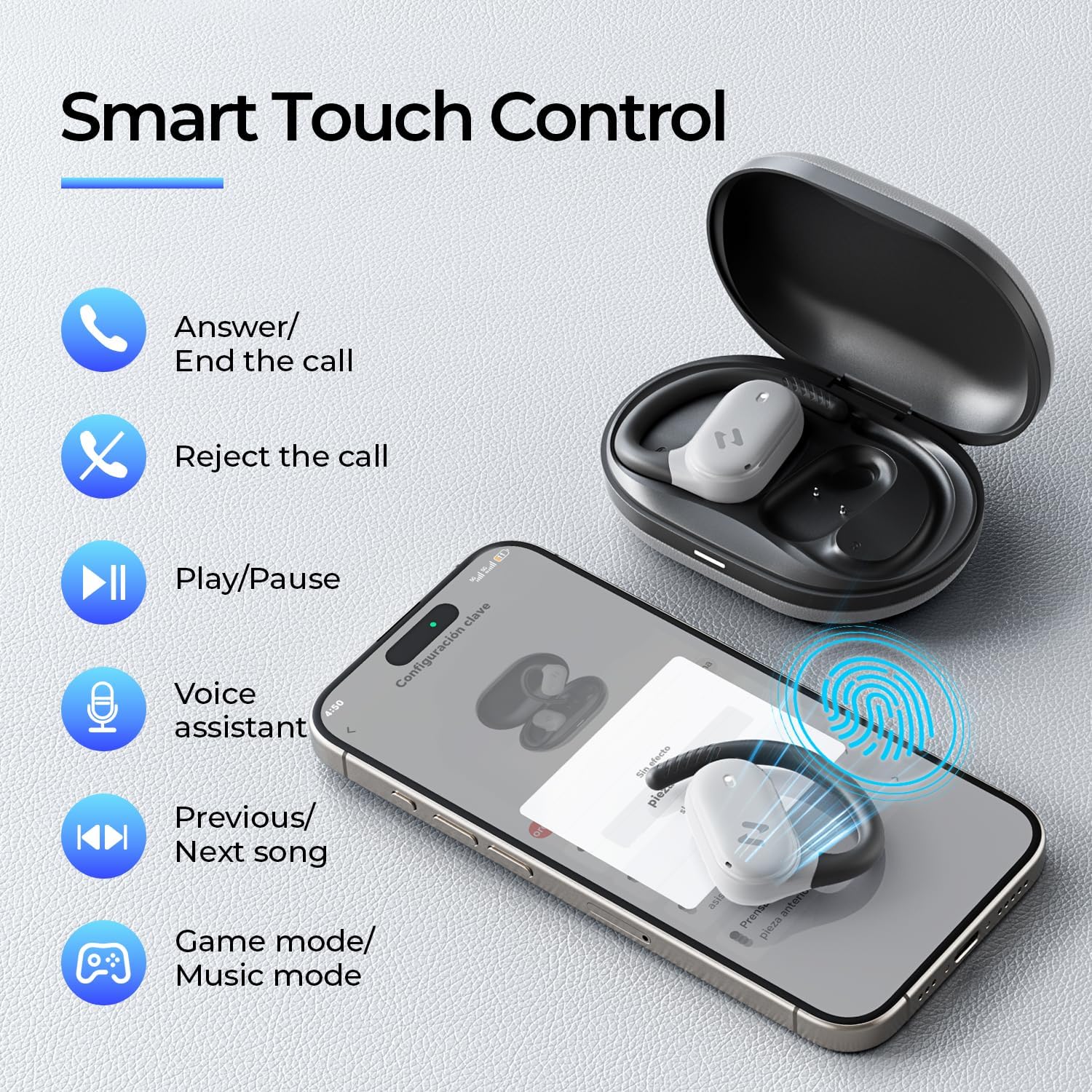
Image: The havit OWS915 headphones partially submerged in water, demonstrating their IPX5 water and sweat resistance.
7. Одржавање
- Чишћење: Редовно бришите слушалице и кућиште за пуњење меком, сувом крпом. Избегавајте употребу абразивних материјала или јаких хемикалија.
- Изложеност води: While IPX5 rated, avoid submerging the headphones in water. If exposed to sweat or splashes, wipe them dry before placing them back in the charging case.
- Складиштење: Store the headphones in their charging case when not in use to protect them and ensure they remain charged.
- Одржавање батерије: To prolong battery life, avoid fully discharging the headphones or charging case frequently. Charge them regularly.
КСНУМКС. Решавање проблема
- Нема напајања: Уверите се да су слушалице и кућиште за пуњење потпуно напуњене.
- Неуспешно упаривање:
- Уверите се да је Блуетоотх омогућен на вашем уређају.
- Ensure the earbuds are in pairing mode (flashing LED).
- Искључите Блутут на другим уређајима у близини који можда покушавају да се повежу.
- Try resetting the earbuds (refer to the full manual for specific reset instructions if needed).
- Нема звука:
- Проверите ниво јачине звука и на уређају и на слушалицама.
- Уверите се да су слушалице правилно повезане са вашим уређајем.
- Покушајте да репродукујете звук из друге апликације или извора.
- Лош квалитет позива:
- Уверите се да микрофони нису блокирани.
- Преместите се у подручје са мање позадинске буке.
- Check your device's network connection.
9. Спецификације
| Феатуре | Спецификација |
|---|---|
| Назив модела | ОВС915 |
| Технологија повезивања | Бежично (Bluetooth 5.4) |
| Блуетоотх домет | 10 метара |
| Трајање батерије (слушалице) | 8.5 сати (једно пуњење) |
| Укупно време репродукције (са футролом) | 64 сата |
| Ниво отпорности на воду | ИПКС5 (водоотпоран) |
| Величина аудио драјвера | 14.2 милиметара |
| Контролни метод | Апликација, додир |
| Укључене компоненте | Микрофон |
| Тежина ставке (слушалице) | 7.9 грама (сваки) |
| Тежина торбе | 77.8 грама |
| Материјал | ПЦ + АБС + ТПУ |
| Фреквенцијски одзив | 20 КХз |
| Осетљивост | 118 дБ |
| Импеданса | 32 Охмс |
10. Видео водич
Погледајте овај званични видео за визуелни прегледview of the havit OWS915 Open Ear Headphones.
Video: An official product video from HAVIT Direct showcasing the havit OWS915 Open Ear Headphones, including their design and features.
11. Гаранција и подршка
havit products come with a standard warranty. For detailed warranty information, technical support, or customer service inquiries, please refer to the warranty card included in your product packaging or visit the official havit webсајт. Такође можете директно контактирати продавца за помоћ.
Подршка на мрежи: www.havit.com/support


