Увод
The HMD Pulse Pro is an advanced unlocked smartphone designed for global use, featuring a powerful 50 MP dual rear camera and an equally impressive 50 MP front camera. It runs on Android 14, offers extended battery life, and boasts a repair-at-home design for user convenience. This manual provides essential information for setting up, operating, maintaining, and troubleshooting your device.
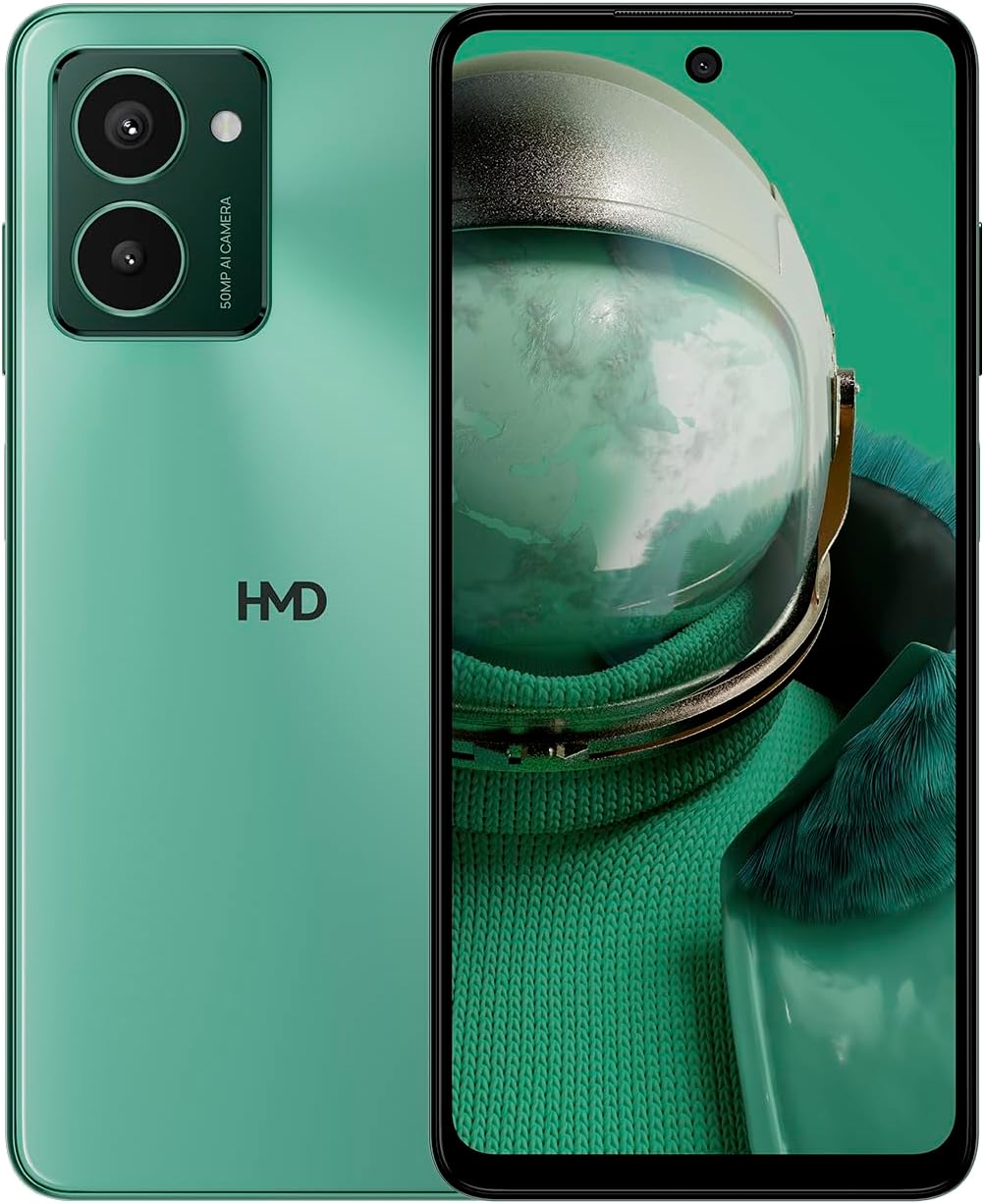
The HMD Pulse Pro smartphone in Glacier Green, showcasing its sleek design and dual camera system on the rear, alongside its vibrant display.
Кључне карактеристике:
- Striking design with refined lines and a cutting-edge aesthetic.
- Equipped with 50 MP rear and 50 MP front cameras for balanced and high-quality photography.
- Innovative selfie gesture function for easier and more dynamic self-portraits.
- Extended battery life providing up to 59 hours of usage on a single charge.
- International version, unlocked for compatibility with various carriers worldwide.
Шта је у кутији
Upon unboxing your HMD Pulse Pro, please ensure all the following items are present:
- ХМД Пулсе Про паметни телефон
- УСБ кабл
- Алат за избацивање лежишта СИМ картице
- Водич за брзи почетак (може бити одвојен или интегрисан)
Сетуп
1. Почетно пуњење
Before first use, it is recommended to fully charge your HMD Pulse Pro. Connect the provided USB cable to the phone's charging port and the other end to a compatible USB power adapter (not always included) or a computer USB port. The device supports fast charging.
2. Уметање SIM картица и MicroSD картице
The HMD Pulse Pro supports dual SIM cards and expandable memory via a microSD card.
- Пронађите лежиште за СИМ картицу са стране телефона.
- Уметните алат за избацивање лежишта СИМ картице у мали отвор поред лежишта и лагано гурајте док лежиште не искочи.
- Place your Nano-SIM cards into the designated slots. Ensure the gold contacts are facing down.
- If using a microSD card for additional storage, place it into its dedicated slot on the tray.
- Пажљиво вратите лежиште у телефон док не кликне на своје место.
3. Укључивање и почетна конфигурација
Press and hold the Power button until the HMD logo appears. Follow the on-screen instructions to complete the initial setup, including language selection, Wi-Fi connection, Google account setup, and security settings.
Упутство за употребу
Основна навигација
- екран осетљив на додир: Navigate by tapping, swiping, pinching, and spreading on the 6.65-inch display.
- Дугме за напајање: Притисните да бисте пробудили/успавали екран. Притисните и држите да бисте искључили или поново покренули уређај.
- Дугмад за јачину звука: Подесите јачину звука медија, јачину звука позива и јачину звука обавештења.
Употреба камере
The HMD Pulse Pro features a 50 MP dual rear camera and a 50 MP front camera, enhanced with AI capabilities.

A user demonstrating the innovative selfie gesture feature of the HMD Pulse Pro, allowing for hands-free photo capture.

Крупни план view of the HMD Pulse Pro's 50 MP front-facing camera, highlighting its AI-powered capabilities for enhanced selfies.
- Покретање камере: Tap the Camera app icon or use a quick gesture (if enabled in settings).
- Фотографисање: Tap the shutter button. Use pinch-to-zoom for optical or digital zoom.
- Selfie Gestures: Utilize pre-defined hand gestures to trigger the front camera shutter without touching the screen. Refer to the in-app camera settings for available gestures.
- Режими: Switch between various modes like Portrait, Night, Panorama, and Video.
Управљање батеријом
The HMD Pulse Pro is equipped with a 5000 mAh battery, offering up to 59 hours of usage.

Two HMD Pulse Pro smartphones standing upright, with text emphasizing the impressive battery life of up to 59 hours.
- Пуњење: Use the provided USB cable. A full charge takes approximately 2.5 hours.
- Уштеда батерије: Enable Battery Saver mode in Settings > Battery to extend usage time.
- Optimizing Usage: Reduce screen brightness, disable unused connectivity (Bluetooth, Wi-Fi, GPS), and close background apps to conserve battery.
Одржавање
Чишћење уређаја
To keep your HMD Pulse Pro in optimal condition:
- Користите меку крпу која не оставља влакна да обришете екран и кућиште.
- Избегавајте употребу јаких хемикалија, абразивних средстава за чишћење или аеросолних спрејева.
- The device is water resistant; however, avoid submerging it in water.
Ажурирања софтвера
Редовно проверавајте и инсталирајте ажурирања софтвера како бисте били сигурни да ваш уређај има најновије функције, безбедносне закрпе и побољшања перформанси. Идите у Подешавања > Систем > Ажурирање система.
Управљање складиштем
With 256 GB of internal storage, you have ampпростор. Међутим, редовно управљајте својим files and apps to maintain performance. You can also expand storage using a microSD card.
Решавање проблема
This section addresses common issues you might encounter with your HMD Pulse Pro.
| Проблем | Могуће решење |
|---|---|
| Уређај се неће укључити | Уверите се да је батерија напуњена. Повежите је са пуњачем најмање 30 минута. Покушајте да држите дугме за напајање 10-15 секунди. |
| Апликације се руше или замрзавају | Clear the app's cache (Settings > Apps > [App Name] > Storage > Clear cache). Restart the phone. Update the app or the phone's software. |
| Лош век трајања батерије | Check background app usage (Settings > Battery). Reduce screen brightness. Disable unused connectivity features (Wi-Fi, Bluetooth, GPS, NFC). Enable Battery Saver mode. |
| Не могу да се повежем са Wi-Fi/Bluetooth-ом | Toggle Wi-Fi/Bluetooth off and on. Restart your phone and the router/device. Forget the network/device and reconnect. |
| СИМ картица није откривена | Ensure the SIM card is correctly inserted in the tray. Restart the phone. Check with your carrier for network issues. |
Фацтори Ресет
Ако се проблеми стално јављају, можда ће бити потребно вратити уређај на фабричка подешавања. Упозорење: Овим ћете обрисати све податке на телефону. Направите резервну копију важних података пре него што наставите.
- Идите на Подешавања > Систем > Опције ресетовања.
- Изаберите „Обриши све податке (ресетовање на фабричка подешавања)“.
- Потврдите своју одлуку и унесите свој ПИН/шаблон/лозинку ако се то од вас затражи.
- Телефон ће се поново покренути и започети процес ресетовања.
Спецификације
Detailed technical specifications for the HMD Pulse Pro smartphone:

The HMD Pulse Pro highlighting its stylish and cutting-edge design, dual SIM support, and 6.56" HD+ HID display with a 90Hz refresh rate. Note: While the image mentions 8GB/128GB, this specific model features 8GB RAM and 256GB internal storage.
| Феатуре | Детаљ |
|---|---|
| Назив модела | Pulse Pro (TA-1606) |
| Оперативни систем | Андроид 14 |
| Величина екрана | 6.65 инча |
| Резолуција | 720 к 1612 |
| Рефресх Рате | 90 Хз |
| РАМ меморија | 8 ГБ |
| Капацитет складиштења | 256 GB (прошириво) |
| Задња камера | Двострука камера од 50 МП |
| Предња камера | 50 МП |
| Капацитет батерије | 5000 мАх |
| Време пуњења | Прибл. 2.5 сата |
| Брзина процесора | 1.6 ГХз |
| Повезивање | Блутут, Ви-Фи, УСБ, НФЦ |
| Посебне карактеристике | Fast Charging Support, Dual SIM, Expandable Memory, Built-In GPS, Water Resistant |
| Димензије | 6.43 к 2.95 к 0.34 инча |
| Тежина артикла | 0.249 унци (7.06 грама) |
| Аудио Јацк | 3.5 мм |
| Боја | Glacier Green |
Гаранција и подршка
Гаранција произвођача
Your HMD Pulse Pro smartphone is covered by a manufacturer's warranty against defects in materials and workmanship. The specific terms and duration of the warranty may vary by region. Please refer to the warranty card included with your product or visit the official HMD webза детаљне информације о гаранцији.
Корисничка подршка
For technical assistance, troubleshooting beyond this manual, or warranty claims, please contact HMD customer support. You can typically find contact information (phone numbers, email, support portals) on the official HMD webсајту или преко одељка за подршку у подешавањима вашег уређаја.
Онлине ресурси: For the latest FAQs, software downloads, and support articles, visit the official HMD support page. (Specific URL not provided in input, so a generic statement is used).


