1. Увод
The Zebronics Astra 30 is a portable Bluetooth speaker designed for a versatile audio experience. It features 14W output, dual 52mm drivers, dual passive radiators for enhanced bass, and multiple connectivity options including Bluetooth v5.3, FM radio, AUX, USB, and mSD card support. This manual provides instructions for setting up, operating, and maintaining your speaker.
2. Садржај пакета
Молимо вас да проверите пакет за следеће ставке:
- Speaker - 1 unit
- Charging cable - 1 unit
- User manual - 1 unit
3. Производ је готовview
Упознајте се са компонентама и контролама звучника.

Слика 3.1: Фронт view of the Zebronics Astra 30 speaker, showcasing its sleek black design and speaker grille.
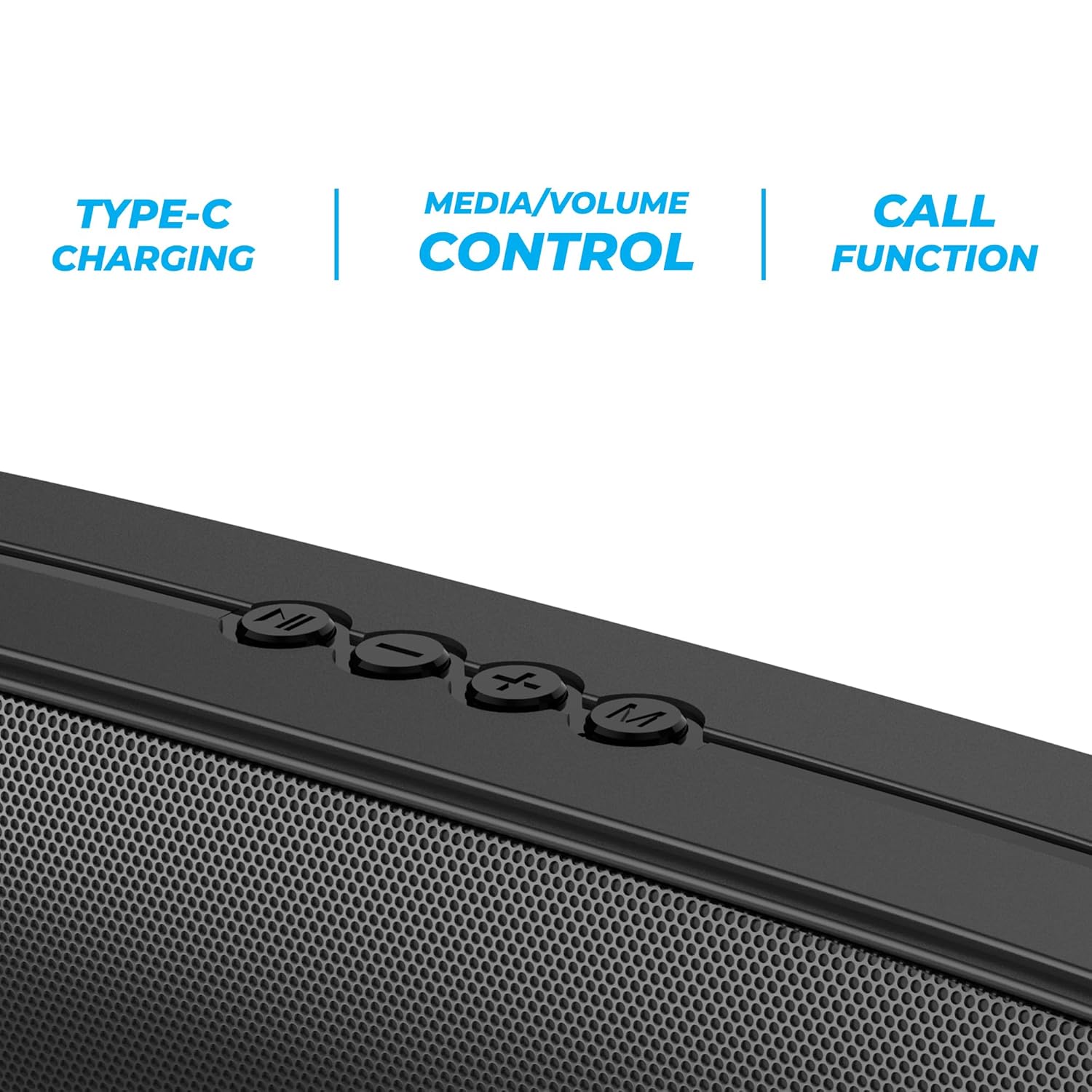
Слика 3.2: Close-up of the control panel buttons on the top of the speaker, including power, volume, and mode controls.

Слика 3.3: Позади view of the speaker showing the multi-connectivity ports: USB, Micro SD slot, AUX input, and Type-C charging port.
4. Подешавање
4.1 Пуњење звучника
Before initial use, fully charge the speaker. The Zebronics Astra 30 features a built-in rechargeable battery with Type-C charging.
- Connect the provided Type-C charging cable to the charging port on the speaker.
- Повежите други крај кабла са УСБ адаптером за напајање (није укључен) или УСБ портом рачунара.
- The charging indicator will illuminate during charging and turn off once fully charged.
A full charge takes approximately 4 hours and provides up to 12 hours of playback time at 50% volume.

Слика 4.1: Illustration indicating the speaker's 12-hour playback capability on a single charge.
4.2 Укључивање/искључивање
To power on or off the speaker, press and hold the power button located on the control panel until you hear an audible prompt or see the indicator light change.
5. Упутство за употребу
5.1 Блуетоотх упаривање
The Zebronics Astra 30 uses Bluetooth v5.3 for wireless audio streaming.
- Укључите звучник. Аутоматски ће ући у режим упаривања путем Bluetooth-а, што ће бити назначено трепћућим LED светлом.
- Омогућите Блутут на свом паметном телефону, таблету или другом уређају.
- Тражи "ZEB-ASTRA 30" in the list of available Bluetooth devices.
- Select "ZEB-ASTRA 30" to connect. Once paired, the speaker will confirm with an audible tone, and the LED will stop flashing.
- Ако се затражи лозинка, унесите „0000“.
5.2 Функција правог бежичног стерео звука (TWS)
Connect two Zebronics Astra 30 speakers for a true wireless stereo experience.
- Ensure both ZEB-ASTRA 30 speakers are powered on and not connected to any Bluetooth device.
- On one of the speakers (this will be the primary speaker), press and hold the TWS button (often combined with the Mode button) until you hear a pairing tone.
- Два звучника ће се аутоматски повезати један са другим. Када се повежу, чућете звук потврде.
- Now, connect your device to the primary speaker via Bluetooth as described in Section 5.1. Audio will play in stereo through both speakers.

Слика 5.1: Visual representation of two Zebronics Astra 30 speakers connected via TWS for stereo sound.
5.3 Режим ФМ радија
Да бисте користили уграђени FM радио:
- Укључите звучник.
- Press the 'M' (Mode) button to switch to FM radio mode.
- Да бисте аутоматски скенирали и сачували доступне ФМ станице, притисните и држите дугме за репродукцију/паузирање. Звучник ће аутоматски скенирати и сачувати станице.
- Use the Previous/Next track buttons to navigate between saved stations.
- For optimal reception, ensure the charging cable is connected as an antenna.
5.4 Режим AUX улаза
Connect external audio devices using the AUX input:
- Укључите звучник.
- Press the 'M' (Mode) button to switch to AUX mode.
- Повежите један крај аудио кабла од 3.5 мм (није укључен) са AUX портом на звучнику.
- Connect the other end to the audio output of your device (e.g., smartphone, MP3 player).
- Звук ће се сада репродуковати преко звучника са вашег повезаног уређаја.
5.5 USB and Micro SD Card Playback
Пусти аудио files directly from a USB pen drive or Micro SD card:
- Укључите звучник.
- Insert a USB pen drive (up to 32GB) or a Micro SD card into the respective slot.
- The speaker will automatically detect the storage device and begin playing audio files. If not, press the 'M' (Mode) button to switch to USB or SD card mode.
- Use the Play/Pause and Previous/Next track buttons to control playback.
5.6 Функција позива
Када је повезан са паметним телефоном путем Блутута, звучник се може користити за позиве без употребе руку.
- Одговори/заврши позив: Притисните дугме Плаи/Паусе једном.
- Одбиј позив: Притисните и држите дугме за репродукцију/паузу.
- Поновно бирање последњег броја: Двапут притисните дугме Плаи/Паусе.
5.7 Volume and Media Control
The speaker features integrated controls for audio playback:
- Појачавање звука: Притисните дугме „+“.
- Смањивање јачине звука: Притисните дугме '-'.
- Следећа нумера: Притисните и држите дугме „+“.
- Претходни запис: Притисните и држите дугме '-'.
- Пусти/паузирај: Притисните дугме Плаи/Паусе.
6. Одржавање
- Очистите звучник меком, сувом крпом. Не користите јаке хемикалије или абразивна средства за чишћење.
- Keep the speaker away from extreme temperatures, direct sunlight, and moisture.
- Избегавајте испуштање или излагање звучника јаким ударима.
- Чувајте звучник на хладном и сувом месту када га не користите дуже време.
- The speaker is rated as waterproof. However, avoid submerging it in water for prolonged periods. Ensure the port cover is securely closed to maintain water resistance.
КСНУМКС. Решавање проблема
| Проблем | Могуће решење |
|---|---|
| Звучник се не укључује. | Уверите се да је батерија напуњена. Повежите звучник са извором напајања помоћу Type-C кабла. |
| Није могуће упаривање преко Bluetooth-а. |
|
| Нема звука или је јачина звука ниска. |
|
| Пријем ФМ радија је лош. | Ensure the Type-C charging cable is connected to act as an antenna. Try repositioning the speaker. |
| Упаривање TWS-а не успева. |
|
8. Спецификације
| Феатуре | Детаљ |
|---|---|
| Назив модела | ЗЕБ-АСТРА 30 |
| Излазна снага | 14 Ваттс |
| Дривер Сизе | Дуални 52мм |
| Блуетоотх верзија | в5.3 |
| Опције повезивања | Bluetooth, FM, AUX, USB, Micro SD |
| USB/Micro SD Max Capacity | 32ГБ |
| Трајање батерије | До 12 сати (при 50% запремине) |
| Време пуњења | 4 сата |
| Цхаргинг Типе | Типе-Ц |
| Отпорност на воду | Водоотпоран |
| Димензије производа (Д x Ш x В) | 5.7 к 35.4 к 6.5 центиметара |
| Тежина артикла | 645 грама |
| Импеданса | 3 Охмс |
| Однос сигнала и шума | 75 дБ |

Слика 8.1: Graphic highlighting the 14W RMS output and dual 52mm drivers of the Zebronics Astra 30 speaker.
9. Гаранција и подршка
The Zebronics Astra 30 speaker comes with a 1 година ограничене гаранције од датума куповине. Молимо вас да сачувате рачун за куповину ради рекламације.
For technical support, service, or warranty inquiries, please contact Zebronics customer service. Contact details can typically be found on the official Zebronics webсајту или на паковању вашег производа.
Manufacturer: Zebronics India Private Limited
Address: 13/7, Smith Road, Royapettah, Chennai-600002


