1. Увод
Thank you for choosing the Luceco Batten LED Solaire Multifonction. This instruction manual provides essential information for the safe and efficient installation, operation, and maintenance of your new solar-powered LED light. Please read this manual thoroughly before use and retain it for future reference.
2. Безбедносне информације
- Ensure all electrical connections are secure and protected from moisture.
- Do not attempt to open or modify the product. This may void the warranty and pose a safety risk.
- Keep the solar panel and LED batten away from flammable materials.
- Avoid direct eye exposure to the LED light when it is illuminated.
- Одложите производ и његове компоненте одговорно у складу са локалним прописима на крају његовог животног века.
3. Садржај пакета
Молимо вас да проверите пакет за следеће ставке:
- Luceco Batten LED Light Unit (1)
- Solar Panel (1)
- Спојни кабл (1)
- Mounting Screws and Wall Plugs (Set)
4. Производ је готовview
The Luceco Batten LED Solaire Multifonction consists of an LED light batten and a separate solar panel, designed for versatile lighting solutions. The batten features an integrated motion sensor and control buttons for various operating modes.

Слика 4.1: Luceco Batten LED light unit and solar panel connected by a cable. This image displays the complete Luceco Batten LED Solaire Multifonction system, featuring the LED light batten and its accompanying solar panel, connected by a black cable. The batten unit is white with a translucent light cover, and the solar panel is black with a dark frame.

Слика 4.2: Одозго надоле view of Luceco Batten LED light and solar panel. A top-down perspective of the Luceco Batten LED light and solar panel. The solar panel is positioned above the batten, which shows its integrated motion sensor and control buttons.
5. Подешавање и инсталација
5.1 Монтажа соларног панела
Choose a location for the solar panel that receives maximum direct sunlight throughout the day. Avoid shaded areas. The panel should be angled to optimize sun exposure, typically facing south (in the Northern Hemisphere) at an angle matching your latitude.
5.2 Mounting the LED Batten
The LED batten can be mounted on a wall or ceiling using the provided screws and wall plugs. Ensure the mounting surface is suitable to support the weight of the unit. The batten features integrated mounting brackets on its rear for secure attachment.

Слика 5.1: Сиде view of Luceco Batten LED light showing charging port and controls. Close-up side view of the Luceco Batten LED light unit, highlighting the charging port, power button, and motion sensor on its white casing.

Слика 5.2: Позади view of Luceco Batten LED light showing mounting brackets. This image shows the rear of the Luceco Batten LED light, revealing the integrated mounting brackets and screw holes designed for secure installation.
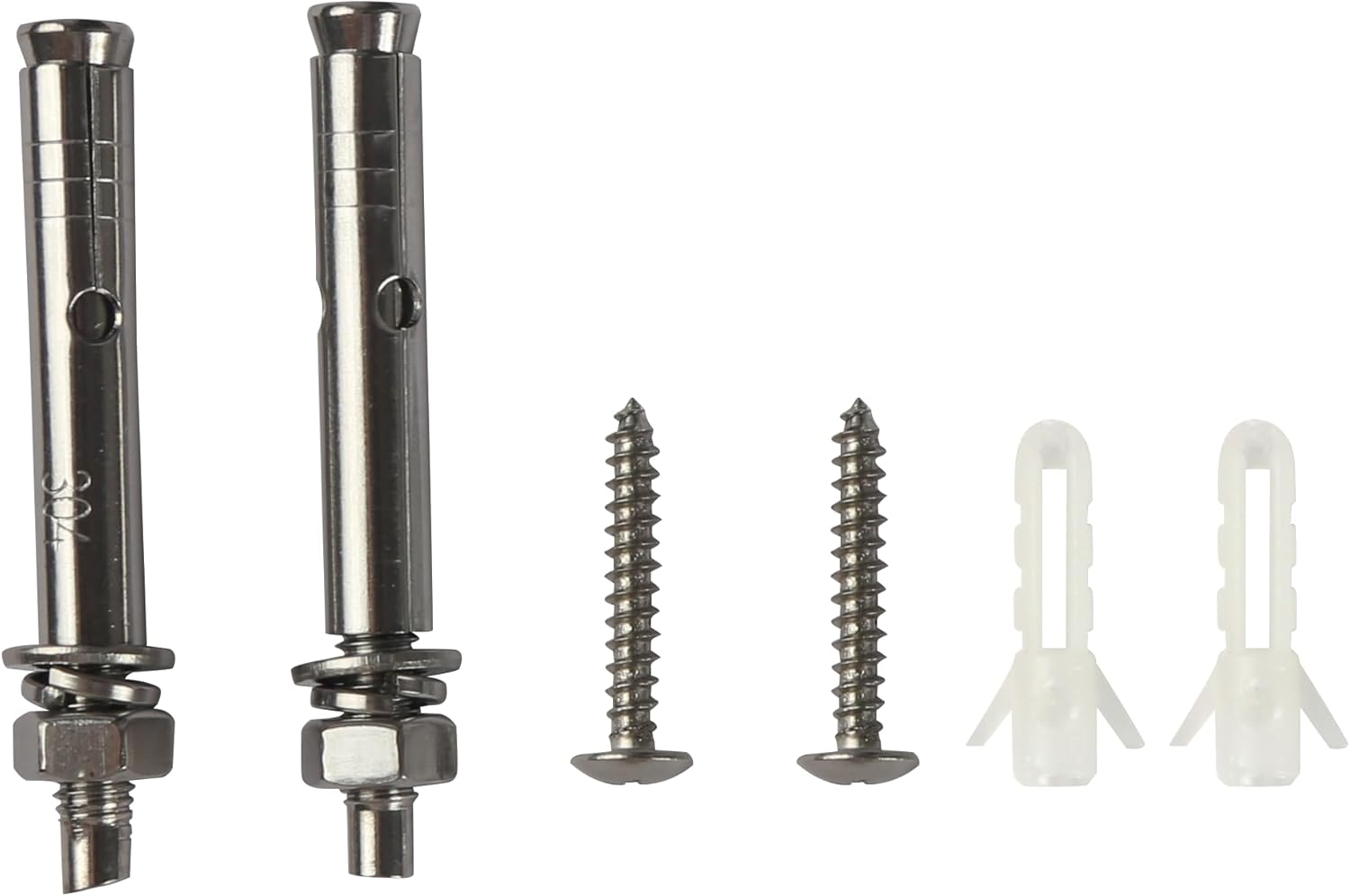
Слика 5.3: Mounting hardware including screws and wall anchors. A collection of mounting hardware provided with the product, consisting of various screws and wall plugs for different installation surfaces.
5.3 Повезивање компоненти
Connect the cable from the solar panel to the designated input port on the LED batten. Ensure the connection is firm. For optimal performance, allow the unit to charge for at least 8-10 hours in direct sunlight before initial use.
6. Упутство за употребу
6.1 Укључивање/искључивање
Locate the power button on the LED batten. Press and hold for a few seconds to turn the unit on or off. Short presses may cycle through different operating modes.
6.2 Режими рада
The batten LED light features multiple functions, including a motion sensor. Specific modes may include:
- Режим сензора покрета: The light will activate at full brightness when motion is detected in low light conditions and turn off after a set period of no motion.
- Режим константног светла: The light remains on at a set brightness level.
- Dim Light + Motion Mode: The light stays on at a dim level and brightens upon motion detection.
Refer to the markings near the control buttons for specific mode selection instructions.
6.3 Индикатори пуњења
Small LED indicator lights on the batten unit display the charging status and battery level. Refer to these indicators to monitor the unit's power status.
6.4 Функционалност преносне батерије
The Luceco Batten LED light can also serve as a power bank to charge other devices via its USB output port.

Слика 6.1: Luceco Batten LED light charging a smartphone via USB port. The Luceco Batten LED light unit is shown connected to a smartphone via a USB cable, demonstrating its capability to function as a power bank. The batten's indicator lights are visible.
7. Одржавање
7.1 Чишћење соларног панела
Редовно чистите површину соларног панела меком,amp cloth to remove dust, dirt, and debris. A clean panel ensures maximum sunlight absorption and charging efficiency. Do not use abrasive cleaners or harsh chemicals.
7.2 Cleaning the LED Batten
Wipe the LED batten with a soft, dry, or slightly damp cloth. Avoid getting water into the ports or control buttons. Do not use solvents or strong cleaning agents.
7.3 Одржавање батерије
To prolong the life of the internal battery, ensure the unit receives adequate sunlight for charging. If storing the unit for an extended period, ensure it is fully charged before storage and recharge it periodically.
КСНУМКС. Решавање проблема
- Светло се не укључује:
- Ensure the unit is fully charged. Place the solar panel in direct sunlight for a full day.
- Check that the solar panel is correctly connected to the batten unit.
- Verify that the power button has been pressed to turn the unit on.
- Ensure it is dark enough for the light to activate in motion sensor modes.
- Светло се не пуни:
- Confirm the solar panel is in direct sunlight and not obstructed by shade or dirt.
- Check the connection cable between the solar panel and the batten for damage or loose connections.
- Сензор покрета не ради:
- Ensure the unit is in a motion-sensing mode.
- Check for obstructions in front of the sensor.
- Verify that the ambient light conditions are dark enough for the sensor to activate.
9. Спецификације
| Феатуре | Спецификација |
|---|---|
| Бранд | Луцецо |
| Број модела | LEXS95W65-01 |
| Произвођач | Лусеко УК Лтд |
| Димензије (Д к Ш к В) | 1.7 к 24.8 к 34.9 цм |
| Тежина | 1.98 килограма |
| Извор напајања | Солар Поверед |
| Повер | 10 Ваттс |
| Луминосити | 950 лм |
| Лигхт Типе | ЛЕД |
| Температура боје | 6500К |
| Лигхт Цолор | Даилигхт Вхите |
| Укључене компоненте | LED Batten Light, Solar Panel |
10. Гаранција и подршка
For warranty information and technical support, please refer to the documentation provided with your purchase or contact Luceco customer service directly. Keep your proof of purchase for any warranty claims.


