1. Увод
This manual provides essential information for the safe and efficient operation of your Orange Box-L Portable Bluetooth Speaker. Please read these instructions carefully before using the product and retain them for future reference.

Слика 1.1: Предња страна view of the Orange Box-L Portable Bluetooth Speaker, showcasing its classic orange finish and woven speaker grille.
2. Шта је у кутији
Carefully unpack your Orange Box-L and ensure all items are present. If any items are missing or damaged, please contact customer support.
- Orange Box-L Portable Bluetooth Speaker
- Повер Цабле
- Power Adaptor (not explicitly listed but implied for power cable)
- 3.5mm Aux Cable (implied from product images)
- Кориснички приручник (овај документ)

Image 2.1: The Orange Box-L speaker displayed with its retail packaging, indicating the included accessories.
3. Подешавање
3.1 Прикључак за напајање
- Connect the power cable to the power adaptor.
- Plug the power adaptor into the DC input port on the rear of the Orange Box-L.
- Insert the power cable into a suitable wall outlet.
3.2 Почетно укључивање
Locate the power switch on the top panel of the speaker. Flip the switch to the 'ON' position. The power indicator light will illuminate.

Image 3.1: Close-up of the top control panel, showing the on/off switch, Treble, Bass, and Volume knobs, AUX input, Bluetooth button, and indicator lights.
4. Упутство за употребу
4.1 Блуетоотх упаривање
The Orange Box-L supports Bluetooth 5.0 for wireless audio streaming.
- Уверите се да је звучник укључен.
- Притисните и држите Блуетоотх дугме on the top panel until the Bluetooth indicator light begins to flash, indicating pairing mode.
- On your mobile device (smartphone, tablet, computer), navigate to the Bluetooth settings.
- Select "Orange Box-L" from the list of available devices.
- Када се повеже, индикаторска лампица Bluetooth-а на звучнику ће почети да светли континуирано.

Image 4.1: The Orange Box-L speaker positioned on a wooden shelf, highlighting its Bluetooth connectivity feature.
4.2 АУКС веза
For wired audio playback, use the 3.5mm AUX input.
- Connect one end of the 3.5mm AUX cable to the AUX input port on the top panel of the speaker.
- Connect the other end of the 3.5mm AUX cable to the headphone jack or audio output of your audio source device.
- Звучник ће се аутоматски пребацити у режим AUX улаза.
4.3 ЕК контрола
Adjust the sound to your preference using the Treble and Bass controls.
- Дугме за јачину звука: Окрените у смеру казаљке на сату да бисте повећали јачину звука, у смеру супротном од казаљке на сату да бисте смањили.
- Високотонско дугме: Adjusts the high-frequency response. Turn clockwise for brighter sound, counter-clockwise for softer highs.
- Бас дугме: Adjusts the low-frequency response. Turn clockwise for more bass, counter-clockwise for less bass.
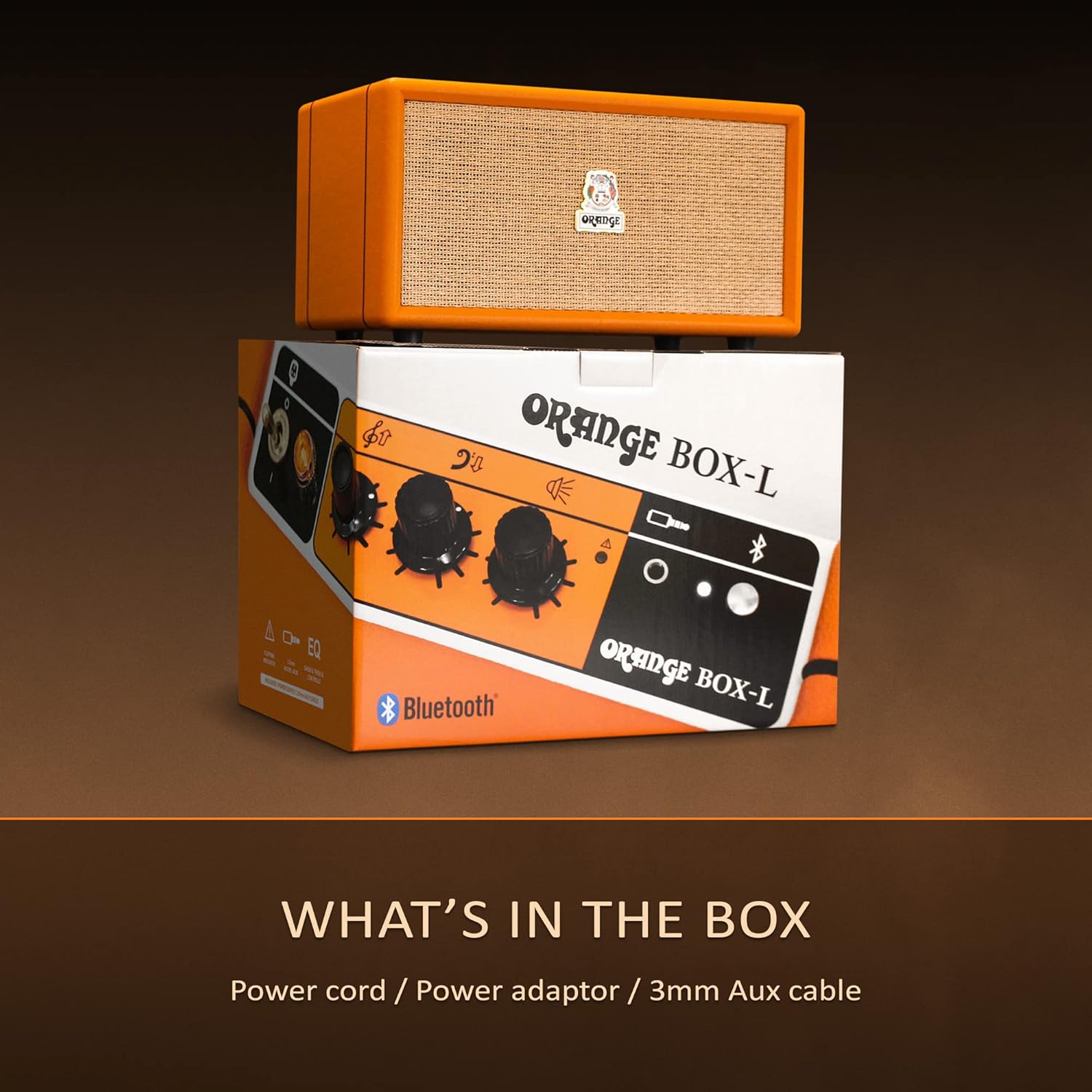
Image 4.2: The Orange Box-L speaker on a shelf, with overlaid icons indicating features like 3.5mm AUX connection, 50W RMS power, 4.3kg weight, EQ control, and an overload light.
5. Одржавање
To ensure the longevity and optimal performance of your Orange Box-L speaker, follow these maintenance guidelines:
- Чишћење: Користите меку, суву крпу за брисање спољашњих површина. Не користите течна средства за чишћење или абразивне материјале.
- Складиштење: Чувајте звучник на хладном и сувом месту, даље од директне сунчеве светлости и екстремних температура.
- Руковање: Избегавајте испуштање или излагање звучника јаким ударима.
- вентилација: Ensure the speaker's vents are not obstructed to prevent overheating.
КСНУМКС. Решавање проблема
If you encounter issues with your Orange Box-L, refer to the following common problems and solutions:
| Проблем | Могући узрок | Решење |
|---|---|---|
| Нема струје | Кабл за напајање није повезан; Зидска утичница није активна | Check power cable connections; Try a different outlet |
| Нема звука | Volume too low; Incorrect input selected; Device not paired (Bluetooth) | Increase volume; Ensure correct input (Bluetooth/AUX); Re-pair Bluetooth device |
| Блуетоотх се прекида | Device out of range; Interference | Move device closer to speaker; Avoid obstacles; Minimize other wireless devices |
| Изобличен звук | Volume too high (speaker or source); Overload light active | Reduce volume on speaker and/or source device; Adjust EQ settings |
7. Спецификације
Detailed technical specifications for the Orange Box-L Portable Bluetooth Speaker:
- Модел: ORANGE-BOX-L
- Димензије производа: 7.68 к 13.78 к 7.87 инча (19.5 к 35 к 20 цм)
- Тежина артикла: 13.2 фунте (6 кг)
- Излазна снага: 50W RMS (as indicated by image)
- Блуетоотх верзија: 5.0 (as indicated by image)
- Повезивање: Bluetooth, 3.5mm AUX input
- Произвођач: Оранге
- Датум прве доступности: 26. новембар 2024
8. Гаранција и подршка
For warranty information and customer support, please refer to the official Orange webсајт или контактирајте продавца. Сачувајте доказ о куповини за потребе гаранције.
Подршка на мрежи: Visit the Orange Store on Amazon


