1. Увод
Хвала вам на куповиниasing the Mesqool Digital Alarm Clock CR1008. This manual provides detailed instructions to help you set up and operate your new alarm clock, ensuring you can utilize all its features effectively. This clock is designed for ease of use and includes features such as a large display, adjustable brightness, a multi-color night light, and convenient charging ports.
2. Кључне карактеристике
- 7.5-inch Large Number Screen: Highly visible time display for easy reading from a distance.
- 5-Level Brightness Dimmer: Adjustable display brightness from very bright to very dim, allowing for comfortable viewдању или ноћу.
- Ноћно светло у 7 боја: Integrated night light with 7 color options and adjustable brightness, perfect for ambient lighting.
- Двоструки УСБ портови за пуњење: Includes one USB-A and one Type-C port for convenient charging of mobile devices.
- Подесива јачина звука аларма: Alarm volume can be set to low, medium, or high, with a maximum of 80 dB, suitable for heavy sleepers.
- Gradual Alarm Sound: Alarm starts softly and gradually increases in volume to provide a gentle wake-up experience.
- Функција одлагања будилице након 9 минута: Large, easy-to-press snooze button for an additional 9 minutes of sleep.
- 12H/24H Time Format: Slider switch to easily select between 12-hour and 24-hour time display formats.
- Резервна батерија: Requires 2 AAA batteries (not included) to maintain time and alarm settings during a power outage.
- Функција летњег рачунања времена (DST): Convenient switch for adjusting to Daylight Saving Time.
3. Подешавање
3.1 Прикључак за напајање
The Mesqool Digital Alarm Clock CR1008 is a plug-in electric alarm clock. For all functions, including time display, alarm, and USB charging, the clock must be connected to a DC wall power outlet using the provided 5V 2A power adapter.
3.2 Инсталација резервне батерије
To ensure your time and alarm settings are retained during a power failure, install 2 AAA batteries (not included) into the battery compartment located on the back of the unit. The screen display will not turn on when operating solely on battery backup; batteries are for memory retention only.

Figure 1: Battery backup compartment and power connection. Note: AAA batteries are not included.
3.3 Почетно укључивање
Once plugged in, the clock display will illuminate. You may then proceed to set the time and alarm as described in the operating instructions.
4. Упутство за употребу
4.1 Подешавање времена
- Притисните тастер ОДРЕДИТИ ВРЕМЕ button once. The hour digits will begin to flash.
- Користите ХОУР button (left button on top) to adjust the hour.
- Притисните тастер ОДРЕДИТИ ВРЕМЕ поново притисните дугме. Цифре за минуте ће трептати.
- Користите МИНУТЕ button (right button on top) to adjust the minutes.
- Притисните тастер ОДРЕДИТИ ВРЕМЕ button a third time to confirm and exit time setting mode.
4.2 12H/24H Time Format Selection
Лоцирајте ФОРМАТ ВРЕМЕНА slider switch on the back of the clock. Slide it to select either the 12-hour or 24-hour display format according to your preference.

Figure 2: Switching between 12H and 24H time formats.
4.3 Подешавање аларма
- Притисните тастер СЕТ АЛАРМ button once. The alarm hour digits will begin to flash.
- Користите ХОУР button (left button on top) to adjust the alarm hour.
- Притисните тастер СЕТ АЛАРМ поново притисните дугме. Цифре минута аларма ће трептати.
- Користите МИНУТЕ button (right button on top) to adjust the alarm minutes.
- Притисните тастер СЕТ АЛАРМ button a third time to confirm and exit alarm setting mode.
- Да бисте активирали или деактивирали аларм, користите АЛАРМ УКЉУЧЕН / ИСКЉУЧЕН switch located on the back of the clock.
4.4 Подешавање јачине звука аларма
On the back of the clock, locate the ЗВУК АЛАРМА slider. Slide it to select your desired alarm volume: ЛОВ, МЕД (Medium), or ХИГХ. The highest setting provides a loud alarm suitable for heavy sleepers.

Figure 3: Adjustable alarm volume levels.
4.5 Функција одлагања
Када се огласи аларм, притисните велико СНООЗЕ / СВЕТЛО button on the top of the clock to temporarily silence the alarm for 9 minutes. The alarm will sound again after the snooze period. To turn off the alarm completely, press the АЛАРМ ПАУСА дугме на полеђини.

Figure 4: Utilizing the snooze function for extra rest.
4.6 Night Light Operation
Tap the large СНООЗЕ / СВЕТЛО button on the top of the clock to cycle through 7 different night light colors. Continue tapping to change colors. To turn off the night light, cycle through all colors until it switches off, or press and hold the button.
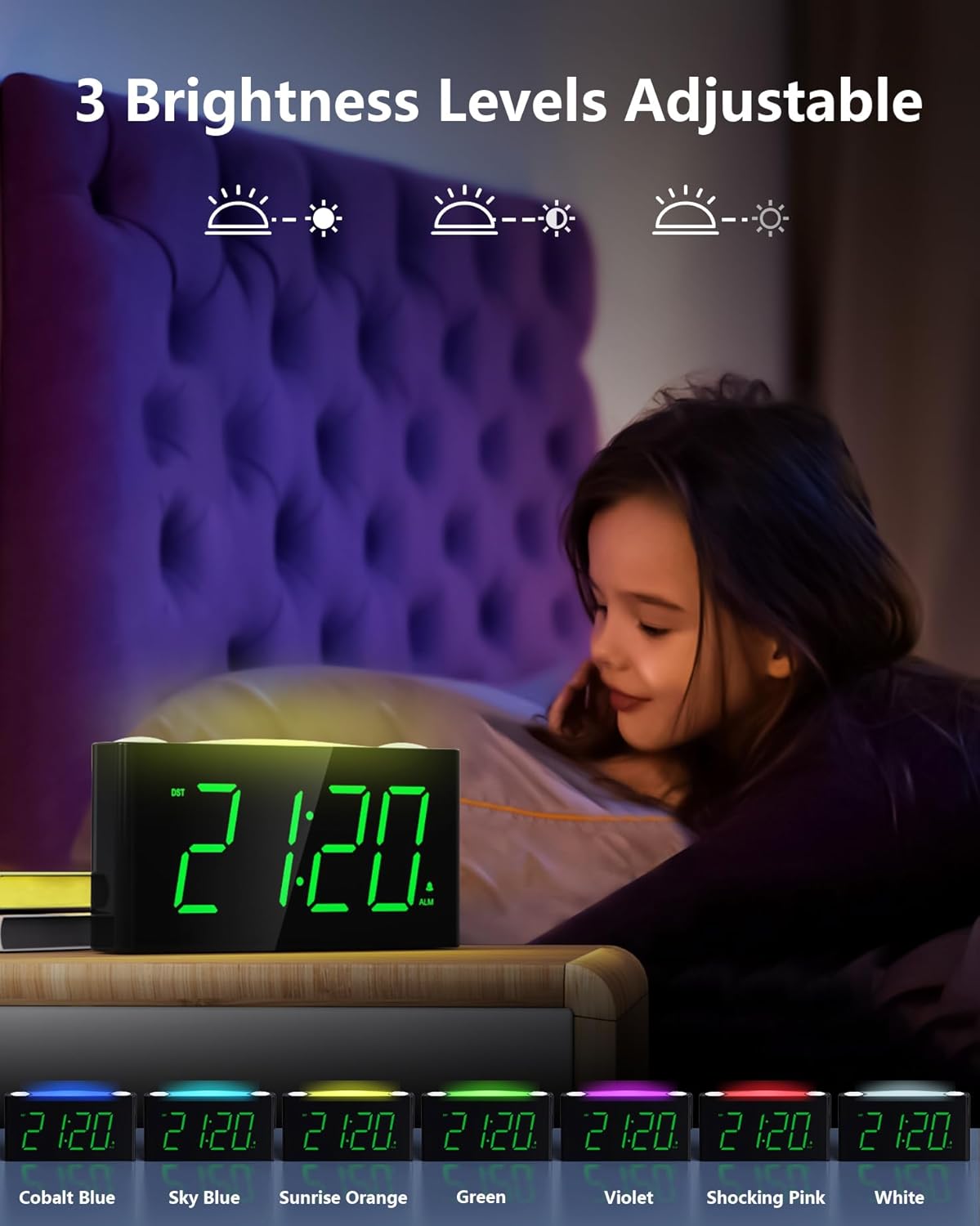
Figure 5: The 7-color night light feature.
Video 1: Demonstration of the 7-color night light and large LED display.
4.7 Подешавање осветљености екрана (затамњивач)
On the back of the clock, locate the ДИММЕР slider. Slide it to adjust the brightness of the time display from its brightest to its dimmest setting. This allows you to customize the display visibility to your comfort level, especially for nighttime use.

Figure 6: Adjusting the 5-level display dimmer.
Видео 2: Крајview of clock features, including dimmer and USB ports.
4.8 Коришћење USB портова за пуњење
The clock is equipped with a standard USB-A port and a Type-C port on the back. These ports allow you to charge your mobile devices conveniently while the clock is plugged into a wall outlet. This helps reduce the number of power outlets needed in your bedroom.

Figure 7: USB and Type-C charging ports.
4.9 Летње рачунање времена (DST)
Лоцирајте ДСТ switch on the back of the clock. Slide it to activate or deactivate the Daylight Saving Time adjustment as needed.
Video 3: Detailed look at the clock's features, including time and alarm setting.
5. Одржавање
- Чишћење: Wipe the clock with a soft, dry cloth. Avoid using abrasive cleaners or solvents.
- Изложеност течности: Не излажите сат води или другим течностима.
- Пласман: Поставите сат на стабилну, равну површину, даље од директне сунчеве светлости, извора топлоте и прекомерне влаге.
- Замена батерије: Replace AAA backup batteries annually or when the battery indicator suggests low power to ensure continuous memory retention.
КСНУМКС. Решавање проблема
- Clock Display is Off: Ensure the power adapter is securely plugged into both the clock and a working wall outlet. If using battery backup, remember the display does not illuminate; batteries only retain settings.
- Аларм се не оглашава: Check that the ALARM ON/OFF switch on the back is in the 'ON' position. Verify the alarm time is correctly set.
- УСБ портови се не пуне: Confirm the clock is properly plugged into a wall outlet. Ensure your device's charging cable is functional and correctly connected to the USB or Type-C port.
- Екран је превише светао/там: Adjust the DIMMER slider on the back of the clock to your preferred brightness level.
- Night Light Not Changing Colors: Tap the SNOOZE/LIGHT button repeatedly to cycle through all available colors. If it remains stuck, try unplugging and re-plugging the clock to reset it.
7. Спецификације
| Феатуре | Детаљ |
|---|---|
| Бранд | Мескоол |
| Број модела | ЦР1008 |
| Дисплаи Типе | Дигитал ЛЕД |
| Боја екрана | Зелене цифре |
| Нигхт Лигхт Цолорс | 7 Options (Oyster White, Cobalt Blue, Sky Blue, Green, Beige, Shocking Pink, Violet) |
| Извор напајања | Corded Electric (5V 2A Power Adapter included) |
| Баттери Бацкуп | 2 AAA batteries required (not included) for time/alarm memory |
| УСБ портови за пуњење | 1x USB-A, 1x Type-C (USB Charger: 5V 1000mA) |
| Димензије производа | 6.46 инча (Д) к 1.93 инча (Ш) к 3.39 инча (В) |
| Материјал | акрилонитрил бутадиен стирен (АБС) |
| Посебне карактеристике | Adjustable Brightness, Adjustable Volume, Charging Port, Daylight Saving |
8. Гаранција и подршка
The Mesqool Digital Alarm Clock CR1008 comes with a one-year limited warranty. Additionally, Mesqool offers a 30-day money-back guarantee and 24-hour response support. For any inquiries or assistance, please contact support@mesqool.com.


