1. Nhanganyaya
This manual provides essential information for setting up, operating, maintaining, and troubleshooting your new Samsung QN77S90FAFXZA 77 Inch 4K OLED Smart TV. Please read it thoroughly to ensure safe and optimal use of your television.
The Samsung QN77S90FAFXZA features a stunning 77-inch 4K OLED display, powered by the NQ4 AI Gen3 Processor for enhanced picture and sound. It includes Dolby Atmos for immersive audio and a 144Hz refresh rate for smooth motion. This model comes with a 2-year Amber Protection Plan and an HDTV screen cleaner kit.
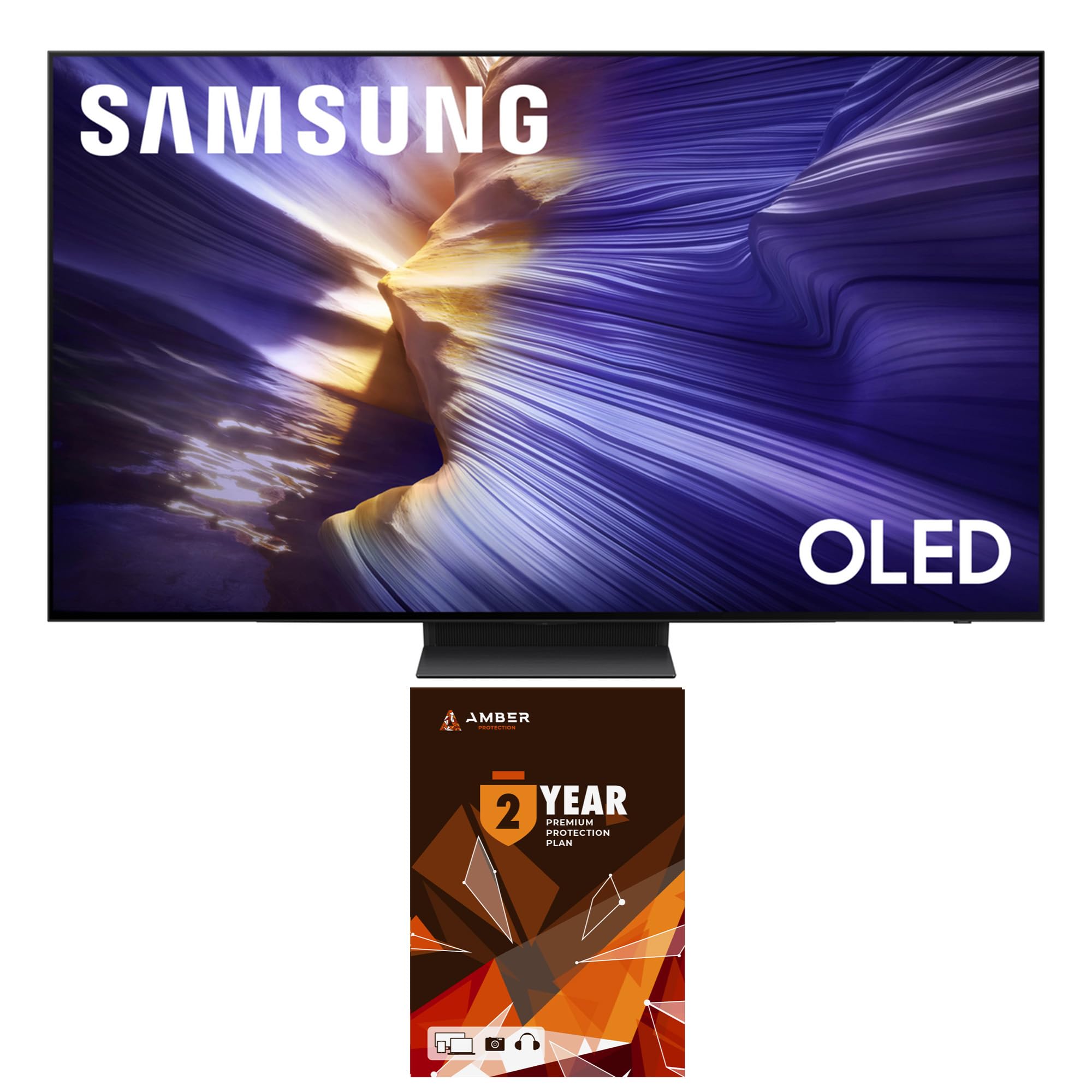
Mufananidzo: Mberi view of the Samsung QN77S90FAFXZA 77 Inch 4K OLED Smart TV, showcasing dhizaini yayo diki uye inoyevedza kuratidza.
2. Setup
2.1 Unboxing uye Package Zviri mukati
Nyatsobvisa zvese zvikamu kubva pakurongedza. Ita shuwa kuti zvinhu zvese zvakanyorwa pazasi zviripo:
- Samsung QN77S90FAFXZA 77" 4K OLED Smart TV
- Power Cable
- Mushandisi Chinyorwa (gwaro iri)
- SolarCell Remote (TM2560E)
- Amber Dziviriro HDTV Screen Cleaner Kit

Image: A diagram illustrating the dimensions of the 77-inch S90F OLED TV and a list of items included in the box, such as the TV, power cable, user manual, and SolarCell Remote.
2.2 Physical Setup and Dimensions
The television can be placed on a stand or wall-mounted. Refer to the diagram for dimensions and ensure adequate space and ventilation.
- TV Isina Chimiro (W x H x D): 67.7 x 38.9 x 1.8 inches
- TV ine Chigadziko (W x H x D): 67.7 x 41.7 x 14.1 inches
- Stand Footprint: 14.4 x 12.8 x 14.1 inches
- Chinhu Weight: 80.7 makirogiramu
- VESA Mount Kuenderana: 400mm x 300mm

Mufananidzo: A side profile view of the Samsung QN77S90FAFXZA OLED TV, demonstrating its exceptionally thin design.
2.3 Kubatana
Connect your external devices to the appropriate ports on the back of the TV. This model includes:
- 4 HDMI ports (HDMI 3 supports eARC)
- 2 USB-A zviteshi
- LAN port for wired internet connection
- Antenna kupinda
- Wi-Fi 5 for wireless internet connection

Mufananidzo: Yakadzama view of the rear panel of the Samsung QN77S90FAFXZA TV, showing the arrangement of HDMI, USB, LAN, and antenna input ports.
3. Kushanda
3.1 Smart TV Zvimiro (Tizen OS)
Your Samsung Smart TV runs on the Tizen operating system, providing access to a wide range of applications and content through the Smart Hub. Popular supported services include Netflix, Prime Video, Disney+, Hulu, Apple TV, YouTube, HBO Max, Peacock, and Sling.
The Smart Hub allows for quick navigation and personalized content recommendations. You can also utilize features like Samsung Health for fitness tracking and SmartThings for controlling compatible smart home devices.
3.2 SolarCell Remote
The included SolarCell Remote (TM2560E) is designed for convenience and sustainability. It can be charged via solar power or a USB-C connection. Key functions include:
- Voice Control: Use the built-in microphone for voice commands.
- Kudzora inzwi: Adjust volume by pressing up/down. Mute by pressing in.
- Channel Control: Change channels by pressing up/down.
- Mabhatani eKukurumidza Mabhatani akatsaurirwa emabasa ekutamba akakurumbira.
3.3 Picture and Sound Enhancement (AI Features)
The NQ4 AI Gen3 Processor utilizes AI-based formulas to optimize your viewchiitiko:
- 4K AI Upscaling Pro: Transforms lower resolution content to impressive 4K resolution using 128 neural networks.
- OLED HDR+: Delivers powerful brightness and deeper contrast in every pixel for a more dynamic image.
- AI Motion Enhancer Pro: Inowedzera kujeka kwekufamba.
- Real Depth Enhancer: Adds depth to images for a more lifelike viewing experience.
- Ruvara Runosimudzira: Provides vibrant and accurate color reproduction.

Image: A graphic representation of the NQ4 AI Gen3 Processor, highlighting its role in enhancing TV performance.

Image: A visual demonstrating the 4K AI Upscaling Pro feature, showing a child hugging a dog with enhanced clarity and detail.

Mufananidzo: A scenic view of a river and lush greenery, with a highlighted area demonstrating the enhanced contrast and brightness provided by OLED HDR+.
3.4 Zvimiro Zvemitambo
Designed for gamers, this TV offers a smooth and responsive experience:
- Motion Xcelerator 144Hz: Enjoy ultra-smooth motion with a 144Hz refresh rate, ideal for fast-paced gaming (4K 144Hz is available with PC connected games that support such specifications; PC graphic card required).
- Variable Refresh Rate (VRR): Inoderedza kubvarura skrini uye kundandama yemutambo wemvura.
- Game Mode Settings: Access a dedicated Game Bar for quick adjustments like Virtual Aim Point, Minimap Auto Detection, Surround Sound, Dynamic Black Equalizer, and Game Motion Plus settings (Blur Reduction, Judder Reduction, LED Clear Motion).

Image: A dynamic scene of two race cars on a track, demonstrating the smooth motion and clarity provided by Motion Xcelerator 144Hz.
3.5 Zvinyorwa zveAudio
Experience immersive sound with:
- Dolby Atmos: Inopa ruzha rwemhando dzakasiyana-siyana runokutenderedza.
- OTS Lite (Object Tracking Sound Lite): Sound follows the action on screen.
- Q-Symphony Pro: Synchronizes TV speakers with compatible Samsung soundbars for a richer audio experience.
- Bluetooth Audio: Batanidza mahedhifoni asina waya kana masipika.
- 360 Audio: Inopa ruzivo rwekuteerera rwakadzama.
- Sound Output Options: Choose between TV speakers, optical output, or connect Bluetooth speakers. Expert settings allow for balance, equalizer adjustments, HDMI-eARC mode, and auto volume.
3.6 Art Mode and Daily Board
Transform your TV into a piece of art or a personalized information hub:
- Art Mode: Display various artworks or your own photos when the TV is off. Note that some art content may require a paid subscription.
- Daily Board: Customize your screen with useful widgets and information, such as weather, news, and personal photos.
4. Kuchengeta
To keep your screen clean and maintain optimal picture quality, use the provided Amber Protection HDTV Screen Cleaner Kit.
- Non-Ammonia & Alcohol-Free: The cleaning solution is safe for all display screens and will not cause damage.
- Kuchenesa Kunoshanda: Removes dust, dirt, and fingerprints without dripping.
- Application: Spray the solution onto the included microfiber cloth (not directly onto the screen) and gently wipe the screen surface.

Image: A bottle of Amber Protection Screen Clean solution with two microfiber cloths, used for safe and effective screen cleaning.
5. Kugadzirisa matambudziko
Kana ukasangana nenyaya neTV yako, edza zvinotevera matanho ekugadzirisa matambudziko:
- Hapana Simba: Iva nechokwadi chekuti tambo yemagetsi yakabatana zvakanaka neTV pamwe nepanobuda magetsi painoshanda.
- Hapana Mufananidzo/Ruzha: Verify that the correct input source is selected. Check all HDMI and audio cable connections.
- Remote Kwete Kupindura: Ensure the SolarCell Remote is charged. Try resetting the remote by removing and reinserting batteries (if applicable) or performing a soft reset.
- Mamiriro eMufananidzo: Adjust picture settings (brightness, contrast, color) in the TV menu. Ensure your content source is of high quality (e.g., 4K content for 4K display).
- Smart Hub/App Matambudziko: Check your internet connection. Try restarting the TV or updating the app.
For more detailed troubleshooting, refer to the full user manual available on the Samsung support websaiti kana kubata Samsung vatengi sevhisi.
6. Zvinotsanangurwa
| Feature | Detail |
|---|---|
| Brand | Samsung |
| Model Name | QN77S90FAFXZA |
| Screen Size | 77 inches |
| Display Technology | OLED |
| Resolution | 4K |
| Refresh Rate | 120 Hz (Kusvika ku144Hz nePC yakabatana mitambo) |
| processor | NQ4 AI Gen3 processor |
| Audio Features | Dolby Atmos, OTS Lite, Q-Symphony Pro, Bluetooth Audio, 360 Audio |
| Smart TV Platform | Tizen Smart TV |
| Kubatana | Wi-Fi 5, 4 HDMI, 2 USB-A |
| Color | Graphite Nhema |
| Item Weight | 80.7 Pondo |
| Product Dimensions | 14.1"D x 67.7"W x 41.7"H |
| Kushanda Kwesimba | Energy Star Inoenderana |
7. Warranty uye Tsigiro
Your Samsung QN77S90FAFXZA TV includes a 1-Year Manufacturer's Warranty. Additionally, this bundle provides an extra 1-Year Amber Protection Plan, totaling 2 years of coverage. This protection plan is intended for residential use only.
Amber Protection Plan Features & Benefits:
- Mechanical & Electrical Failures coverage.
- Power Surge Protection.
- Access to a Nationwide Network of Service Providers.
- 24/7/365 Customer Support.
The Amber Protection Plan begins from the date of purchase and is inclusive of the manufacturer's limited coverage. Benefits such as Power Surge Protection and Mechanical & Electrical Failures (if purchased) begin on Day 1.
For support or to claim warranty services, please refer to the contact information provided with your Amber Protection Plan documentation or visit the Samsung support website.

Image: The Amber Protection logo, signifying the extended coverage included with your television.
8. Product Videos
Samsung S90F Series TV Product Review
Video: A product review of the Samsung S90F Series TV, showcasing its features and performance.
Honest look at this Samsung QN65S90DAFXZA
Vhidhiyo: Kutendesekaview of a Samsung S90D series TV, demonstrating its user interface and remote control features, which are similar to the S90F model.


