1. Nhanganyaya
This manual provides comprehensive instructions for the safe and effective use of your oraolo Open Ear E60 Earbuds. Please read this manual thoroughly before using the product and retain it for future reference.
2. Chigadzirwa Pamusoroview
The oraolo Open Ear E60 Earbuds are designed for comfortable listening while maintaining environmental awareness. They feature an open-ear design, Bluetooth 5.4 connectivity, ENC Clear Talk technology, and IPX5 water resistance.
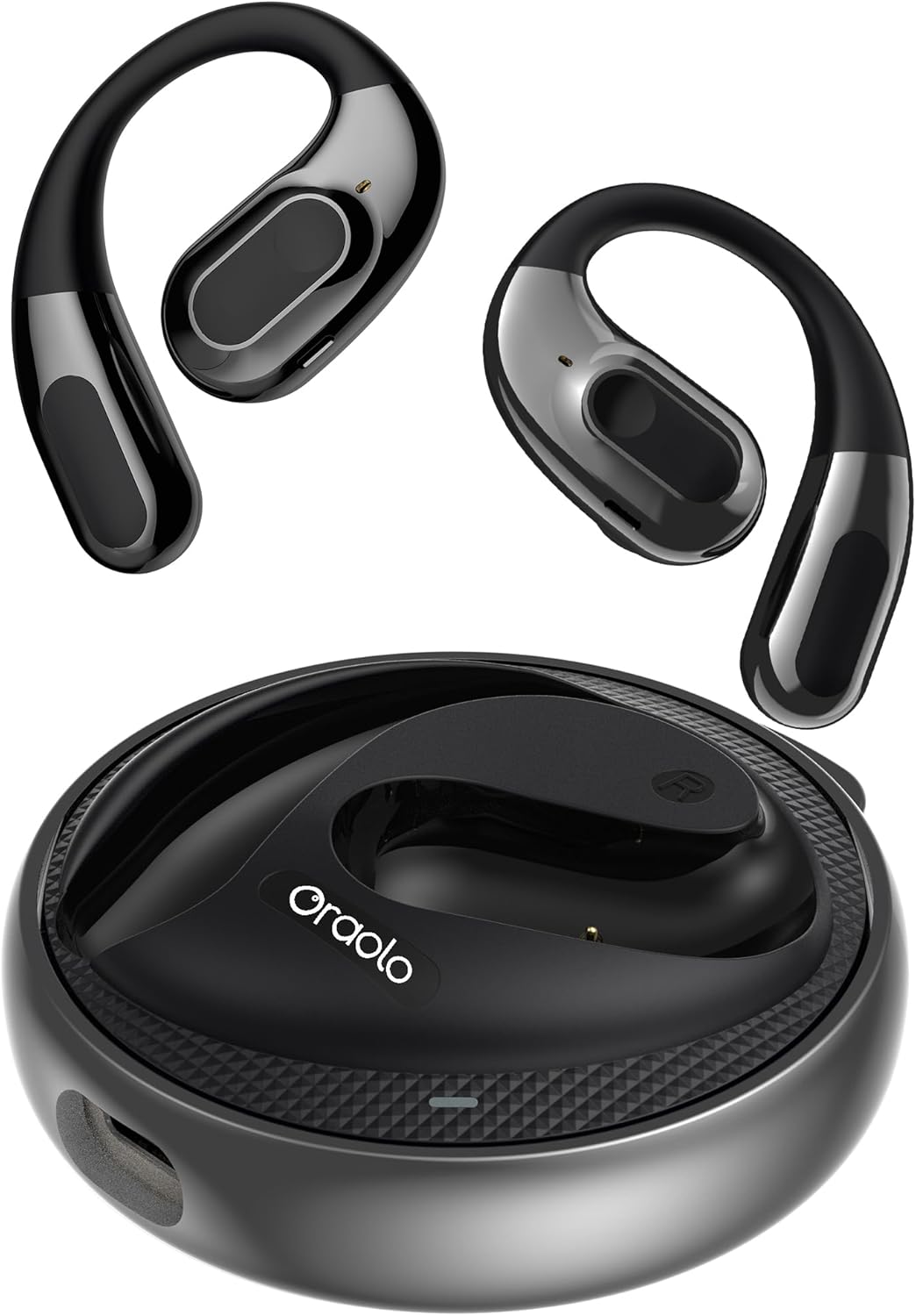
Image 2.1: The oraolo Open Ear E60 Earbuds and their charging case.
Zvinokosha:
- Comfortable and Stable Fit: Open-ear design with ear hooks for various ear shapes, ensuring comfort and stability during extended wear.
- ENC Clear Talk: Advanced Environmental Noise Cancellation for clear calls by filtering ambient noise.
- Yakawedzerwa Nguva Yekutamba: Up to 8 hours of listening on a single charge, with a total of 32 hours using the charging case.
- Makaralı 5.4: Provides stable connection and fast transmission speeds.
- 14.2mm Dynamic Driver: Delivers rich audio for various music genres.
- IPX5 Kuramba Mvura: Inodzivirira kubva kudikitira uye kupfapfaidzwa zvishoma.
- Environmental Awareness: Open-ear design allows users to hear their surroundings, enhancing safety during outdoor activities.
3. Setup
3.1 Kuchaja maEarbuds uye Case
- Isa maearbuds muchesi yekuchaja. Ita shuwa kuti vakagara zvakanaka.
- Batanidza kesi yekuchaja kune yemagetsi sosi uchishandisa yakapihwa USB Type-C tambo.
- The indicator lights on the case will show the charging status. A full charge for the case typically takes 1 hour.
The earbuds provide up to 8 hours of playback on a single charge, and the charging case extends the total listening time to 32 hours.

Image 3.1: Illustration of the charging process and battery life of the oraolo E60 Earbuds.
3.2 Kubatanidza neBluetooth Chishandiso
- Open the charging case. The earbuds will automatically enter pairing mode, indicated by flashing lights.
- Pamudziyo wako (smartphone, piritsi, nezvimwewo), shandisa Bluetooth.
- Tsvaga available Bluetooth devices and select "oraolo E60" from the list.
- Kana yangobatanidzwa, izwi rekukurumidza rinosimbisa kupetwa kwakabudirira, uye mwenje wechiratidzo munzeve unodzima kana kuratidza mwenje wakatsiga.

Image 3.2: Demonstrating the Bluetooth 5.4 pairing process with a smartphone.
3.3 Kupfeka maEarbuds
The oraolo E60 Earbuds feature an open-ear design with flexible ear hooks for a secure and comfortable fit.
- Ziva kuruboshwe (L) uye kurudyi (R) mahedhifoni.
- Gently place the earbud over your ear, positioning the speaker near your ear canal without inserting it directly.
- Adjust the ear hook to fit snugly and securely around the back of your ear.
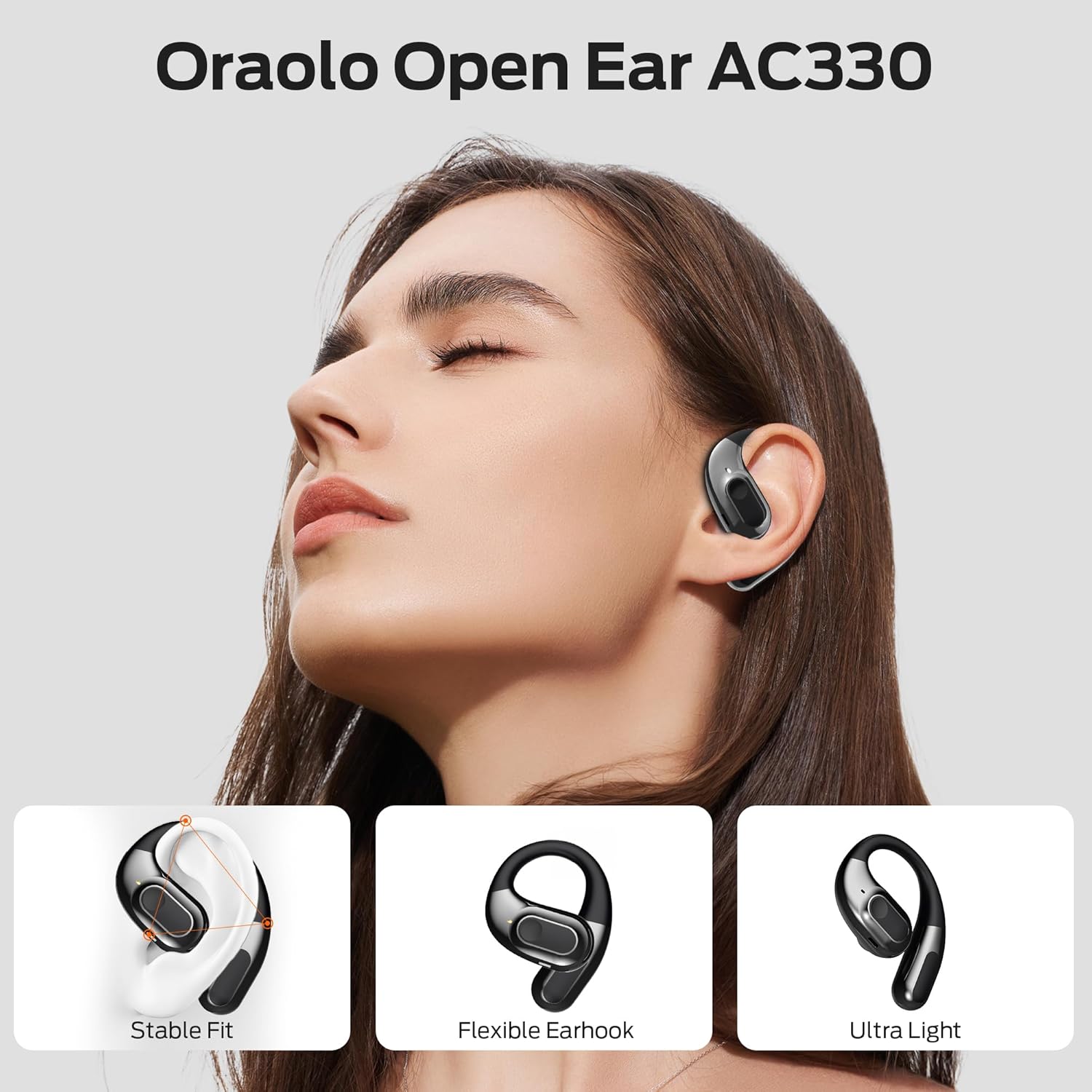
Image 3.3: A person wearing the oraolo Open Ear E60 Earbuds, highlighting the stable fit, flexible ear hook, and lightweight design.
4. Operating Instructions
4.1 Basic Controls (Touch Control)
The oraolo E60 Earbuds utilize touch controls for various functions. Specific touch gestures may vary; refer to the quick start guide included with your product for precise commands.
- Tamba/Kumbomira: Top kamwechete pane imwe earbud.
- Next Track: Tokonya kaviri pane earbud yekurudyi.
- Previous Track: Tokonya kaviri kuruboshwe rwenzeve.
- Pindura/Pedzisa Kufona: Tokonya kamwe chete pane imwe earbud panguva yekufona.
- Ramba Kufona: Dzvanya uye ubate chero earbud kwemasekonzi maviri panguva yekufona.
- Shandisa Izwi Mubatsiri: Tokonya katatu pane imwe earbud.
4.2 Environmental Noise Cancellation (ENC)
The ENC feature is automatically active during calls to reduce background noise, ensuring clear communication. No manual activation is typically required for this function during calls.
5. Kuchengeta
5.1 Kuchenesa
- Garai kuchenesa maearbud nekesi yekuchaja nejira rakapfava, rakaoma, risina lint.
- Usashandise abrasive cleaners, doro, kana makemikari zvinonyungudutsa.
- Ensure charging contacts are free of dust and debris.
5.2 Kuchengeta
- Chengetedza maearbuds mukesi yavo yekuchaja kana isiri kushandiswa kuadzivirira uye kuti agare aine chaji.
- Dzivisa kuchengeta mu tembiricha yakanyanyisa kana mwando wepamusoro.
5.3 Kuramba Mvura (IPX5)
The oraolo E60 Earbuds are rated IPX5, meaning they are resistant to sweat and light splashes of water. They are not designed for submersion in water or for use during swimming. Ensure the earbuds are dry before placing them back into the charging case to prevent damage.

Image 5.1: The oraolo E60 Earbuds demonstrating IPX5 water resistance against splashes.
6. Kugadzirisa matambudziko
- Hapana Inzwi: Ensure earbuds are charged, paired correctly, and volume is adjusted on both the earbuds and your device.
- Haikwanise Kubatanidza: Iva nechokwadi chekuti Bluetooth yakabatidzwa pamudziyo wako uye kuti ma earbuds ari mu pairing mode. Edza kudzima Bluetooth woibatidza zvakare pamudziyo wako.
- Kubatana Kwenguva: Ensure there are no obstructions between the earbuds and your device. Keep the device within the Bluetooth range (typically 10 meters).
- Maearbuds haachaji: Check if the charging cable is securely connected and the charging contacts on both the earbuds and case are clean.
- Imwe Earbud Haisi Kushanda: Try resetting the earbuds (refer to the quick start guide for specific reset instructions) or re-pairing them.
7. Zvinotsanangurwa
| Feature | Tsanangudzo |
|---|---|
| Model Number | E60 |
| Brand | oraolo |
| Kubatana | Bluetooth 5.4 |
| Kukura Kwemutyairi | 14.2 mm |
| Kuumbwa kwebhatiri | Lithium-ion |
| Earbud Playtime | Kusvikira kumaawa makumi maviri nemashanu |
| Yese Yekutamba (nekesi) | Kusvikira kumaawa makumi maviri nemashanu |
| Kuchaja Port | USB Type-C |
| Water Resistance Rating | IPX5 |
| Special Features | ENC Clear Talk, Sweat Resistant |
| Control Type | Bata Kudzora |
8. Safety Information
- Usabvisa kana kushandura chigadzirwa.
- Ramba kure nekupisa kwakanyanya, chiedza chezuva, uye mirazvo yakavhurika.
- Dzivisa kuteerera kwenguva refu uchirira zvakanyanya kuti usakanganise kunzwa.
- Rasa chigadzirwa uye bhatiri rayo zvine hungwaru maererano nemitemo yenzvimbo.
9. Warranty uye Tsigiro
For warranty information or technical support, please refer to the warranty card included with your purchase or visit the official oraolo website. Contact details for customer service are typically provided on the product packaging or within the quick start guide.


