1. Folasaga
Thank you for choosing the 2BOOM HPBT500K Wireless Headphone System. This manual provides essential information for the proper setup, operation, and maintenance of your new headphones. Please read it thoroughly before use to ensure optimal performance and longevity of the product.
The HPBT500K headphones offer a wireless audio experience with a built-in microphone for hands-free calling, enhanced bass sound, and comfortable wear.
2. O a mea oi totonu o le Pusa
- 2BOOM HPBT500K Wireless Headphone
- USB Totogi Uaea
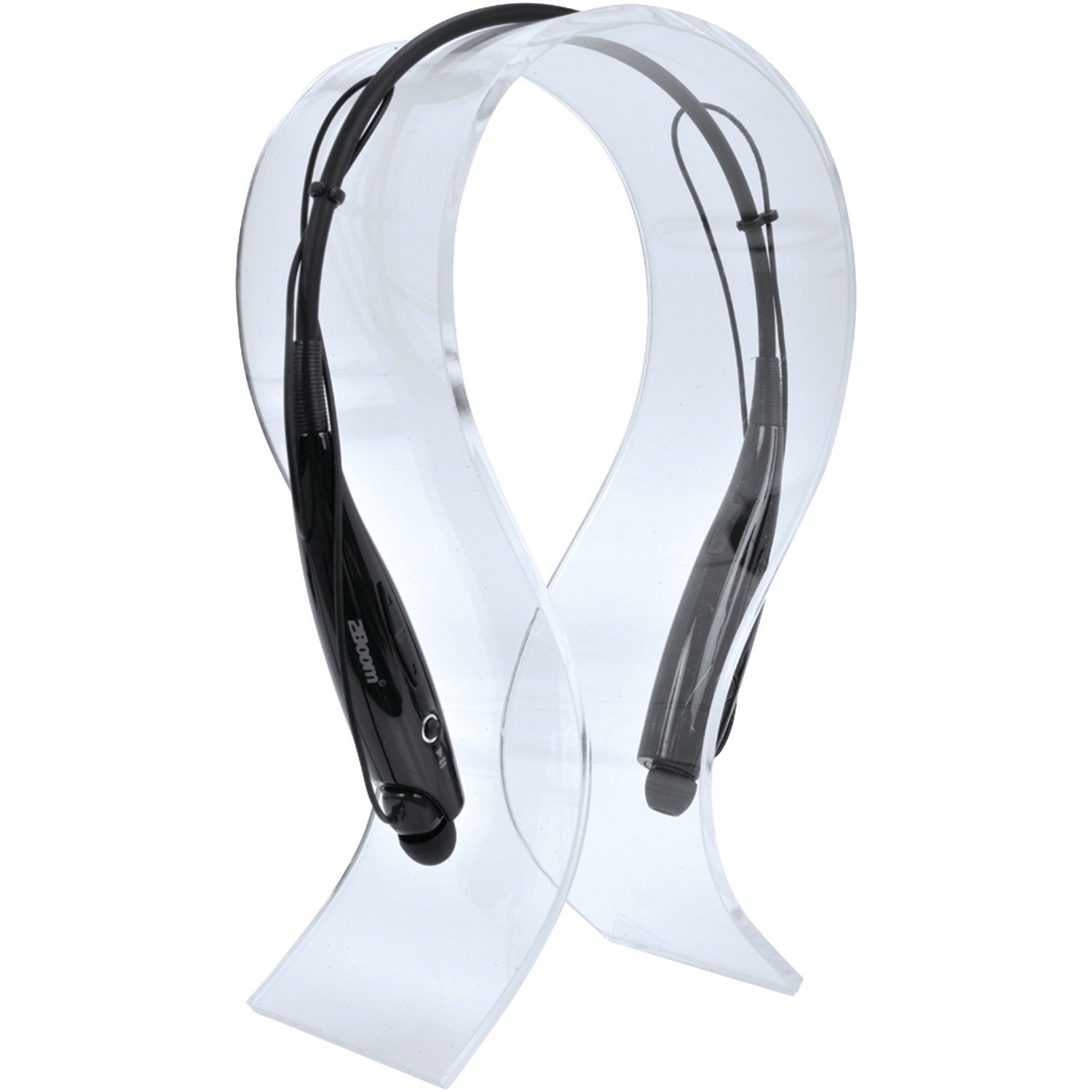
Image: The 2BOOM HPBT500K Wireless Headphone, showcasing lona mamanu.
Image: The included USB charging cable for the headphones.
3. Oloa Ua Ovaview
Familiarize yourself with the various parts and controls of your HPBT500K headphones.

Ata: Itu view of the 2BOOM HPBT500K Wireless Headphone, highlighting control buttons and ports.
Pulea ma Fa'ailoga:
- Ki Malosi: E fa'aaoga e ki/tape ai headphone ma mo le fa'apipi'iina.
- Volume Up / Leisi Ala: Fa'ateleina le leo pe oso i le isi pese.
- Volume Lalo / Ala Talu: Fa'aitiitia le leo pe alu i le pese muamua.
- Fa'amau e tele-galuega (MFB): Play/Pause, Answer/End Call.
- Microphone: Mo fesootaiga e aunoa ma le fa'aogaina o lima.
- Fa'ailoga LED: Shows power status, pairing mode, and charging status.
- Port USB Totogi Polokalama: Mo le faʻafesoʻotaʻi o le uaea faʻapipiʻi.
4. Totogiina le Headphones
Before first use, fully charge your headphones. A full charge typically takes about 2-3 hours.
- Connect the small end of the USB charging cable to the Micro USB charging port on your headphones.
- Connect the larger end of the USB charging cable to a USB power source (e.g., computer USB port, USB wall adapter). Ensure the power source provides DC 5V.
- The LED indicator will illuminate during charging and change color or turn off once charging is complete.
Fa'aaliga: Do not use chargers with a voltage higher than DC 5V, as this may damage the headphones.
5. Setup and Bluetooth Pairing
Follow these steps to pair your HPBT500K headphones with your Bluetooth-enabled device.
- Malosiaga: Press and hold the Power button on the headphones until the LED indicator flashes, usually alternating blue and red, indicating pairing mode.
- Fa'agaoioi le Bluetooth: On your smartphone, tablet, or other Bluetooth device, go to the Bluetooth settings and ensure Bluetooth is turned on.
- Saili mo Meafaigaluega: Your device will scan for available Bluetooth devices.
- Select 'HPBT500K': From the list of found devices, select 'HPBT500K'.
- Fa'amaonia le Fa'atasi: Once paired, the LED indicator on the headphones will typically flash blue slowly or remain solid blue, and your device may confirm the connection.
The operating distance for Bluetooth connectivity is up to 33 feet (10 meters) in an open environment. Obstacles may reduce this range.
6. Fa'atonuga o Galuega
Ta'alo Musika:
- Ta'alo/Taofi: Oomi faatasi le Multi-function Button (MFB).
- Su'ega Sosoo: Oomi ma uu le Volume Up button.
- Ala na muamua atu: Oomi ma uu le Volume Down button.
- I luga le Volume: Oomi puupuu le Volume Up button.
- Volume Lalo: Oomi puupuu le Volume Down button.
Music playback time is up to 3 hours on a full charge.
Valaau e Sa'oloto Lima:
- Tali Valaau: Press the MFB once when a call comes in.
- Fa'ai'u le Valaau: Oomi faatasi le MFB a'o faia se telefoni.
- Te'ena Valaau: Press and hold the MFB for approximately 2 seconds when a call comes in.
- Toe vili Numera Mulimuli: Oomi faalua le MFB.
Talk time is up to 3 hours on a full charge.
7. Tausiga
Ina ia mautinoa le umi o le ola ma le faʻatinoga sili ona lelei o au headphone, mulimuli i nei taʻiala tausiga:
- Keep the headphones dry. Avoid exposure to moisture, rain, or liquids.
- Clean the headphones with a soft, dry cloth. Do not use harsh chemicals or abrasive cleaners.
- Teu ia headphone i se nofoaga malūlū ma mago, 'ese mai le vevela tele.
- Aloese mai le pa'u pe tu'u le taliga i ni aafiaga malolosi.
- Aua le taumafai e tatala pe sui le headphone, aua o le a faaleaogaina ai le tusi saisai.
8. Faʻafitauli
If you encounter issues with your HPBT500K headphones, refer to the following common problems and solutions:
- Headphones not turning on:
Ensure the headphones are fully charged. Connect them to a power source using the provided USB cable. - Le mafai ona fetaui ma le masini:
Make sure Bluetooth is enabled on your device and the headphones are in pairing mode (LED flashing blue/red). Move the headphones closer to your device. Try turning both devices off and on again. - Leai se leo pe maualalo le leo:
Siaki le maualuga o le leo i luga o headphone ma lau masini ua feso'ota'i. Ia mautinoa ua fetaui lelei le feso'ota'iga o headphone. - Poor sound quality or disconnections:
Ensure there are no obstructions between the headphones and your device. Move closer to your device. Avoid environments with strong Wi-Fi or other wireless interference. - Ua le aoga le masini faaleotele leo:
Ensure the headphones are properly connected and selected as the audio input device on your phone/computer.
9. Fa'amatalaga
| Fa'aaliga | Fa'amatalaga |
|---|---|
| Fa'aliliuga Bluetooth | 2.1 + EDR |
| Mamao Galuega | E oo atu ile 33 futu (10 mita) |
| Taimi Taʻalo Musika | E oʻo atu ile 3 itula |
| Taimi Talanoa | E oʻo atu ile 3 itula |
| Totogi Totogi Voltage | DC 5V |
| Taimi Totogi | Pe tusa o le 2-3 itula |
| Galuega a le Fofoga Fetalai | 2x40mW |
| Ma'a fa'afale | 3.7V, 150mAh |
| Mea mamafa | 113 g |
| Fua o Mea (LxWxH) | 23.11 x 16.76 x 3.81 cm |
| Fa'aaofia Vaega | Headphone with charging cable |
| Metotia Pulea | Pa'i |
| Fa'apitoa Fa'apitoa | Mamafa, Microphone E aofia ai |
10. Fa'amaonia ma Lagolago
For warranty information or technical support, please refer to the documentation provided at the time of purchase or contact 2BOOM customer service. Keep your proof of purchase for warranty claims.


