Uvod
This manual provides essential information for setting up, operating, and maintaining your HP Essential 17t Laptop TPN-I139. Please read these instructions carefully to ensure proper use and to maximize the lifespan of your device.
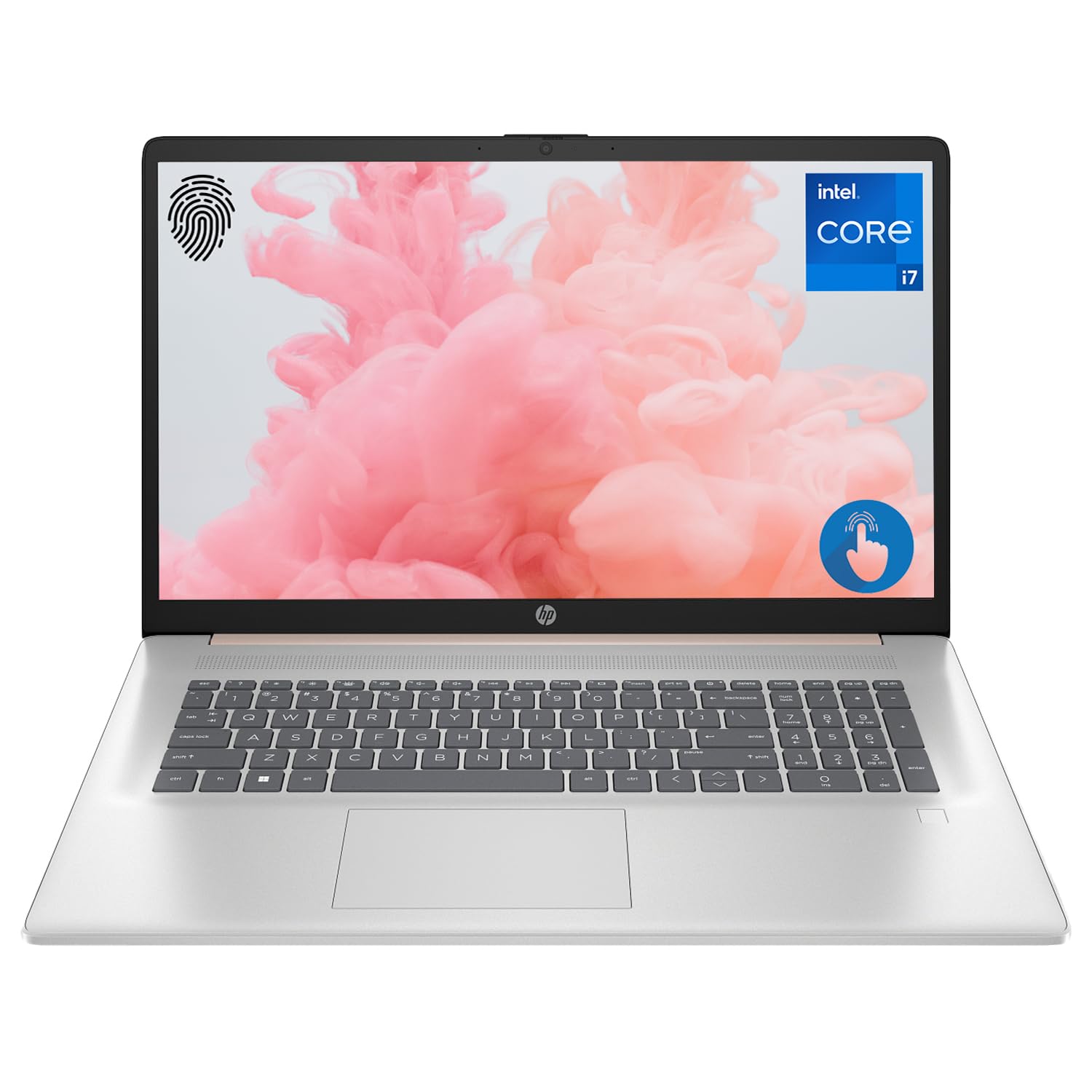
Figure 1: HP Essential 17t Laptop
The HP Essential 17t Laptop is designed for productivity and everyday use, featuring a 17.3-inch HD+ touchscreen, an Intel Core i7-1355U processor, 64GB of RAM, and a 2TB SSD. It comes pre-installed with Windows 11 Home.
Kako začeti
1. Kaj je v škatli
- HP Essential Touchscreen Laptop
- AC napajalnik
- Vodnik za hitri začetek (če je priložen)
2 Začetni vklop in nastavitev
- Connect the AC power adapter to the laptop and a power outlet.
- Odprite pokrov prenosnika in pritisnite gumb za vklop, ki se običajno nahaja na tipkovnici.
- Follow the on-screen instructions to complete the Windows 11 Home setup. This includes selecting your region, connecting to a Wi-Fi network, creating a user account, and accepting the license agreement.

Figure 2: Windows 11 Home Interface
Konec strojne opremeview
Vrata in priključki
Familiarize yourself with the various ports on your laptop for connecting external devices.

Slika 3: Vrata in priključki prenosnika
- SuperSpeed USB Type-A (5Gbps signaling rate): Za priključitev naprav USB, kot so miške, tipkovnice ali zunanji pogoni.
- HDMI 1.4b: Za priključitev na zunanje zaslone ali projektorje.
- SuperSpeed USB Type-C (5Gbps signaling rate): Vsestranska vrata za prenos podatkov in povezovanje združljivih naprav.
- Kombinirani priključek za slušalke/mikrofon (3.5 mm): Za priključitev slušalk, zunanjih zvočnikov ali slušalk z mikrofonom.
Tipkovnica in sledilna ploščica
The laptop features a full-size backlit keyboard for comfortable typing in various lighting conditions and a responsive touchpad for navigation.
Zaslon
Your HP Essential 17t Laptop is equipped with a 17.3-inch HD+ (1600 x 900) touchscreen display, offering intuitive interaction with Windows 11.

Figure 4: 17.3" HD+ Touchscreen Display
Upravljanje prenosnika
Upravljanje napajanja
- Vklop/izklop: Press the power button to turn the laptop on. To shut down, click the Start button, then Power > Shut down.
- Spanje: Close the lid or click the Start button, then Power > Sleep to put the laptop into a low-power state.
- Vzdrževanje baterije: The laptop supports battery fast charge, reaching approximately 50% charge in 45 minutes. For optimal battery health, avoid consistently draining the battery to 0% or keeping it at 100% for extended periods.
Uporaba zaslona na dotik
Interact with your laptop directly on the screen using touch gestures. Common gestures include tapping to select, pinching to zoom, and swiping to scroll.
Uporaba bralnika prstnih odtisov
The integrated fingerprint reader allows for secure and quick login. Set up your fingerprints through Windows Hello in the Windows Settings app (Accounts > Sign-in options).
Povezovanje z Wi-Fi
To connect to a wireless network, click the Wi-Fi icon in the taskbar, select your desired network, and enter the password if prompted. The laptop supports Wi-Fi 6 for fast and reliable wireless connectivity.
Funkcije produktivnosti
This laptop integrates Copilot + AI capabilities to enhance productivity. These features can assist with scheduling, drafting emails, summarizing documents, and more, streamlining your workflow.

Figure 5: Copilot + AI for Enhanced Productivity
Vzdrževanje in nega
Čiščenje prenosnika
- Uporabite mehko krpo, ki ne pušča vlaken, dampZaslon očistite z vodo ali čistilom za zaslone.
- Za tipkovnico in ohišje uporabite mehko, suho krpo. Izogibajte se agresivnim kemikalijam ali abrazivnim materialom.
- Pred čiščenjem se prepričajte, da je prenosnik izklopljen in izklopljen iz električnega omrežja.
Posodobitve programske opreme
Redno preverjajte in nameščajte posodobitve sistema Windows, da zagotovite, da ima vaš sistem najnovejše varnostne popravke in izboljšave delovanja. Pojdite v Nastavitve > Windows Update.
Odpravljanje težav
Če imate težave s prenosnikom, poskusite naslednje osnovne korake za odpravljanje težav:
- Brez napajanja: Prepričajte se, da je napajalnik varno priključen na prenosnik in delujočo električno vtičnico. Poskusite z drugo vtičnico.
- Težave s prikazom: Če je zaslon prazen, poskusite priključiti zunanji monitor, da preverite, ali je težava v zaslonu prenosnika.
- Povezljivost Wi-Fi: Restart your router and modem. Ensure Wi-Fi is enabled on your laptop.
- Počasno delovanje: Close unnecessary applications. Check for available Windows updates.
Za bolj zapletene težave se obrnite na HP-jevo podporo webspletno mesto ali se obrnite na HP-jevo službo za stranke.
Specifikacije
Below are the key technical specifications for the HP Essential 17t Laptop TPN-I139:

Figure 6: Intel Core i7-1355U Processor
| Funkcija | Specifikacija |
|---|---|
| Ime modela | TPN-I139 |
| Procesor | 13. generacija Intel Core i7-1355U (10 jeder, 12 niti, do 5.0 GHz) |
| RAM | 64 GB DDR4 SDRAM (3200 MHz) |
| Shranjevanje | 2 TB PCIe NVMe M.2 SSD |
| Zaslon | 17.3" HD+ (1600 x 900) Touchscreen, BrightView250 nitov |
| Grafika | Grafika Intel Iris Xe |
| Operacijski sistem | Windows 11 Home |
| Brezžična povezljivost | Wi-Fi 6 (802.11ax) |
| Pristanišča | 1x SuperSpeed USB Type-C (5Gbps), 2x SuperSpeed USB Type-A (5Gbps), 1x HDMI 1.4b, 1x Headphone/Microphone Combo |
| Posebne lastnosti | Osvetljena tipkovnica, bralnik prstnih odtisov |
| Dimenzije (DxŠxV) | 15.78 x 10.15 x 0.78 palcev |
| Teža | 5.25 funtov |

Figure 7: Intel Iris Xe Graphics
Garancija in podpora
Your HP Essential 17t Laptop comes with a standard manufacturer's warranty. For detailed warranty terms and conditions, please refer to the documentation included with your product or visit the official HP support website. For technical assistance, driver downloads, or service requests, please contact HP customer support directly.
Konec izdelkaview Video
Za vizualni pregled si oglejte ta videoposnetekview of the HP Essential 17t Laptop's features and capabilities.
Video 1: HP Essential 17 Touchscreen 13th Gen i7 Laptop Overview by PCOnline US. This video highlights key features and design aspects of the laptop.