1. Uvod
Thank you for choosing the BESDER Home Security IP Camera. This wireless smart WiFi camera is designed to provide reliable surveillance, audio recording, and baby monitoring capabilities with high-definition video. This manual will guide you through the setup, operation, and maintenance of your new device to ensure optimal performance and security.
2. Varnostne informacije
- Ensure the camera is powered by the correct voltage (DC 5V) as specified.
- Do not expose the camera to water or moisture. It is designed for indoor use only.
- Izogibajte se postavljanju kamere na neposredno sončno svetlobo ali v bližino virov toplote.
- Do not attempt to disassemble or repair the camera yourself. Contact qualified personnel for service.
- Fotoaparat in njegovo dodatno opremo hranite izven dosega otrok.
- Use only the provided power adapter and cable to prevent damage.
3. Vsebina paketa
Prosimo, preverite paket, da se prepričate, da so vsi predmeti prisotni in v dobrem stanju:
- BESDER Home Security IP Camera
- USB napajalni kabel
- Napajalnik (DC 5V)
- Pritrdilni vijaki in stenski vložki
- Uporabniški priročnik (ta dokument)

Image showing the BESDER IP Camera along with its accessories: a USB power cable, a power adapter, and a packet of mounting screws.
4. Izdelek je končanview
Familiarize yourself with the main components of your BESDER IP Camera:
- Objektiv kamere: Zajame video footage.
- Infrardeče LED: Za nočni vid.
- Mikrofon: Za avdio vhod.
- govornik: Za dvosmerno zvočno komunikacijo.
- Reža za kartico SD: Za lokalno shranjevanje videoposnetkov (podpira do 64 GB).
- Napajalni vmesnik (DC 5V): Povezuje se z napajalnikom.
- Gumb za ponastavitev: Uporablja se za obnovitev tovarniških nastavitev.

Diagram illustrating the side view of the BESDER IP Camera, highlighting the SD Card slot, Power interface (DC 5V), and Reset button.
5. Nastavitev
5.1. Vklop
- Connect the USB power cable to the camera's power interface.
- Priključite napajalnik v standardno električno vtičnico.
- The camera will power on, and its indicator light will begin to flash, indicating it's ready for setup.
5.2. App Installation (iCSee)
The BESDER IP Camera uses the iCSee application for remote monitoring and control.
- Download the iCSee app from your mobile device's app store (App Store for iOS or Google Play Store for Android).
Prenos za iOS | Prenos za Android - Registrirajte nov račun ali se prijavite, če ga že imate.
5.3. Povezava Wi-Fi
Follow these steps to connect your camera to your home Wi-Fi network:
- Open the iCSee app and tap the "+" icon to add a new device.
- Select "Add My Device" or "Add Camera".
- Choose the "Wi-Fi Camera" option.
- Follow the on-screen prompts to enter your Wi-Fi network name (SSID) and password. Ensure your phone is connected to a 2.4GHz Wi-Fi network, as the camera may not support 5GHz.
- The app will generate a QR code. Position your phone's screen in front of the camera lens (approx. 15-20 cm away) until you hear a confirmation sound from the camera.
- Once connected, the camera's indicator light will turn solid blue. You can now name your camera and start monitoring.
5.4. Montaža
The camera can be placed on a flat surface or mounted to a wall or ceiling.
- Choose a suitable location with a clear view and within Wi-Fi range.
- If mounting, use the provided mounting screws and wall plugs to secure the camera base.
- Adjust the camera's angle as needed within the app after mounting.
6. Delovanje
6.1. V živo View
Access real-time video feed from your camera through the iCSee app.
- Odprite aplikacijo iCSee in na seznamu naprav izberite svojo kamero.
- The live video feed will appear. You can pan and tilt the camera remotely using the controls in the app.

Screenshot of a multi-camera monitoring interface, likely from the iCSee application, displaying live feeds from multiple cameras and recording controls.
6.2. Snemanje in shranjevanje
The camera supports local storage via a MicroSD card.
- Insert a MicroSD card (up to 64GB, Class 10 recommended) into the SD card slot.
- In the iCSee app settings, navigate to "Storage Settings" to format the SD card and configure recording modes (e.g., continuous, motion-triggered).
- Posneto footage lahko viewed and downloaded directly from the app.
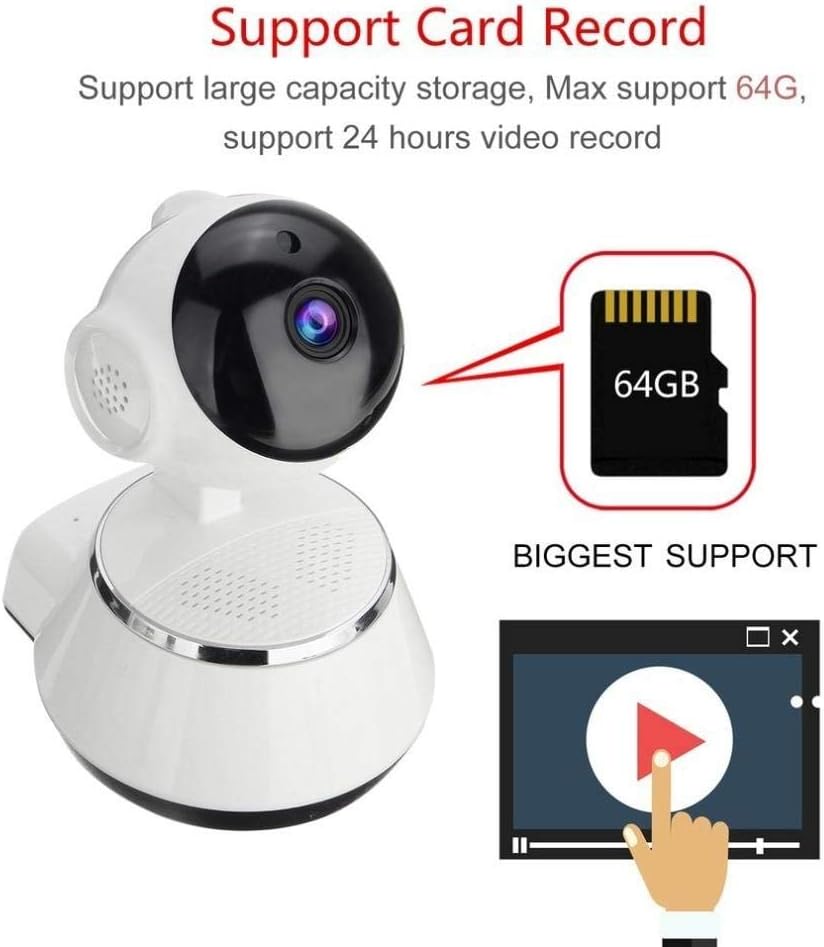
Image demonstrating the camera's support for large capacity storage, specifically showing a 64GB MicroSD card, indicating support for 24-hour video recording.
6.3. Zaznavanje gibanja
Receive alerts when motion is detected in the camera's field of view.
- Enable "Motion Detection" in the camera settings within the iCSee app.
- Adjust sensitivity levels and set up notification preferences (e.g., push notifications, email alerts).
6.4. Nočni vid
Kamera se v slabih svetlobnih pogojih samodejno preklopi na nočni način.
- Infrared LEDs provide clear black-and-white video up to 10 meters in complete darkness.
- No manual intervention is required for night vision activation.

Comparison image displayed on a smartphone screen, showing the difference between daytime and nighttime monitoring views, highlighting the infrared night vision capability.
6.5. Dvosmerni zvok
Communicate through the camera using the built-in microphone and speaker.
- V živo view, tap the microphone icon in the iCSee app to speak through the camera.
- Dotaknite se ikone zvočnika, da poslušate zvok iz okolice kamere.
6.6. Oddaljeni dostop
Monitor your property from anywhere with an internet connection.
- As long as your camera is connected to Wi-Fi and your phone has internet access, you can view live feeds and manage settings remotely via the iCSee app.
7. Vzdrževanje
- Čiščenje: Za čiščenje objektiva in ohišja fotoaparata uporabite mehko, suho krpo. Ne uporabljajte tekočih čistil ali aerosolov.
- Posodobitve vdelane programske opreme: Regularly check for firmware updates through the iCSee app to ensure your camera has the latest features and security patches.
- Upravljanje SD kartice: Periodically back up important recordings and format the SD card to maintain optimal performance.
- Shranjevanje: Ko fotoaparata dlje časa ne uporabljate, ga shranite na hladnem in suhem mestu, stran od neposredne sončne svetlobe.
8. Odpravljanje težav
| Težava | Možen vzrok/rešitev |
|---|---|
| Kamera se ne vklopi | Ensure the power adapter is securely connected to both the camera and the power outlet. Try a different outlet. |
| Ni mogoče vzpostaviti povezave z Wi-Fi | Check if your Wi-Fi network is 2.4GHz. Ensure the Wi-Fi password is correct. Move the camera closer to the router. Reset the camera and try again. |
| V živo view is blurry or dark | Clean the camera lens. Check lighting conditions. Ensure night vision is functioning correctly in low light. |
| SD kartica ne snema | Ensure the SD card is inserted correctly and formatted in the app. Check if the card is full or corrupted. Try a different SD card. |
| Ni zvoka ali slaba kakovost zvoka | Check microphone and speaker settings in the app. Ensure there are no obstructions blocking the microphone or speaker. |
| Kamera pogosto prekine povezavo | Weak Wi-Fi signal. Move the camera closer to the router or consider a Wi-Fi extender. Reduce network congestion. |
9. Specifikacije
| Funkcija | Podrobnost |
|---|---|
| Številka modela | BES-MH03 |
| Tehnologija povezljivosti | Brezžično (Wi-Fi) |
| Priporočena uporaba | Baby Monitoring, Home Security |
| Posebne lastnosti | Motion Sensor, Night Vision (Infrared distance 10m) |
| Faktor oblike | Kupola |
| Wattage | 3 vatov |
| Podpora za shranjevanje | Kartica MicroSD (največ 64 GB) |
| Avdio | Two-way audio (Audio Record) |
10. Garancija in podpora
BESDER products are manufactured to high-quality standards. For warranty information, please refer to the terms and conditions provided at the point of purchase or contact your retailer. For technical support or further assistance, please refer to the support section within the iCSee application or visit the official BESDER webspletno mesto (če je na voljo).


