1. تعارف
This manual provides essential information for setting up, operating, maintaining, and troubleshooting your HP 27-inch FHD Touchscreen All-in-One Desktop. Please read these instructions carefully before using your device to ensure optimal performance and longevity.
The HP 27-inch All-in-One Desktop is designed for versatile use, featuring an Intel Ultra 7 155U 12-Core processor, 32 GB DDR5 RAM, and a 1 TB SSD for efficient performance. Its 27-inch Full HD touchscreen display offers an interactive experience, complemented by Intel IrisX Graphics and Windows 11 Pro operating system.
2. دٻي ۾ ڇا آهي
پڪ ڪريو ته سڀئي جزا پيڪنگ ۾ موجود آهن:
- HP 27-inch All-in-One Desktop
- وائرڊ ڪي بورڊ
- وائرڊ ماؤس
- پاور اڊاپٽر ۽ ڪيبل
- Webcam (integrated or separate, depending on model configuration)
- دستاويز (جلدي شروعات جي ھدايت، وارنٽي جي معلومات)
3. سيٽ اپ گائيڊ
3.1 Unpacking ۽ لڳائڻ
- Carefully remove the All-in-One desktop and all accessories from the packaging.
- Place the desktop on a stable, flat surface, ensuring adequate ventilation around the device. Avoid placing it near heat sources or in direct sunlight.
3.2 پردي کي ڳنڍڻ
- Connect the wired keyboard to an available USB Type-A port on the back of the desktop.
- Connect the wired mouse to another available USB Type-A port.
- If your model includes a separate webcam, connect it to a USB port.
3.3 پاور ڪنيڪشن
- Connect the power adapter cable to the power input port on the desktop.
- پاور اڊاپٽر کي گرائونڊ ٿيل برقي آئوٽليٽ ۾ لڳايو.
3.4 شروعاتي پاور آن
- پاور بٽڻ کي دٻايو، جيڪو عام طور تي ڊسپلي جي پاسي يا هيٺئين ڪنڊ تي هوندو آهي.
- Follow the on-screen instructions to complete the Windows 11 Pro setup, including language selection, network connection (Wi-Fi 6E supported), and user account creation.

Image: HP 27-inch All-in-One Desktop showcasing its ultra-slim design and adjustable stand. The display is a 27-inch Full HD screen.
4. آپريٽنگ هدايتون
4.1 ٽچ اسڪرين ڊسپلي استعمال ڪندي
The 27-inch Full HD (1920 x 1080) IPS touchscreen allows for intuitive interaction. Use gestures similar to a tablet or smartphone for navigation, zooming, and scrolling. The display features a three-sided micro-edge design and wide-viewing angles for an immersive visual experience.

Image: Visual representation of the HP 27-inch All-in-One Desktop's display features, highlighting the three-sided micro-edge, wide-viewing angles, and a 90% screen-to-body ratio.
4.2 ڪنيڪٽوٽي ۽ بندرگاهن
Your desktop offers a variety of ports for connecting external devices:
- USB Type-C 5Gbps Signaling Rate: 1 port for modern peripherals and fast data transfer.
- USB Type-A 5Gbps Signaling Rate: معياري USB ڊوائيسز لاءِ 2 بندرگاهن.
- USB 2.0 قسم-اي: 2 ports for basic peripherals like keyboards and mice.
- HDMI-out 1.4: 1 port for connecting an external monitor or display.
- RJ45 LAN Ethernet port: 1 port for wired network connection.
- هيڊ فون/مائڪروفون ڪمبو: 1 port for audio input/output.

تصوير: هڪ تفصيلي پوئين حصو view of the HP 27-inch All-in-One Desktop, illustrating the arrangement and types of ports available, including USB Type-C, HDMI, Ethernet, USB Type-A, and the power supply connection.
4.3 Using the Privacy Camera and Audio
The HP True Vision 1080p FHD IR Tilt Privacy Camera features a pop-up mechanism for privacy. Push down to hide the camera when not in use. The integrated dual array digital microphones and dual 2W speakers provide clear audio for video calls and multimedia.

Image: The HP 27-inch All-in-One Desktop highlighting its pop-up privacy camera, dual microphones, and advanced noise reduction capabilities for enhanced communication.
5. خاصيتون ختمview
- پروسيسر: Equipped with the Intel Ultra 7 155U 12-Core processor, offering speeds up to 4.8 GHz, 12 MB Intel Smart Cache, and 14 threads for robust multitasking and performance.
- گرافڪس: Features Intel IrisX Graphics for clear visuals and support for everyday tasks and light creative work.
- ياداشت ۽ ذخيرو: Comes with 32 GB DDR5 5600MHz RAM and a 1 TB SSD for fast boot times, quick application loading, and ampاسٽوريج جي گنجائش.
- وائرلیس رابطي Includes Realtek Rtl8852Be Wi-Fi 6 (2x2) and Bluetooth 5.3 for high-speed wireless networking and peripheral connections.
- آپريٽنگ سسٽم: Pre-installed with Windows 11 Pro, providing a secure and productive computing environment.
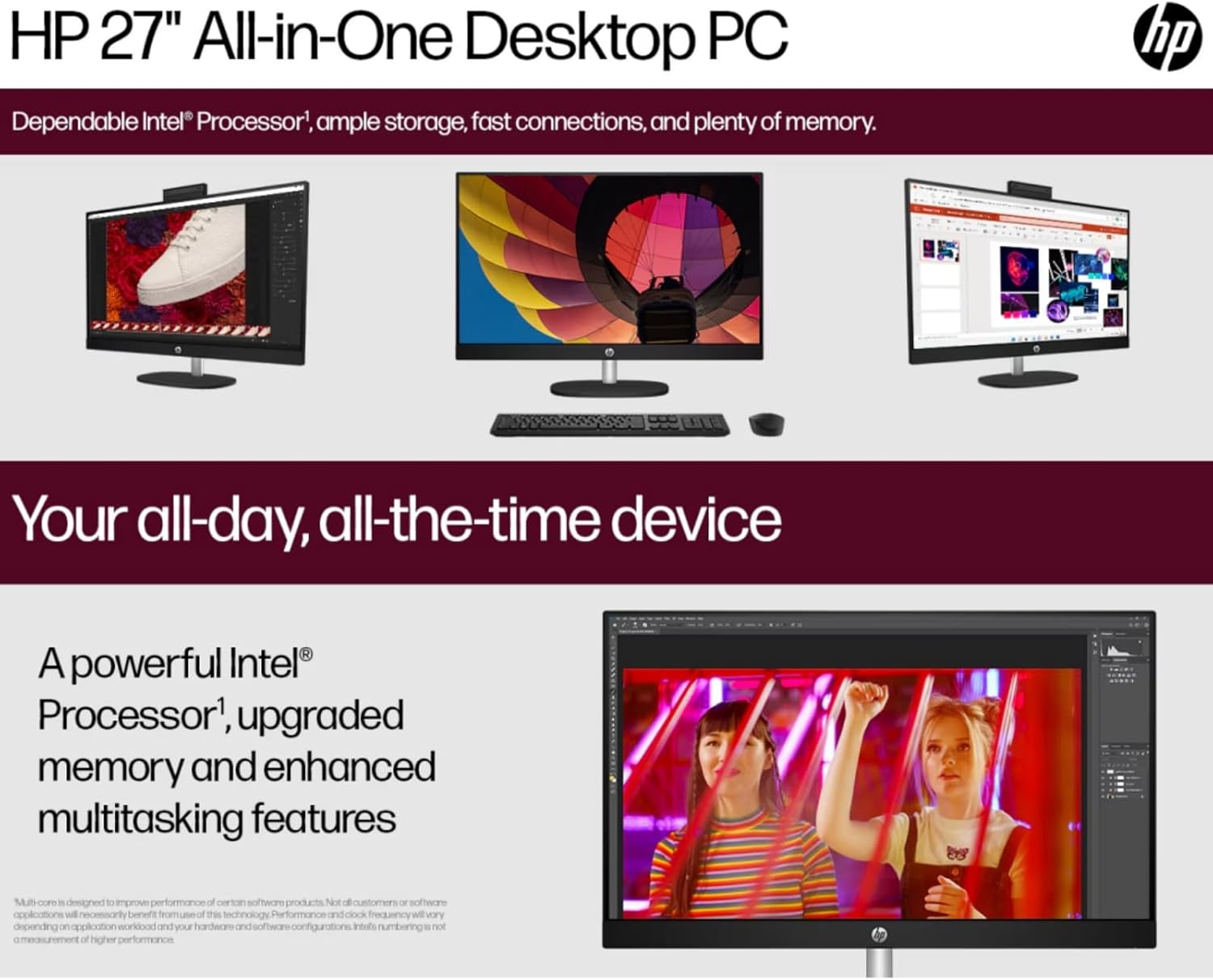
Image: The HP 27-inch All-in-One Desktop illustrating its capability for enhanced multitasking, powered by a robust Intel Processor and upgraded memory.
5.1 ماحولياتي خيالات
This product is designed with environmental responsibility in mind. It incorporates recycled materials, including post-consumer recycled and ocean-bound plastics, and is EPEAT Gold Registered and ENERGY STAR® Certified.

Image: An infographic showing the HP 27-inch All-in-One Desktop's commitment to sustainability, detailing the use of reclaimed coffee grounds and post-consumer recycled plastics in its construction.
6. سار سنڀال
6.1 Cleaning the Display and Chassis
- Turn off the desktop and unplug the power cord before cleaning.
- نرم، لِنٽ کان خالي ڪپڙو استعمال ڪريو ٿورڙو ڊيampened with water or a non-abrasive screen cleaner to wipe the display. Avoid harsh chemicals.
- For the chassis, use a soft, dry cloth.
6.2 سافٽ ويئر اپڊيٽ
Regularly check for and install operating system updates (Windows Update) and driver updates (HP Support Assistant) to ensure optimal performance and security.
6.3 وينٽيليشن
Ensure that the ventilation openings on the desktop are not blocked to prevent overheating. Keep the area around the desktop clear of obstructions.
7. مسئلا حل ڪرڻ
هي حصو عام مسئلن کي حل ڪري ٿو جيڪي توهان کي منهن ڏئي سگهن ٿا.
7.1 پاور ناهي
- پڪ ڪريو ته پاور ڪيبل ڊيسڪ ٽاپ ۽ اليڪٽريڪل آئوٽليٽ ٻنهي سان محفوظ طور تي ڳنڍيل آهي.
- ٻئي ڊوائيس کي پلگ ان ڪندي تصديق ڪريو ته اليڪٽريڪل آئوٽليٽ ڪم ڪري رهيو آهي.
- ڪنهن به نظر ايندڙ نقصان لاءِ پاور اڊاپٽر چيڪ ڪريو.
7.2 ڊسپلي مسئلا
- If the screen is blank, ensure the desktop is powered on.
- Adjust display brightness settings.
- جيڪڏهن ڪو ٻاهرين مانيٽر ڳنڍيل آهي، ته پڪ ڪريو ته ونڊوز سيٽنگز ۾ صحيح ڊسپلي آئوٽ پُٽ چونڊيو ويو آهي.
7.3 پردي جو جواب نه ڏيڻ
- Ensure the keyboard or mouse is properly connected to a USB port.
- پردي کي ڪنهن ٻئي USB پورٽ سان ڳنڍڻ جي ڪوشش ڪريو.
- ڊيسڪ ٽاپ کي ٻيهر شروع ڪريو.
7.4 وائي فائي ڪنيڪشن جا مسئلا
- چيڪ ڪريو ته ڇا وائي فائي ونڊوز سيٽنگز ۾ فعال آهي.
- پنهنجو روٽر ۽ موڊيم ٻيهر شروع ڪريو.
- پڪ ڪريو ته توهان پنهنجي وائي فائي نيٽ ورڪ جي حد اندر آهيو.
8. وضاحتون
| خاصيت | تفصيل |
|---|---|
| برانڊ | HP |
| ماڊل نمبر | HP 27 All-In-One Desktop |
| آپريٽنگ سسٽم | ونڊوز 11 پرو |
| پروسيسر | Intel Ultra 7 155U (12 Cores, up to 4.8 GHz) |
| رام | 32 جي بي ڊي ڊي آر 5 5600 ايم ايڇز |
| ذخيرو | 1 ٽي بي ايس ايس ڊي (PCIE x 2) |
| گرافڪس | Intel IrisX Graphics (Integrated) |
| ڏيکاريو | 27-inch FHD (1920 x 1080) Touchscreen IPS, Anti-Glare, 300 Nits |
| وائرليس ڪنيڪشن | وائي فائي 6E (802.11ax)، بلوٽوٿ 5.3 |
| بندرگاهن | 1x USB Type-C 5Gbps, 2x USB Type-A 5Gbps, 2x USB 2.0 Type-A, 1x HDMI-out 1.4, 1x RJ45, 1x Headphone/Microphone Combo |
| ڪئميرا | HP True Vision 1080p FHD IR Tilt Privacy Camera |
| آڊيو | Dual 2W Speakers, Integrated Dual Array Digital Microphones |
| طول و عرض (LxWxH) | 24.11 x 20.35 x 7.34 انچ |
| وزن | 14.81 پائونڊ |
9. وارنٽي ۽ سپورٽ
تفصيلي وارنٽي جي معلومات لاءِ، مھرباني ڪري پنھنجي پراڊڪٽ سان شامل وارنٽي ڪارڊ ڏسو يا سرڪاري HP سپورٽ تي وڃو. webسائيٽ. HP مختلف سپورٽ وسيلا مهيا ڪري ٿو، جنهن ۾ ڊرائيور، سافٽ ويئر اپڊيٽ، ۽ مسئلا حل ڪرڻ جا گائيڊ شامل آهن.
توهان عام طور تي دورو ڪندي مدد ڳولي سگهو ٿا support.hp.com and entering your product's serial number or model name.