تعارف
The RUIZU X80 is a versatile and portable MP3 player designed for music enthusiasts and active individuals. Equipped with 64GB of internal storage, Bluetooth 5.3 for stable wireless audio, and a convenient clip design, it offers a seamless audio experience on the go. Beyond music playback, it integrates an FM radio, a voice recorder, and a pedometer, making it a multi-functional companion for various activities. This manual provides detailed instructions to help you set up, operate, and maintain your RUIZU X80 MP3 player.

Image: The RUIZU X80 MP3 Player, showcasing its compact design, integrated clip, and USB-C connector.
سيٽ اپ ڪريو
پيڪيج مواد
- 1 x RUIZU X80 USB C MP3 Player with Bluetooth
- 1 x 3.5mm Wired Stereo Headphones
- 1 x USB C to USB Adapter Cable
- 1 x استعمال ڪندڙ دستياب
ڊوائيس چارج ڪرڻ
Before first use, fully charge your RUIZU X80 MP3 player. Connect the device to a power source using the provided USB-C cable. A full charge typically provides up to 20 hours of playtime. The screen will indicate charging status.
File Transfer (OTG Function)
The RUIZU X80 supports direct file transfer from mobile phones and computers. For mobile phones with Type-C ports, simply plug the MP3 player directly into the phone. For traditional USB devices like desktop computers, use the included Type-C to USB adapter cable.
Note: OTG file transfer is not supported on iOS devices. When transferring files in batches, limit each batch to a maximum of 1GB.
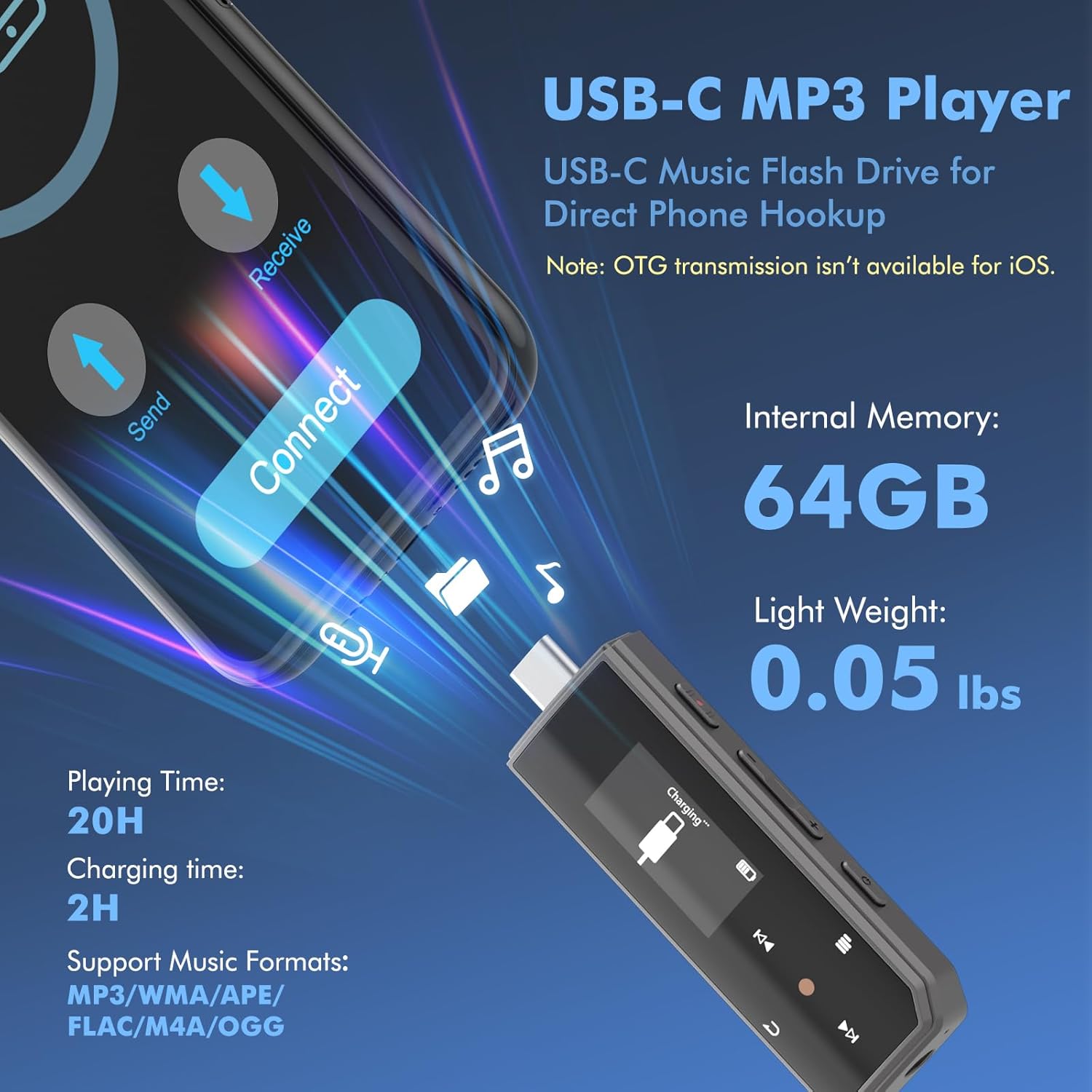
Image: The RUIZU X80 MP3 Player demonstrating its USB-C connectivity for direct file transfer with mobile phones and laptops.
آپريٽنگ هدايتون
بنيادي ڪنٽرول ۽ نيويگيشن
The device features a combination of hard buttons and soft-touch keys for navigation. The main play/select button is indicated by a red dot. Use the menu, fast forward, and rewind soft-touch keys for screen navigation. Volume control buttons are located on the side.
موسيقي پلے بیک
The RUIZU X80 supports various audio formats including MP3, WMA, APE, FLAC, WAV, M4A, DRM, ACELP, and OGG. You can choose from sequential play, shuffle repeat play, single track repeat, or all songs repeat mode. Organize your music into folders for easier navigation.
Bluetooth Connectivity (Bluetooth 5.3)
Pair your RUIZU X80 with wireless headphones or speakers via Bluetooth 5.3 for a stable audio streaming experience. Navigate to the Bluetooth settings on the device to initiate pairing. The enhanced compatibility ensures a seamless connection with most Bluetooth audio devices.

Image: The RUIZU X80 MP3 Player demonstrating its Bluetooth 5.3 capability, connecting wirelessly to headphones and a speaker.
AUX Audio Connection
Connect the MP3 player to your car's audio system or other devices using a standard 3.5mm audio cable. This allows for wired playback in environments where Bluetooth is not preferred or available.

Image: The RUIZU X80 MP3 Player connected to a car's audio system using an AUX cable, illustrating its versatile connectivity options.
وائس رڪارڊر
The device features a one-button voice recording function. Simply slide the dedicated red button to instantly start or save a recording. The built-in microphone captures clear audio, and recordings can be saved in MP3 or WAV format at different bit rates.

Image: The RUIZU X80 MP3 Player highlighting its voice recording feature, activated by a simple slide of the red button.
ايف ايم ريڊيو
To use the FM radio function, wired headphones must be connected as they act as the antenna. The device supports auto-tuning and allows you to set up to 30 station presets. Use the red dot soft button to scan through presets and the fast-forward/rewind buttons for manual station search.

Image: The RUIZU X80 MP3 Player showing its FM radio interface, with a user listening via wired headphones.
پيڊوميٽر
The integrated pedometer tracks your steps, distance, and time. Access the pedometer function from the main menu. It stores history data, allowing you to review your activity over time.
سار سنڀال
To ensure the longevity and optimal performance of your RUIZU X80 MP3 player, follow these maintenance guidelines:
- صفائي: ڊوائيس کي صاف ڪرڻ لاءِ نرم، سڪل ڪپڙو استعمال ڪريو. مائع صاف ڪندڙ يا رگڙيندڙ مواد استعمال ڪرڻ کان پاسو ڪريو.
- بيٽري جي سنڀال: To preserve battery life, avoid fully discharging the device frequently. Charge it regularly, and if storing for an extended period, ensure it has a partial charge (around 50%).
- اسٽوريج: Store the MP3 player in a cool, dry place away from direct sunlight, extreme temperatures, and humidity.
- تحفظ: While designed for portability, avoid dropping the device or exposing it to excessive shock. The screen is susceptible to scratches, consider a protective film if desired.
مشڪلاتون
If you encounter issues with your RUIZU X80 MP3 player, refer to the following common troubleshooting steps:
| مسئلو | ممڪن سبب | حل |
|---|---|---|
| ڊوائيس تي طاقت نه آهي | گهٽ بيٽري؛ سسٽم حادثو | Charge the device; Press and hold the power button for 10 seconds to force restart. |
| بلوٽوٿ اڪثر ڌار ٿي ويندو آهي | Interference; Out of range; Device issue | Ensure no strong interference sources are nearby; Stay within Bluetooth range; Try re-pairing the device. If persistent, contact support. |
| منتقل نه ٿو ڪري سگھجي files | Incorrect connection; iOS device; File سائيز جي حد | Ensure proper connection with USB-C or adapter; Note that iOS devices are not supported for OTG; Transfer files in batches of 1GB or less. |
| Screen is too dim in sunlight | Environmental limitation | This is a characteristic of the LCD screen; try to view in shaded areas. |
| Menu navigation is difficult | Unfamiliarity with interface | Familiarize yourself with the soft-touch keys and menu structure through practice. |
وضاحتون
| خاصيت | تفصيل |
|---|---|
| برانڊ | RUIZU |
| ماڊل | X80 |
| ميموري رکڻ جي صلاحيت | 64 جي بي |
| بيٽري جي سراسري زندگي | 20 ڪلاڪ تائين |
| رابطي ٽيڪنالاجي | Aux, Bluetooth 5.3, USB Type-C |
| سپورٽ ٿيل آڊيو فارميٽ | MP3, WMA, WAV, M4A, APE, FLAC, AAC-LC, OGG |
| ڊسپلي ٽيڪنالاجي | ايل سي ڊي |
| اسڪرين جي ماپ | 1 انچ |
| خاص خاصيتون | Built-In Clip, Equalizer, FM Radio, Voice Recorder, Pedometer |
| شيون طول و عرض (L x W x H) | 3.2 x 0.98 x 0.5 انچ (تقريبن) |
| شيءِ جو وزن | 0.055 پائونڊ (تقريبن) |
وارنٽي ۽ سپورٽ
RUIZU products are manufactured to high quality standards. For any questions, technical assistance, or warranty inquiries regarding your RUIZU X80 MP3 Player, please contact our customer support team.
اي ميل سپورٽ: support@ruizutek.com
Please provide your model number (X80) and a detailed description of your issue when contacting support to ensure a prompt resolution.


