تعارف
The Perixx PERIMICE-513 is a wired ergonomic vertical mouse designed to provide a comfortable and efficient computing experience. Its unique vertical design promotes a natural handshake position, which can help reduce forearm strain and the risk of repetitive strain injuries (RSI) during extended use. This manual provides essential information for setting up, operating, maintaining, and troubleshooting your PERIMICE-513 mouse.
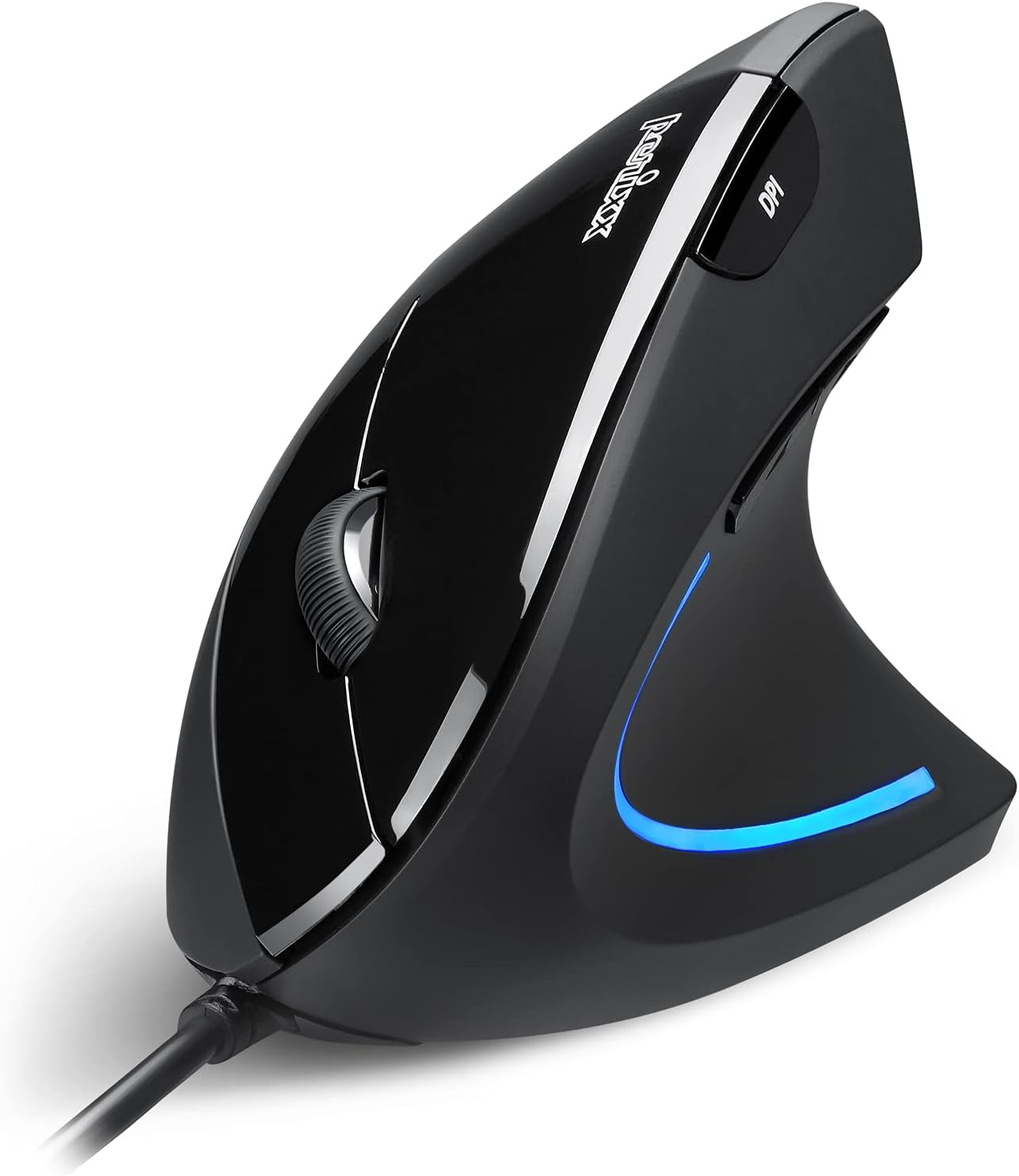
Image: The Perixx PERIMICE-513 Wired Ergonomic Vertical Mouse, showcasing ان جي ڪاري ختم ۽ ergonomic ڊيزائن.
پيداوار ختمview
The PERIMICE-513 features six buttons and an adjustable DPI sensor for precise control. Familiarize yourself with the components:

Image: A diagram illustrating the six buttons of the Perixx PERIMICE-513 mouse, including Left Click, Right Click, Scroll Wheel, DPI Switch, Page Back, and Page Forward buttons.
- کاٻي ڪلڪ بٽڻ: معياري پرائمري ڪلڪ فنڪشن.
- ساڄي ڪلڪ بٽڻ: معياري ثانوي ڪلڪ فنڪشن.
- اسڪرول ويل: عمودي اسڪرولنگ ۽ وچين ڪلڪ جي ڪارڪردگي لاءِ.
- ڊي پي آءِ سوئچ بٽڻ: ڪرسر جي حساسيت (DPI) کي ترتيب ڏئي ٿو.
- Page Back Button: Navigates back in web برائوزر يا file ڳولا ڪندڙ
- Page Forward Button: اڳتي نيويگيٽ ڪري ٿو web برائوزر يا file ڳولا ڪندڙ
سيٽ اپ ڪريو
The Perixx PERIMICE-513 is designed for simple plug-and-play setup.
- USB ڪيبل ڳنڍيو: مائوس جي USB ڪنيڪٽر کي پنهنجي ڪمپيوٽر تي موجود USB پورٽ ۾ لڳايو.
- ڊرائيور لڳائڻ: The mouse is plug-and-play and typically does not require additional drivers for basic functionality on compatible operating systems. Your computer should automatically detect and install the necessary drivers.
- پوزيشن: Place the mouse on a flat, clean surface. The ergonomic design encourages a natural handshake grip.

Image: A hand connecting the USB cable of the Perixx PERIMICE-513 mouse to a computer, illustrating the plug-and-play setup.
مطابقت: The PERIMICE-513 is fully compatible with Windows 7, 8, 10, 11, and later versions.
آپريٽنگ هدايتون
This section details the functions of your Perixx PERIMICE-513 mouse.
ڊي پي آءِ ايڊجسٽمينٽ
The DPI (Dots Per Inch) switch button, located on the top of the mouse, allows you to adjust the cursor sensitivity. Press this button to cycle through the available DPI settings: 1000, 1600, 3200, and 6400 DPI. Choose a setting that best suits your task and preference for cursor speed and precision.

Image: A hand demonstrating the natural, comfortable grip on the Perixx PERIMICE-513 vertical mouse, highlighting its ergonomic design.
Ergonomic Use
The vertical design of the PERIMICE-513 encourages a neutral wrist and forearm posture, similar to a handshake. This natural position helps to alleviate pressure on the wrist and reduce muscle tension, contributing to long-term comfort and preventing strain.

Image: A visual comparison showing a twisted wrist position with a traditional mouse versus a natural, untwisted wrist position achieved with an ergonomic vertical mouse.
بٽڻ افعال
- کاٻي / ساڄي ڪلڪ ڪريو: Perform standard selection and context menu actions.
- اسڪرول ويل: دستاويزن کي اسڪرول ڪريو ۽ web pages vertically. Press down for middle-click functionality.
- DPI سوئچ: Cycle through 1000, 1600, 3200, and 6400 DPI settings.
- Page Back/Forward: Conveniently navigate web صفحا يا فولڊر.
سار سنڀال
Proper care ensures the longevity and optimal performance of your mouse.
- صفائي: ھڪڙو نرم استعمال ڪريو، ٿورڙو ڊيamp cloth to clean the surface of the mouse. Avoid using harsh chemicals, abrasive cleaners, or solvents, as these can damage the rubber coating and internal components.
- آپٽيڪل سينسر: صحيح ٽريڪنگ کي يقيني بڻائڻ لاءِ مائوس جي تري ۾ آپٽيڪل سينسر کي صاف ۽ مٽي يا ملبي کان پاڪ رکو.
- ڪيبل جي سنڀال: نقصان کان بچڻ لاءِ USB ڪيبل تي تيز موڙ يا گهڻي ڇڪڻ کان پاسو ڪريو.
مشڪلاتون
If you encounter issues with your Perixx PERIMICE-513 mouse, refer to the following solutions:
- مائوس جواب نه ڏئي رهيو آهي:
- پڪ ڪريو ته USB ڪيبل توهان جي ڪمپيوٽر تي ڪم ڪندڙ USB پورٽ ۾ محفوظ طور تي لڳل آهي.
- مائوس کي ڪنهن ٻئي USB پورٽ ۾ لڳائڻ جي ڪوشش ڪريو.
- پنهنجي ڪمپيوٽر کي ٻيهر شروع ڪريو.
- بي ترتيب ڪرسر حرڪت:
- نرم، سڪل ڪپڙي سان مائوس جي تري ۾ موجود آپٽيڪل سينسر کي صاف ڪريو.
- پڪ ڪريو ته توهان مائوس کي مناسب مٿاڇري تي استعمال ڪري رهيا آهيو. تمام گهڻي عڪاسي ڪندڙ يا شفاف سطحن کان پاسو ڪريو.
- DPI Setting Not Changing:
- Press the DPI switch button firmly. The change in DPI may be subtle depending on your current setting and screen resolution.
وضاحتون
Detailed technical specifications for the Perixx PERIMICE-513 mouse:
| خاصيت | تفصيل |
|---|---|
| پيداوار جي ماپ | 4.92 x 2.44 x 0.1 انچ |
| شيءِ جو وزن | 5.6 اونس |
| ماڊل نمبر | 12364 |
| رابطي ٽيڪنالاجي | USB |
| تحريڪ جي سڃاڻپ ٽيڪنالاجي | بصري |
| ڊي پي آئي سيٽنگون | 1000/1600/3200/6400 |
| ڪيبل ڊگھائي | 5.9 فوٽ (1.8 م) |
| مطابقت | Windows 7, 8, 10, 11, and later |
| خاص خصوصيت | Ergonomic ڊيزائن |
پيداوار ختمview وڊيو
هن سرڪاري پراڊڪٽ تي نظر وجهوview video for a visual guide to the Perixx PERIMICE-513 mouse.
وڊيو: هڪ سرڪاري پراڊڪٽ ختمview of the Perixx PERIMICE-513 Ergonomic Vertical Mouse, demonstrating its features and ergonomic benefits.
وارنٽي ۽ سپورٽ
Perixx products are manufactured to high-quality standards. For specific warranty details, please refer to the warranty card included with your product or visit the official Perixx website. For further assistance or support, you may visit the Perixx Store on Amazon.


