تعارف
This manual provides essential information for setting up, operating, maintaining, and troubleshooting your HP 15 Laptop Computer. Please read this guide thoroughly to ensure optimal performance and longevity of your device. This laptop is equipped with an AMD Ryzen 3 processor, 16GB RAM, and a 512GB SSD, running on Windows 11 Home.

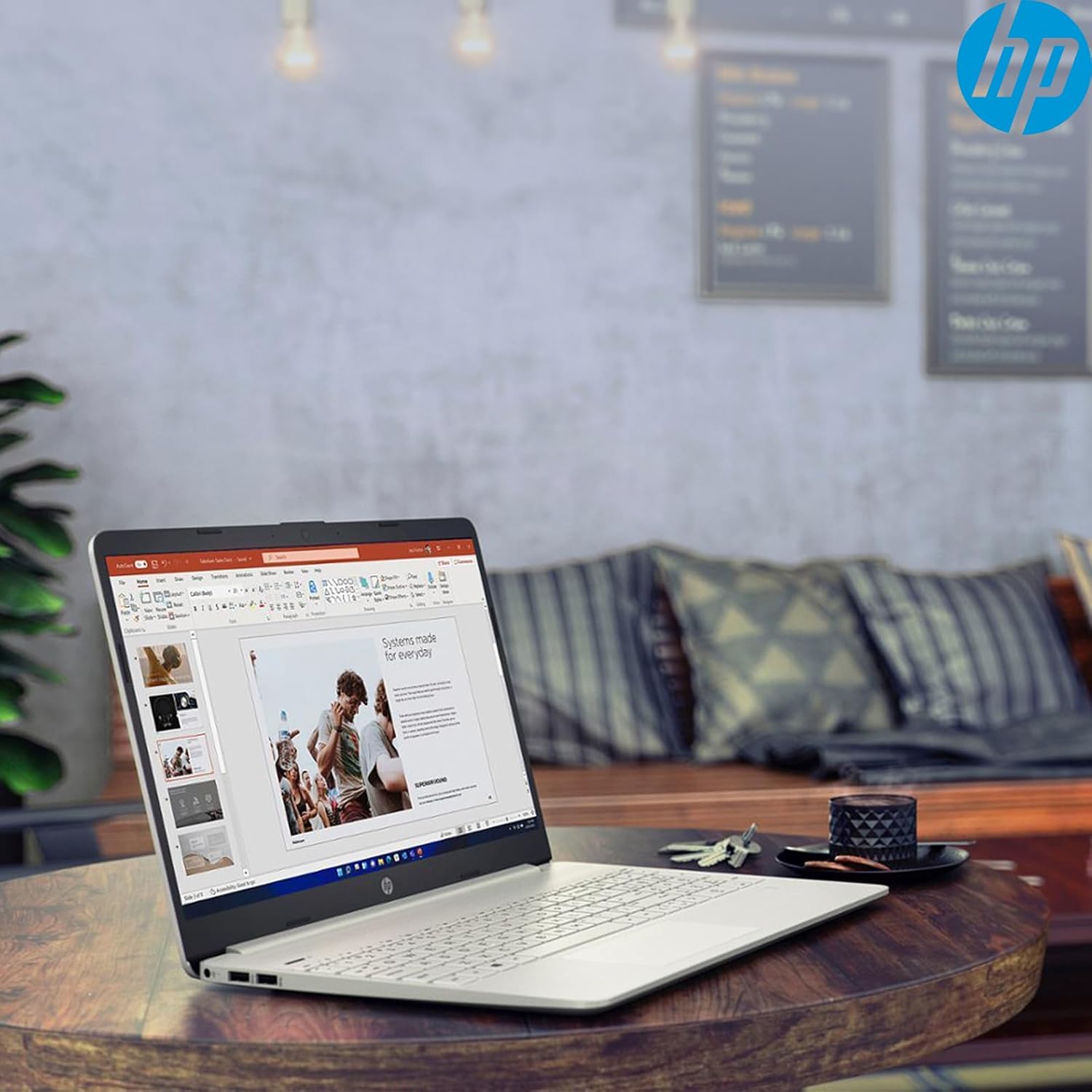
Image: The HP 15 Laptop Computer open, displaying the Windows 11 Home operating system, AMD Ryzen 3 processor, and AMD Radeon Graphics on its screen. An HP earphone case is visible on the palm rest, and the Microsoft Office logo is present on the bottom right.
1. سيٽ اپ
1.1 انباڪسنگ ۽ شروعاتي معائنو
Carefully remove all components from the packaging. Verify that all items listed in the 'What's in the Box' section are present. Inspect the laptop for any visible damage.
- HP 15 Laptop
- پاور اڊاپٽر
- HP Earphone
- وائرليس ماؤس
1.2 پاور اڊاپٽر کي ڳنڍڻ
Connect the power adapter to the laptop's power jack and then plug it into a wall outlet. It is recommended to fully charge the battery before initial use.
1.3 شروعاتي پاور آن ۽ ونڊوز 11 سيٽ اپ
ليپ ٽاپ کي آن ڪرڻ لاءِ پاور بٽڻ دٻايو. ونڊوز 11 هوم سيٽ اپ جي عمل کي مڪمل ڪرڻ لاءِ اسڪرين تي ڏنل هدايتن تي عمل ڪريو. ان ۾ توهان جو علائقو چونڊڻ، وائي فائي نيٽ ورڪ سان ڳنڍڻ، ۽ صارف اڪائونٽ ٺاهڻ شامل آهي.
2. Operating Your HP 15 Laptop
2.1 بنيادي ڪم
- پاور بٽڻ: Located on the top right of the keyboard deck. Press to turn on/off, or put the laptop to sleep.
- ڪي بورڊ: Features a full-size keyboard with a 10-key numeric keypad for efficient data entry.
- ٽچ پيڊ: نيويگيشن لاءِ ملٽي ٽچ اشارن کي سپورٽ ڪري ٿو.
تصوير: ويجهو تصوير view of the HP 15 laptop's keyboard, clearly showing the integrated 10-key numeric keypad on the right side and the central touchpad below the spacebar.
2.2 بندرگاهن ۽ ڪنيڪشن
Your HP 15 laptop is equipped with various ports for connectivity:
- USB-C (5Gbps سگنلنگ ريٽ): ڊيٽا جي منتقلي لاء.
- USB-A (x2): Standard USB ports for peripherals.
- HDMI 1.4b: ٻاهرين ڊسپلي سان ڳنڍڻ لاءِ.
- SD ڪارڊ ريڊر: ميموري ڪارڊ پڙهڻ لاءِ.
- هيڊ سيٽ جيڪ: هيڊفون يا هيڊ سيٽ ڳنڍڻ لاءِ.

Image: This image provides a detailed side view of the HP 15 laptop, illustrating the locations of its various connectivity ports including the power jack, two USB-A ports, an HDMI 1.4b port, an SD card reader, a headset jack, and a SuperSpeed USB Type-C port.
2.3 Webڪيم ۽ آڊيو
The laptop features an HP True Vision 720p HD camera with dual array digital microphones for video calls. Audio is delivered through B&O-tuned stereo speakers.
2.4 بيٽري جو انتظام
The laptop offers up to 9.75 hours of battery life. HP Fast Charge technology allows for a 50% charge in approximately 45 minutes when the laptop is powered off or in sleep mode.
3. سار سنڀال
3.1 پنهنجي ليپ ٽاپ کي صاف ڪرڻ
نرم، لِنٽ کان خالي ڪپڙو استعمال ڪريو ٿورڙو ڊيampened with water or a specialized screen cleaner to clean the display. For the keyboard and chassis, use a soft, dry cloth. Avoid harsh chemicals.
3.2 سافٽ ويئر اپڊيٽ
Regularly check for and install Windows updates and HP driver updates to ensure optimal performance and security. Access Windows updates via Settings > Windows Update.
3.3 اسٽوريج مينيجمينٽ
وقتي طور تي ٻيهرview ۽ غير ضروري ختم ڪريو files to maintain sufficient free space on your 512GB SSD. Utilize cloud storage or external drives for large files.
4. مسئلا حل ڪرڻ
4.1 بجلي جا مسئلا
- ليپ ٽاپ آن نٿو ٿئي: پڪ ڪريو ته پاور اڊاپٽر محفوظ طور تي ڳنڍيل آهي ۽ آئوٽ ليٽ ڪم ڪري رهيو آهي. هڪ مختلف آئوٽ ليٽ آزمايو.
- بيٽري نه ڀريندي: Verify the power adapter connection. Check for any damage to the adapter or charging port.
4.2 ڊسپلي مسئلا
- خالي اسڪرين: Connect an external monitor to check if the laptop is outputting video. If it displays, the laptop screen may be faulty.
- مدھم ڊسپلي: Adjust brightness settings using the function keys (Fn + F2/F3 typically).
4.3 ڪارڪردگي جا مسئلا
- سست آپريشن: Close unnecessary applications. Check Task Manager for high resource usage. Ensure sufficient free storage space.
- گهڻو گرم ٿيڻ: پڪ ڪريو ته وينٽيليشن جا رستا صاف آهن. ليپ ٽاپ کي سخت، هموار مٿاڇري تي استعمال ڪريو.
4.4 ڪنيڪٽيويٽي مسئلا
- وائي فائي ڳنڍجي نه رهيو آهي: Restart your router and laptop. Check Wi-Fi settings in Windows.
- بلوٽوٿ ڊيوائس جوڙو نه پيو ٺاهي: Ensure the device is in pairing mode and within range. Check Bluetooth settings.
5. وضاحتون
| خاصيت | تفصيل |
|---|---|
| ماڊل | ايڇ پي 15 |
| آپريٽنگ سسٽم | ونڊوز 11 گهر |
| پروسيسر | AMD Ryzen 3 (up to 3.8GHz, 4 cores, 8 threads) |
| گرافڪس | AMD Radeon گرافڪس (انٽيگريٽڊ) |
| رام | 16 GB DDR4 |
| ذخيرو | 512 GB PCIe NVMe M.2 SSD |
| ڏيکاريو | 15.6" HD (1366 x 768), micro-edge, anti-glare, 250 nits, 45% NTSC |
| وائرليس ڪنيڪشن | ريئلٽيڪ وائي فائي 5، بلوٽوٿ 5 |
| بندرگاهن | 1x USB-C (5Gbps), 2x USB-A, 1x HDMI 1.4b, 1x SD Card Reader, 1x Headset Jack |
| Webڪئميرا | ايڇ پي ٽرو ويزن 720p ايڇ ڊي ڪئميرا |
| آڊيو | Dual B&O-tuned stereo speakers |
| بيٽري جي زندگي | Up to 9.75 hours (HP Fast Charge: 50% in 45 mins) |
| طول و عرض (LxWxH) | 14.11 x 9.53 x 0.78 انچ |
| وزن | 3.75 پائونڊ |
6. وارنٽي ۽ سپورٽ
6.1 پروڊڪٽ وارنٽي
Your HP 15 Laptop Computer comes with a standard manufacturer's warranty. Please refer to the warranty card included with your product or visit the official HP support webتفصيلي شرطن ۽ شرطن لاء سائيٽ.
6.2 ٽيڪنيڪل سپورٽ
ٽيڪنيڪل مدد، ڊرائيور ڊائون لوڊ، يا وڌيڪ معلومات لاءِ، مهرباني ڪري سرڪاري HP سپورٽ جو دورو ڪريو. website or contact HP customer service. Have your product model and serial number ready when contacting support.
HP سپورٽ Webسائيٽ: support.hp.com