1. تعارف
Thank you for choosing the Delton Ergonomic Vertical Rechargeable Wireless Mouse S12. This manual provides detailed instructions for setting up, operating, and maintaining your new mouse. Designed for comfort and efficiency, this vertical mouse promotes a more natural hand and wrist posture, reducing strain during extended computer use.
Please read this manual thoroughly before use to ensure optimal performance and longevity of your device.
2. پيڪيج مواد
پڪ ڪريو ته سڀئي شيون توهان جي پيڪيج ۾ موجود آهن:
- Delton Ergonomic Vertical Wireless Mouse
- USB Dongle (2.4GHz receiver)
- USB چارجنگ ڪيبل
- استعمال ڪندڙ جو دستياب (ھي دستاويز)
3. پراڊڪٽ ختمview
The Delton S12 mouse features an ergonomic vertical design, six programmable buttons, and adjustable DPI settings for precise control. It connects wirelessly via a 2.4GHz USB dongle and is powered by a rechargeable battery.

Image: The Delton S12 Ergonomic Vertical Wireless Mouse, shown with its accompanying USB dongle.
3.1 ايرگونومڪ ڊيزائن
The vertical orientation of the mouse is designed to align your hand and wrist in a natural handshake position, which can help reduce muscle strain and discomfort often associated with traditional mice.

Image: A hand comfortably gripping the Delton vertical mouse, demonstrating the natural, ergonomic wrist position it promotes.
3.2 وائرليس ڪنيڪشن
The mouse connects wirelessly to your device via a 2.4GHz USB dongle, offering a stable connection up to 30 feet (10 meters). This provides flexibility and reduces cable clutter.

Image: The Delton vertical mouse wirelessly connected to a laptop, with the USB dongle inserted into the laptop's port.
3.3 ريچارج ايبل بيٽري
Equipped with a built-in rechargeable Lithium-Ion battery, the mouse offers up to 30 days of daily use and 12 months of standby time on a single charge. It can also be used while charging.

Image: The Delton vertical mouse being charged via a USB cable, illustrating its rechargeable feature.
3.4 Six Buttons Functionality
The mouse features six responsive buttons for enhanced productivity:
- کاٻي ڪلڪ ڪريو
- ساڄي ڪلڪ ڪريو
- Scroll Wheel (with click function)
- DPI سوئچ بٽڻ
- فارورڊ بٽڻ
- پوئتي بٽڻ

Image: A detailed diagram highlighting the location and function of the six buttons on the Delton vertical mouse.
3.5 Customizable DPI Levels
Adjust the mouse sensitivity with three DPI settings: 800, 1200, and 2400. An indicator light changes color to show the current DPI level.
- نيرو: 800 ڊي پي آئي
- ڳاڙهو: 1200 ڊي پي آئي
- سائو: 2400 ڊي پي آئي
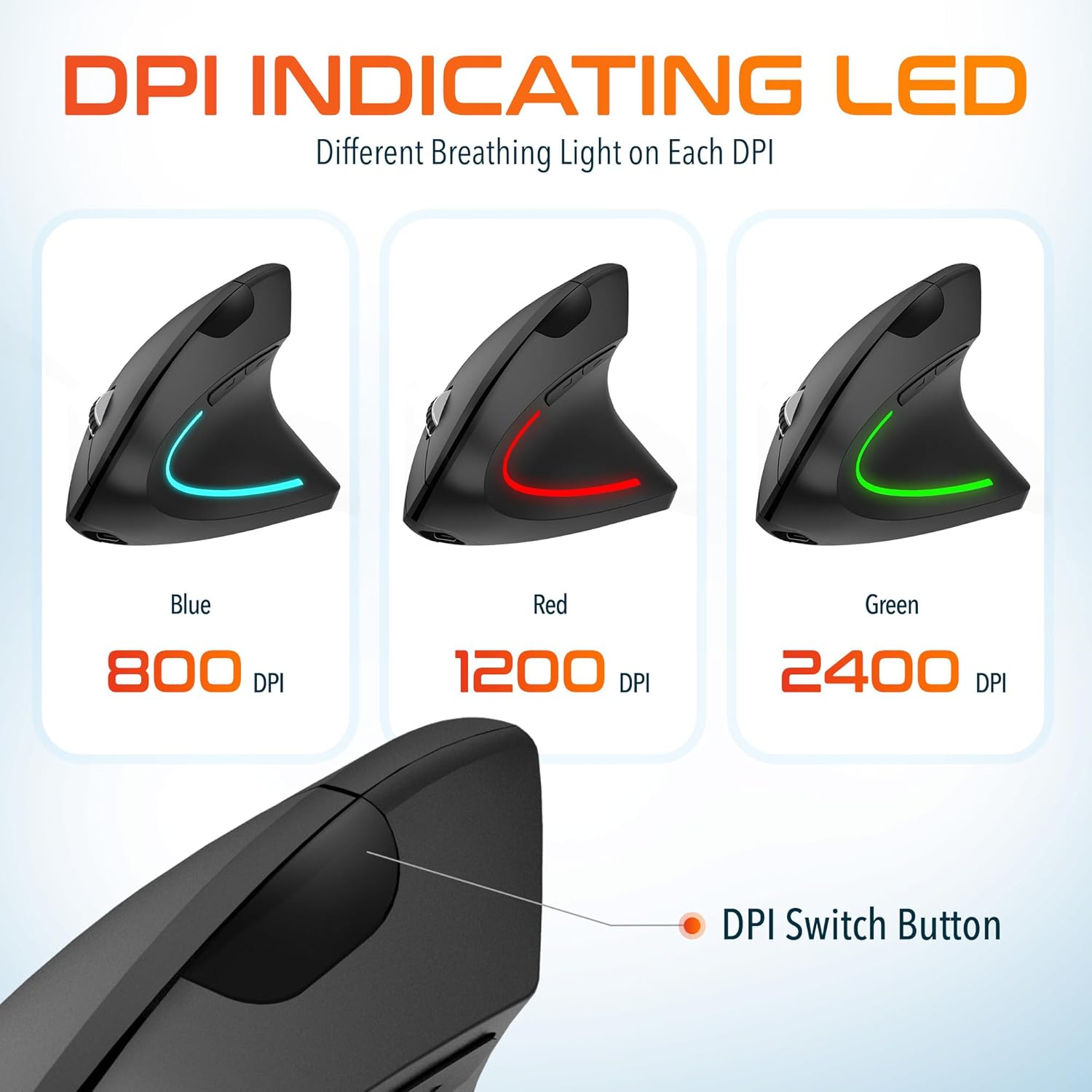
Image: The Delton vertical mouse displaying its LED indicator in blue (800 DPI), red (1200 DPI), and green (2400 DPI) to show current sensitivity settings.
4. سيٽ اپ جون هدايتون
4.1 مائوس کي چارج ڪرڻ
- Connect the provided USB charging cable to the charging port on the front of the mouse.
- Plug the other end of the USB cable into a USB power source (e.g., computer USB port, wall adapter, power bank).
- The LED indicator will illuminate during charging and turn off when fully charged. A full charge typically takes approximately 1 hour.
4.2 Connecting the USB Dongle
- Locate the USB dongle, usually stored in a compartment on the underside of the mouse.
- Insert the USB dongle into an available USB port on your computer (PC, Laptop, Mac, Chromebook).
- سسٽم خودڪار طريقي سان ضروري ڊرائيورن کي ڳوليندو ۽ انسٽال ڪندو. هن عمل ۾ ڪجهه لمحا لڳي سگهن ٿا.
4.3 پاور آن/آف
Locate the power switch on the underside of the mouse. Slide the switch to the 'ON' position to power on the mouse. Slide it to 'OFF' when not in use to conserve battery life.
5. آپريٽنگ هدايتون
5.1 ڊي پي آئي ايڊجسٽمينٽ
To change the mouse sensitivity (DPI), press the DPI switch button located on the top of the mouse, behind the scroll wheel. Each press cycles through the available DPI settings (800, 1200, 2400), indicated by the changing color of the LED light.
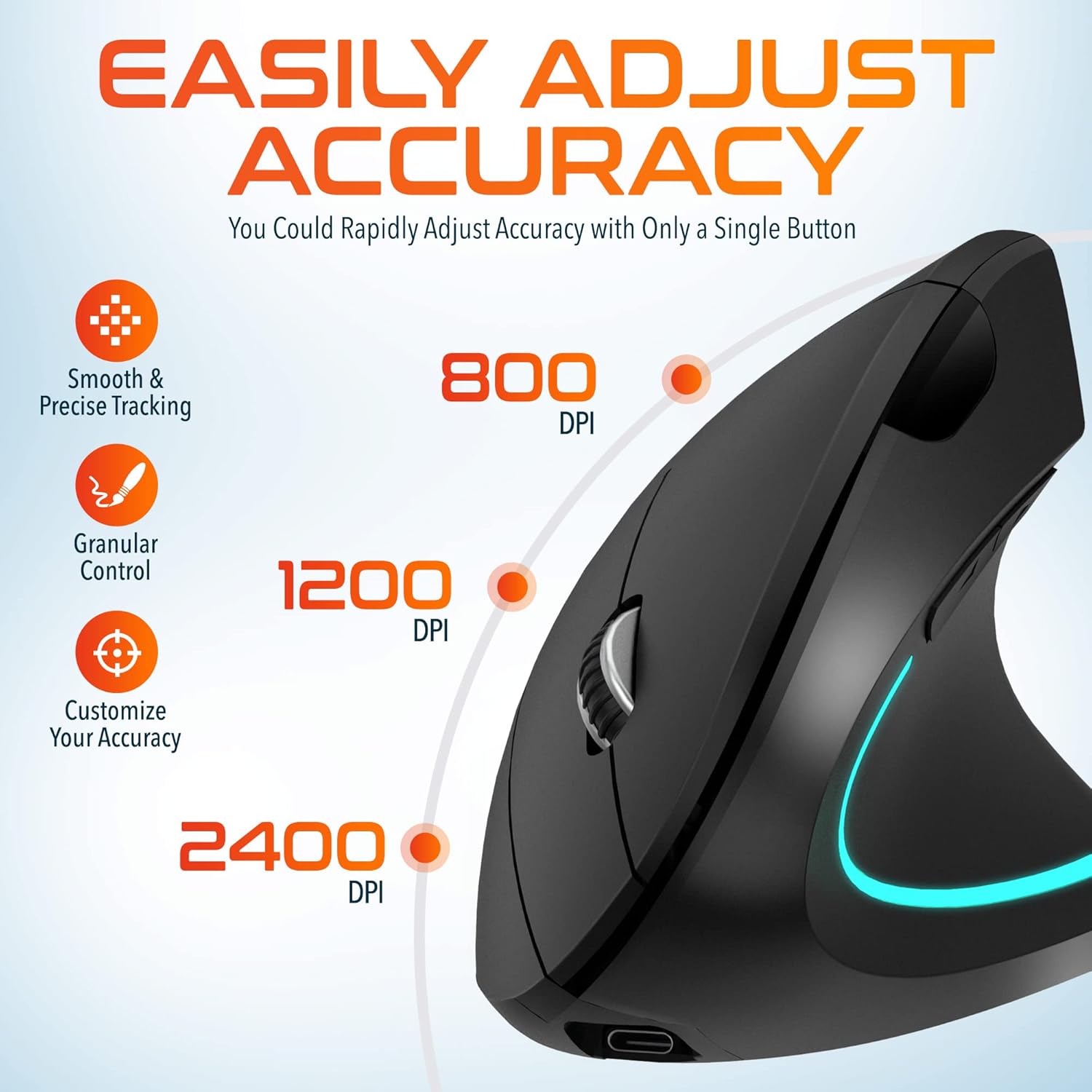
Image: A visual representation of the three adjustable DPI settings (800, 1200, 2400) and their corresponding cursor precision levels.
5.2 بٽڻ جا ڪم
- کاٻي ڪلڪ ڪريو: معياري پرائمري ڪلڪ فنڪشن.
- ساڄي ڪلڪ ڪريو: معياري ثانوي ڪلڪ فنڪشن.
- اسڪرول ويل: دستاويزن ذريعي مٿي يا هيٺ اسڪرول ڪريو ۽ web pages. Pressing the scroll wheel acts as a middle click.
- فارورڊ بٽڻ: اڳتي نيويگيٽ ڪري ٿو web برائوزر يا file ڳولا ڪندڙ
- پوئتي بٽڻ: پوئتي نيويگيٽ ڪري ٿو web برائوزر يا file ڳولا ڪندڙ

تصوير: هڪ ويجهو تصوير view of the mouse's scroll wheel and the conveniently placed forward and backward shortcut keys.
6. سار سنڀال
- صفائي: مائوس کي صاف ڪرڻ لاءِ نرم، سڪل ڪپڙو استعمال ڪريو. ضدي مٽيءَ لاءِ، ٿورو ڊيampڪپڙو پاڻي سان ڍڪيو. سخت ڪيميڪل يا رگڙيندڙ مواد استعمال ڪرڻ کان پاسو ڪريو.
- اسٽوريج: When not in use for extended periods, store the mouse in a cool, dry place. Ensure the power switch is in the 'OFF' position to preserve battery life.
- بيٽري جي سنڀال: Avoid fully discharging the battery frequently. Charge the mouse regularly to maintain battery health.
7. مسئلا حل ڪرڻ
| مسئلو | ممڪن سبب | حل |
|---|---|---|
| مائوس جواب نه ڏئي رهيو آهي | Low battery; USB dongle not connected; Mouse not powered on; Driver issue | Charge the mouse; Ensure dongle is securely plugged in; Turn on the mouse; Try a different USB port; Restart computer |
| وقتي ڪنيڪشن | Interference; Dongle too far from mouse; Low battery | Move mouse closer to dongle; Remove obstacles; Charge the mouse; Avoid using near other 2.4GHz devices |
| ڊي پي آءِ تبديل نه ٿي رهيو آهي | DPI button not pressed correctly; Mouse unresponsive | Press the DPI button firmly; Check battery and connection |
| مائوس ڪرسر بي ترتيب | Dirty optical sensor; Uneven surface | Clean the optical sensor with a soft cloth; Use on a clean, flat mouse pad or surface |
8. وضاحتون
| خاصيت | تفصيل |
|---|---|
| ماڊل نمبر | S12 |
| رابطي | 2.4GHz وائرليس (USB ڊونگل) |
| ڊي پي آئي جي سطح | 800/1200/2400 |
| بٽڻ | 6 (Left, Right, Scroll Wheel, DPI, Forward, Backward) |
| بيٽري جو قسم | ريچارج لائق ليٿيم آئن (شامل) |
| وائرلیس رينج | 30 فوٽ (10 ميٽر) تائين |
| پيداوار جي ماپ | 5 x 2.6 x 3.25 انچ |
| شيءِ جو وزن | 4.9 اونس |
| مطابقت | PC, Laptop, Mac, Chromebook (Windows, macOS, iOS) |
9. وارنٽي ۽ سپورٽ
Delton products are designed for reliability and performance. For warranty information or technical support, please refer to the contact details provided with your purchase or visit the official Delton webسائيٽ. وارنٽي دعوائن لاءِ خريداري جي ثبوت طور پنهنجي خريداري جي رسيد رکو.


