1. تعارف
This manual provides detailed instructions for the Delton 10X Bluetooth Computer Headset. This wireless headset is designed for clear communication and extended use, featuring Bluetooth 5.0 connectivity, a noise-canceling microphone, and a USB dongle for versatile compatibility. Please read this manual thoroughly to ensure proper setup and operation of your device.

تصوير 1.1: The Delton 10X Bluetooth Computer Headset and its accompanying USB dongle. This image displays the headset's over-the-head design, single ear cup, adjustable microphone boom, and the compact USB dongle.
2. پيڪيج مواد
پڪ ڪريو ته سڀئي شيون توهان جي پيڪيج ۾ موجود آهن:
- Delton 10X Bluetooth Headset
- USB ڊونگل
- چارج ڪيبل
- استعمال ڪندڙ جو دستياب (ھي دستاويز)
3. مصنوعات جون خاصيتون
The Delton 10X headset offers a range of features designed for optimal performance and user comfort:
- بلوٽوت 5.0 ڪنيڪشن: Ensures stable and efficient wireless connection up to 30 feet.
- شور منسوخ ڪرڻ وارو مائڪروفون: Reduces background noise for clear voice transmission.
- 270° گھمڻ لائق مائڪروفون: Allows for flexible positioning and use on either ear.
- وڌايل بيٽري جي زندگي: Up to 15 hours talk time, 18 hours play time, and 160 hours standby time.
- تڪڙو چارج: لڳ ڀڳ 1.5 ڪلاڪن ۾ مڪمل چارج.
- Adjustable Headband & Plush Ear Cushion: Provides comfort for prolonged wear.
- Ear Gripper T-Pad: Ensures secure fit during movement.
- يونيورسل مطابقت: Works with smartphones, tablets, desktop PCs, laptops, and supports iOS and Windows platforms.

تصوير 3.1: A visual summary of the Delton 10X headset's key features, including 15 hours talk time, Bluetooth 5.0, adjustable headband, high fidelity sound, noise-canceling mic, rotatable mic, long battery backup, voice assistant support, and plush cushions.
3.1 بيٽري جي ڪارڪردگي
The Delton 10X headset is equipped with a long-lasting battery to support your daily communication needs.
- ڳالهائڻ جو وقت: 15 ڪلاڪ تائين
- راند جو وقت: 18 ڪلاڪ تائين
- اسٽينڊ بائي ٽائيم: 160 ڪلاڪ تائين
- چارج ڪرڻ وقت: لڳ ڀڳ 1.5 ڪلاڪ
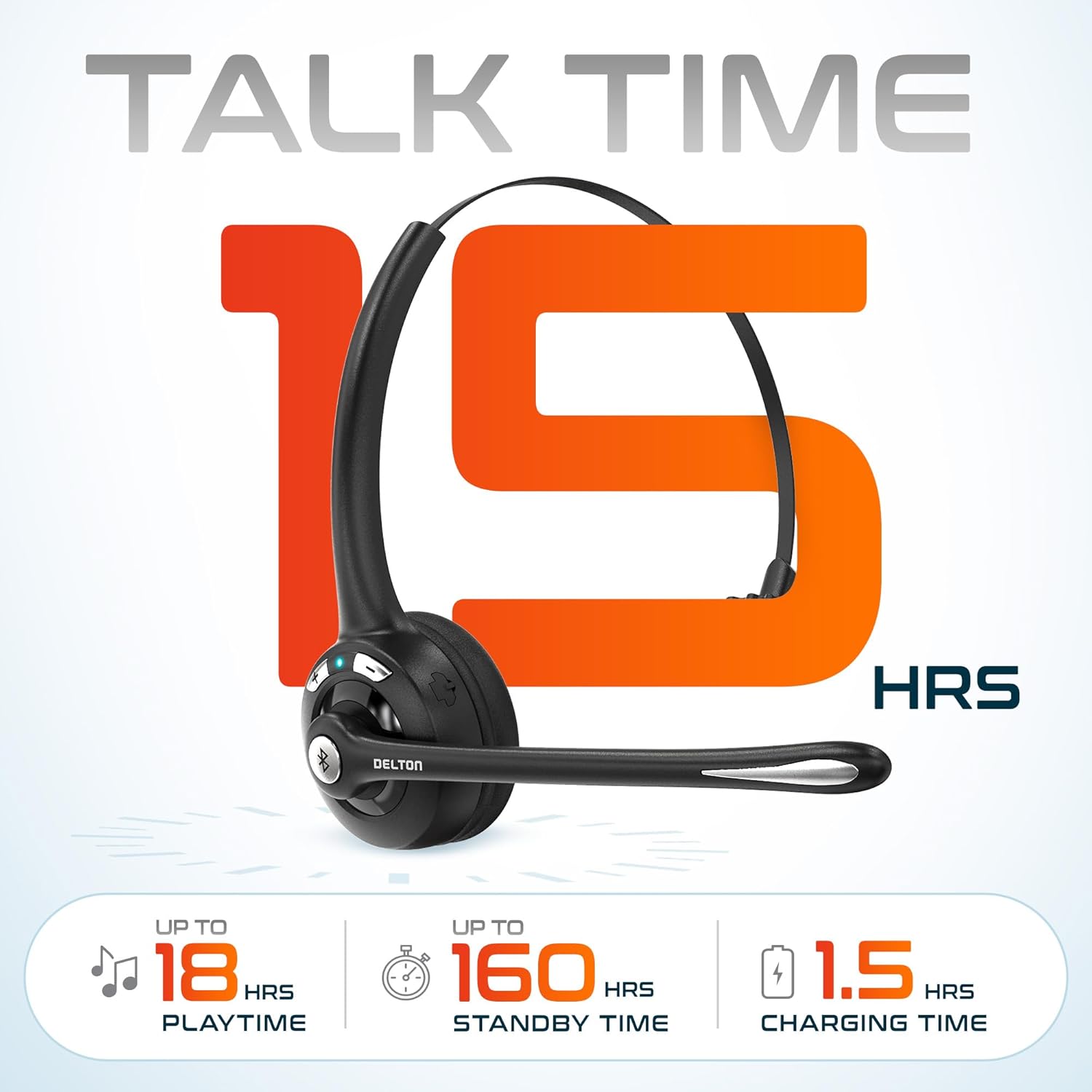
تصوير 3.2: An infographic detailing the battery performance of the Delton 10X headset, highlighting 15 hours of talk time, 18 hours of play time, 160 hours of standby time, and a 1.5-hour charging time.
3.2 Advanced Technology
The headset incorporates an advanced chipset for seamless connectivity and improved power efficiency.

تصوير 3.3: هڪ بند اپ view of the headset's internal components, illustrating the advanced Bluetooth 5.0 chipset. This image emphasizes the technology that reduces outside noise, improves power efficiency, and provides seamless connectivity up to 30 feet.
4. سيٽ اپ
4.1 هيڊ سيٽ چارج ڪرڻ
- Connect the provided charging cable to the charging port on the headset.
- Plug the other end of the cable into a USB power source (e.g., computer USB port, wall adapter).
- ايل اي ڊي انڊيڪيٽر چارجنگ اسٽيٽس ڏيکاريندو. مڪمل چارج ٿيڻ ۾ لڳ ڀڳ 1.5 ڪلاڪ لڳن ٿا.
4.2 پاور آن/آف
- پاور آن ڪرڻ: Press and hold the Multi-Function Button (MFB) until the LED indicator flashes blue.
- پاور آف ڪرڻ: Press and hold the MFB until the LED indicator flashes red and then turns off.
4.3 Bluetooth Pairing (Direct)
To connect the headset directly to a Bluetooth-enabled device (e.g., smartphone, tablet):
- انهي کي پڪ ڪيو ته هيڊٽ پاور بند ٿيل آهي.
- Press and hold the MFB for approximately 5-7 seconds until the LED indicator flashes red and blue alternately, indicating pairing mode.
- توهان جي ڊوائيس تي، بلوٽوت کي فعال ڪريو ۽ دستياب ڊوائيسز جي ڳولا ڪريو.
- Select "Delton 10X" from the list of found devices.
- هڪ ڀيرو ڳنڍجڻ کان پوءِ، هيڊ سيٽ تي LED اشارو آهستي آهستي نيرو چمڪيندو.
4.4 USB ڊونگل ڪنيڪشن
For computers without native Bluetooth or for a more stable connection, use the included USB dongle. The dongle provides instant auto-pairing.
- Plug the USB dongle into an available USB port on your computer. The dongle's LED will blink.
- Power on your Delton 10X headset.
- The headset and dongle will automatically pair. The dongle's LED will turn solid blue, and the headset's LED will flash blue slowly once connected.
- Ensure the Delton 10X is selected as the audio input and output device in your computer's sound settings.

تصوير 4.1: A visual representation of the USB dongle being inserted into a laptop's USB port. The image highlights the 'Auto-Pair USB Dongle' feature and 'Plug & Play' functionality, indicating no driver installation is required.
4.5 مطابقت
The Delton 10X headset is designed for broad compatibility:
- ڊوائيسز: Smartphones, Tablets, Desktop PCs, Laptops.
- آپريٽنگ سسٽم: iOS, Windows, Linux, Mac.
- درخواستون: MS Teams, Zoom, Google Meet, Slack, Skype.

تصوير 4.2: هڪ مثال ڏيکاري ٿوasing the wide compatibility of the Delton 10X headset with various devices, including phones, tablets, iOS & Windows laptops, and desktop computers/iMacs. This emphasizes its versatility across different platforms.
5. آپريٽنگ هدايتون
5.1 هيڊ سيٽ ڪنٽرول
هيڊ سيٽ ڪالز ۽ آڊيو پلے بیک کي منظم ڪرڻ لاءِ وجداني ڪنٽرول جي خاصيت رکي ٿو:
- ملٽي فنڪشن بٽڻ (MFB):
- Press once to Answer/End Call.
- Press and hold for 2 seconds to Redial.
- موسيقي کي هلائڻ/روڪ ڪرڻ لاءِ هڪ ڀيرو دٻايو.
- آواز وڌائڻ (+) بٽڻ:
- حجم وڌائڻ لاء هڪ ڀيرو پريس ڪريو.
- Press and hold for 2 seconds for Next Track.
- آواز گھٽائڻ (-) بٽڻ:
- حجم گهٽائڻ لاء هڪ ڀيرو دٻايو.
- Press and hold for 2 seconds for Previous Track.

تصوير 5.1: A detailed diagram of the Delton 10X headset's controls, showing the Volume Down (-), Volume Up (+), and Multi-Function Button (MFB) with their respective functions for call management, track control, and power.
5.2 مائڪروفون جو استعمال
The microphone is designed for clear voice pickup and can be adjusted for optimal positioning.
- مائڪروفون کي ترتيب ڏيڻ: The microphone boom can rotate 270 degrees. Position the microphone approximately 1-2 inches from your mouth for best voice clarity.
- شور منسوخ ڪرڻ: The integrated noise-canceling technology helps filter out ambient sounds, ensuring your voice is heard clearly by others.
5.3 هيڊ سيٽ پائڻ
The Delton 10X headset is designed for comfort and can be worn on either ear.
- Adjustable Headband: هيڊ بينڊ کي وڌايو يا پوئتي هٽايو ته جيئن توهان جي مٿي جي سائيز آرام سان مناسب هجي.
- Ear Gripper T-Pad: This feature helps secure the headset in place.
- Left or Right Ear: Rotate the microphone boom to position the ear cup on your preferred ear.

تصوير 5.2: An image illustrating the comfort and adjustability features of the Delton 10X headset. It shows the adjustable headband, the Ear Gripper T-Pad, the plush ear cushion, and the 270° rotation of the flexible microphone, demonstrating its usability on both left and right ears.
6. سار سنڀال
مناسب سار سنڀال توهان جي هيڊ سيٽ جي ڊگهي عمر ۽ بهترين ڪارڪردگي کي يقيني بڻائي ٿي.
- صفائي: هيڊ سيٽ صاف ڪرڻ لاءِ نرم، سڪل ڪپڙو استعمال ڪريو. ڪنن جي کشن لاءِ، ٿورو ڊيamp cloth can be used, but ensure they are completely dry before use. Avoid harsh chemicals or abrasive materials.
- اسٽوريج: هيڊ سيٽ کي سڌي سج جي روشني ۽ انتهائي گرمي پد کان پري ٿڌي، سڪل جاءِ تي رکو.
- بيٽري جي سنڀال: بيٽري جي زندگي کي وڌائڻ لاءِ، هيڊ سيٽ کي بار بار مڪمل طور تي چارج ڪرڻ کان پاسو ڪريو. ان کي باقاعدي طور تي چارج ڪريو، جيتوڻيڪ ڊگهي عرصي تائين استعمال ۾ نه هجي.
- پاڻي کان بچاء: The headset is not water-resistant. Avoid exposure to liquids.
7. مسئلا حل ڪرڻ
If you encounter issues with your Delton 10X headset, refer to the following common solutions:
| مسئلو | ممڪن سبب | حل |
|---|---|---|
| هيڊ سيٽ آن نٿو ٿئي. | بيٽري چارج گهٽ يا نه. | Charge the headset for at least 1.5 hours. |
| ڊوائيس سان جوڙو نه ٿو ٺاهي سگهجي. | هيڊ سيٽ پيئرنگ موڊ ۾ ناهي؛ ڊوائيس تي بلوٽوٿ بند آهي؛ ڊوائيس تمام پري آهي. | Ensure headset is in pairing mode (flashing red/blue). Turn on device Bluetooth. Move headset closer to device (within 30 feet). Try using the USB dongle. |
| Poor microphone audio quality (others cannot hear me clearly). | Microphone position; computer audio settings; environmental noise. | Adjust the microphone closer to your mouth (1-2 inches). Check your computer's sound settings to ensure the Delton 10X is selected as the input device and microphone volume is adequate. Ensure the noise-canceling mic is facing the correct direction. |
| No sound or low sound from headset. | Headset volume too low; device volume too low; incorrect audio output device. | Increase headset volume using the '+' button. Increase volume on your connected device. Verify that the Delton 10X is selected as the audio output device in your computer's sound settings. |
| ڪنيڪشن بار بار ٽٽي پوندو آهي. | حد کان ٻاهر؛ مداخلت. | Ensure you are within 30 feet of the connected device or USB dongle. Minimize obstacles between the headset and device. |
8. وضاحتون
Detailed technical specifications for the Delton 10X Bluetooth Computer Headset:
| خاصيت | تفصيل |
|---|---|
| ماڊل نالو | 10X Monoaural Headset + Dongle |
| رابطي ٽيڪنالاجي | وائرليس (بلوٽوٿ 5.0) |
| بلوٽوٿ رينج | 30 فوٽن تائين |
| شور ڪنٽرول | Sound Isolation (Noise-Canceling Mic) |
| تعدد جواب | 20 هرٽز - 20,000 هرٽز |
| بيٽري جي زندگي (ڳالهائڻ جو وقت) | 15 ڪلاڪ تائين |
| بيٽري جي زندگي (کيڏڻ جو وقت) | 18 ڪلاڪ تائين |
| بيٽري جي زندگي (اسٽينڊ بائي) | 160 ڪلاڪ تائين |
| چارج ڪرڻ وقت | 1.5 ڪلاڪ |
| هيڊ فون جيڪ | USB (چارج لاءِ) |
| ڪنٽرول قسم | Call Control, Volume Control, Track Control |
| شيءِ جو وزن | 1.5 اونس |
| پيداوار جي ماپ | 6 x 6 x 2 انچ |
| مواد | پلاسٽڪ |
| ڪن جي جڳهه | Over Ear (Monoaural) |
9. وارنٽي ۽ سپورٽ
For warranty information or technical assistance, please contact Delton customer support. Details can typically be found on the official Delton website or through your purchase documentation. Please retain your proof of purchase for warranty claims.


