1. تعارف
This user manual provides detailed guidance for the FOXWELL NT624 Elite Full System Diagnostic Scanner and the FOXWELL BT100 Pro 12V Battery Tester. The NT624 Elite is designed to perform comprehensive vehicle diagnostics and maintenance services across various systems. The BT100 Pro is a dedicated tool for analyzing the health and performance of 12V automotive batteries. Please read this manual thoroughly before operating the devices to ensure correct usage and optimal performance.
2. پراڊڪٽ ختمview
The FOXWELL NT624 Elite and BT100 Pro are essential tools for vehicle maintenance and diagnostics.
2.1 FOXWELL NT624 Elite Diagnostic Scanner
The NT624 Elite is an advanced diagnostic tool offering full system scanning and multiple reset functions. It provides in-depth insights into vehicle health.
- مڪمل نظام جي تشخيص: Scans all available electronic systems for fault codes.
- 8 Reset Functions: Includes DPF Regeneration, Injector Coding, Battery Registration, ABS Bleeding, SAS Calibration, Throttle Matching, EPB Reset, and Oil Reset.
- لائف ٽائيم مفت اپڊيٽس: Ensures access to the latest vehicle coverage and functions.
- لائيو ڊيٽا اسٽريم: Displays real-time sensor data in text and graph formats.
- آٽو VIN: Automatically identifies vehicle information.
2.2 FOXWELL BT100 Pro Battery Tester
The BT100 Pro is a specialized battery analyzer designed for 12V batteries, providing quick and accurate test results.
- Comprehensive Battery Analysis: Tests internal resistance, CCA & AH capacity, state of health, voltage, and state of charge.
- وسيع مطابقت: Supports 12V 100-1100 CCA regular flooded, AGM flat plate, AGM spiral, and GEL batteries.
- تيز نتيجا: Delivers test results within 3 seconds.

شڪل 2.1: هڪ اوورview of the FOXWELL NT624 Elite diagnostic scanner and the BT100 Pro battery tester, showcasing both devices.
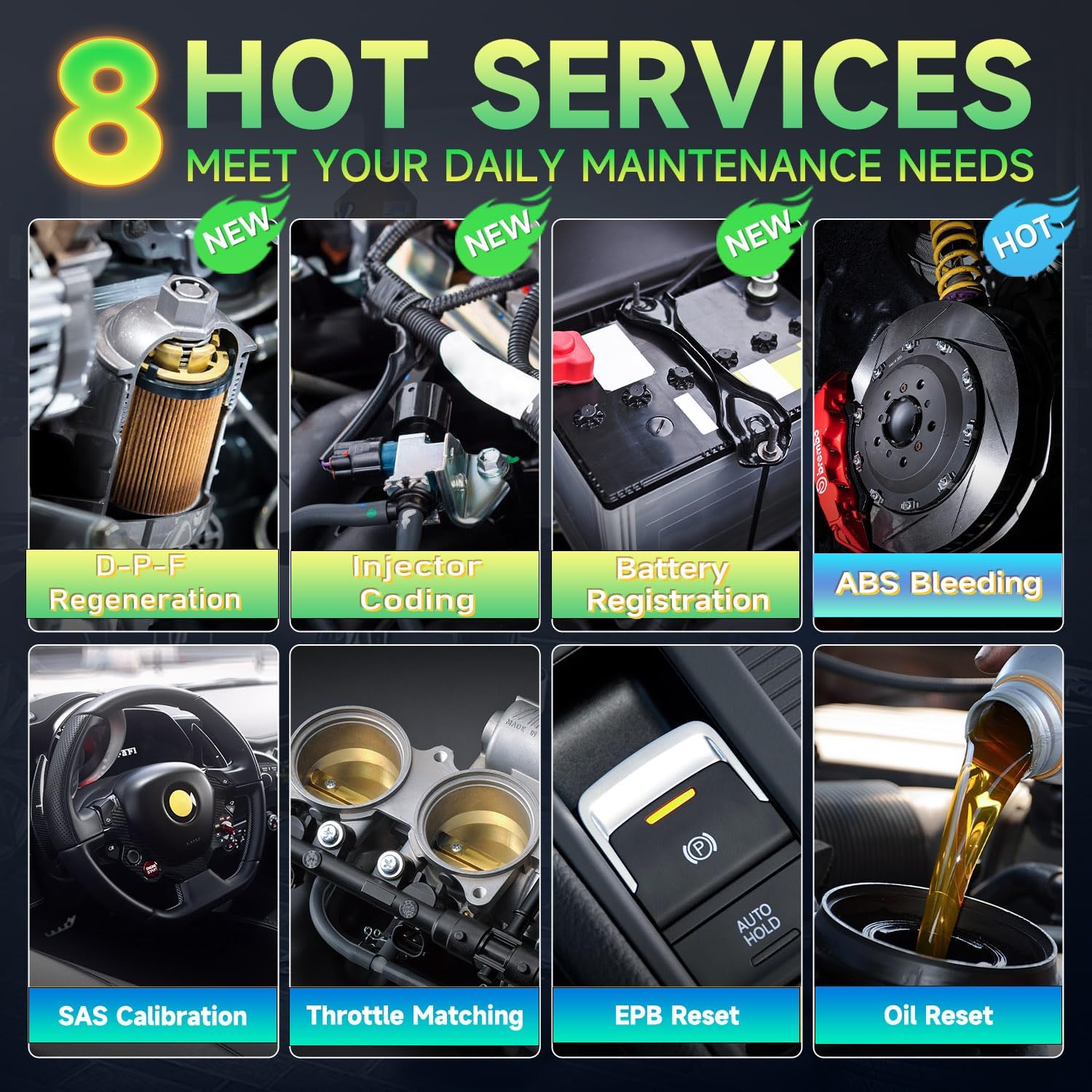
Figure 2.2: The main menu interface of the FOXWELL NT624 Elite diagnostic scanner, displaying options like History, Auto VIN, OBDII, Diagnostic, Maintenance, I/M, Battery Test, and DTC Lookup.
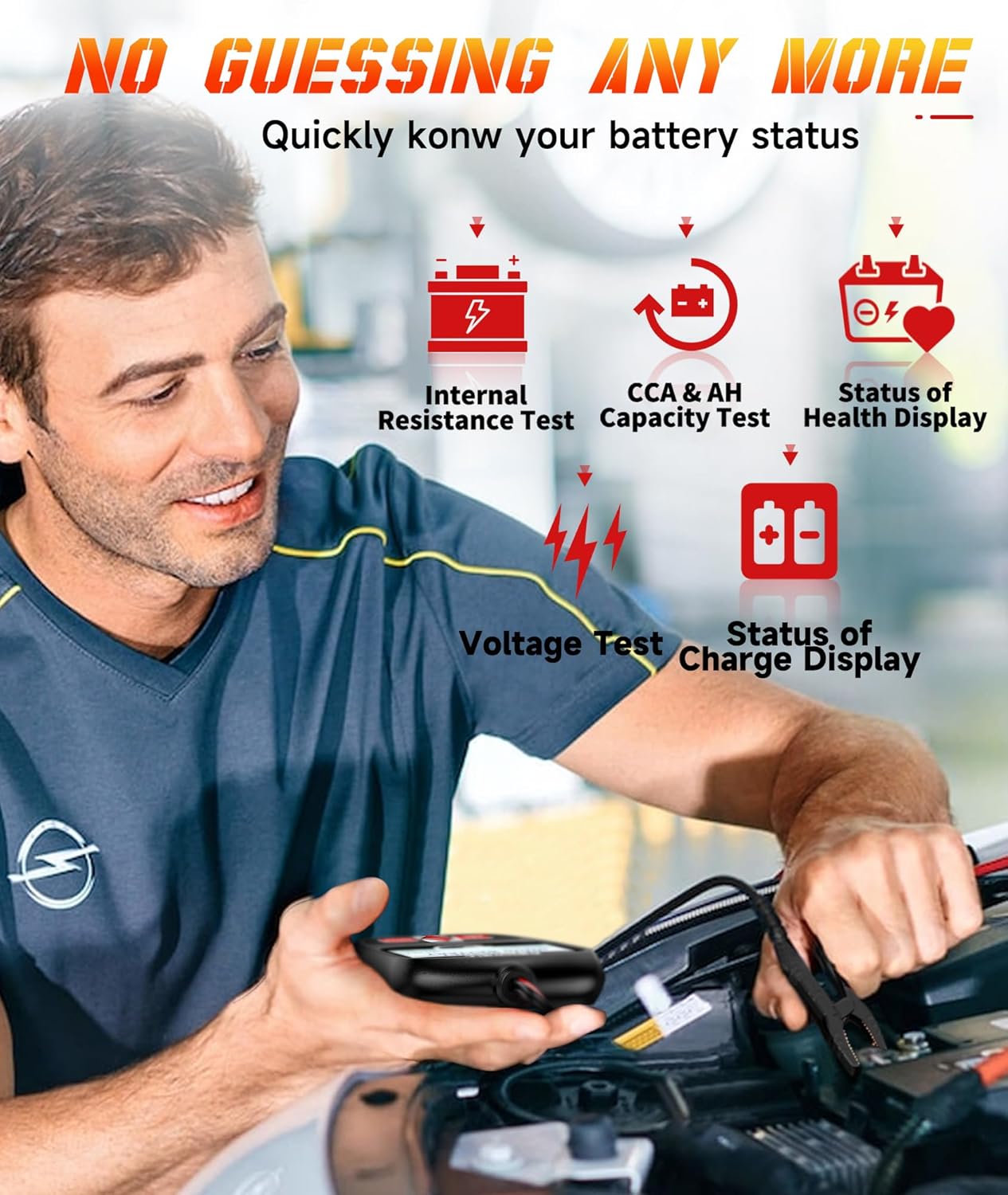
Figure 2.3: The FOXWELL BT100 Pro battery tester displaying a 'GOOD BATTERY' result with voltage, measured CCA, rated CCA, and State of Health (SOH).
3. سيٽ اپ
3.1 NT624 Elite Diagnostic Scanner Initial Setup
- پاور آن: Connect the NT624 Elite to the vehicle's 16-pin OBD-II port. The device will power on automatically.
- ٻولي جي چونڊ: پنهنجي پسنديده ٻولي چونڊڻ لاءِ اسڪرين تي ڏنل هدايتن تي عمل ڪريو.
- سسٽم سيٽنگون: Adjust date, time, and unit settings as required.
- سافٽ ويئر اپڊيٽ: It is recommended to update the software regularly to ensure the latest vehicle coverage and functions. Updates are free for life and can be performed via an SD card using the FoxAssist tool on a computer. Refer to the FOXWELL website for detailed update instructions.
3.2 BT100 Pro Battery Tester Initial Setup
- Cl سان نيوamps: ڳاڙهو cl سان ڳنڍيوamp 12V بيٽري جي مثبت (+) ٽرمينل ۽ ڪاري ڪلو تائينamp منفي (-) ٽرمينل ڏانهن. هڪ محفوظ ڪنيڪشن کي يقيني بڻايو.
- پاور آن: The BT100 Pro will power on automatically once connected to the battery.
- Select Test Type: Choose between 'In-Vehicle Test' or 'Out-of-Vehicle Test' from the main menu, depending on your testing scenario.

Figure 3.1: The BT100 Pro battery tester demonstrating connection for both in-vehicle and out-of-vehicle battery testing.
4. آپريٽنگ هدايتون
4.1 Using the NT624 Elite Diagnostic Scanner
Navigate the NT624 Elite using the directional buttons and the 'ENTER' key. The 'ESC' key returns to the previous screen.
4.1.1 مڪمل سسٽم تشخيص
This function allows you to scan all available electronic control modules in the vehicle for Diagnostic Trouble Codes (DTCs) and view زنده ڊيٽا.
- From the main menu, select 'Diagnostic'.
- Choose your vehicle make, model, and year.
- Select 'Auto Scan' or manually select the system you wish to diagnose (e.g., Engine, ABS, SRS, Transmission, EPB, SAS, ESP, Suspension, Headlamp, Car Radio, Center Lock).
- The scanner will read DTCs and display them. You can then view code definitions or clear codes after repairs.

Figure 4.1: A visual representation of the NT624 Elite's ability to diagnose all vehicle systems, including Engine, Center Headlamp, ESP, SRS, Transmission, ABS, SAS, EPB, Suspension, and Car Radio.
4.1.2 Special Maintenance Services (8 Reset Functions)
Access these functions from the 'Maintenance' menu. Each function requires specific procedures; follow the on-screen instructions carefully.
- ڊي پي ايف جي بحالي: Initiates the regeneration process for the Diesel Particulate Filter.
- انجڪٽر ڪوڊنگ: ECU ۾ نوان انجيڪٽر نمبر ڪوڊ ڪري ٿو.
- بيٽري رجسٽريشن: Registers a new battery replacement with the vehicle's system.
- ABS رت وهڻ: Performs brake bleeding procedures for the Anti-lock Braking System.
- SAS حساب ڪتاب: Calibrates the Steering Angle Sensor.
- ٿروٽل ميچنگ: Relearns the throttle body position.
- اي پي بي ري سيٽ: Resets the Electronic Parking Brake after brake pad replacement.
- تيل ري سيٽ: تيل جي تبديلي کان پوءِ تيل جي سروس لائيٽ کي ري سيٽ ڪري ٿو.

Figure 4.2: An illustration highlighting the eight key maintenance services offered by the NT624 Elite: DPF Regeneration, Injector Coding, Battery Registration, ABS Bleeding, SAS Calibration, Throttle Matching, EPB Reset, and Oil Reset.
4.1.3 OBDII تشخيص
Access standard OBDII functions such as Read Codes, Erase Codes, I/M Readiness, and Live Data for engine-related diagnostics.
4.1.4 لائيو ڊيٽا اسٽريم
View real-time sensor data from various vehicle systems. This data can be displayed in numerical or graphical format, aiding in diagnosis.
4.1.5 خودڪار VIN
The Auto VIN function automatically retrieves the vehicle identification number, streamlining the vehicle selection process.
4.1.6 Built-in DTC Library
When a Diagnostic Trouble Code (DTC) is displayed, the built-in DTC library can provide a detailed definition of the code, assisting in understanding the fault.

Figure 4.3: An image detailing additional features of the NT624 Elite, such as Lifetime Free Updates, Built-in DTC Library, Auto VIN function, and Live Data display, along with support for over 64 car brands.
4.2 Using the BT100 Pro Battery Tester
After connecting the BT100 Pro to the battery, follow the on-screen prompts to perform tests.
4.2.1 Battery Test Functions
- بيٽري جو قسم چونڊيو: Choose the correct battery type (e.g., Regular Flooded, AGM Flat Plate, AGM Spiral, GEL) from the menu.
- Input CCA Rating: ٿڌي ڪرينڪنگ ۾ داخل ٿيو Amps (CCA) rating of the battery, usually found on the battery label.
- Perform Test: The BT100 Pro will conduct the test and display results including:
- Internal Resistance Test: Measures the battery's internal resistance.
- CCA & AH Capacity Test: Evaluates the battery's cranking power and ampere-hour capacity.
- State of Health (SOH) Display: Indicates the overall health of the battery.
- جلدtagاي ٽيسٽ: موجوده بيٽري جي مقدار ڏيکاري ٿوtage.
- State of Charge (SOC) Display: Indicates the current charge level of the battery.

Figure 4.4: A user performing a battery test with the BT100 Pro, showing the device's ability to display internal resistance, CCA & AH capacity, state of health, voltage, and state of charge.
4.2.2 Supported Battery Types
The BT100 Pro is compatible with 12-volt batteries ranging from 100-1100 CCA, including:
- Regular Flooded Batteries
- AGM فليٽ پليٽ بيٽريون
- AGM سرپل بيٽريون
- GEL بيٽرين
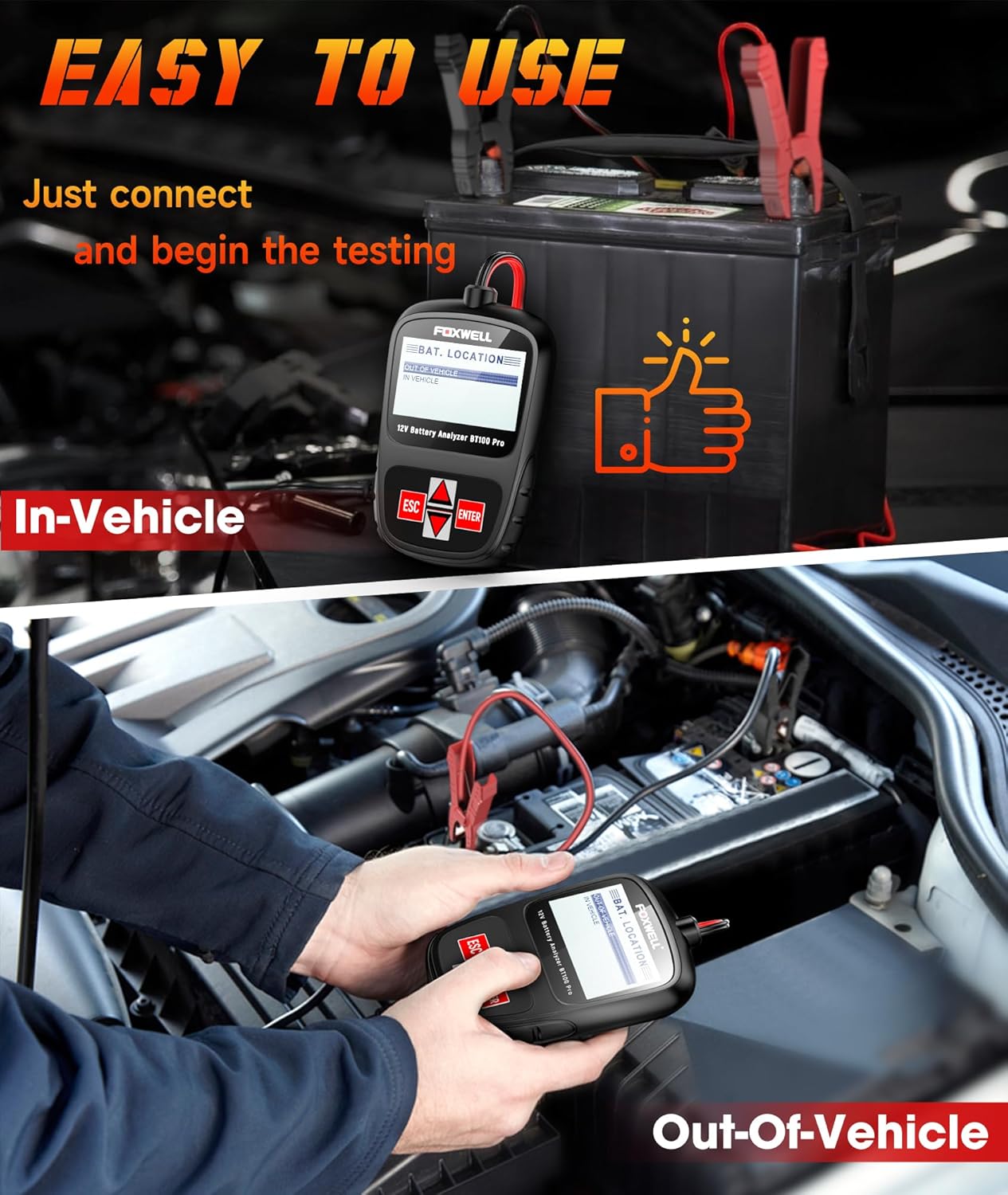
Figure 4.5: An image illustrating the types of 12V batteries supported by the BT100 Pro, including Regular Flooded, AGM Flat Plate, AGM Spiral, and GEL batteries.
4.2.3 Supported Vehicle Types
The BT100 Pro can be used to test batteries in a wide range of vehicles:
- ڪارون
- موٽر سائيڪل
- ٽرڪون
- ياٽ
- Mountain Bikes (with 12V battery systems)
- SUVs
5. سار سنڀال
Proper maintenance ensures the longevity and accuracy of your FOXWELL devices.
- صفائي: نرم استعمال ڪريو، ڊيamp ڊوائيس صاف ڪرڻ لاءِ ڪپڙو جasings. Avoid abrasive cleaners or solvents.
- اسٽوريج: Store the devices in a dry, cool environment, away from direct sunlight and extreme temperatures. Keep them in their original case or a protective pouch when not in use.
- Software Updates (NT624 Elite): Regularly check for and install software updates via the FOXWELL website and FoxAssist tool. These updates provide new features, vehicle coverage, and bug fixes.
- ڪيبل جي چڪاس: Periodically inspect all cables and connectors for damage. Replace any damaged components immediately.
6. مسئلا حل ڪرڻ
If you encounter issues with your FOXWELL devices, refer to the following common troubleshooting steps:
- ڊوائيس تي طاقت نه آهي:
- NT624 Elite: Ensure the OBD-II connector is securely plugged into the vehicle's port. Check the vehicle's battery for sufficient charge.
- BT100 Pro: Verify that the red and black clamps are correctly and securely attached to the positive and negative battery terminals, respectively. Ensure the battery has some charge.
- Communication Error with Vehicle (NT624 Elite):
- Check the OBD-II connection.
- Verify the ignition is in the 'ON' position (engine off or running, as required by the test).
- Ensure the vehicle's battery voltage ڪافي آهي.
- Confirm the vehicle make, model, and year are correctly selected in the scanner.
- Update the scanner software to the latest version.
- Inaccurate Battery Test Results (BT100 Pro):
- پڪ ڪريو ته بيٽري ٽرمينل صاف ۽ زنگ کان پاڪ آهن.
- Verify the correct battery type and CCA rating are entered into the tester.
- Ensure the battery is fully charged before testing for most accurate results.
- Software Update Issues (NT624 Elite):
- Ensure a stable internet connection during the update process.
- Verify the SD card is properly inserted and recognized by the computer and the device.
- Follow the FoxAssist software instructions precisely.
If these steps do not resolve the issue, please contact FOXWELL customer support for further assistance.
7. وضاحتون
7.1 FOXWELL NT624 Elite Diagnostic Scanner
- ڏيکاريو: 4.3 انچ رنگ اسڪرين
- Operating System (for PC software): ونڊوز 7/8/10
- افعال: Full System Diagnosis, 8 Reset Functions, OBDII Diagnosis, Live Data Stream, Auto VIN, Built-in DTC Library.
- تازه ڪاري: Lifetime Free Update
- گاڏين جي ڪوريج: Supports over 10,000 vehicle models.
7.2 FOXWELL BT100 Pro Battery Tester
- جلدtage: 12V
- سي سي اي رينج: 100-1100 سي سي اي
- سپورٽ ٿيل بيٽري جا قسم: Regular Flooded, AGM Flat Plate, AGM Spiral, GEL batteries.
- ٽيسٽ فنڪشن: Internal Resistance, CCA & AH Capacity, State of Health (SOH), Voltage, State of Charge (SOC).
- ٽيسٽ وقت: تقريبن 3 سيڪنڊ.
8. وارنٽي ۽ سپورٽ
8.1 وارنٽي ڄاڻ
FOXWELL products typically come with a manufacturer's warranty covering defects in materials and workmanship. Please refer to the warranty card included with your product or visit the official FOXWELL webمخصوص وارنٽي شرطن ۽ ضابطن لاءِ سائيٽ.
8.2 ڪسٽمر سپورٽ
For technical assistance, software update inquiries, or any questions regarding the operation of your NT624 Elite or BT100 Pro, please contact FOXWELL customer support. You can typically reach support via the messaging system on the platform where you purchased the product, or through the official FOXWELL website's contact section. When contacting support, please provide your product model and a detailed description of the issue.
Visit the official FOXWELL Store for more information and support resources: FOXWELL Store


