1. تعارف
The Comfast CF-WU720N is a compact 150Mbps Wireless USB Adapter designed to provide high-speed wireless connectivity for your desktop or notebook computer. It allows you to connect to a wireless network and access the internet, share files, and enjoy online gaming at speeds up to 150Mbps. This adapter is compliant with IEEE 802.11b/g/n standards and supports USB 2.0 for efficient data transfer.
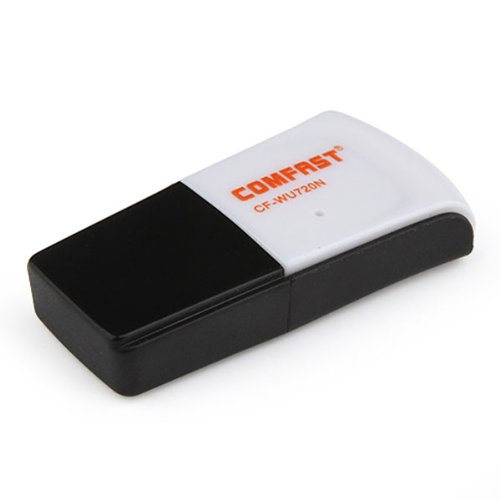
Image 1.1: The Comfast CF-WU720N Wireless USB Adapter, a compact device for wireless connectivity.
2. مصنوعات جون خاصيتون
- Meets IEEE 802.11b/g/n wireless standards.
- Supports USB 2.0 interface for broad compatibility.
- Utilizes Realtek 8191 SU chipset for reliable performance.
- Achieves wireless connection rates up to 150Mbps.
- Supports wireless roaming technology for seamless connectivity.
- Strong compatibility with various popular operating systems.
- Compact size: approximately 39 x 12 x 7mm (1.5 x 0.7 x 0.3 inches).
- Lightweight design: approximately 5g.
3. پيڪيج مواد
مھرباني ڪري تصديق ڪريو ته سڀ شيون پيڪيج ۾ موجود آھن:
- 1 x Comfast CF-WU720N Wireless USB Adapter
- 1 x تڪڙي انسٽاليشن گائيڊ
- 1 x CD-ROM Driver
- 1 x وارنٽي ڪارڊ

Image 3.1: The retail packaging for the Comfast CF-WU720N, showing the adapter inside.
4. سيٽ اپ ۽ تنصيب
4.1. ڊرائيور لڳائڻ
Before connecting the USB adapter, it is recommended to install the necessary drivers from the provided CD-ROM. This ensures proper functionality and compatibility with your operating system.
- Insert the driver CD-ROM into your computer's optical drive.
- If the installer does not launch automatically, navigate to "My Computer" or "This PC," open the CD-ROM drive, and run the setup executable (e.g., "setup.exe" or "autorun.exe").
- Follow the on-screen instructions to complete the driver installation. You may be prompted to restart your computer after installation.
- نوٽ: If your computer does not have an optical drive, you may need to download the latest drivers from the manufacturer's official webسائيٽ.
4.2. USB اڊاپٽر کي ڳنڍڻ
Once the drivers are installed, you can connect the Comfast CF-WU720N Wireless USB Adapter to your computer.
- Locate an available USB 2.0 or 3.0 port on your desktop or laptop computer.
- Carefully insert the Comfast CF-WU720N adapter into the USB port. Ensure it is fully seated.
- The operating system should automatically detect the adapter and configure it using the installed drivers. A small LED indicator on the adapter may light up or blink, indicating activity.
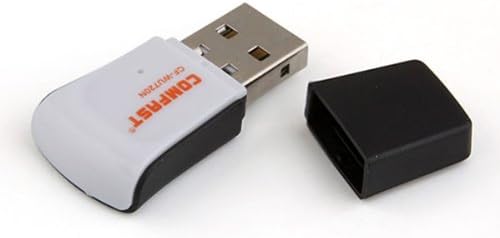
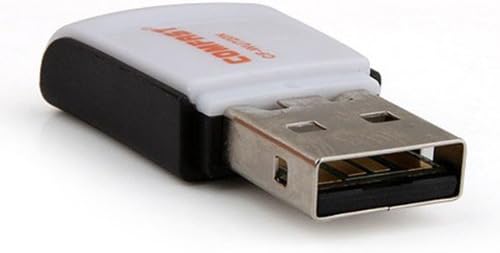
Image 4.1: The Comfast CF-WU720N adapter with its protective cap removed, revealing the USB connector. Image 4.2: A side view of the adapter, highlighting its compact design and USB interface.
5. آپريٽنگ هدايتون
After successful driver installation and adapter connection, you can now connect to a wireless network.
- نيٽ ورڪ سيٽنگون تائين رسائي:
- ونڊوز: Click the wireless network icon in the system tray (usually bottom-right corner).
- macOS: Click the Wi-Fi icon in the menu bar (usually top-right corner).
- لينڪس: Access network settings through your desktop environment's network manager.
- پنھنجو نيٽ ورڪ چونڊيو: A list of available wireless networks (SSIDs) will appear. Select the name of your desired network.
- ڳنڍڻ: Click "Connect" or "Join." If the network is secured, you will be prompted to enter the network security key (password).
- ڪنيڪشن جي تصديق ڪريو: Once connected, the network icon will typically change to indicate a successful connection, and you should be able to access the internet.
6. سار سنڀال
To ensure optimal performance and longevity of your Comfast CF-WU720N Wireless USB Adapter, follow these simple maintenance guidelines:
- صاف رکو: Gently wipe the adapter with a soft, dry cloth to remove dust. Avoid using liquid cleaners or solvents.
- USB ڪنيڪٽر جي حفاظت ڪريو: When not in use, keep the protective cap on the USB connector to prevent dust and damage.
- انتهائي حالتن کان بچڻ: اڊاپٽر کي انتهائي گرمي پد، نمي، يا سڌي سج جي روشني ۾ نه لڳايو.
- احتياط سان سنڀاليو: اڊاپٽر کي ڇڏڻ يا مضبوط اثرن جي تابع ڪرڻ کان پاسو ڪريو.
- ڊرائيور اپڊيٽ: وقتي طور تي ٺاهيندڙ جي چيڪ ڪريو website for updated drivers to ensure the best performance and compatibility.
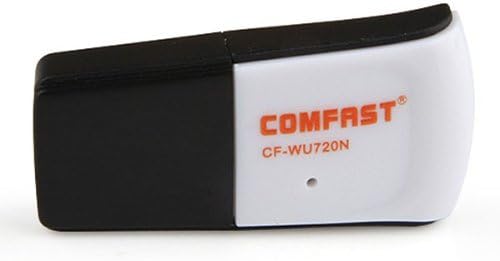
Image 6.1: The Comfast CF-WU720N adapter with its protective cap in place, ready for storage or transport.
7. مسئلا حل ڪرڻ
If you encounter issues with your Comfast CF-WU720N Wireless USB Adapter, refer to the following common solutions:
| مسئلو | ممڪن حل |
|---|---|
| Adapter not detected / No Wi-Fi networks visible. |
|
| ڪنهن مخصوص وائي فائي نيٽ ورڪ سان ڳنڍجي نٿو سگهي. |
|
| Slow connection speed or frequent disconnections. |
|
8. وضاحتون
| خاصيت | تفصيل |
|---|---|
| ماڊل | CF-WU720N |
| وائرليس معيار | IEEE 802.11b/g/n |
| انٽرفيس | USB 2.0 |
| چپ سيٽ | Realtek 8191 SU |
| وائرليس اسپيڊ | 150Mbps تائين |
| تعدد جي حد | 2.4 GHz |
| سيڪيورٽي خاصيتون | WPA/WPA2, WPA-PSK/WPA2-PSK, 64/128-bit WEP |
| آپريٽنگ سسٽم | Windows XP/Vista/7/8/10, macOS, Linux (driver dependent) |
| طول و عرض (L x W x H) | تقريبن 39 x 12 x 7 ملي ميٽر (1.5 x 0.7 x 0.3 انچ) |
| وزن | لڳ ڀڳ. 5 گرام |
9. وارنٽي ۽ سپورٽ
This product comes with a warranty as specified on the included Warranty Card. Please refer to the card for details regarding warranty period, terms, and conditions.
For technical support, driver updates, or further assistance, please visit the official Comfast webسائيٽ تي وڃو يا انهن جي ڪسٽمر سروس ڊپارٽمينٽ سان رابطو ڪريو. رابطي جي معلومات عام طور تي پراڊڪٽ پيڪنگنگ يا ٺاهيندڙ جي webسائيٽ.
مھرباني ڪري وارنٽي جي مقصدن لاءِ پنھنجي خريداري جي رسيد رکو.