
1. Introduction
This manual provides comprehensive instructions for the VILTROX TC-2.0X Auto Focus Teleconverter. This accessory is designed to extend the focal length of compatible Sony E-mount lenses by 2.0 times, allowing for enhanced telephoto capabilities while maintaining autofocus functionality and image quality.
2. Product Overview
Key Features
- 2x Focal Length Extension: Extends the telephoto shooting focal length without increasing the number of lenses.
- Wide Compatibility: Achieves a focal length of 2.0X that of the original lens while maintaining overall image quality and autofocus.
- Accurate Autofocus: Minimizes the decrease in autofocus accuracy and speed for comfortable shooting.
- Advanced Optical Structure: Features 9 elements in 5 groups, utilizing the performance of the main lens and reducing image distortion and color difference.
- Reliable Design: Includes dustproof and anti-drip construction to protect internal components and an easy-to-rotate anti-slip rolling design.

Image: The VILTROX TC-2.0X Teleconverter shown with its protective front and rear caps, and a soft carrying pouch.
What's in the Box
- 1 x VILTROX TC-2.0X Teleconverter
- 1 x Front Cap
- 1 x Rear Cap
- 1 x Storage Bucket (Pouch)
- 1 x Electronic Manual (QR code or link)
- 1 x Packaging Box

Image: All items included in the VILTROX TC-2.0X Teleconverter package, neatly arranged.
3. Setup and Installation
- Power Off Camera: Ensure your camera is powered off before attaching or detaching any lenses or accessories.
- Attach Teleconverter to Camera: Align the mounting index on the teleconverter with the corresponding index on your camera body. Rotate the teleconverter clockwise until it clicks securely into place.
- Attach Lens to Teleconverter: Align the mounting index on your compatible lens with the corresponding index on the teleconverter. Rotate the lens clockwise until it clicks securely into place.
- Remove Caps: Remove the front cap from the lens and the rear cap from the teleconverter before use.
To detach, reverse the process: press the lens release button on the teleconverter to remove the lens, then press the camera's lens release button to remove the teleconverter.

Image: The VILTROX TC-2.0X Teleconverter shown correctly installed between a camera and a compatible lens, ready for use.
4. Operating Instructions
Focal Length Extension
The TC-2.0X Teleconverter doubles the focal length of the attached lens. For example, a 70-200mm lens will effectively become a 140-400mm lens when used with this teleconverter. This allows for greater magnification of distant subjects.
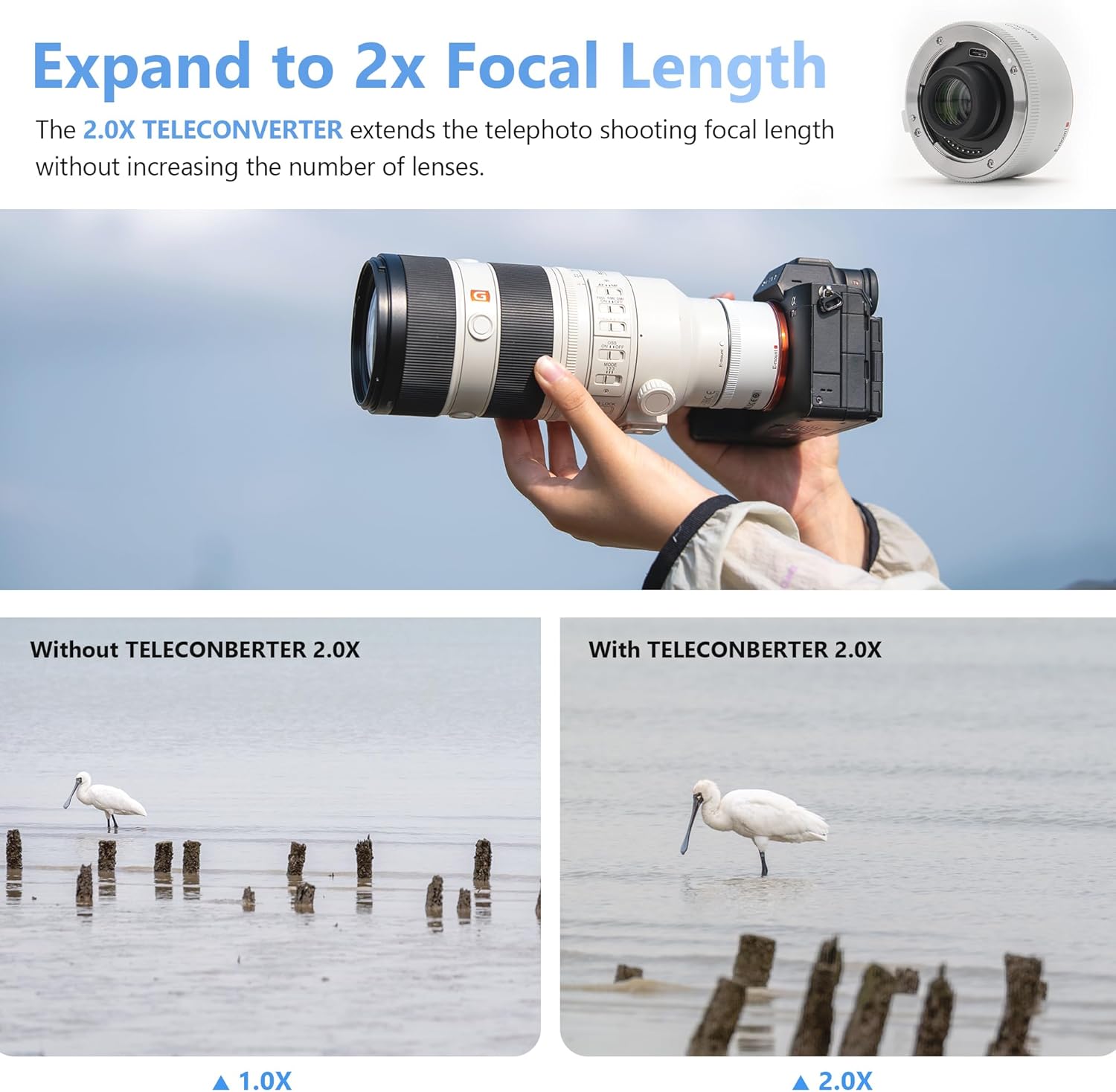
Image: A visual demonstration of the 2x focal length extension, showing a subject at original magnification and then at double magnification.
Autofocus Functionality
The VILTROX TC-2.0X Teleconverter is designed to maintain the autofocus capabilities of the attached lens. While autofocus accuracy and speed are largely preserved, minor variations may occur depending on lighting conditions and the specific lens used.
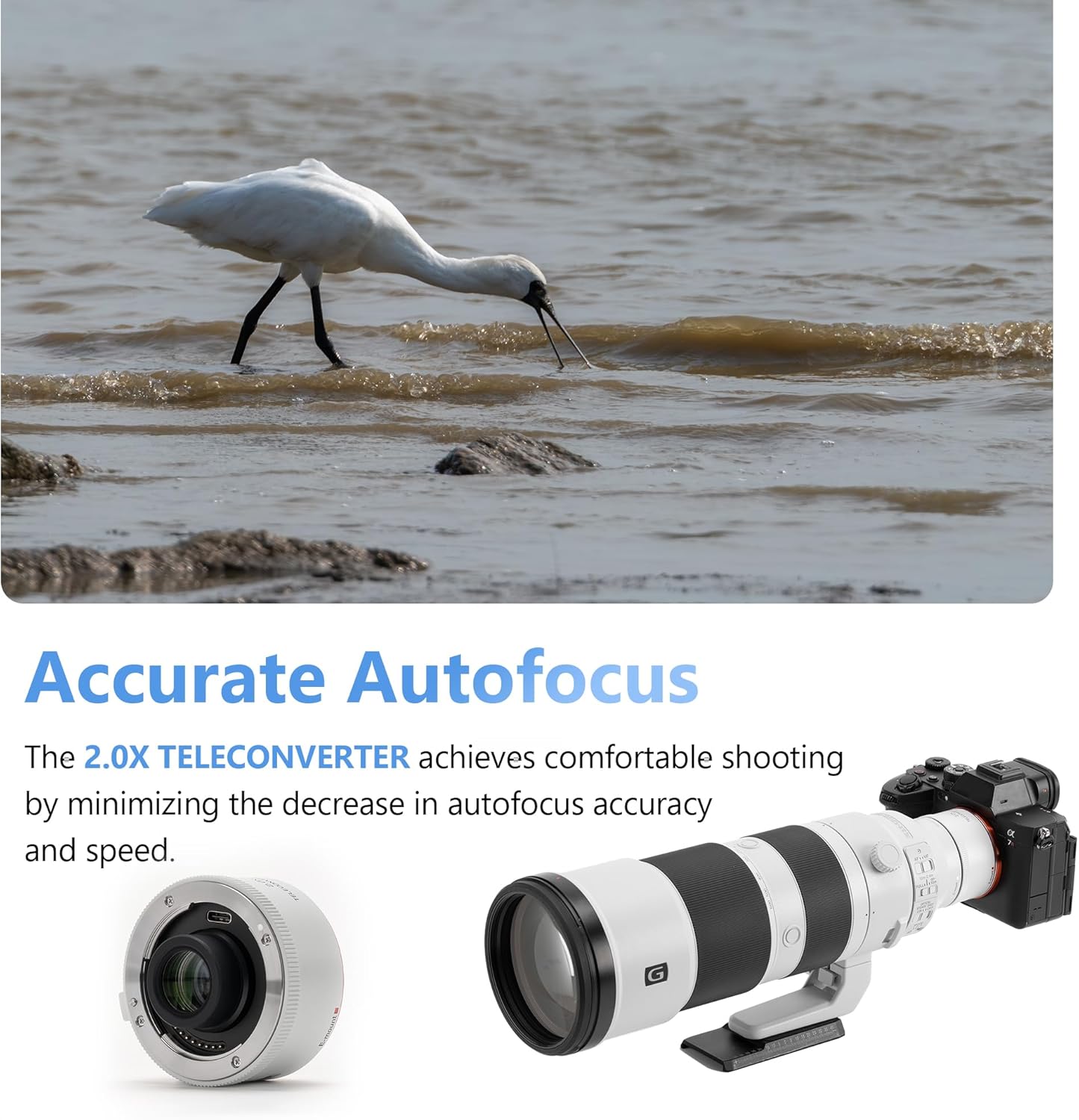
Image: A demonstration of the teleconverter's accurate autofocus, highlighting a subject in focus.
EXIF Information Transmission
The teleconverter supports the transmission of EXIF data between the lens and the camera body. This ensures that focal length, aperture, and other relevant shooting information are correctly recorded in your image files.
5. Compatibility
The VILTROX TC-2.0X Teleconverter is compatible with specific Sony E-mount lenses and the Viltrox 135mm F1.8 LAB FE lens. Refer to the compatibility list below. When a teleconverter is installed, the lens aperture value will be doubled (e.g., f/2.8 becomes f/5.6). Simultaneously, with reduced light intake and enhanced diffraction, image quality may suffer from decreased resolution and increased vignetting at extreme apertures. Therefore, when using a teleconverter, the lens will block both large and small apertures; select a mid-range aperture for optimal image quality.

Image: A detailed compatibility list for the VILTROX TC-2.0X Teleconverter, showing supported lenses and their photo/video mode compatibility.
Important Notes
- Stacking of adapter rings (including Viltrox E-Z adapter ring) is not supported.
- Lenses not on the compatibility list are not supported; using them may damage the lens or camera.
- When using a teleconverter, the camera must be turned off before disassembling and installing it.
6. Maintenance
The VILTROX TC-2.0X Teleconverter features a dustproof and anti-drip design to protect its internal components from environmental elements. To ensure longevity and optimal performance:
- Keep the lens surfaces clean using a soft, lint-free cloth and lens cleaning solution.
- Avoid touching the electrical contacts on either side of the teleconverter. If necessary, clean them gently with a dry, clean cloth.
- Store the teleconverter with its front and rear caps attached in a dry, cool place when not in use.
- Avoid exposing the teleconverter to extreme temperatures or humidity.

Image: A visual representation of the teleconverter's reliable design, highlighting its dustproof and anti-drip features.
7. Troubleshooting
If you encounter issues with your VILTROX TC-2.0X Teleconverter, consider the following:
- Autofocus Issues: Ensure the teleconverter and lens are securely mounted. Check for clean electrical contacts. Autofocus performance may be reduced in very low light or with subjects lacking contrast.
- Image Quality Concerns: Verify that your lens is on the compatibility list. As noted, using a teleconverter can affect image quality, especially at wide-open or very narrow apertures. Try shooting at a mid-range aperture.
- Camera Not Recognizing Lens: Power off the camera, detach and reattach the teleconverter and lens, ensuring secure connections and clean contacts.
- Firmware Update: The teleconverter features a USB-C firmware upgrade interface. Check the VILTROX official website for the latest firmware updates and instructions if you experience compatibility or performance issues.
8. Specifications
| Feature | Specification |
|---|---|
| Product Dimensions | 1.1 x 2.36 x 2.36 inches |
| Item Weight | 0.124 ounces |
| Brand | VILTROX |
| Lens Type | Teleconverter |
| Camera Lens Description | 2x Of Base Lens Focal Length |
| Optical Structure | 9 Elements in 5 Groups |
Optical Structure Diagram

Image: A detailed diagram showing the internal optical elements and their arrangement within the teleconverter.
9. Warranty and Support
For warranty information and technical support, please refer to the documentation included with your product or visit the official VILTROX website. Contact information for customer service is typically available on the manufacturer's support pages.


