Введение
The Samsung Galaxy Tab A11+ 5G is an 11-inch Android tablet designed for productivity and entertainment. It features a bright display, upgraded chipset for smooth multitasking, long battery life, and quad speakers. This manual provides essential information for setting up, operating, maintaining, and troubleshooting your device.
Что в коробке?
- Samsung Galaxy Tab A11+ 5G Tablet
- Кабель для передачи данных (USB-C — USB-C)
- Выталкивающий штифт
- Краткое руководство пользователя
Note: A 25W wall charger is sold separately. Use only Samsung-approved chargers and USB-C cables to avoid damage.
Настраивать
Первоначальное включение питания
To power on your tablet for the first time, press and hold the power button located on the side until the Samsung Galaxy logo appears on the screen. Follow the on-screen prompts to complete the initial setup.
Видео: 360-градусный обзор view of the Samsung Galaxy Tab A11+ in Gray, showcasing its sleek design and ports.
SIM and MicroSD Card Installation
Locate the SIM/microSD card tray on the side of your tablet. Use the provided ejection pin to open the tray. Insert your 5G-enabled SIM card and/or a microSD card (sold separately) into the designated slots, ensuring proper orientation. Close the tray securely.
Начальная конфигурация
Upon first boot, you will be guided through essential setup steps:
- Выбор языка: Выберите желаемый язык.
- Wi-Fi-соединение: Connect to a stable Wi-Fi network to download necessary updates and complete setup.
- Аккаунт Google: Войдите в свою учетную запись Google или создайте новую.
- Блокировка экрана: Set up a secure screen lock method (PIN, password, pattern, or face recognition) to protect your device.
Обновления программного обеспечения
Your Galaxy Tab A11+ 5G ships with Android 16 and One UI 8.0. Samsung is committed to providing 7 years of major OS upgrades and security patches, ensuring your tablet remains current until 2032.
Использование планшета
Характеристики дисплея
The tablet features a bright, engaging 11-inch TFT display with a 90Hz refresh rate, providing natural and fluid motion for an enhanced viewing experience. The screen resolution is 1920 x 1200 (WUXGA) pixels.
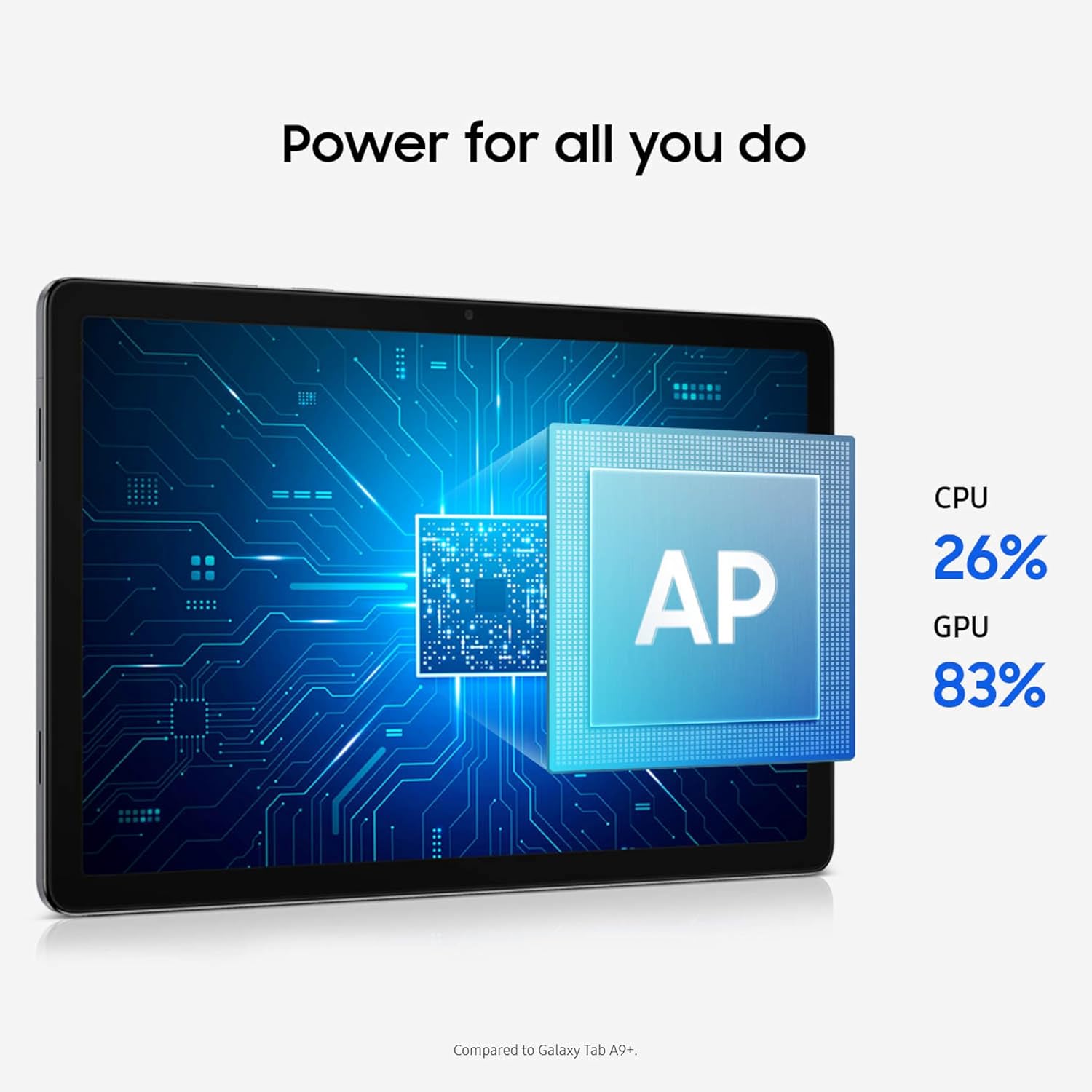
Image: The tablet's display highlighting the upgraded chipset's performance for CPU and GPU.
Аудио опыт
Immerse yourself in a cinema-like audio experience with quad speakers powered by Dolby Atmos, providing rich sound for all your media consumption.

Изображение: Демонстрация планшетаasing its quad speakers with Dolby Atmos for an immersive audio experience.
Производительность и многозадачность
The upgraded MediaTek Dimensity chipset ensures responsive performance for all your daily activities and smooth multitasking across applications. With up to 8GB of RAM and 256GB of storage, the tablet provides ample space and speed.

Image: The tablet's screen displaying various images, emphasizing its memory and expandable storage capabilities.
Utilize the Multi Window Display feature to run multiple apps simultaneously, enhancing your productivity. The tablet also supports Samsung DeX, offering a desktop-like experience for more complex tasks.
Video: A demonstration of the Galaxy Tab A11+ 5G's capabilities for business use, including multitasking and connectivity.
Умные функции
The Galaxy Tab A11+ 5G includes intelligent features like Google Gemini for on-the-spot assistance and Circle to Искать quick information retrieval directly from your screen.

Image: The tablet demonstrating Google Gemini's intelligent assistance during a video call.
File Поделиться
Делиться files, photos, and videos quickly and easily with Quick Share, compatible with other Galaxy devices and PCs running Windows 10 or later.

Image: Multiple Samsung devices demonstrating the Quick Share feature for effortless file перевод.
Использование камеры
The tablet is equipped with a 5MP front camera for clear video calls and an 8MP rear camera for capturing photos and videos. Both cameras support up to 1080p video recording.
Обслуживание
Управление аккумулятором
The 7040mAh long-lasting battery is designed to power through busy routines. When a charge is needed, 25W fast charging quickly restores power. To optimize battery life, adjust screen brightness and close unused applications.

Image: The tablet's screen displaying its battery capacity and fast charging capabilities.
Управление хранением
The tablet comes with 128GB of internal storage, with options for up to 256GB. Storage can be expanded further using a microSD card (up to 2TB, sold separately). Regularly manage your fileи удалите неиспользуемые приложения для поддержания оптимальной производительности.
Физическая помощь
The slim and light design is built for portability. While not fully waterproof, the tablet offers basic protection against dust and accidental water splashes. Consider using a protective case to safeguard your device from physical damage.
Video: A demonstration of a stylish and slim tablet case designed for the Samsung Galaxy Tab A11+/A9+, highlighting its protective features and ease of installation.
Поиск неисправностей
Распространенные проблемы и решения
- Устройство не отвечает: Нажмите и удерживайте кнопку питания около 10 секунд, чтобы принудительно перезагрузить компьютер.
- Проблемы с подключением к Wi-Fi/5G: Check your router or mobile data plan. Restart the tablet and your network equipment.
- Неисправность приложения: Закройте и снова откройте приложение. Если проблема не исчезнет, очистите кэш приложения или переустановите его.
- Низкая производительность: Close background apps, clear storage, or restart the device.
- Сброс к заводским настройкам: As a last resort, if software issues persist, perform a factory reset. Back up all important data before proceeding.
Технические характеристики
| Особенность | Деталь |
|---|---|
| Номер модели | SM-X238UZAAXAA |
| Операционная система | Андроид 16 |
| Размер экрана | 11 дюйма |
| Разрешение экрана | 1920 х 1200 (WUXGA) |
| Частота обновления | До 90 Гц |
| Процессор | MediaTek (Upgraded Chipset) |
| БАРАН | До 8 ГБ |
| Внутреннее хранилище | 128GB (Up to 256GB options) |
| Расширяемое хранилище | MicroSD до 2 ТБ |
| Задняя камера | 8МП |
| Передняя камера | 5МП |
| Емкость аккумулятора | 7040мАч |
| Быстрая зарядка | 25 Вт |
| Беспроводное подключение | 5G, Wi-Fi 802.11ac |
| Размеры | 10.12 x 6.64 x 0.27 дюйма |
| Масса | 1.43 фунта |
Гарантия и поддержка
The Samsung Galaxy Tab A11+ 5G is supported with 7 years of major Android OS upgrades and security patches, ensuring long-term usability and security. For specific warranty terms and conditions, please refer to the documentation included in your product packaging or visit the official Samsung support webсайт.
For further assistance, troubleshooting, or service requests, please contact Samsung Customer Support or visit an authorized service center.