1. Продукт закончилсяview
The DBPOWER Smart WiFi Bluetooth Projector (Model: E2) offers a native 1080P Full HD resolution with 300 ANSI lumens brightness and a 10,000:1 contrast ratio. It features a 6-layer high-refractive lens for enhanced clarity and reduced eye strain. This projector is designed for versatile home and outdoor use, providing a large display experience with integrated smart features.
Основные характеристики:
- Native 1080P Resolution & 300 ANSI Brightness: Delivers stunning visuals with true Full HD and vibrant clarity.
- Встроенные интеллектуальные приложения: Stream content directly from Netflix, YouTube, Prime Video, and more without an external TV stick.
- Fast Dual-Band 5G WiFi & Bluetooth 5.2: Ensures stable streaming and wireless audio connectivity with soundbars, headphones, or speakers.
- Large Display & Easy Setup: Projects a 40-200 inch screen with ±15° keystone correction, manual focus, and 50% digital zoom for effortless alignment.
- Долби Аудио: Integrated dual speakers with Dolby Audio support provide immersive sound.
- Широкая совместимость: Features HDMI, USB, AV, and audio ports for connecting various devices like phones, laptops, and gaming consoles.
2. Содержимое упаковки
Your DBPOWER Smart WiFi Bluetooth Projector package includes the following items:
- DBPOWER Smart WiFi Bluetooth Projector (Model: E2)
- Дистанционное управление
- Шнур питания
- HDMI-кабель
- AV-кабель
- Крышка объектива
- Cleaning Kit (Q-tips)
- Руководство пользователя
- Чехол для переноски

Image 2.1: The DBPOWER Smart WiFi Bluetooth Projector with its included carrying case and a smartphone displaying Bluetooth and WiFi icons.
3. Руководство по установке
3.1 Physical Placement and Adjustments
Place the projector on a stable, flat surface. Ensure there is adequate ventilation around the device. The projector can be placed on a table, mounted on a tripod, or ceiling-mounted.
- Регулировка высоты: Use the adjustable screw on the bottom of the projector to fine-tune the projection height.
- Коррекция трапецеидальных искажений: Use the keystone adjustment ring/slider on the projector to correct trapezoidal distortion, ensuring a rectangular image. The projector supports ±15° keystone correction.
- Ручная фокусировка: Вращайте кольцо фокусировки на объективе проектора, пока проецируемое изображение не станет четким и ясным.
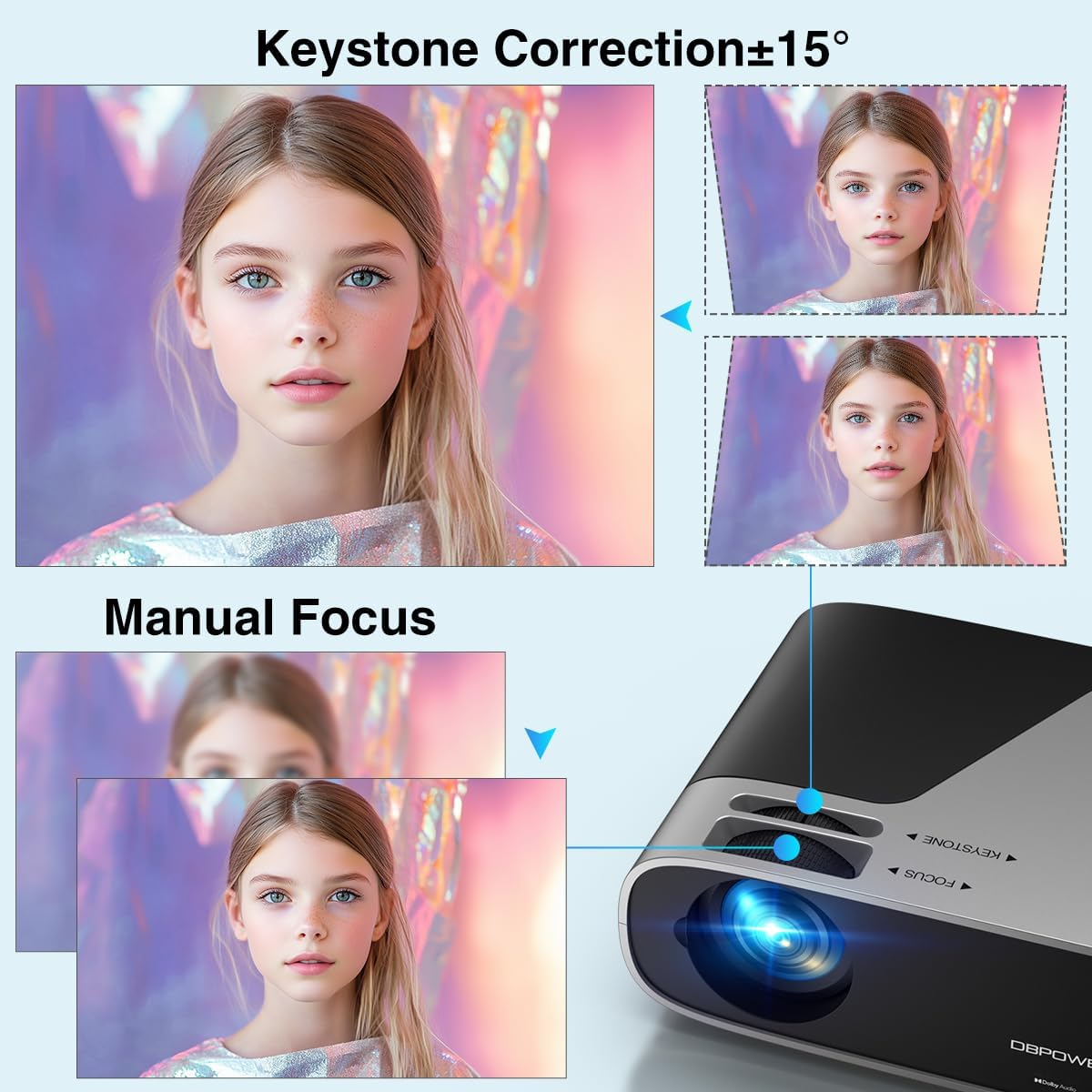
Image 3.1: Visual representation of keystone correction and manual focus adjustments on the projector.
3.2 Включение и начальная настройка
- Подключите шнур питания к проектору, а затем к розетке.
- Нажмите кнопку питания на проекторе или пульте дистанционного управления, чтобы включить устройство.
- Follow the on-screen prompts to select your preferred language and connect to your Wi-Fi network (2.4G/5G Dual-Band supported).
3.3 Подключение внешних устройств
Проектор предлагает несколько вариантов подключения:
- HDMI: Connect devices like laptops, gaming consoles (PS5), or TV sticks using an HDMI cable.
- USB: Подключите USB-накопители для воспроизведения мультимедиа.
- СРЕДНИЙ: Для старых устройств используйте порт AV.
- Аудио выход: Подключите внешние колонки или наушники через 3.5-мм аудиоразъем или Bluetooth.

Изображение 3.2: оконченоview of the projector's input/output ports and various compatible devices.
3.4. Bluetooth-подключение
To connect Bluetooth audio devices:
- Ensure your Bluetooth device (e.g., soundbar, headphones) is in pairing mode.
- On the projector's home screen, navigate to the Bluetooth settings.
- Выберите своё устройство из списка доступных устройств для сопряжения.

Image 3.3: The projector demonstrating Bluetooth 5.2 connectivity with various audio devices.
4. Инструкция по эксплуатации
4.1 Навигация по пользовательскому интерфейсу
Use the remote control or the physical buttons on top of the projector to navigate the user interface. The remote control provides direct access to apps like Netflix and YouTube.
4.2 Использование встроенных приложений для потоковой передачи
The projector comes pre-licensed with popular streaming apps. Simply connect to Wi-Fi, log in to your accounts, and start streaming.

Image 4.1: The projector's smart interface showing various pre-installed streaming applications.
4.3 Зеркальное отображение экрана
Mirror your smartphone or tablet screen wirelessly:
- iOS-устройства: Use the ScreenSharer function. Ensure your iOS device and projector are on the same Wi-Fi network.
- Android-устройства: Use the ScreenCast function. Ensure your Android device and projector are on the same Wi-Fi network.
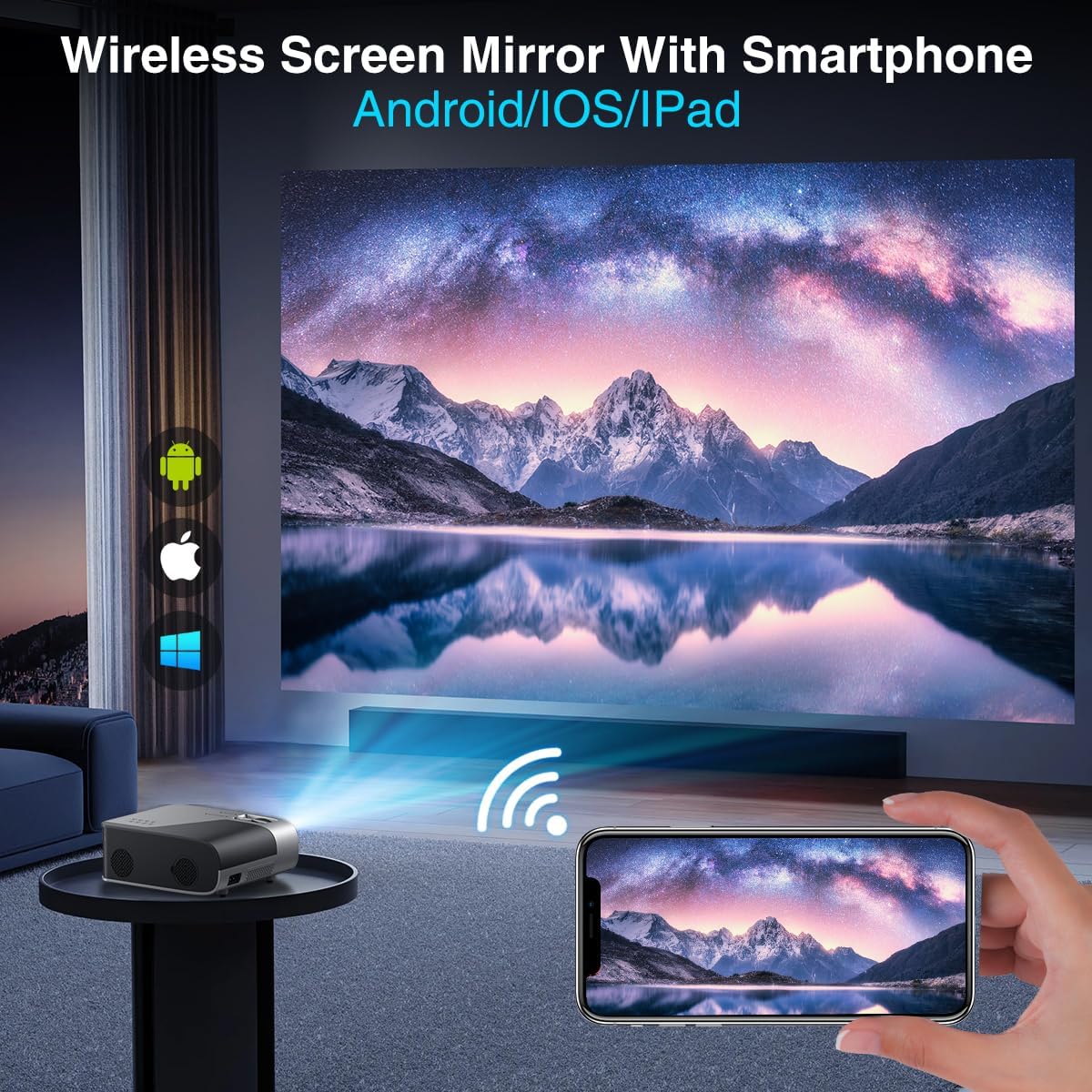
Image 4.2: A smartphone wirelessly mirroring its screen to the projector, compatible with Android and iOS devices.
4.4 Режимы проецирования
The projector supports multiple installation methods and projection modes:
- Фронтальная проекция: Standard setup where the projector is in front of the screen.
- Обратная проекция: Projector is behind a translucent screen.
- Ceiling Mount (Front/Rear): Projector is mounted upside down from the ceiling. Adjust settings in the Projection Settings menu to flip the image.
4.5 Функция масштабирования
The projector features a 50% digital zoom function, allowing you to adjust the screen size without physically moving the projector. This can be accessed via the remote control or projector settings.

Image 4.3: Illustration of the projector's 50% digital zoom feature, showing various screen sizes from 60 to 200 inches.
4.6 Сценарии использования
The DBPOWER projector is suitable for various entertainment and presentation needs:
- Домашний кинотеатр: Наслаждайтесь фильмами и телепередачами на большом экране.
- Игры: Connect gaming consoles for an immersive experience.
- Развлечения на открытом воздухе: Perfect for backyard movie nights.
- Презентации: Can be used for displaying content from laptops or PCs.
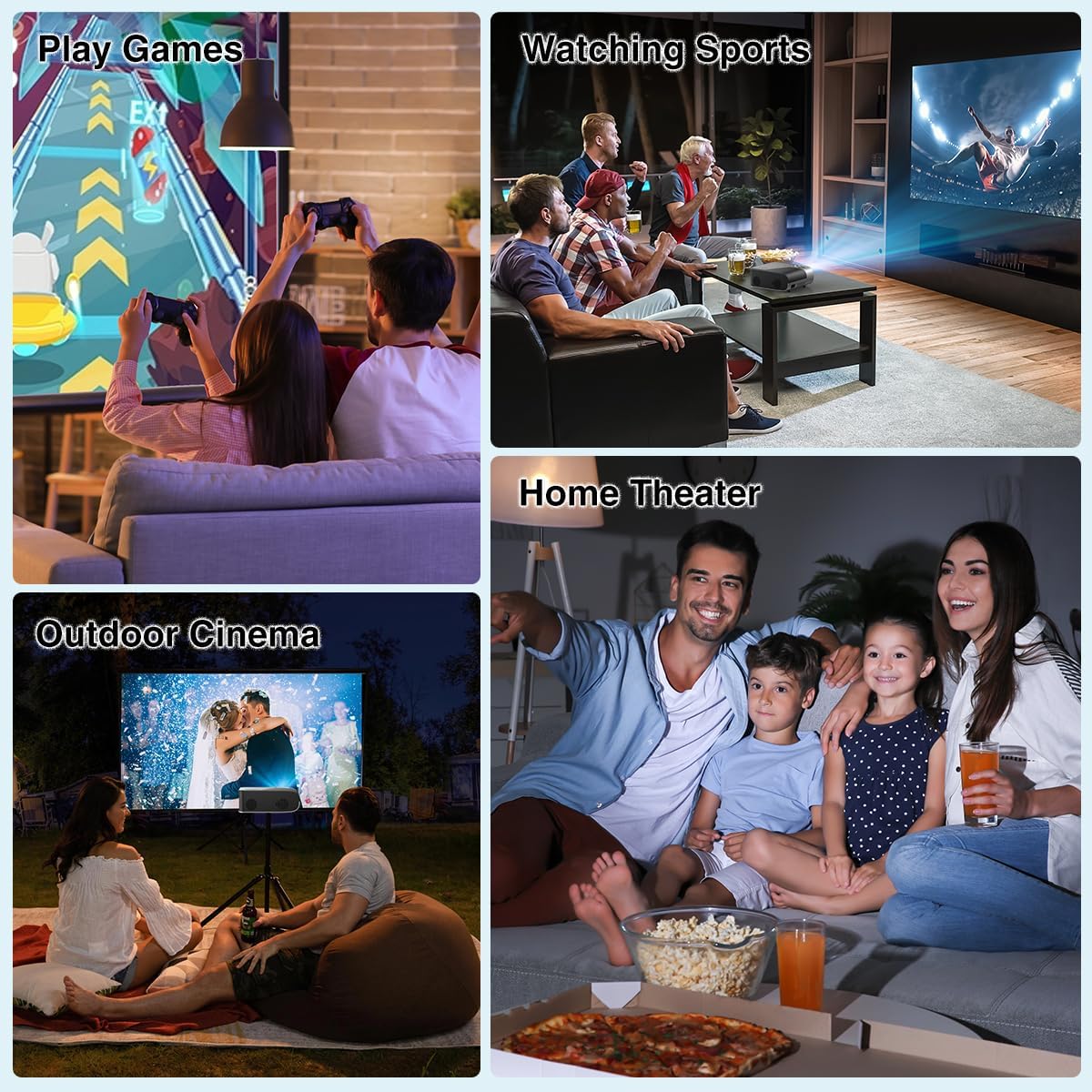
Изображение 4.4: Примерamples of the projector's use in different settings, such as gaming, sports viewing, home theater, and outdoor cinema.
5. Техническое обслуживание
5.1 Очистка линз
Regularly clean the projector lens to ensure optimal image clarity. Use a soft, lint-free cloth or the provided cleaning kit. Avoid abrasive materials or harsh chemicals.
5.2 Очистка пылевого фильтра
The projector has a removable dust filter to prevent dust buildup inside the device. Periodically remove and clean the filter to maintain proper airflow and prevent overheating. Refer to the detailed instructions in the included user manual for specific steps on removing and cleaning the filter.
6. Поиск Неисправностей
Если у вас возникли проблемы с проектором, рассмотрите следующие распространенные решения:
- Размытое изображение: Adjust the manual focus ring until the image is sharp. Ensure the projector is placed at an appropriate distance from the screen.
- Трапецеидальное изображение: Use the keystone correction feature to adjust the image corners until it is rectangular.
- Нет сигнала: Check all cable connections (HDMI, AV, USB). Ensure the correct input source is selected on the projector.
- Проблемы с подключением Wi-Fi/Bluetooth: Ensure the projector is within range of your Wi-Fi router or Bluetooth device. Restart both the projector and the external device.
- Sound Sync Issues: If using external Bluetooth speakers, ensure a stable connection. Sometimes, restarting both devices can resolve minor sync issues.
- Black Spots on Screen: This may indicate dust on the lens or inside the projector. Refer to the maintenance section for cleaning instructions.
7. Технические характеристики
| Особенность | Спецификация |
|---|---|
| Бренд | DBPOWER |
| Разрешение дисплея | 1920 x 1080 (исходное разрешение 1080P) |
| Яркость | 300 ANSI Lumens |
| Коэффициент контрастности | 10,000:1 |
| Технология связи | HDMI, USB, AV, Bluetooth 5.2, 5G/2.4G Wi-Fi |
| Особые возможности | Built-In Speaker, Built-In Wi-Fi, Dolby Audio, ±15° Keystone Correction, 50% Digital Zoom |
| Рекомендуемое использование | Домашний кинотеатр |
| Вес товара | 5.17 фунта |
| Размеры упаковки | 13.07 x 9.92 x 4.76 дюйма |
| Цвет | Черный |
8. Гарантия и поддержка
Specific warranty details and support contact information are typically provided in the product packaging or on the manufacturer's official website. Please refer to these resources for the most accurate and up-to-date information regarding your DBPOWER Smart WiFi Bluetooth Projector.
9. Официальное видео о продукте
Видео 9.1: Подробное описаниеview of the DBPOWER E2 Smart Projector, demonstrating its features, setup, and performance in various environments.


