1. Введение
Спасибо за покупкуasing the AZATOM Zenith Z4. This portable audio system combines DAB/DAB+ and FM radio, a CD player, Bluetooth connectivity, USB playback, and an alarm clock function. This manual provides essential information for setting up, operating, and maintaining your device. Please read it thoroughly before use and retain it for future reference.
2. Содержимое коробки
Carefully unpack your Zenith Z4 and ensure all items listed below are present:
- AZATOM Zenith Z4 Unit
- Сетевой адаптер питания
- Руководство пользователя (этот документ)
- Регистрационная карточка

Image showing the AZATOM Zenith Z4 unit, its power adapter, user manual, and registration card as included in the box.
3. Продукт закончилсяviewЭлементы управления и функции
3.1 Органы управления на передней панели

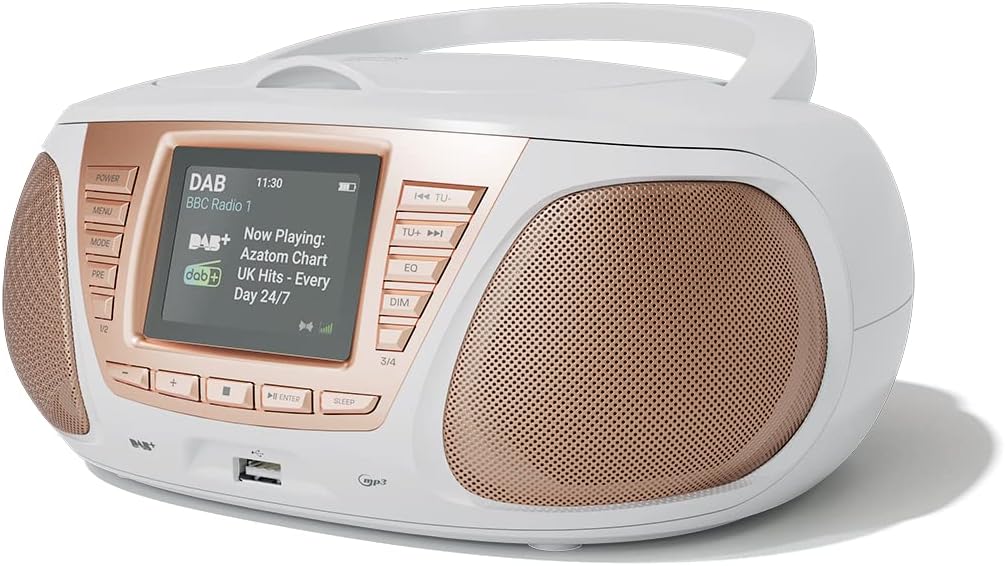
Подробный view of the AZATOM Zenith Z4's front panel, highlighting the color LCD display and various control buttons.
- Кнопка питания: Включает и выключает устройство.
- Кнопка МЕНЮ: Открывает доступ к системному меню.
- Кнопка РЕЖИМ: Switches between DAB, FM, CD, Bluetooth, USB, and AUX modes.
- PRE Button (Presets): Предоставляет доступ к сохраненным настройкам радиостанций.
- 1/2, 3/4 Buttons: Direct access to specific presets or navigation.
- Кнопки +, -: Adjusts volume, navigates menus, or tunes radio frequencies.
- Кнопка ENTER: Подтверждает выбор.
- Кнопка сна: Устанавливает таймер сна.
- TU- / TU+ Buttons: Tunes radio frequencies down/up or skips tracks.
- Кнопка эквалайзера: Настраивает параметры эквалайзера.
- Кнопка DIM: Регулирует яркость дисплея.
- USB-порт: Для подключения USB-накопителей для воспроизведения MP3.
- Порт для наушников: Выход 3.5 мм для индивидуального прослушивания.
3.2 Соединения на задней панели
The rear panel typically includes the power input and auxiliary input.
- DC IN: Подключение адаптера питания.
- ДОПОЛНИТЕЛЬНЫЙ ВХОД: 3.5mm input for connecting external audio sources.
4. Настройка
4.1 Включение
The Zenith Z4 can be powered by the included AC adapter or by batteries for portability.
- Питание переменного тока: Connect the mains power adapter to the DC IN socket on the rear of the unit and plug it into a wall outlet.
- Мощность аккумулятора: Open the battery compartment (usually on the bottom or rear) and insert the required batteries (type and quantity specified in the compartment).

The AZATOM Zenith Z4 is designed for portability, allowing use with batteries or the supplied mains power adapter.
4.2 Первоначальная настройка (первое использование)
Upon first power-on, the unit may automatically perform an initial setup:
- The display will typically show a welcome message.
- The unit may automatically scan for available DAB/DAB+ and FM radio stations. This process can take a few minutes.
- The clock will usually set itself automatically via DAB signal. If not, refer to the menu settings to manually set the time and date.
5. Инструкция по эксплуатации
5.1 Радио DAB/DAB+
To access digital radio stations:
- Нажмите РЕЖИМ Нажимайте кнопку, пока не отобразится «DAB».
- The unit will automatically scan for stations if it hasn't already. To perform a full scan manually, navigate to the 'Full Scan' option in the DAB menu.
- Используйте ТУ- or ТУ+ buttons to browse the list of available stations.
- Нажимать ВХОДИТЬ для выбора станции.

The Zenith Z4 features leading British DAB and FM technology for optimal digital radio performance.
5.2 FM-радио
To listen to FM radio stations:
- Нажмите РЕЖИМ Нажимайте кнопку, пока не отобразится «FM».
- Нажмите и удерживайте ТУ- or ТУ+ to auto-scan for the next available station. Briefly press to fine-tune the frequency.
- Нажимать ВХОДИТЬ to confirm a station.
5.3 Storing and Recalling Presets (DAB/FM)
The Zenith Z4 allows you to store up to 60 preset stations (30 DAB, 30 FM).
- Tune to your desired DAB or FM station.
- Нажмите и удерживайте ПРЕ Нажимайте кнопку, пока на дисплее не появится надпись «Preset Store».
- Используйте +/- buttons to select a preset number (1-30 for DAB, 1-30 for FM).
- Нажимать ВХОДИТЬ спасти станцию.
- Чтобы вызвать предустановленную настройку, кратковременно нажмите кнопку. ПРЕ кнопку, затем используйте +/- or the numbered buttons (1/2, 3/4) to select and press ВХОДИТЬ.

The Zenith Z4 allows storing up to 60 presets (30 DAB and 30 FM) for quick access to your favorite stations.
5.4 Проигрыватель компакт-дисков
Для воспроизведения аудио компакт-дисков:
- Нажмите РЕЖИМ button until 'CD' is displayed.
- Откройте крышку отсека для компакт-дисков, расположенную в верхней части устройства.
- Place a CD (CD, CD-R, CD-RW compatible) with the label side facing up.
- Close the CD compartment lid. The unit will begin reading the disc and playback will start automatically.
- Используйте ТУ- и ТУ+ buttons to skip tracks. Use ВХОДИТЬ Для воспроизведения/паузы.

The Zenith Z4 features a top-loading CD player, compatible with various CD formats, to enjoy your music collection.
5.5. Bluetooth-подключение
Stream audio wirelessly from your compatible devices:
- Нажмите РЕЖИМ button until 'Bluetooth' is displayed. The unit will enter pairing mode, indicated by a flashing Bluetooth icon or message.
- На мобильном устройстве (смартфоне, планшете, ноутбуке) включите Bluetooth и выполните поиск доступных устройств.
- Select 'AZATOM Zenith Z4' from the list. Once paired, the unit will confirm the connection.
- You can now play audio from your device, and it will stream through the Zenith Z4.

Connect your Bluetooth device to the Zenith Z4 to enjoy streaming services like Spotify and Apple Music.
5.6 Воспроизведение через USB
Для воспроизведения MP3 fileс USB-накопителя:
- Вставьте USB-флеш-накопитель (отформатированный в FAT32) с аудиофайлами в формате MP3. fileвставьте s в USB-порт на передней панели.
- Нажмите РЕЖИМ Нажимайте кнопку, пока не отобразится «USB».
- The unit will read the files, and playback should begin automatically. Use the ТУ- и ТУ+ кнопки для навигации по трекам.
5.7 вспомогательных входа
Connect external audio devices using the AUX IN port:
- Connect one end of a 3.5mm audio cable (not included) to the AUX IN port on the rear of the Zenith Z4.
- Connect the other end to the headphone jack or audio output of your external device (e.g., MP3 player, older smartphone).
- Нажмите РЕЖИМ Нажимайте кнопку до тех пор, пока не отобразится «AUX».
- Управляйте воспроизведением с внешнего устройства.
5.8 Использование наушников
For private listening:
- Подключите наушники с разъемом 3.5 мм к разъему для наушников на передней панели.
- The sound from the speakers will automatically mute.
- Отрегулируйте громкость с помощью +/- кнопки.
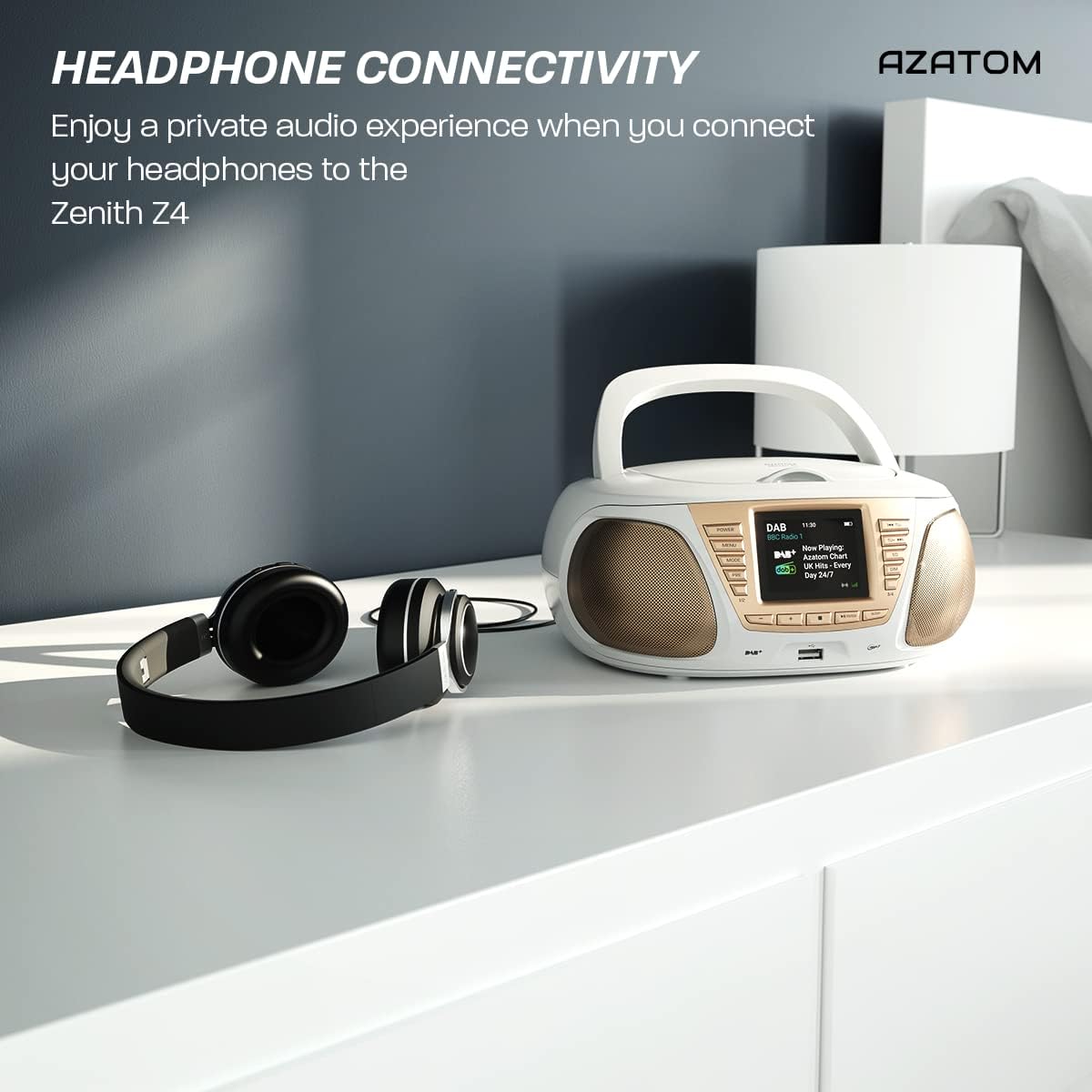
Enjoy a private audio experience by connecting your headphones to the Zenith Z4.
5.9 Функция будильника
The Zenith Z4 includes an alarm clock feature:
- Доступ к настройкам будильника осуществляется через МЕНЮ кнопка.
- Follow the on-screen prompts to set the alarm time, source (e.g., buzzer, DAB, FM), and volume.
- Ensure the unit is powered on or in standby mode for the alarm to activate.
6. Техническое обслуживание
To ensure the longevity and optimal performance of your Zenith Z4:
- Уборка: Use a soft, dry cloth to clean the unit's exterior. Do not use abrasive cleaners, waxes, or solvents.
- CD-плеер: If the CD player experiences issues, use a specialized CD lens cleaner disc.
- Вентиляция: Ensure the unit has adequate ventilation and is not covered during operation.
- Хранилище: When not in use for extended periods, disconnect from power and remove batteries. Store in a cool, dry place.
7. Поиск Неисправностей
If you encounter issues with your Zenith Z4, please refer to the table below for common problems and solutions:
| Проблема | Возможная причина | Решение |
|---|---|---|
| Устройство не включается | No power supply; flat batteries | Check AC adapter connection; replace batteries. |
| Нет звука | Volume too low; headphones connected; incorrect mode | Increase volume; disconnect headphones; select correct mode (DAB, FM, CD, BT, USB, AUX). |
| Плохой прием радиосигнала | Антенна не выдвинута; слабый сигнал | Полностью выдвиньте телескопическую антенну; переместите устройство для улучшения сигнала. |
| CD не воспроизводится | CD dirty/scratched; incorrect disc type; CD not inserted correctly | Clean CD; ensure CD is compatible (CD, CD-R, CD-RW); reinsert CD label-side up. |
| Bluetooth не подключается | Unit not in pairing mode; device too far; already connected to another device | Ensure unit is in Bluetooth mode and pairing; move device closer; disconnect from other devices. |
8. Технические характеристики
Key technical specifications for the AZATOM Zenith Z4:
- Бренд: АЗАТОМ
- Номер модели: Z4SLV
- Цвет: Белый
- Технологии подключения: Auxiliary, DAB+, DAB, Bluetooth, USB
- Всего портов USB: 1
- Совместимые устройства: Smartphone, Tablet, MP3 Player, Personal Computer
- Размеры товара (ДxШxВ): 23 x 20 x 10 см
- Источник питания: Wired Electric, Battery
- Тип динамика: Бумбокс
- Вес товара: 1.3 Килограмма
- Выходная мощность: 20 Вт
9. Гарантия и поддержка
AZATOM products are engineered in the UK and come with comprehensive support:
- Гарантия: The Zenith Z4 includes a 3-year premium warranty. Online registration is required to activate this warranty.
- Служба поддержки клиентов: AZATOM offers lifetime customer service based in the UK for setup and installation advice. Please refer to the registration card or AZATOM's official webсайт для контактных данных.
AZATOM provides a 3-year warranty (registration required) and dedicated UK customer support for their products.


