1. Продукт закончилсяview
The Apple AirPods Max are premium over-ear headphones designed to deliver high-fidelity audio with advanced features for an immersive listening experience. They combine custom acoustic design with the Apple H1 chip and sophisticated software.
- Высококачественный звук: Powered by an Apple-designed dynamic driver and computational audio for breakthrough listening experiences.
- Активное шумоподавление: Blocks external noise, allowing for complete immersion in audio.
- Режим прозрачности: Enables users to hear and interact with their surroundings without removing the headphones.
- Пространственный звук: Features dynamic head tracking for a theater-like sound experience that surrounds the user. Supports Dolby Atmos.
- Дизайн, ориентированный на комфорт: Constructed with a knit-mesh canopy and memory foam ear cushions for an exceptional and comfortable over-ear fit.
- Бесшовная интеграция с экосистемой Apple: Offers effortless setup, on-head detection, and automatic switching between Apple devices.
- Длительный срок службы батареи: Provides up to 20 hours of listening, movie watching, or talk time with Active Noise Cancellation and Spatial Audio enabled.
- Контроль точности: Utilizes the Digital Crown for intuitive control over music playback, calls, volume, and track skipping.
- Умный чехол: Stores AirPods Max in an ultra low-power state to preserve battery life.
2. Настройка
2.1 Первоначальное сопряжение
- Ensure your AirPods Max are charged.
- Bring your AirPods Max close to your iPhone, iPad, or iPod touch.
- Для подключения следуйте инструкциям на экране.
- For other Bluetooth devices, press and hold the noise control button until the status light flashes white, then select AirPods Max from your device's Bluetooth settings.
2.2 Регулировка посадки
The anodized aluminum ear cups telescope out from the stainless steel frame. Adjust the ear cups to fit comfortably over your ears, ensuring a good seal for optimal audio performance and noise cancellation.

Изображение: Спереди view of Apple AirPods Max in Silver, showcasing the mesh headband and earcups.
3. Инструкция по эксплуатации
3.1 Элементы управления
AirPods Max feature a Digital Crown and a Noise Control button on the right ear cup.
- Цифровая корона:
- Поверните, чтобы отрегулировать громкость.
- Press once to play/pause audio or answer a call.
- Дважды нажмите, чтобы перейти вперед.
- Нажмите три раза, чтобы вернуться назад.
- Нажмите и удерживайте, чтобы активировать Siri.
- Кнопка регулировки шума: Press to switch between Active Noise Cancellation and Transparency mode.

Изображение: сбоку view of the Apple AirPods Max, highlighting the Digital Crown and Noise Control button on the right earcup.
3.2 Аккумулятор и зарядка
AirPods Max provide up to 20 hours of listening time on a single charge with Active Noise Cancellation and Spatial Audio enabled. Charging is done via the Lightning port on the bottom of the right ear cup.
- Зарядка: Connect the included Lightning to USB-C cable to the AirPods Max and a compatible power adapter.
- Умный чехол: Placing AirPods Max in the Smart Case puts them into an ultra low-power state to preserve battery charge.
4. Техническое обслуживание
4.1 Cleaning Ear Cushions
The magnetic ear cushions are removable for easy cleaning or replacement.
- Gently pull the ear cushions away from the ear cups to detach them.
- Clean the ear cushions with a soft, dampИспользуйте безворсовую ткань. Избегайте агрессивных химикатов.
- Ensure ear cushions are completely dry before reattaching them magnetically to the ear cups.
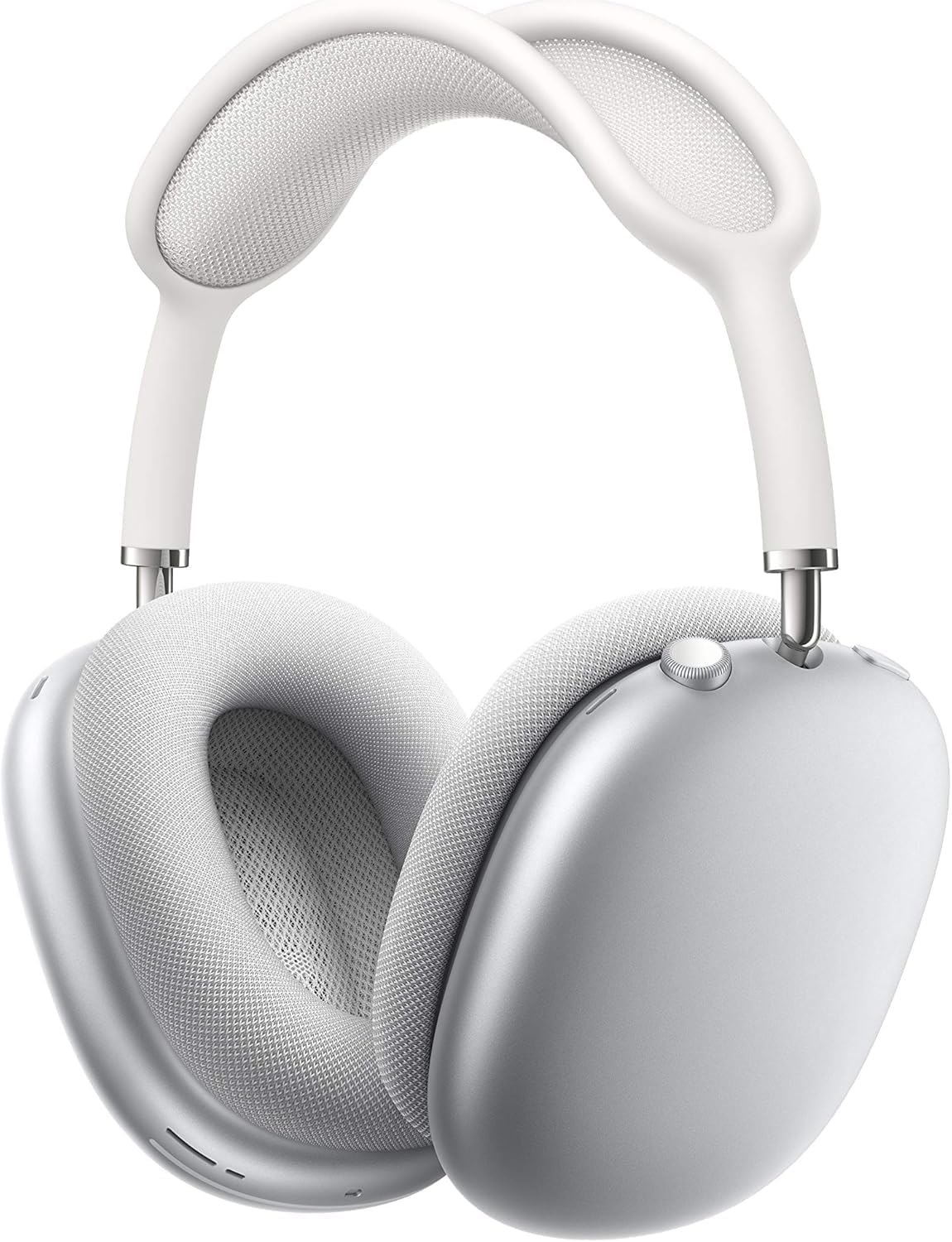
Image: Apple AirPods Max with one ear cushion detached, illustrating the magnetic attachment mechanism.
4.2 Генеральная уборка
Wipe the headband and ear cups with a soft, slightly damp, lint-free cloth. Do not submerge AirPods Max in water or use abrasive materials.
5. Поиск Неисправностей
5.1 Проблемы с подключением
- Убедитесь, что на вашем устройстве включен Bluetooth.
- Check that AirPods Max are charged.
- Перезагрузите устройство и повторите попытку сопряжения.
- If issues persist, reset your AirPods Max by holding the Noise Control button and Digital Crown for 15 seconds until the status light flashes amber, then white.
5.2 Проблемы с качеством звука
- Ensure ear cushions are properly attached and form a good seal.
- Check for any debris or obstructions in the ear cups.
- Adjust audio settings on your connected device.
6. Технические характеристики
| Особенность | Деталь |
|---|---|
| Бренд | Яблоко |
| Название модели | AirPods Макс |
| Номер модели товара | MGYJ3AM/A |
| Цвет | Серебро |
| Технология связи | Беспроводная связь (Bluetooth) |
| Технология беспроводной связи | Bluetooth |
| Срок службы батареи | До 20 часов |
| Время зарядки | Приблизительно 2 часа |
| Вес товара | 1.12 унции |
| Размеры продукта | 3.15 x 9.57 x 3.15 дюйма |
| Форма наушника | Накладные наушники |
| Тип управления | Call Control, Media Control, Volume Control, Voice Control, Noise Control |
7. Гарантия и поддержка
Apple AirPods Max come with a standard limited warranty. For detailed warranty information, service options, and technical support, please visit the official Apple Support webсайт или обратитесь в службу поддержки клиентов Apple.
- Онлайн поддержка: support.apple.com/airpods-max
- AppleCare+: Рассмотрите возможность покупкиasing AppleCare+ for extended technical support and hardware coverage.


