1. Введение
The Audio-Technica PRO24CM is a lightweight, compact stereo condenser microphone designed for digital recording with high-fidelity stereo sound. It is optimized for use with camcorders that feature an accessory shoe and a stereo microphone input. The microphone utilizes a pair of cardioid elements in an X-Y configuration to capture the spatial impact and realism of a live sound field.
This manual provides essential information for the proper setup, operation, and maintenance of your PRO24CM microphone.
2. Содержимое упаковки
Убедитесь, что в комплект поставки входят все следующие предметы:
- PRO24CM Stereo Condenser Microphone with permanently attached 6-12 inch coiled cable and right-angle 3.5 mm stereo mini plug
- Video-camera shoe mount
- LR44 battery (1.5V)
- Ветровое стекло
- Мягкий защитный чехол

Image: Included accessories for the PRO24CM microphone.
3. Настройка
3.1 Установка аккумулятора
The PRO24CM can operate on a 1.5V LR44 battery or via plug-in power from your camcorder. If your camcorder does not provide plug-in power, battery installation is required.
- Locate the battery compartment on the microphone body.
- Осторожно откройте отсек.
- Insert one LR44 battery, ensuring correct polarity (+/-).
- Надежно закройте батарейный отсек.
Image: The LR44 battery for microphone power.
3.2 Установка микрофона
The PRO24CM is designed to attach to a camcorder's accessory shoe.
- Slide the video-camera shoe mount onto your camcorder's accessory shoe.
- Secure the mount by tightening its locking mechanism.
- Insert the microphone into the shoe mount.
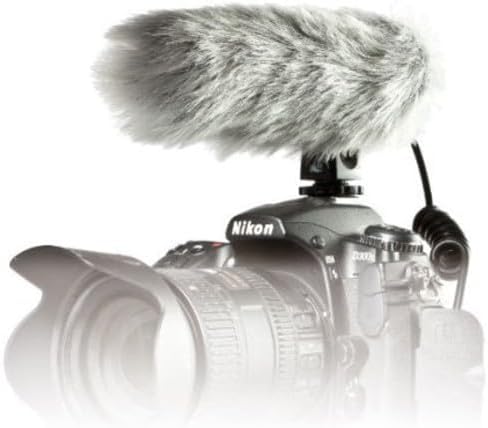
Image: PRO24CM microphone attached to a camcorder.
3.3 Connecting to a Camcorder
Connect the microphone to your camcorder's stereo microphone input.
- Locate the 3.5 mm stereo mini plug on the microphone's coiled cable.
- Insert the plug firmly into the microphone input jack on your camcorder.

Image: The PRO24CM microphone showing its coiled cable and 3.5mm connector.
3.4 Использование ветрового стекла
For outdoor recording or in windy conditions, attach the included windscreen to reduce wind noise and plosives.
- Gently slide the foam windscreen over the microphone's capsule.
- Ensure it fits snugly without obstructing the microphone elements.
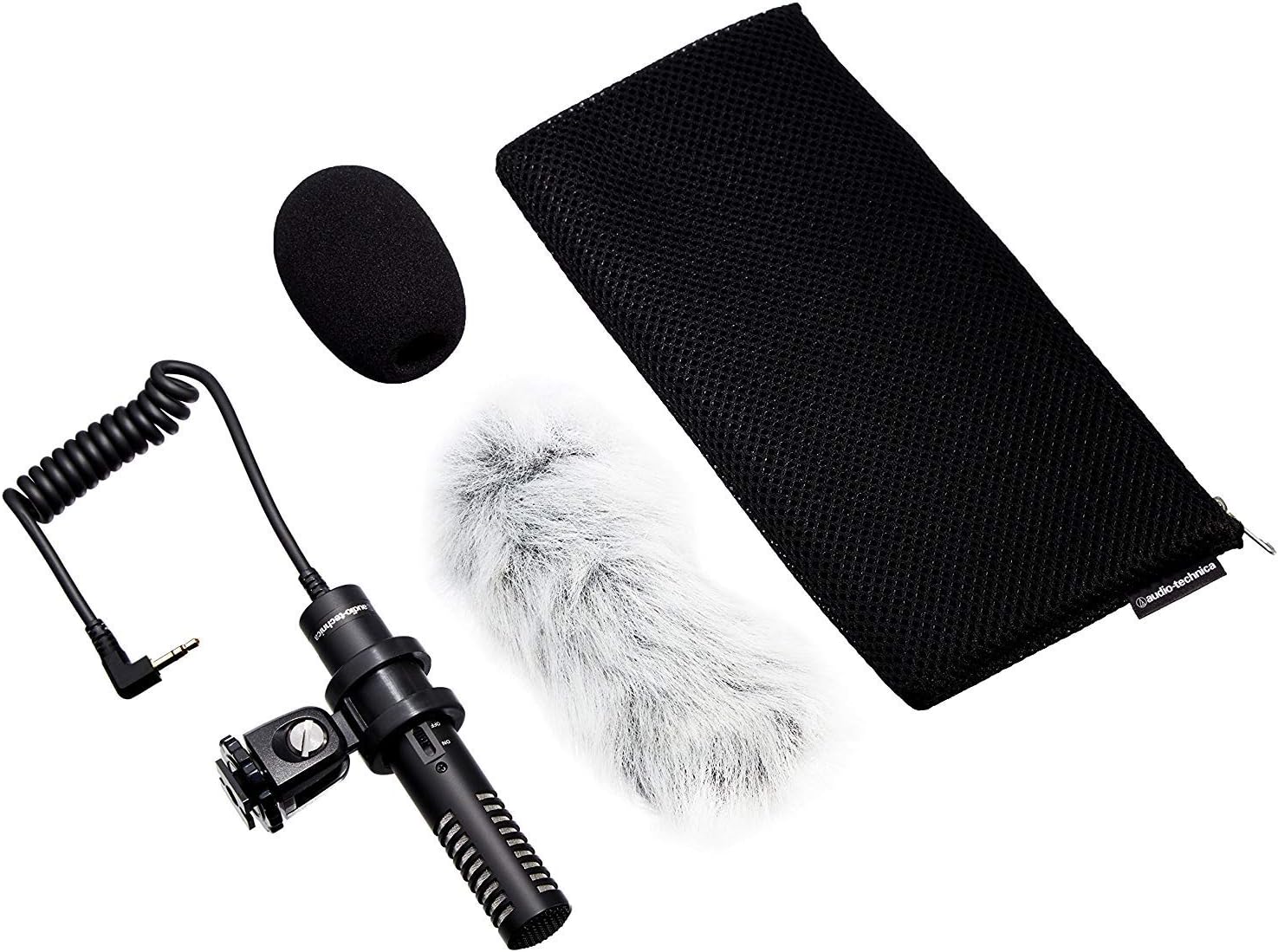
Image: PRO24CM microphone with windscreen and other accessories.
4. Операция
4.1 Включение/выключение питания
The PRO24CM features an on/off switch for convenient operation.
- Чтобы повернуть микрофон ONСдвиньте переключатель в положение «ВКЛ».
- Чтобы повернуть микрофон ВЫКЛЮЧЕННЫЙСдвиньте переключатель в положение "ВЫКЛ".
When using plug-in power from your camcorder, the microphone will draw power directly from the camcorder, and battery operation is not required. However, it is still recommended to turn the microphone off when not in use to conserve battery life if a battery is installed.
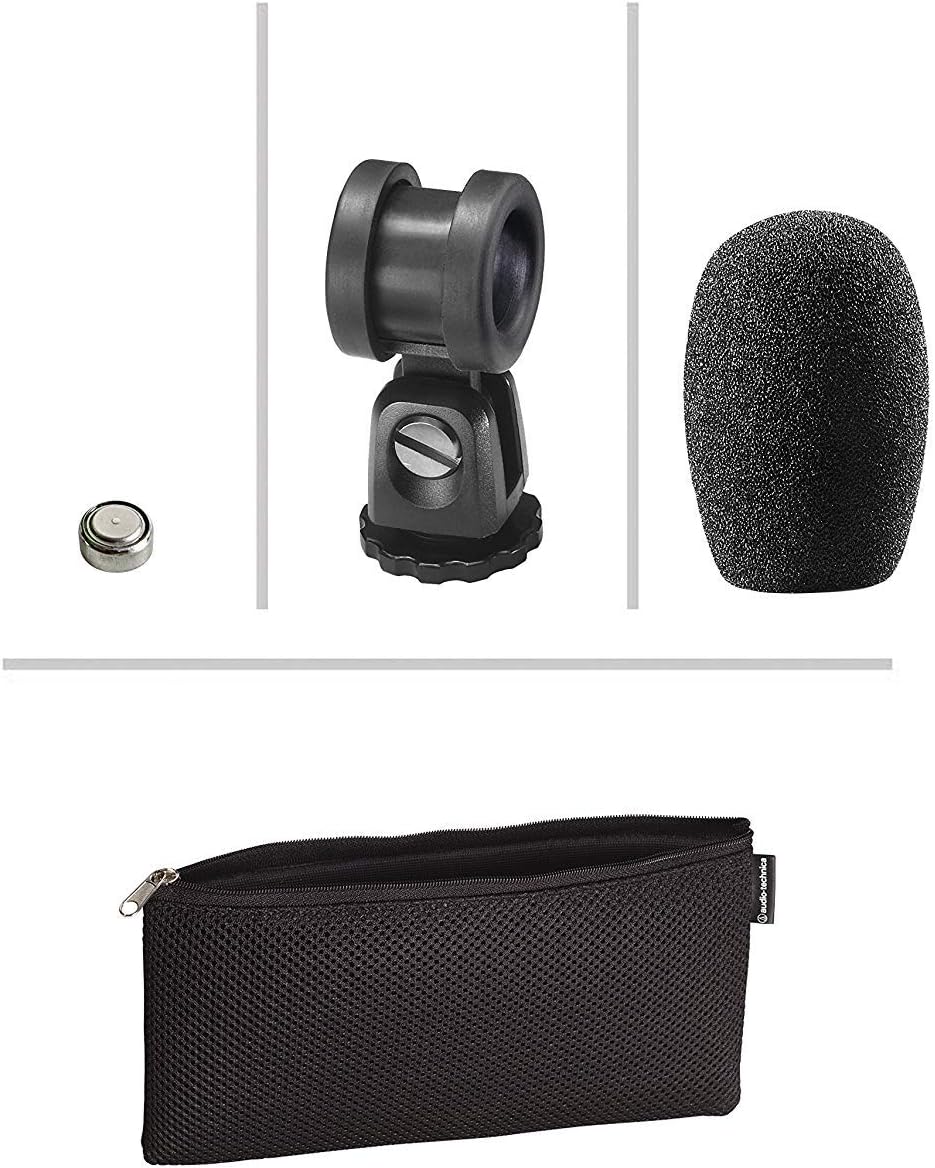
Image: The PRO24CM microphone with its on/off switch visible.
4.2 Recording Considerations
- Размещение: Position the microphone to capture the desired sound source. The X-Y stereo configuration is designed to provide a natural stereo image.
- Мониторинг: Always monitor your audio through headphones connected to your camcorder to ensure optimal sound quality and to detect any unwanted noise.
- Уровни усиления: Adjust the input gain on your camcorder to prevent clipping (distortion) while ensuring a strong signal.
5. Техническое обслуживание
- Уборка: Use a soft, dry cloth to clean the microphone body. Avoid using harsh chemicals or abrasive materials.
- Хранилище: When not in use, store the microphone in its protective pouch to prevent dust and damage. Remove the battery if storing for extended periods to prevent leakage.
- Уход за кабелем: Avoid sharp bends or kinks in the microphone cable.
6. Поиск Неисправностей
- Нет звука:
- Ensure the microphone's on/off switch is in the "ON" position.
- Проверьте правильность установки аккумулятора и его достаточный заряд. При необходимости замените.
- Verify the 3.5 mm plug is fully inserted into the camcorder's microphone input.
- Confirm the camcorder's audio input settings are correct and the input gain is not set to zero.
- Искаженный звук:
- Reduce the input gain on your camcorder.
- Ensure the microphone is not too close to the sound source, causing overload.
- Чрезмерный шум ветра:
- Ensure the windscreen is properly installed.
- Consider using an additional furry wind muff for extreme conditions (not included).
7. Технические характеристики
| Особенность | Спецификация |
|---|---|
| Элемент | Задняя пластина с фиксированным зарядом, постоянно поляризованный конденсатор |
| Полярная диаграмма | X/Y Stereo |
| Частотная характеристика | 100-17,000 XNUMX Гц |
| Чувствительность к разомкнутой цепи | -50 дБ (3.1 мВ) относительно 1 В при 1 Па |
| Сопротивление | 600 Ом |
| Максимальный уровень входного звука | 119 дБ SPL, 1 кГц при 1% THD |
| Dynamic Range (typical) | 82 дБ, 1 кГц при макс. Звуковом давлении |
| Отношение сигнал / шум | 57 дБ, 1 кГц при 1 Па |
| Требования к питанию | 2-10V DC plug-in power or 1.5V LR44 battery |
| Тип батареи | 1.5 В LR44 |
| Ток / Срок службы батареи | 0.6 мА / 200 часов обычно |
| Выключатель | Вкл/выкл |
| Масса | 3.9 oz (111 g) / 120 Grams |
| Dimensions (L x Max Body Dia.) | 4.59" (116.5 mm) long, 0.83" (21.0 mm) maximum body diameter |
| Выходной разъем | 3.5 mm stereo mini plug on cable |
| Кабель | Permanently attached 152.4 mm - 304.8 mm (6"-12") coiled cable with right-angle molded 3.5 mm stereo mini-plug |
8. Информация по технике безопасности
- Не подвергайте микрофон воздействию экстремальных температур, влажности или прямых солнечных лучей.
- Избегайте падений и сильных ударов, которым подвергается микрофон.
- Держите микрофон вдали от сильных магнитных полей.
- Do not attempt to disassemble or modify the microphone. This will void any warranty.
- Утилизируйте использованные батареи ответственно в соответствии с местными правилами.
9. Гарантия и поддержка
For warranty information or technical support, please contact Audio-Technica customer service or visit their official webСохраните чек в качестве подтверждения покупки.
Контактная информация компании Audio-Technica:
- Официальный сайт Audio-Technica Webсайт
- Обратитесь к упаковке вашего продукта или к официальному website for specific regional contact details.


