Introducere
Thank you for choosing the pTron Bassbuds Senz Open Ear Wireless Earbuds. These earbuds are designed to provide a comfortable and pressure-free listening experience while keeping you aware of your surroundings. Featuring 13mm dynamic drivers, dual HD microphones with AI-ENC for clear calls, Bluetooth v6.0 connectivity, and IPX5 water resistance, the Bassbuds Senz are ideal for various activities. This manual provides detailed instructions for setup, operation, maintenance, and troubleshooting to ensure optimal performance.
Ce este în cutie
- pTron Bassbuds Senz Wireless Earbuds
- Carcasă de încărcare
- Cablu de încărcare USB de tip C
- Manual de utilizare
Produs terminatview
The pTron Bassbuds Senz feature an open-ear design for comfort and situational awareness, along with a compact charging case.

Image: pTron Bassbuds Senz Open Ear Wireless Earbuds and Charging Case. This image displays the two earbuds and their oval-shaped charging case.

Image: Key features of pTron Bassbuds Senz. This collage highlights SafeBeats Design, Dual HD Mics, 50 Hours Playtime, 13mm Dynamic Drivers, Bluetooth 6.0, LED Battery Indicator, Type-C Charging, and IPX5 Water & Sweat Resistant.

Image: Diagram showing the 13mm dynamic drivers of pTron Bassbuds Senz. This close-up view illustrates the internal components of the earbud's audio driver.

Image: User wearing pTron Bassbuds Senz, highlighting Dual HD Mics for clear calls. A person is shown wearing one earbud, emphasizing its ergonomic fit and microphone placement.

Image: Close-up of pTron Bassbuds Senz charging case with digital LED display and Type-C charging port. This image shows the charging case with its lid open, revealing the earbuds inside and the battery percentage afișare.
Instrucțiuni de configurare
1. Încărcarea căștilor și a carcasei
Înainte de prima utilizare, încărcați complet căștile și carcasa de încărcare. Folosiți cablul USB Type-C furnizat pentru a conecta carcasa de încărcare la o sursă de alimentare.
- The digital LED display on the charging case will show the battery percentage.
- Căștile se vor încărca automat când sunt introduse în husă.
- O încărcare completă durează de obicei aproximativ 1.5-2 ore.
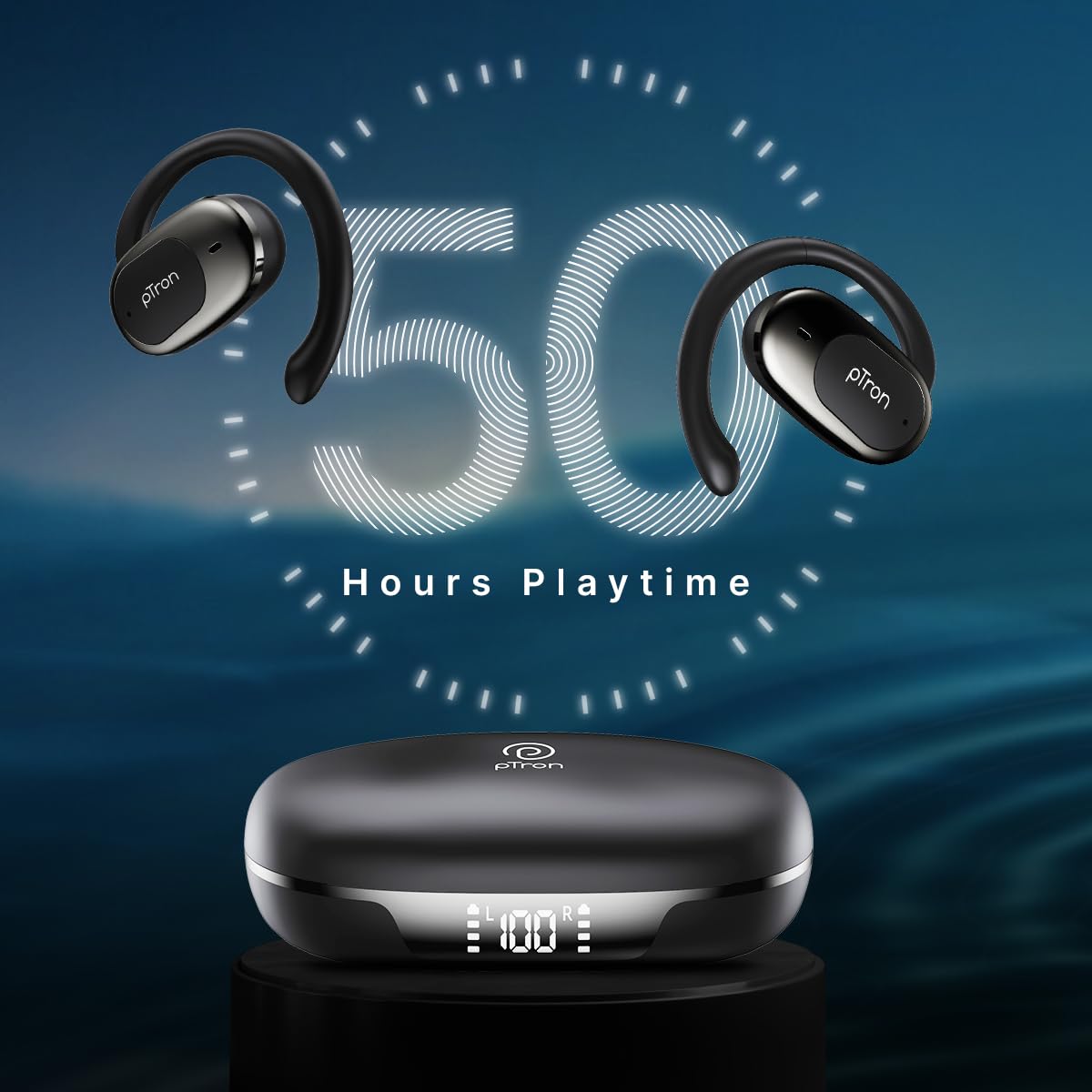
Image: pTron Bassbuds Senz earbuds and charging case, illustrating 50 hours combined playtime. This image visually represents the extended battery life of the product.
2. Asociere Bluetooth
- Pornire: Open the charging case. The earbuds will automatically power on and enter pairing mode. You may hear a voice prompt indicating they are ready to pair.
- Activați Bluetooth: On your smartphone or device, go to the Bluetooth settings and turn Bluetooth on.
- Selecteaza dispozitivul: Look for "pTron OWS" (or similar name) in the list of available devices and select it to connect.
- Confirmare: Odată conectat, veți auzi un mesaj vocal care confirmă împerecherea reușită.
- Reconectare automată: După asocierea inițială, căștile se vor conecta automat la ultimul dispozitiv asociat atunci când sunt scoase din husă, cu condiția ca Bluetooth-ul să fie activat pe dispozitiv.

Image: Smartphone screen showing Bluetooth pairing with pTron OWS, next to the earbuds and charging case. This image demonstrates the process of connecting the earbuds to a mobile device via Bluetooth.
Instrucțiuni de operare
The pTron Bassbuds Senz feature touch controls for easy management of music and calls.
Atingeți Comenzi
| Funcţie | Acţiune |
|---|---|
| Pornire | Deschideți carcasa de încărcare |
| Oprire | Place earbuds back into charging case and close lid |
| Redați/Întrerupeți muzica | Atingeți o singură dată pe fiecare căști |
| Următoarea piesă | Atingeți de două ori casca intraauriculară dreaptă |
| Piesa anterioară | Atingeți de două ori casca intraauriculară stângă |
| Răspundeți/Terminați apelul | Atingere o singură dată pe oricare dintre căști în timpul unui apel primit |
| Respinge apelul | Long press on either earbud during an incoming call |
| Activați Asistentul vocal | Atingeți de trei ori oricare dintre căști |
| Creșterea volumului | Long press on the Right earbud |
| Reducerea volumului | Long press on the Left earbud |
Întreţinere
Curatenie
- Curățați regulat căștile și carcasa de încărcare cu o lavetă moale, uscată și fără scame.
- Nu utilizați substanțe chimice dure, solvenți de curățare sau detergenți puternici.
- Asigurați-vă că contactele de încărcare de pe ambele căști și de pe carcasă sunt curate și fără reziduuri.
Depozitare
- Păstrați căștile în carcasa lor de încărcare atunci când nu sunt utilizate pentru a le proteja și a le menține încărcate.
- Evitați depozitarea la temperaturi extreme (calde sau reci) sau în medii cu praf/umeditate.
Îngrijirea bateriei
- Pentru a prelungi durata de viață a bateriei, evitați descărcarea completă frecventă a căștilor și a carcasei de încărcare.
- Încărcați dispozitivul în mod regulat, chiar dacă nu îl utilizați frecvent.

Image: User exercising with pTron Bassbuds Senz, demonstrating IPX5 water and sweat resistance. This image shows the earbuds being used during a workout, highlighting their durability against sweat and splashes.
Depanare
If you encounter issues with your pTron Bassbuds Senz, refer to the following common solutions:
- Căștile nu se conectează cu dispozitivul:
Ensure both earbuds are charged. Turn off Bluetooth on your device, then turn it back on. Forget "pTron OWS" from your device's Bluetooth list and try pairing again. Make sure the earbuds are in pairing mode (out of the case). - Doar o singură cască funcționează:
Place both earbuds back into the charging case, close the lid, wait a few seconds, then open the lid and take them out. This often resets the connection between the two earbuds. If the issue persists, try re-pairing them with your device. - Căștile nu se încarcă:
Check if the charging cable is securely connected to both the case and the power source. Ensure the charging contacts on the earbuds and inside the case are clean and free of obstructions. Verify the charging case has sufficient battery. - Volum redus sau calitate slabă a sunetului:
Adjust the volume on both your device and the earbuds. Ensure the earbuds are properly seated in your ears. Clean any debris from the earbud speakers. - Connectivity issues (disconnections):
Ensure your device is within the 10-meter Bluetooth range. Avoid obstacles between your device and the earbuds. Minimize interference from other wireless devices.
Specificații
| Caracteristică | Detaliu |
|---|---|
| Numele modelului | Bassbuds Senz |
| Tehnologia de conectivitate | Fără fir (Bluetooth v6.0) |
| Gama Bluetooth | 10 metri |
| Tip de driver audio | Driver dinamic de 13 mm |
| Battery Life (Combined) | Până la 50 ore |
| Port de încărcare | USB tip C |
| Rezistenta la apa | IPX5 (rezistent la apă) |
| Microfoane | Dual HD Mics with AI-ENC |
| Metoda de control | Atingere |
| Plasarea urechii | Deschide Urechea |
| Material | Acrilonitril Butadien Stiren (ABS) |
| Greutatea articolului | 67 grame |
| Dimensiunile produsului | 9.1 x 5.9 x 3.1 cm |
Garanție și suport
The pTron Bassbuds Senz comes with a 1-year manufacturer warranty from the date of purchase, covering manufacturing defects only.
Asistență pentru clienți
For any queries, support, or warranty claims, please contact pTron customer care:
- Telefon: 040-67138888
- E-mail: support@ptron.in
- Producător: Palred Electronics Pvt. Ltd., SY.NO. 56, 1ST FLOOR, GUNDLAPOCHAMPALLY VILLAGE, PARCUL TEHNOLOGIC MTP, TSIIC-IALA NACHARAM, HYDERABAD - 500076, TELANGANA, INDIA


