Introducere
Thank you for choosing the MoreJoy CUBE SLIM 2025 Projector. This compact and powerful projector is designed to deliver an immersive viewing experience with its 1080P support and 200 ANSI brightness. Featuring an Android operating system with built-in Netflix and YouTube, electric focus, keystone correction, and a full-sealed enclosure for dust protection, it's perfect for home cinema, gaming, karaoke, and even business presentations.
This manual provides detailed instructions to help you get the most out of your new projector, from initial setup to advanced features and troubleshooting.
Ce este în cutie
Vă rugăm să verificați conținutul coletului pentru a vă asigura că toate articolele sunt prezente:
- MoreJoy CUBE SLIM 2025 Projector
- Telecomanda
- Adaptor de alimentare
- Manual de utilizare (acest document)
Produs terminatview
Familiarize yourself with the different parts of your MoreJoy CUBE SLIM 2025 Projector.
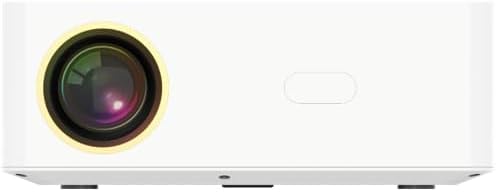
Figura 1: Față View. This image displays the front of the projector, highlighting the main projection lens. The lens is centrally located, indicating the direction of the projected image.

Figura 2: Spate View. This image shows the back panel of the projector, featuring various input and output ports. From left to right, you can see an IR receiver, two USB ports, an HDMI port, and a 3.5mm headphone jack. These ports allow for diverse connectivity options.
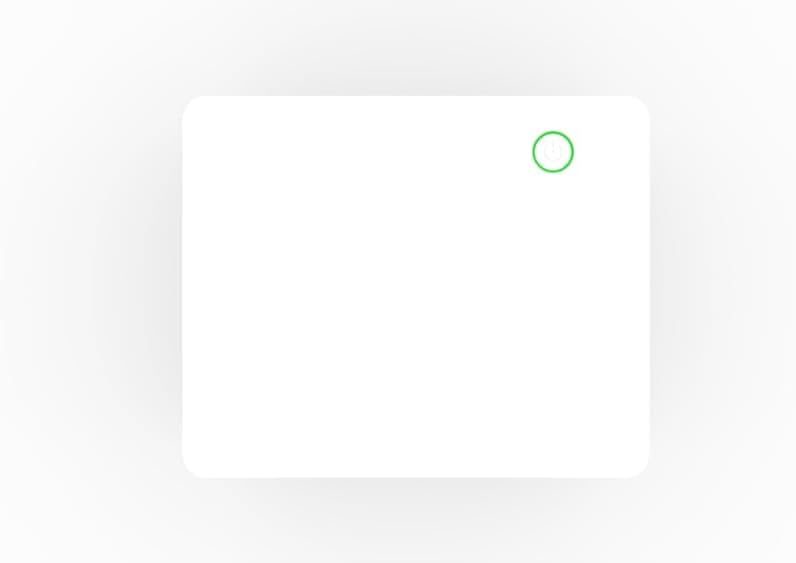
Figura 3: Sus View. This image presents the top surface of the projector, featuring a subtle power button icon with a circular outline, indicating the location for power control.
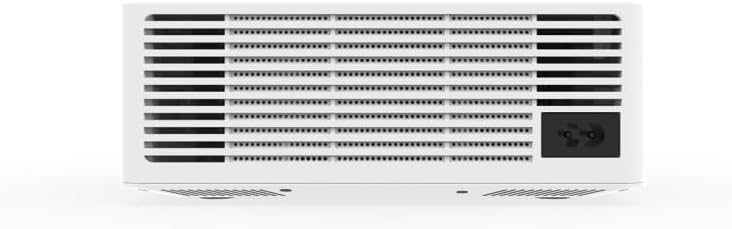
Figura 4: De jos View (Ventilare). This image shows the underside of the projector, dominated by a large ventilation grille. A power input socket is visible on the right side, indicating where the power cable connects.
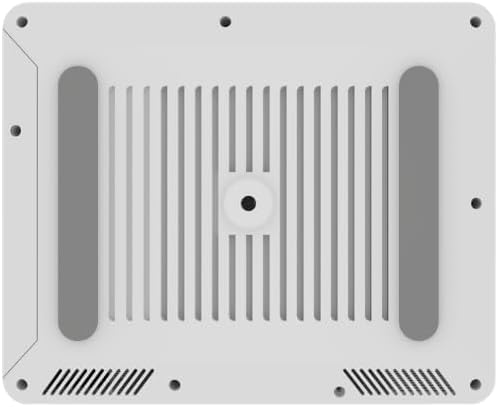
Figura 5: De jos View (Mounting). This image provides another perspective of the projector's bottom, highlighting the four rubber feet for stability and a central threaded hole for tripod or ceiling mounting. Ventilation slots are also visible.

Figura 6: lateral View. This image shows a plain side view of the projector, emphasizing its sleek, minimalist design and compact form factor.
Ghid de instalare
1. Pornirea inițială
- Place the projector on a stable, flat surface or mount it securely. Ensure there is adequate ventilation around the unit.
- Connect the power adapter to the projector's power input port (refer to Figure 4) and then plug it into a power outlet.
- Press the power button on the projector (refer to Figure 3) or on the remote control to turn on the device.
2. Focalizare și corecție Keystone
The CUBE SLIM 2025 features electric focus and digital keystone correction for a clear and properly shaped image.
- Focalizare electrică: Use the focus buttons on the remote control to adjust the image clarity until it is sharp. This is a manual electric adjustment, providing precise control.
- Corecția trapezoială digitală: If the projected image appears trapezoidal (wider at the top or bottom), use the keystone correction settings in the projector's menu to adjust the image geometry until it is rectangular.
3. Conexiune la rețea (Wi-Fi)
To access online content and streaming services, connect your projector to a Wi-Fi network:
- Navigați la meniul „Setări” de pe ecranul principal al proiectorului.
- Selectați „Rețea” sau „Setări Wi-Fi”.
- Alegeți rețeaua Wi-Fi dorită din lista de rețele disponibile.
- Introduceți parola Wi-Fi folosind tastatura de pe ecran și confirmați.
Instrucțiuni de operare
1. Navigarea prin interfață
The MoreJoy CUBE SLIM 2025 runs on an Android operating system. Use the remote control's directional buttons and OK button to navigate through menus and select options. The "Back" button will return you to the previous screen, and the "Home" button will take you to the main home screen.
2. Using Built-in Applications
Your projector comes with pre-installed applications like Netflix and YouTube. Ensure you are connected to Wi-Fi to use these services.
- From the home screen, select the desired application icon (e.g., Netflix, YouTube).
- Conectați-vă cu datele de autentificare ale contului dvs. dacă vi se solicită.
- Browse and enjoy content as you would on any Android smart device.
3. Conectarea dispozitivelor externe
The projector supports various external connections:
- HDMI: Connect a laptop, game console, Blu-ray player, or other HDMI-enabled device to the HDMI port (refer to Figure 2). Select the HDMI input source from the projector's input menu.
- USB: Insert USB drives into the USB ports (refer to Figure 2) to play media files (videos, photos, music) directly from the drive.
- Mufă audio de 3.5 mm: Connect external speakers or headphones to the 3.5mm audio output jack for enhanced sound (refer to Figure 2).
4. Oglindirea ecranului (Miracast/AirPlay)
Mirror your iOS or Android device screen to the projector wirelessly:
- Ensure both your projector and mobile device are connected to the same Wi-Fi network.
- On the projector, select the "Screen Mirroring" or "Cast" application.
- Pe dispozitivul mobil, activați oglindirea ecranului (de exemplu, „Smart View„pe Android, „Screen Mirroring” pe iOS) și selectați proiectorul din lista de dispozitive disponibile.
5. Funcția Karaoke
The projector is karaoke-ready with built-in 5W speakers and a microphone-ready chipset.
- Connect a compatible microphone (not included) to the projector if a dedicated microphone input is available, or use a USB microphone.
- Access karaoke applications or YouTube karaoke videos through the projector's smart interface.
- The projector's speakers will output both the music and your singing.
Întreţinere
Întreținerea corectă asigură longevitatea și performanța optimă a proiectorului dumneavoastră.
- Design rezistent la praf: The CUBE SLIM 2025 features a fully sealed metallic enclosure, significantly reducing dust ingress. This design minimizes black spots and blur images, enhancing picture quality and durability.
- Curățarea lentilei: Ștergeți ușor lentila proiectorului cu o lavetă moale, fără scame, special concepută pentru suprafețe optice. Nu utilizați produse de curățare abrazive și nu aplicați forță excesivă.
- Curățarea exteriorului: Folosiți o cârpă moale și uscată pentru a curăța exteriorul proiectorului. Pentru petele persistente, ștergeți ușor.amp Se poate folosi o lavetă, urmată de o lavetă uscată. Evitați utilizarea detergenților sau solvenților puternici.
- Ventilare: Ensure the ventilation openings (refer to Figure 4) are not blocked to prevent overheating. Do not place the projector on soft surfaces that might obstruct airflow.
Depanare
Dacă întâmpinați probleme cu proiectorul, vă rugăm să consultați următoarele probleme și soluții comune:
| Problemă | Cauza posibila | Soluţie |
|---|---|---|
| Nicio imagine proiectată |
|
|
| Imaginea este neclară |
|
|
| Imaginea este trapezoidală |
|
|
| Nici un sunet |
|
|
| Conexiune Wi-Fi instabilă |
|
|
Dacă problema persistă după ce încercați aceste soluții, vă rugăm să contactați serviciul de asistență pentru clienți.
Specificații
Key technical specifications for the MoreJoy CUBE SLIM 2025 Projector:
| Caracteristică | Detaliu |
|---|---|
| Marca | MoreJoy |
| Numărul de model | CUBE SLIM AND (B0FCF12SFL) |
| Rezoluția afișajului | 1280 x 720 (Supports 1080P input) |
| Luminozitate | 200 ANSI Lumens |
| Caracteristici speciale | Dust-Proof (Full-Sealed Enclosure), Built-In Speaker (5W), Digital Keystone Correction, Electric Focus, Built-In Wi-Fi, Android Edition (Netflix, YouTube), Bluetooth, Miracast, AirPlay |
| Tehnologia de conectivitate | Wi-Fi, USB (x2), HDMI (x1), 3.5mm Audio Jack (x1), IR |
| Greutatea articolului | 1 kilogram |
| Utilizări recomandate | Education, Home Cinema, Gaming, Business, Karaoke, Sports Events |
| Țara de origine | China |
Garanție și suport
MoreJoy products are designed for reliability and performance. For information regarding warranty coverage, please refer to the warranty card included with your purchase or visit the official MoreJoy website-ul.
If you require technical assistance, have questions about your product, or need to report an issue, please contact MoreJoy customer support. Contact details can typically be found on the product packaging, the official website-ul sau chitanța dumneavoastră de achiziție.
For the latest updates and FAQs, please visit the MoreJoy Store on Amazon.


