1. Introducere
The TOPDON ArtiDiag EU-BBA is a specialized full-system diagnostic tool designed for Mercedes-Benz, BMW, and V.A.G group vehicles. This manual provides detailed instructions for setting up, operating, and maintaining your device to ensure accurate and efficient vehicle diagnostics and maintenance.
2. Produs terminatview and What's in the Box
The ArtiDiag EU-BBA is a compact and powerful diagnostic scanner. Before starting, please verify all components are present.

Image: The ArtiDiag EU-BBA device, diagnostic cable, charging cable, carrying case, quick user guide, and user manual.
Continutul cutiei:
- 1 x ArtiDiag EU-BBA Diagnostic Tool
- 1 x Diagnostic Cable (OBD2)
- 1 x cablu de încărcare
- 1 x Husă de transport
- 1 x Ghid rapid de utilizare
- 1 x Manual de utilizare (acest document)
3. Instrucțiuni de configurare
3.1 Încărcare inițială
The device contains a 3000mAh Lithium Ion battery. For initial use, it is recommended to fully charge the device using the provided charging cable. The device can also charge when connected to a vehicle's OBD2 port.
3.2 Conectarea la vehicul
- Localizați portul OBD2 al vehiculului, de obicei sub bordul de bord, pe partea șoferului.
- Connect the diagnostic cable to the ArtiDiag EU-BBA device.
- Conectați celălalt capăt al cablului de diagnosticare la portul OBD2 al vehiculului.
- Rotiți contactul vehiculului în poziția „ON” (motorul oprit).
- The ArtiDiag EU-BBA will power on automatically.
3.3 Software Updates and Language Selection
The ArtiDiag EU-BBA supports lifetime free updates. Connect the device to a Wi-Fi network to download the latest software and vehicle data. Updates can be performed with a single click from the device's main menu. The device supports 11 languages, which can be selected in the settings menu.
4. Instrucțiuni de utilizare
The ArtiDiag EU-BBA features a 4-inch touchscreen display for intuitive navigation. The main interface provides access to various diagnostic and service functions.

Image: The ArtiDiag EU-BBA displaying diagnostic trouble codes for a BMW vehicle.
4.1 Diagnosticare completă a sistemului
This function allows for a comprehensive scan of all available electronic control units (ECUs) in the vehicle. It covers systems such as Engine (ECM), Transmission (TCM), Anti-lock Braking System (ABS), Supplemental Restraint System (SRS), Tire Pressure Monitoring System (TPMS), ESP, Immobilizer, Gateway, Steering, and Radio.

Image: The ArtiDiag EU-BBA connected to a vehicle, illustrating its capability for full system diagnostics.
To perform a full system diagnostic:
- Din meniul principal, selectați „Diagnosticare”.
- The device will automatically identify the vehicle's VIN (Vehicle Identification Number). Confirm the vehicle information.
- Select 'Full System Scan' to initiate a scan of all accessible modules.
- Review the displayed fault codes and system status.
4.2 Bi-Directional Control (Active Tests)
Bi-directional control allows you to send commands to vehicle ECUs to test specific components. This helps in accurately pinpointing issues without disassembling parts.

Imagine: Examples of bi-directional control, including throttle modulation, window operation, fuel pump activation, and AC clutch testing.
Examples of components that can be tested include:
- Modulating throttle
- Deschiderea/închiderea ferestrelor
- Activating the fuel pump
- Turning the AC clutch on/off
- Wiper activation
4.3 ECU Online Coding
ECU Online Coding enables customization of vehicle settings, activation of hidden features, disabling unwanted functions, and component matching. This function allows for optimization of vehicle performance and personalization.

Image: The ArtiDiag EU-BBA demonstrating ECU coding options for vehicle customization.
Consult your vehicle's service manual or a qualified technician before performing ECU coding to avoid unintended consequences.
4.4 All Service Functions
The ArtiDiag EU-BBA provides a comprehensive suite of service functions for routine maintenance and repairs. These functions help reset and initialize vehicle systems after component replacement or service.

Image: A selection of maintenance service functions available on the ArtiDiag EU-BBA.
Key service functions include:
- Resetare ulei
- Resetarea frânei de parcare electronice (EPB)
- Resetarea sistemului de gestionare a bateriei (BMS)
- Învățare accelerație
- Headlamp Ajustări
- Power Window Normalization
- Regenerarea filtrului de particule diesel (DPF)
- Anti-lock Braking System (ABS) Bleeding
- Steering Angle Sensor (SAS) Reset
- Resetarea sistemului de monitorizare a presiunii în anvelope (TPMS)
- Potrivirea cutiei de viteze
- Potrivirea suspensiei
- Sunroof Initializing
- Cod injector
- Resetare AdBlue
4.5 Full OBD2 Modes
The device supports all 10 OBD2 test modes for comprehensive engine diagnostics on compliant vehicles.

Image: An illustration of the full OBD2 diagnostic modes available.
Aceste moduri includ:
- Read and Clear Diagnostic Trouble Codes (DTCs)
- View Flux de date în direct
- View Înghețați datele cadru
- Starea de pregătire I/M
- Test senzor O2
- Test de monitorizare la bord
- Testul sistemului EVAP
- Citirea informațiilor despre vehicul (VIN, CID, CVN)
4.6 caracteristici suplimentare
The ArtiDiag EU-BBA includes several practical functions to streamline diagnostics:
- Smart AutoVIN: Automatically identifies vehicle information upon connection.
- VAG Guided Function: Provides step-by-step instructions for V.A.G vehicles.
- Data Report and Share: Generați și partajați rapoarte de diagnosticare.
- Graphic Live Data: Visualize live sensor data for easier analysis.
- Feedback utilizator: Submit feedback directly from the device.
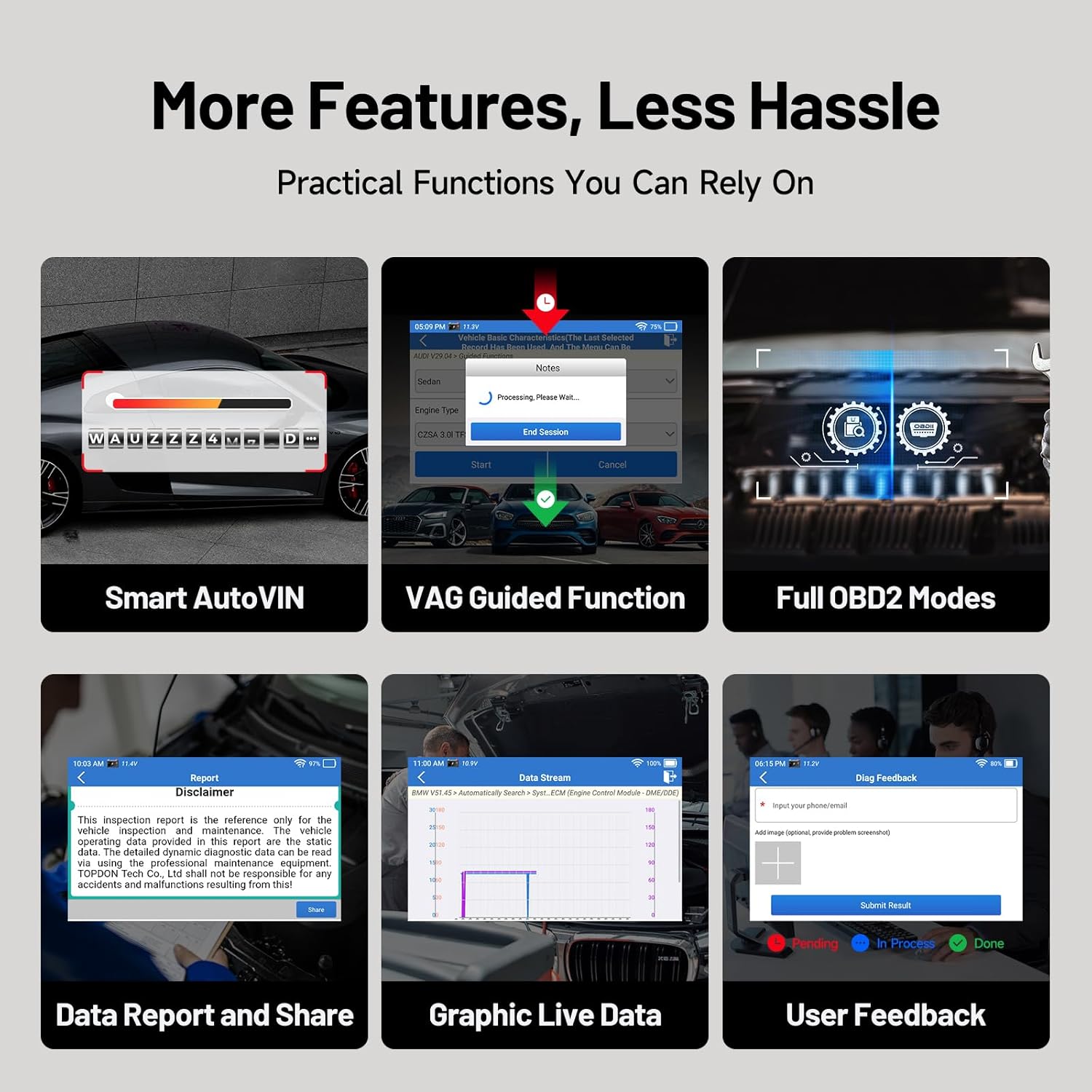
Imagine: Pesteview of additional practical functions on the ArtiDiag EU-BBA.
5. Întreținere
5.1 Actualizări de software
Ensure your device is always up-to-date by regularly checking for and installing software updates via Wi-Fi. These updates provide new features, vehicle coverage, and bug fixes.
5.2 Curăţarea dispozitivului
Ștergeți ecranul și carcasa dispozitivului cu o lavetă moale șiamp Evitați utilizarea de produse de curățare abrazive sau solvenți care ar putea deteriora ecranul sauasing.
5.3 Îngrijirea bateriei
Pentru a prelungi durata de viață a bateriei, evitați descărcarea completă frecventă a dispozitivului. Depozitați dispozitivul într-un loc răcoros și uscat atunci când nu îl utilizați pentru perioade lungi de timp.
6. Depanare
If you encounter issues with your ArtiDiag EU-BBA, consider the following:
- Dispozitivul nu pornește: Ensure the device is charged or properly connected to the vehicle's OBD2 port.
- Probleme de conexiune: Verify the diagnostic cable is securely connected to both the device and the vehicle. Ensure the vehicle's ignition is on.
- Erori la actualizarea software-ului: Check your Wi-Fi connection. Ensure there is sufficient storage space on the device.
- Inaccurate readings or functions: Ensure the vehicle's make, model, and year are correctly identified. Perform a software update to ensure the latest vehicle data is installed.
For persistent issues, utilize the 'User Feedback' function on the device or contact TOPDON customer support.
7. Specificații

Image: Key technical specifications and internal components of the ArtiDiag EU-BBA.
| Caracteristică | Caietul de sarcini |
|---|---|
| Afişa | 4-inch, 800x480 pixels |
| Procesor | Quad-Core de 1.3 GHz |
| RAM | 2 GB |
| ROM | 32 GB |
| Sistem de operare | Android 8.1 |
| Baterie | 3000 mAh Litiu Ion |
| Dimensiuni | 25 x 17.5 x 7.6 cm |
| Greutate | 897 g |
| Limbi acceptate | 11 (including English, French, German, Spanish, Italian, Portuguese, Polish, Russian, Chinese) |
8. Garanție și asistență
8.1 Informații despre garanție
The TOPDON ArtiDiag EU-BBA comes with a 1-year warranty from the date of purchase, covering manufacturing defects. Please retain your proof of purchase for warranty claims.
8.2 Asistență pentru clienți
For technical assistance, warranty inquiries, or any questions regarding the operation of your device, please contact TOPDON customer support. Refer to the official TOPDON website pentru cele mai recente informații de contact.


