1. Produs terminatview
The AUSDOM Full Size Multi-Device Wireless Keyboard offers versatile connectivity and a comfortable typing experience. It supports connection to up to three devices simultaneously via Bluetooth 5.0 or a 2.4Ghz USB receiver. Its low-profile keys feature a scissor-switch mechanism for quiet and precise input. The keyboard includes a full numeric keypad and dedicated shortcut keys, powered by a built-in rechargeable battery.

Imaginea 1.1: Completă view of the AUSDOM Full Size Multi-Device Wireless Keyboard.
Continutul pachetului:
- AUSDOM Full Size Wireless Keyboard
- 2.4GHz USB Receiver (stored in the keyboard's battery compartment)
- Cablu de încărcare USB-C
- Manual de utilizare
2. Configurare și conectare
2.1 Încărcarea tastaturii
Before first use, fully charge the keyboard. Connect the provided USB-C charging cable to the keyboard's charging port and the other end to a USB power source (e.g., computer USB port, USB wall adapter). The charging indicator light will illuminate during charging and turn off when fully charged. A full charge typically takes approximately 1.5 hours and provides up to 200 hours of working time.
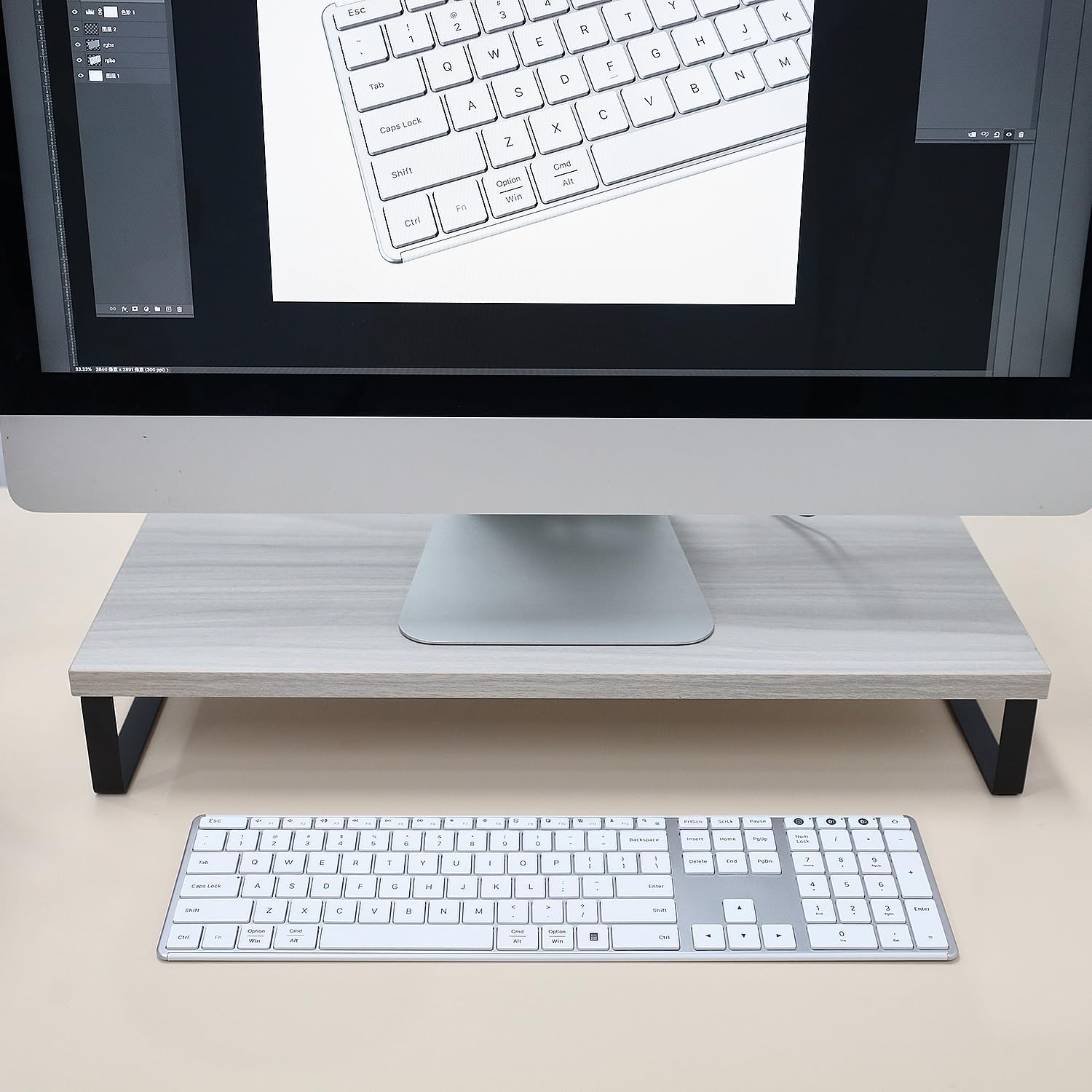
Image 2.1: The keyboard connected via USB-C cable, illustrating the charging process and battery features.
2.2 Connecting via 2.4G Wireless (Device 0)
- Locate the 2.4GHz USB receiver, typically stored in the battery compartment on the underside of the keyboard.
- Introduceți receptorul USB într-un port USB disponibil de pe computer.
- Turn on the keyboard using the power switch located on the top edge.
- Apăsați tasta 2.4G button (often labeled with a USB icon or '0') on the keyboard. The indicator light for the 2.4G connection will blink, then become solid when connected.
- Your keyboard is now ready for use with the 2.4G wireless connection.
2.3 Connecting via Bluetooth (Device 1 & 2)
Tastatura acceptă două conexiuni Bluetooth separate (BT1 și BT2).
- Porniți tastatura folosind comutatorul de alimentare.
- Țineți apăsat fie butonul BT1 or BT2 button for 3-5 seconds until its indicator light starts blinking rapidly. This indicates the keyboard is in pairing mode.
- Pe dispozitivul dvs. (computer, tabletă, smartphone), accesați setările Bluetooth și activați Bluetooth.
- Caută new devices. The keyboard should appear as "AUSDOM Keyboard" or similar.
- Select the keyboard from the list to pair. The indicator light on the keyboard will become solid when successfully paired.
- Repeat these steps for the second Bluetooth connection (BT2) with another device, if desired.

Image 2.2: The keyboard demonstrating its ability to connect to a laptop, monitor, and tablet simultaneously.
2.4 Comutarea între dispozitivele conectate
To switch between your connected devices, simply press the corresponding connection button:
- Presa 2.4G (or '0') for the 2.4GHz wireless connection.
- Presa BT1 for the first Bluetooth connection.
- Presa BT2 for the second Bluetooth connection.
The keyboard will automatically connect to the selected device.
3. Instrucțiuni de utilizare
3.1 Noțiuni de bază de tastare
The keyboard features a standard QWERTY layout with low-profile keys designed for a quiet and comfortable typing experience. The scissor-switch mechanism ensures consistent key travel and responsiveness.

Image 3.1: Close-up of keyboard keys with an illustration of the scissor switch mechanism, highlighting low-profile proiecta.
3.2 Function Keys and Shortcut Keys
The top row of keys (F1-F12) serves dual functions. By default, they may perform multimedia or system control actions. To access the standard F1-F12 functions, press the Fn simultan cu tasta F dorită.
Funcțiile comune ale comenzilor rapide includ:
- Fn + F1-F3: Volume control (Mute, Volume Down, Volume Up)
- Fn + F4-F6: Media playback control (Previous Track, Play/Pause, Next Track)
- Fn + F7-F8: Brightness adjustment (if supported by your device)
- Fn + F9-F12: Other system functions (e.g., Search, Share, Settings)

Image 3.2: The full keyboard layout, including the numeric keypad and dedicated shortcut keys.
3.3 Tastatură numerică
The dedicated numeric keypad on the right side of the keyboard allows for efficient data entry. Ensure the Num Lock key is activated for the numeric keys to function as numbers. When Num Lock is off, these keys may function as navigation keys (Home, End, PgUp, PgDn).
3.4 Modul de economisire a energiei
To conserve battery life, the keyboard will automatically enter sleep mode after 30 minutes of inactivity. To wake the keyboard, press any key. There may be a slight delay (approximately 1-2 seconds) for the connection to re-establish.
4. Întreținere
4.1 Curățare
To clean your keyboard, first turn it off. Use a soft, lint-free cloth slightly dampened with water or a mild cleaning solution. Avoid using harsh chemicals, abrasive cleaners, or excessive moisture, as these can damage the keyboard. For cleaning between keys, a can of compressed air can be used to remove dust and debris.
4.2 Îngrijirea bateriei
The keyboard contains a built-in rechargeable lithium battery. To prolong battery life:
- Evitați descărcarea completă frecventă a bateriei.
- Charge the keyboard when the low battery indicator appears.
- If storing the keyboard for an extended period, charge it to approximately 50% and store it in a cool, dry place.
4.3 Depozitare
When not in use for a long period, turn off the keyboard to prevent battery drain. Store it in a clean, dry environment away from extreme temperatures and direct sunlight.
5. Depanare
If you encounter issues with your AUSDOM keyboard, please refer to the following common solutions:
5.1 Keyboard Not Responding / Connection Issues
- Verificați puterea: Asigurați-vă că tastatura este pornită și are bateria suficient încărcată. Reîncărcați-o dacă este necesar.
- Restabiliți conexiunea: For 2.4G, unplug and re-insert the USB receiver. For Bluetooth, go to your device's Bluetooth settings, "forget" or "remove" the keyboard, and then re-pair it following the instructions in Section 2.3.
- Schimbă canale: Ensure you have selected the correct channel (2.4G, BT1, or BT2) for your active device.
- Interferență: Mutați tastatura mai aproape de dispozitiv și departe de alte dispozitive wireless care ar putea cauza interferențe.
- Compatibilitate dispozitiv: Verify that your device's operating system and Bluetooth version are compatible with the keyboard.
5.2 Keys Not Registering or Delayed Input
- Nivel baterie: Low battery can cause intermittent key presses. Charge the keyboard fully.
- Trezire din somn: If the keyboard was in sleep mode, press any key and wait a moment for it to reconnect.
- Curățați tastele: Ensure no debris is lodged under the keys. Refer to Section 4.1 for cleaning instructions.
5.3 Numeric Keypad Not Working
- Num Lock: Apăsați tasta Num Lock key to activate the numeric keypad. The Num Lock indicator light should be on.
If these steps do not resolve your issue, please contact AUSDOM customer support for further assistance.
6. Specificații
| Model | AUSDOM Full Size Multi-Device Wireless Keyboard (B0DGL7ZJS8) |
| Tehnologia de conectivitate | Wireless 2.4 GHz, Bluetooth 5.0 |
| Dispozitive compatibile | Laptop, PC, Smart TV, Smartphone, Tablet (Windows, Mac, iOS, Android) |
| Descrierea tastaturii | Full Size, Low-Profile Keys, Numeric Keypad, Shortcut Keys |
| Caracteristici speciale | Ușor, cu conținut scăzut de substanțefile Key, Rechargeable, Silent, Quiet |
| Baterie | 1 baterie litiu-ion (inclusă), 280 mAh |
| Timp de încărcare | Aproximativ. 1.5 ore |
| Timp de lucru | Până la 200 ore (la o singură încărcare) |
| Modul de repaus automat | După 30 de minute de inactivitate |
| Dimensiunile produsului | 16.73 x 4.49 x 0.5 inchi (42.42 x 11.43 x 1.27 cm) |
| Greutatea articolului | 1.72 lire (0.78 kg) |
| Material | Aluminiu, plastic |
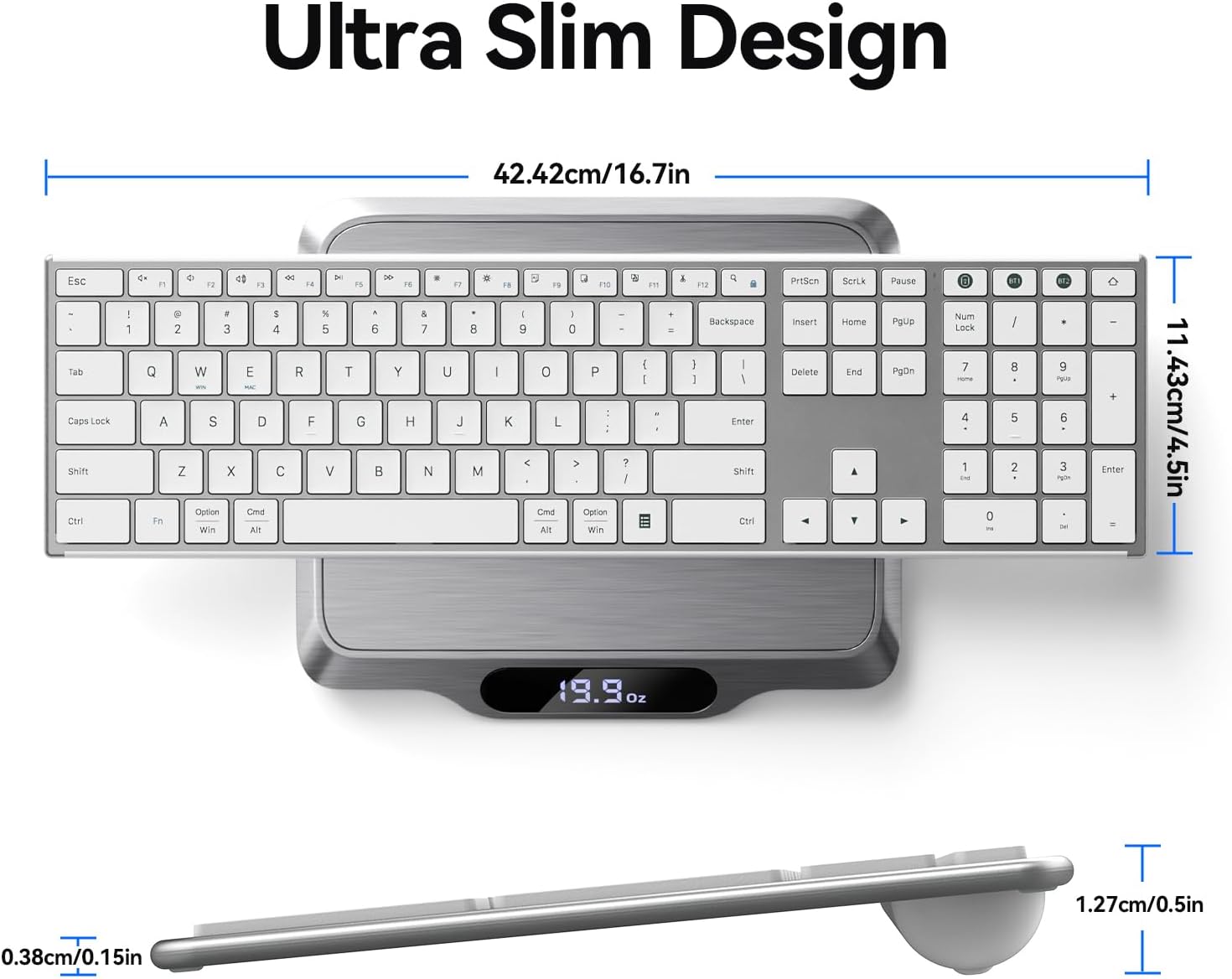
Imaginea 6.1: De sus în jos view of the keyboard on a scale, showing its dimensions and weight.
7. Garanție și asistență
This AUSDOM keyboard comes with a one-year warranty from the date of purchase. This warranty covers manufacturing defects and issues arising from normal use.
For warranty claims, technical support, or any questions regarding your product, please contact AUSDOM customer service. Contact information can typically be found on the AUSDOM official website sau prin intermediul platformei dvs. de achiziții.
Vă rugăm să păstrați dovada achiziției pentru validarea garanției.


