Introducere
Mulțumesc pentru achizițieasing the Edifier MG300 Computer Speakers PC SoundBar. This manual provides essential information for setting up, operating, and maintaining your new soundbar. Please read this manual thoroughly before use to ensure proper functionality and to maximize your listening experience.
Informații de siguranță
Pentru a reduce riscul de electrocutare, incendiu sau deteriorare a dispozitivului, vă rugăm să respectați următoarele măsuri de siguranță:
- Nu expuneți dispozitivul la ploaie sau umezeală.
- Nu așezați pe dispozitiv obiecte pline cu lichide, cum ar fi vaze.
- Nu instalați lângă nicio sursă de căldură, cum ar fi calorifere, registre de căldură, sobe sau alte aparate (inclusiv ampliificatori) care produc căldură.
- Utilizați numai atașamente/accesorii specificate de producător.
- Pentru toate lucrările de întreținere, adresați personalului de service calificat.
Conținutul pachetului
Vă rugăm să bifați căsuța pentru următoarele elemente:
- Edifier MG300 Soundbar
- Cablu USB-A la USB-C
- Manual de utilizare
Produs terminatview
The Edifier MG300 Soundbar features dual 52mm full-range speakers and dual inverter tubes for balanced audio. It includes dynamic RGB lighting effects and a hidden microphone for clear voice communication. Control buttons are located on the top panel for easy access.
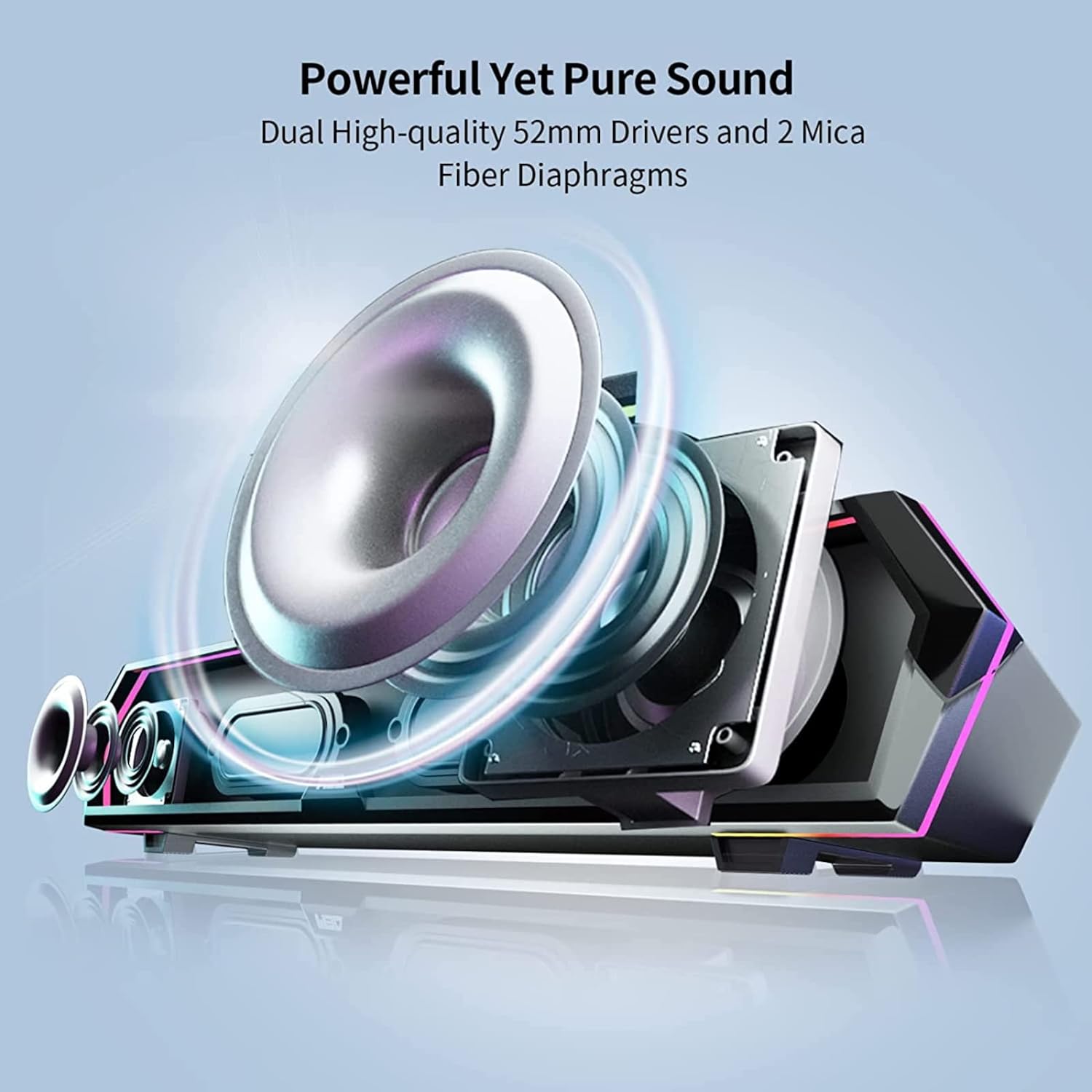
Image: Internal Speaker Components
This image illustrates the internal structure of the soundbar, showcasing the dual 52mm drivers and mica fiber diaphragms designed for powerful and pure sound reproduction.
Înființat
1. Plasare
Position the Edifier MG300 soundbar on a stable, flat surface, ideally directly under your computer monitor. Its compact design (485mm x 70mm x 80mm) is optimized to save desktop space.

Image: Soundbar Placement
The soundbar is shown positioned beneath a computer monitor, demonstrating its space-saving design and ideal placement for desktop use.
2. Power and Connection Options
The MG300 offers two primary connection methods: USB-A and Bluetooth 5.3.
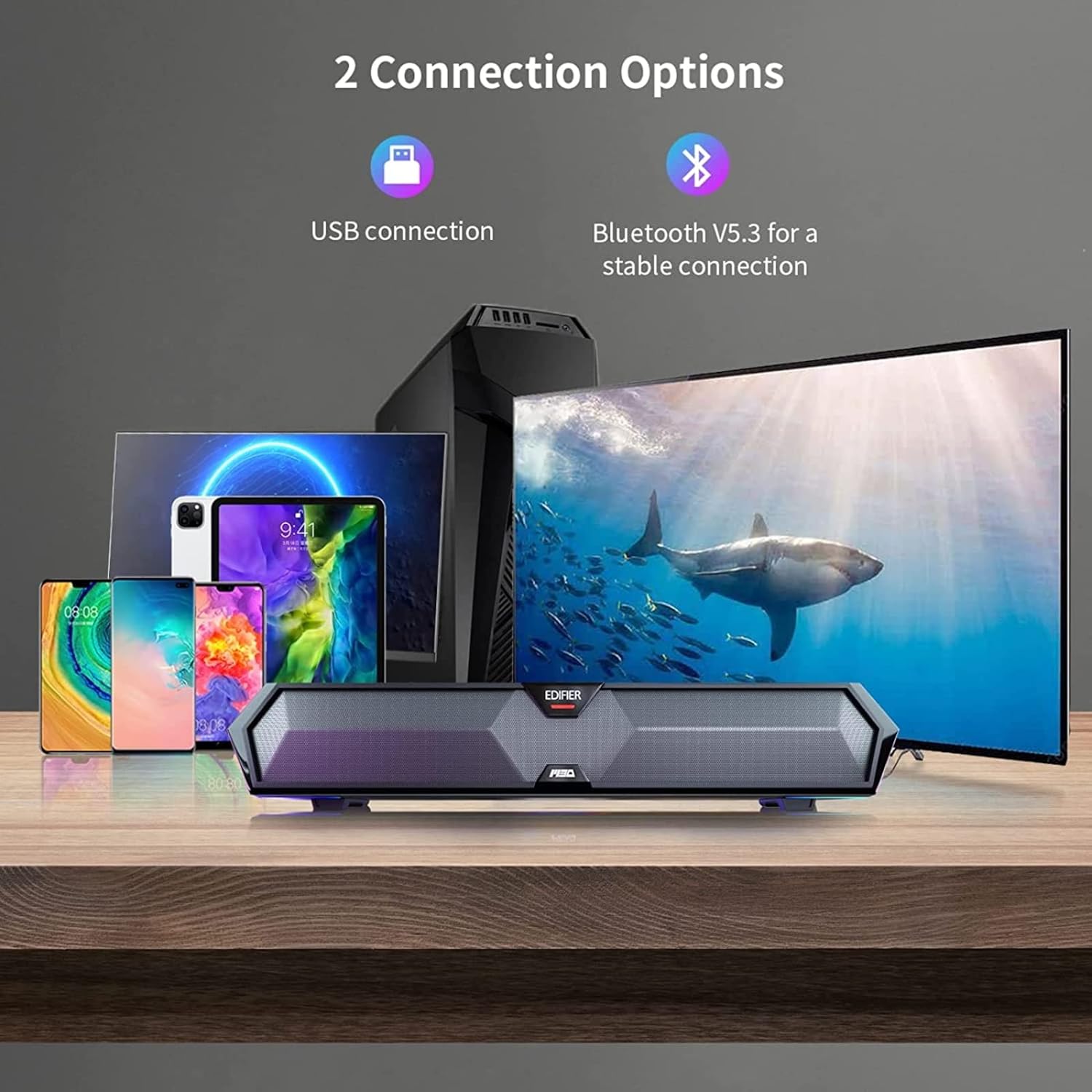
Image: Connection Options
This image illustrates the two main ways to connect the soundbar: via USB to a computer or wirelessly via Bluetooth to mobile devices.
Conexiune USB (pentru PC)
- Connect the provided USB-A to USB-C cable to the USB-C port on the back of the soundbar.
- Plug the USB-A end into an available USB port on your computer.
- The soundbar will power on automatically and be recognized as an audio output device by your computer.
Conexiune Bluetooth (pentru dispozitive mobile)
- Press the Bluetooth button on the top panel of the soundbar to enter Bluetooth pairing mode. The RGB lights will flash to indicate pairing mode.
- Pe dispozitivul mobil (smartphone, tabletă), activați Bluetooth și căutați dispozitivele disponibile.
- Select "Edifier MG300" from the list of devices to pair.
- Once connected, the RGB lights will stop flashing and remain solid.
Instrucțiuni de operare
1. Pornire/Oprire
Apăsați și mențineți apăsat butonul de pornire (U) on the top panel to turn the soundbar on or off.
2. Controlul volumului
Folosește butonul de mărire a volumului (+) și reducerea volumului (-) buttons on the top panel to adjust the audio level.
3. Controlul iluminării RGB
The soundbar features dynamic RGB lighting effects. Press the light control button (O:) on the top panel to cycle through different lighting modes or to turn the lights off.
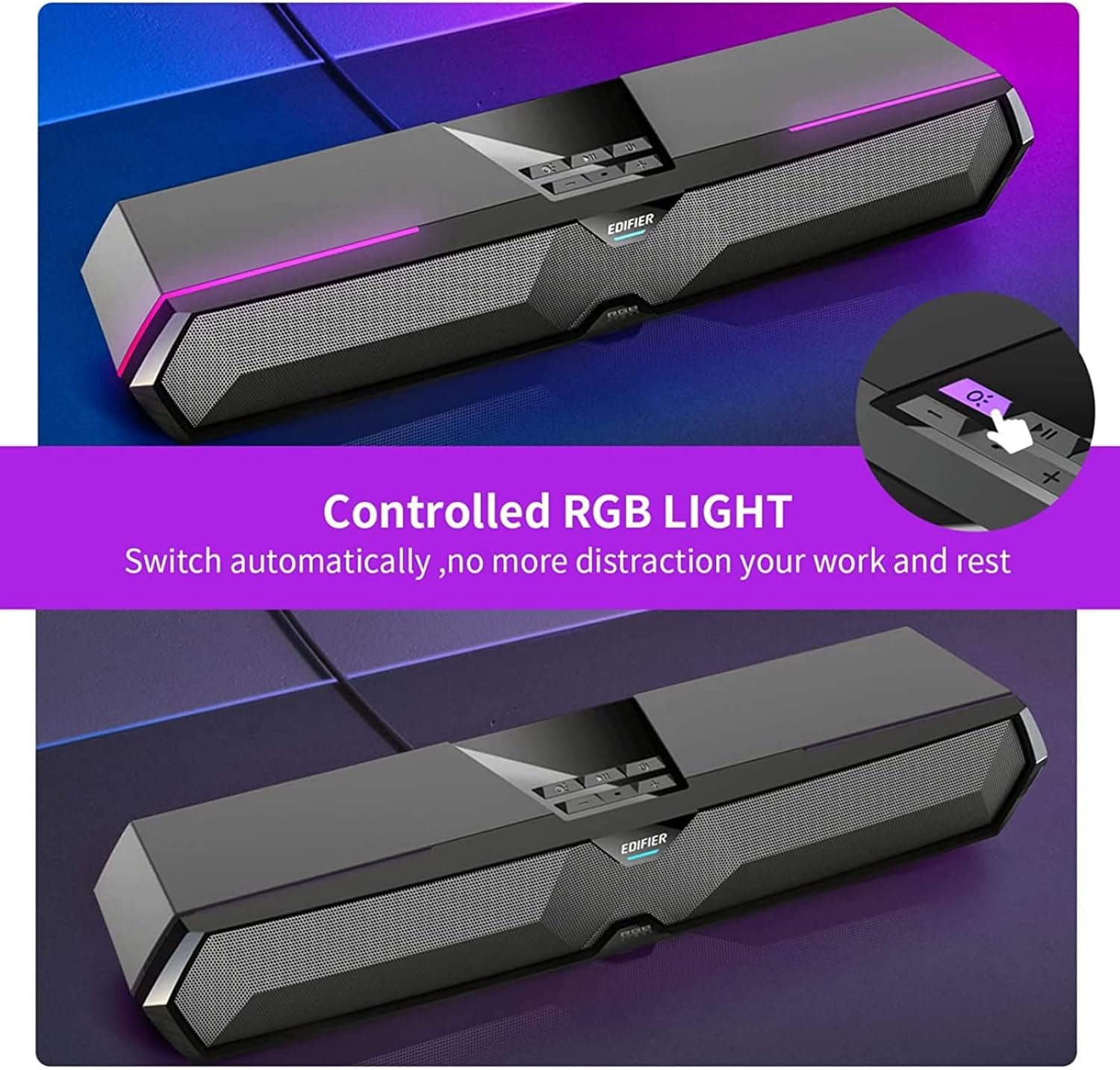
Image: RGB Light Control
This image shows the control panel on the soundbar, indicating the button used to manage the RGB lighting effects.
4. Music and Game Sound Modes
The MG300 offers optimized sound effects for both music and gaming. Press the mode button (often integrated with play/pause or a dedicated button) to switch between these modes. In music mode, vocals are amplified for a richer listening experience. In game mode, environmental details are enhanced for immersive realism.

Image: Game and Music Modes
This image demonstrates the soundbar's adaptability, showing it in use for both gaming and music listening, each with optimized sound profiles.
5. Using the Hidden Microphone
The soundbar features a hidden microphone, cleverly integrated under a silicone protective sleeve on the top panel. This design helps isolate external vibrations, ensuring crystal clear voice calls and communication during gaming or online meetings.

Image: Hidden Microphone in Use
This image depicts the soundbar's hidden microphone being utilized during a gaming session, emphasizing its clarity for in-game communication.
Întreţinere
To ensure the longevity and optimal performance of your Edifier MG300 soundbar, follow these maintenance guidelines:
- curatenie: Use a soft, dry cloth to wipe the surface of the soundbar. Do not use liquid cleaners or aerosol sprays, as they may damage the finish or internal components.
- Depozitare: Când nu este utilizată pentru perioade lungi de timp, depozitați soundbar-ul într-un loc răcoros și uscat, ferit de lumina directă a soarelui și de temperaturi extreme.
- Evitați obstacolele: Ensure that the speaker grilles are not obstructed to maintain proper sound dispersion and prevent overheating.
Depanare
If you encounter any issues with your Edifier MG300 soundbar, please refer to the following common problems and solutions:
- Fără sunet:
- Ensure the soundbar is powered on and connected correctly (USB or Bluetooth).
- Check the volume levels on both the soundbar and your connected device.
- If using USB, verify that the soundbar is selected as the default audio output device in your computer's sound settings.
- If using Bluetooth, ensure the device is paired and within range. - Calitate slabă a sunetului:
- Ensure the soundbar is placed on a stable surface and not obstructed.
- Try adjusting the volume and switching between music/game modes.
- If connected via Bluetooth, try moving closer to the soundbar to improve signal strength. - Luminile RGB nu funcționează:
- Press the light control button (O:) pentru a parcurge modurile sau pentru a le activa.
- Ensure the soundbar is powered on. - Microfonul nu funcționează:
- Ensure the soundbar is connected via USB to your PC.
- Check your computer's sound settings to ensure the soundbar's microphone is selected as the input device.
Specificații
| Numele modelului | MG300 |
| Tip difuzor | Cameră multiplă |
| Caracteristica specială | Portabil |
| Utilizări recomandate | Pentru calculatoare |
| Dispozitive compatibile | Calculator, Laptop, Smartphone, Tabletă |
| Configurare canal de sunet surround | 2.0 |
| Total Output Power (RMS) | 2.5W + 2.5W (5 wați în total) |
| Versiune Bluetooth | V5.3 |
| Raspuns in frecventa | 80Hz - 20kHz |
| Dimensiuni (L x A x A) | 485mm x 70mm x 80mm (15.67"D x 3.33"W x 2.89"H) |
| Greutate netă | 0.9 kg (2.6 lire) |
| Intrări audio | Bluetooth, USB-A Soundcard |
| Metoda de control | Atingere |
| Dimensiunea driverului audio | 52 milimetri |
Videoclip oficial al produsului
Video: Edifier MG300 Overview
Acest videoclip oferă un overview of the Edifier MG300 soundbar, showcasing its features and design. It highlights the multi-driver PC soundbar and subwoofer, Bluetooth 5.3 connectivity, seamless PC and mobile connection, game sound effects, dynamic RGB lighting, USB connection, hidden mic, and immersive sound capabilities.
Garanție și suport
The Edifier MG300 SoundBar comes with a Limited Warranty. For detailed warranty information or technical support, please refer to the official Edifier website or contact their customer service. Protection plans are also available for extended coverage.


