Introducere
Mulțumesc pentru achizițieasing the AZATOM A2 Portable DAB/DAB+ Digital Radio. This compact and versatile device is designed to provide high-quality digital and FM radio reception, offering a superior listening experience on the go. Please read this manual carefully to understand the features and operation of your new radio.

The AZATOM A2 radio, showcasing its stylish and compact design, perfect for portability.
Ce este în cutie
- AZATOM A2 Portable DAB/DAB+ Digital Radio
- Cablu USB-C
- Căști sportive
- Manual de utilizare (acest document)
- Card de garanție
Produs terminatview
Familiarize yourself with the buttons and ports on your AZATOM A2 radio:

Faţă view of the AZATOM A2 radio, highlighting the display and control buttons.
- Butonul de pornire: Pornește/oprește radioul.
- Butonul MENU: Accesează opțiunile de meniu.
- Butoane VOL+ / VOL-: Reglează nivelul volumului.
- ENTER/SCAN Button: Confirmă selecțiile sau inițiază scanarea posturilor.
- PRESET Buttons (1/2, 3/4): Recalls stored preset stations.
- Butonul MOD: Comută între modurile DAB/DAB+ și FM.
- Mufă pentru căști: Connects the included earphones, which also function as the antenna.
- Port USB-C: Pentru încărcarea dispozitivului.
Înființat
1. Încărcarea bateriei
Before first use, fully charge the radio. Connect the supplied USB-C cable to the radio's USB-C port and the other end to a USB power adapter (not included) or a computer's USB port. The display will indicate charging status. A full charge provides up to 24 hours of playtime.

The AZATOM A2 features a long-lasting rechargeable battery for extended use.
2. Connecting Earphones (Antenna)
The included earphones serve as the radio's antenna for both DAB/DAB+ and FM reception. It is essential to connect the earphones to the 3.5mm jack before operating the radio to ensure proper signal reception.
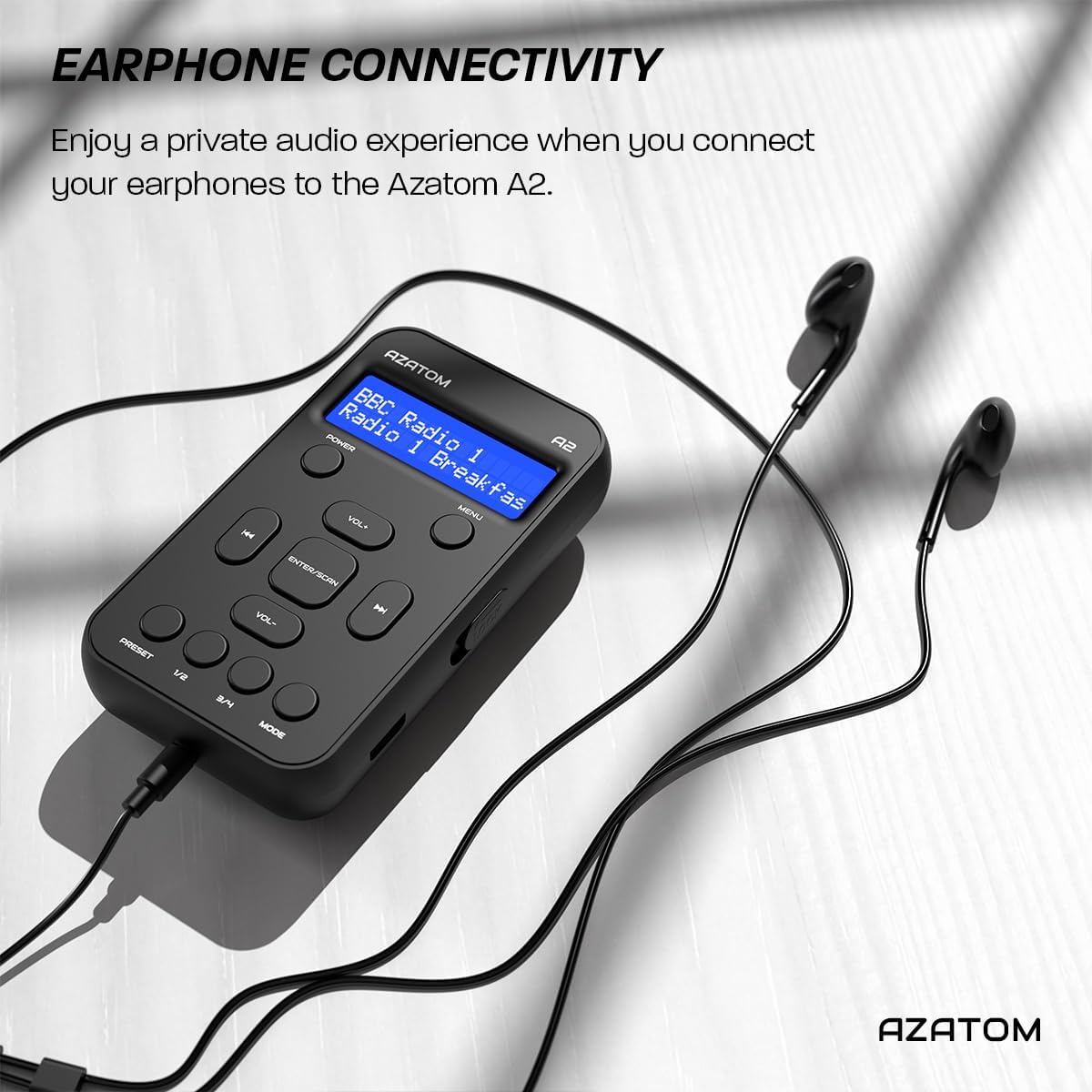
Connect the supplied earphones to the radio for optimal reception and a private listening experience.
Instrucțiuni de operare
Pornire/Oprire
- Țineți apăsat butonul PUTERE buton pentru a porni sau opri radioul.
Funcționare radio DAB/DAB+

The AZATOM A2 supports both DAB/DAB+ and FM radio technologies.
- Ensure the earphones are connected.
- Apăsați tasta MOD button until 'DAB' or 'DAB+' is displayed.
- The radio will automatically perform a full scan for available DAB/DAB+ stations upon first use or if no stations are found. To manually scan, press and hold the ENTER/SCANARE buton.
- Utilizați VOL+ or VOL- buttons to navigate through the list of found stations.
- Presa ENTER/SCANARE pentru a selecta o stație.
Funcționare radio FM
- Ensure the earphones are connected.
- Apăsați tasta MOD apăsați butonul până când se afișează „FM”.
- To auto-scan for FM stations, press and hold the ENTER/SCANARE butonul. Radioul va scana și va salva posturile disponibile.
- Pentru a regla manual, apăsați scurt butonul VOL+ or VOL- buttons to adjust the frequency in small increments.
Setarea și reamintirea presetărilor
The AZATOM A2 allows you to store up to 40 DAB+ and 40 FM favorite stations.

The AZATOM A2 allows for easy recall of your favorite preset stations.
Pentru a stoca o presetare:
- Acordați postul dorit.
- Apăsați și mențineți apăsat unul dintre PRESETARE buttons (1/2 or 3/4) until the display shows 'Preset Store'.
- Utilizați VOL+ or VOL- pentru a selecta numărul presetat dorit (1-40).
- Presa ENTER/SCANARE pentru a confirma și salva postul.
Pentru a rechema o presetare:
- Apăsați scurt pe unul dintre PRESETARE buttons (1/2 or 3/4).
- Utilizați VOL+ or VOL- buttons to navigate through your stored presets.
- Presa ENTER/SCANARE to select and play the desired preset station.
Controlul volumului
- Presa VOL+ pentru a crește volumul.
- Presa VOL- pentru a reduce volumul.
Luminozitatea afișajului
The XL digital display's brightness can be adjusted to your preference. Access this setting through the MENU options.

Un prim plan view of the AZATOM A2's clear digital display.
Întreţinere
- curatenie: Folosiți o lavetă moale și uscată pentru a curăța suprafața radioului. Nu utilizați produse de curățare abrazive sau solvenți.
- Îngrijirea bateriei: To prolong battery life, avoid fully discharging the battery frequently. Charge the radio regularly, even if not in use for extended periods.
- Depozitare: Depozitați radioul într-un loc răcoros și uscat, ferit de lumina directă a soarelui și de temperaturi extreme.
Depanare
| Problemă | Cauza posibila | Soluţie |
|---|---|---|
| No power/Radio won't turn on. | Bateria este epuizată. | Charge the radio using the supplied USB-C cable. |
| Recepție radio slabă (DAB/FM). | Earphones not connected or not fully inserted. Weak signal area. | Ensure earphones are securely connected. Try moving to an open area or near a window. Perform a new scan. |
| Nici un sunet. | Volume is too low or muted. Earphones not connected. | Increase the volume using VOL+. Ensure earphones are connected. |
| Radio freezes or becomes unresponsive. | Eroare temporară de software. | Press and hold the POWER button to force a restart. If issue persists, allow battery to fully discharge then recharge. |
Specificații

Dimensions of the AZATOM A2 radio.
| Caracteristică | Detaliu |
|---|---|
| Model | A2 |
| Dimensiuni (L x l x H) | 9 x 4 x 11 cm (aprox. 90 mm x 50 mm x 24 mm) |
| Greutate | 90 g |
| Benzile radio acceptate | DAB, DAB+, FM |
| Presetări | 40 DAB+, 40 FM |
| Tip baterie | Rechargeable Lithium Ion (1800mAh) |
| Timp de joacă | Până la 24 ore |
| Tip de afișare | LCD |
| Conectivitate | USB-C (for charging), 3.5mm Earphone Jack |
| Material | Plastic |
Garanție și suport
AZATOM products are designed and engineered in the UK. The AZATOM A2 comes with a premium 3-year warranty (registration required). For any questions or support, please contact our dedicated customer service team. Lifetime customer support is provided to assist you with any queries.
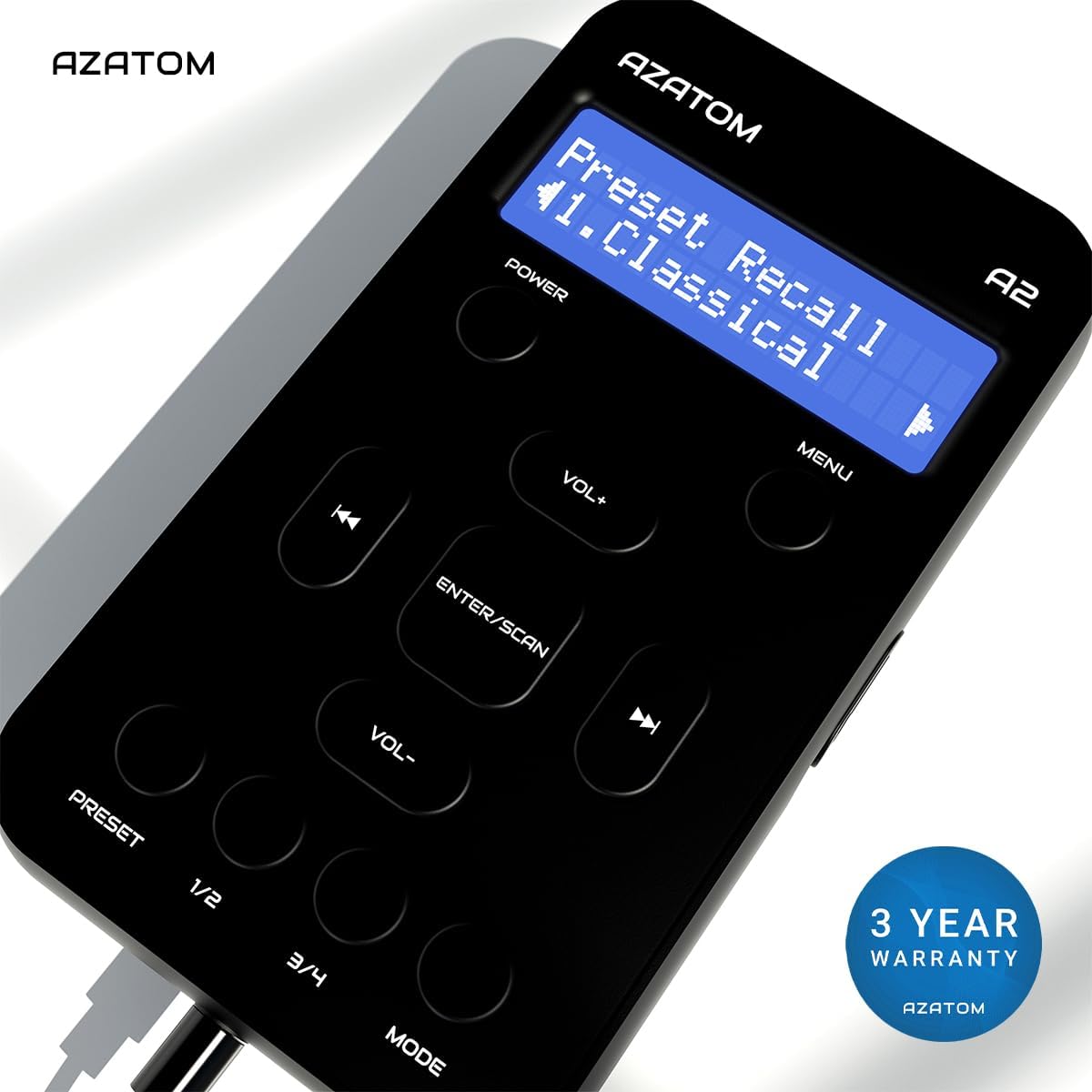
The AZATOM A2 is backed by a 3-year warranty.


