1. Introducere
The ThinkScan SR6 is a professional OBD2 diagnostic scanner designed for comprehensive vehicle system analysis and maintenance. It supports diagnostics for six major vehicle systems: Anti-lock Braking System (ABS), Supplemental Restraint System (SRS), Body Control Module (BCM), Tire Pressure Monitoring System (TPMS), Engine Control Module (ECM), and Transmission Control Module (TCM). Additionally, it offers five essential reset functions: Electronic Parking Brake (EPB) Reset, Tire Pressure Monitoring System (TPMS) Reset, Oil Light Reset, Steering Angle Sensor (SAS) Reset, and Throttle Body Adjustment (TBA).
This manual provides detailed instructions on how to set up, operate, and maintain your ThinkScan SR6 device to ensure accurate and efficient vehicle diagnostics.
Ce este în cutie
- ThinkScan SR6 Diagnostic Tool (with integrated OBD2 cable)
- Cablu de date/încărcare USB
- Manual de utilizare
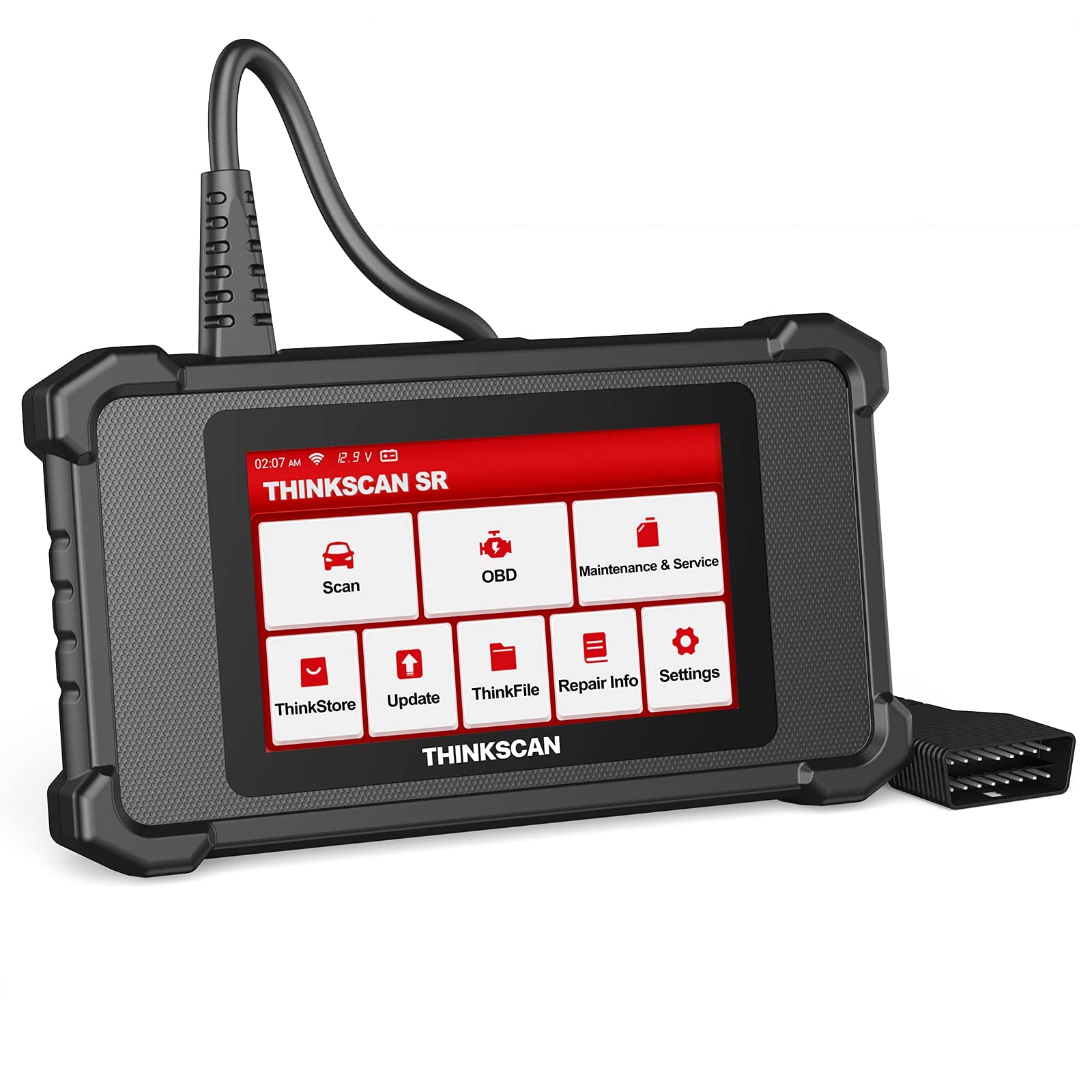
Image: ThinkScan SR6 OBD2 Scanner device and its packaging.
Video: Un pesteview of the ThinkScan SR6 Scan Tool, demonstrating its unboxing and initial features. This video highlights the device's physical components and basic interface.
2. Configurare
2.1 Conectarea la vehiculul dumneavoastră
- Localizați conectorul de legătură de date (DLC) cu 16 pini al vehiculului. Acesta se găsește de obicei sub bordul de bord, pe partea șoferului.
- Asigurați-vă că aprinderea vehiculului este în poziția OPRIT.
- Plug the ThinkScan SR6's integrated OBD2 cable into the vehicle's DLC. Ensure a secure connection.
- Turn the vehicle's ignition to the ON position (engine can be off or running, depending on the diagnostic task). The device will power on automatically.
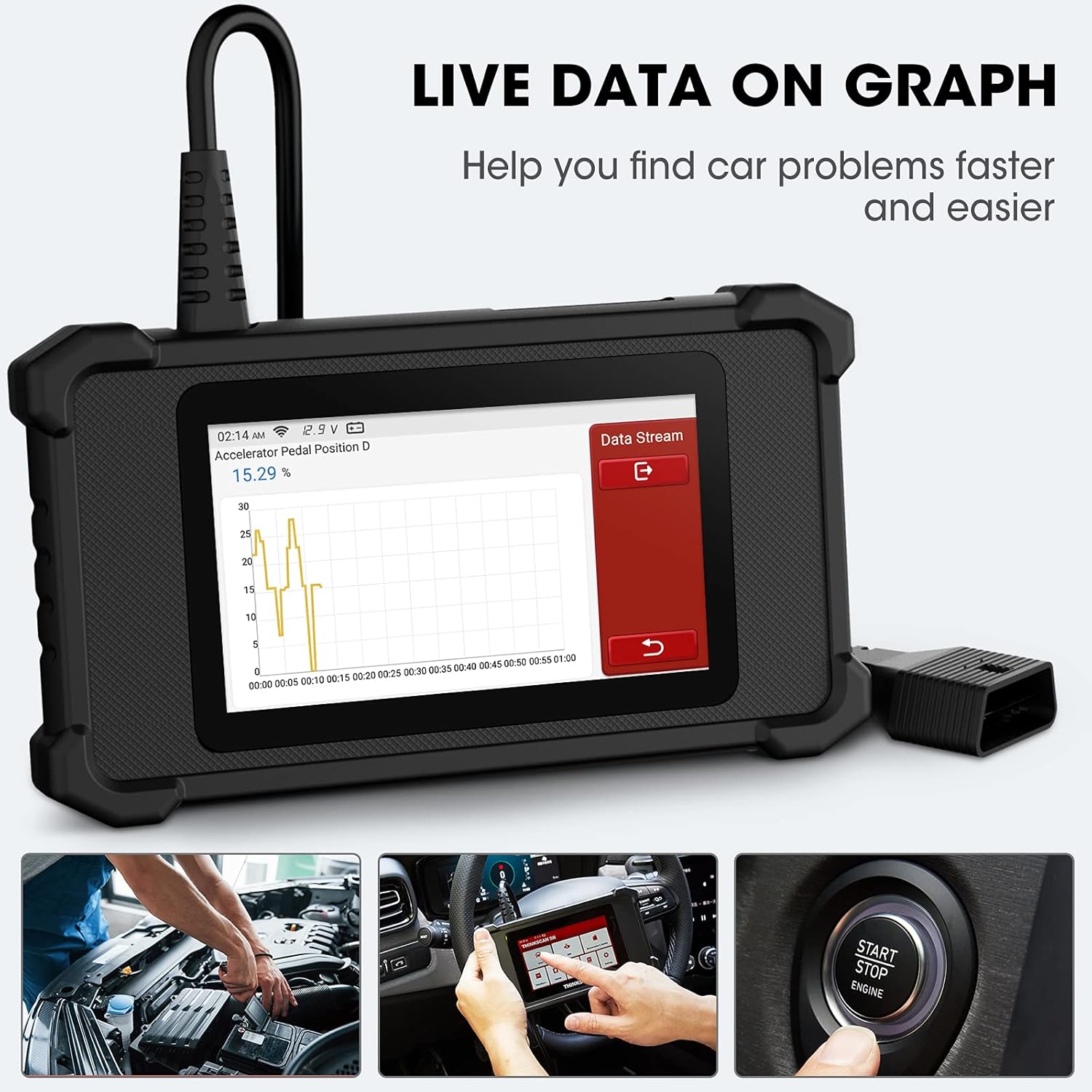
Image: The ThinkScan SR6 device connected to a vehicle's OBD2 port, ready for operation.
2.2 Configurația inițială a dispozitivului
- Upon first use, the device may prompt you to select a language. Follow the on-screen instructions.
- Connect the device to a Wi-Fi network for software updates. Navigate to Setări > Wifi și selectați rețeaua dvs.
- Perform a software update to ensure you have the latest vehicle coverage and diagnostic functions. Go to Actualizare din meniul principal.
3. Funcționare
3.1 Diagnosticarea sistemului
The ThinkScan SR6 supports comprehensive diagnostics for six key vehicle systems. From the main menu, select Scanează pentru a începe.
- Sistem ABS: Diagnoses issues related to the anti-lock braking system.
- Sistem SRS: Checks the supplemental restraint system (airbags).
- BCM System: Analyzes the body control module for electrical and body-related faults.
- TPMS System: Monitors tire pressure and related sensor issues.
- ECM System: Diagnoses engine control module faults.
- TCM System: Checks the transmission control module for transmission-related problems.

Image: Visual representation of the six major vehicle systems supported for diagnostics by the ThinkScan SR6.
3.2 Funcții OBD2 complete
Access standard OBD2 functions by selecting OBD from the main menu. These functions are crucial for emissions-related diagnostics and general engine health checks.
- Citiți codurile: Preia codurile de diagnosticare a erorilor (DTC) de la computerul vehiculului.
- Coduri clare: Șterge codurile de eroare și stinge martorul luminos Check Engine (MIL).
- Blocare cadru: Afișează o imagine a condițiilor de funcționare ale vehiculului în momentul în care a apărut o defecțiune legată de emisii.
- Date live: Shows real-time data streams from various sensors and components.
- Disponibilitate I / M: Verifică disponibilitatea sistemelor de monitorizare a emisiilor.
- Test senzor O2: Preia rezultatele testelor de monitorizare a senzorului de O2.
- Informații despre vehicul: Displays vehicle identification information (VIN, CID, CVN).
- Testul sistemului EVAP: Inițiază un test al sistemului de control al emisiilor prin evaporare.
- Test monitor de bord: Preia rezultatele testelor de monitorizare a diagnosticării la bord.
- Testul componentelor: Permite testarea componentelor specifice ale vehiculului.
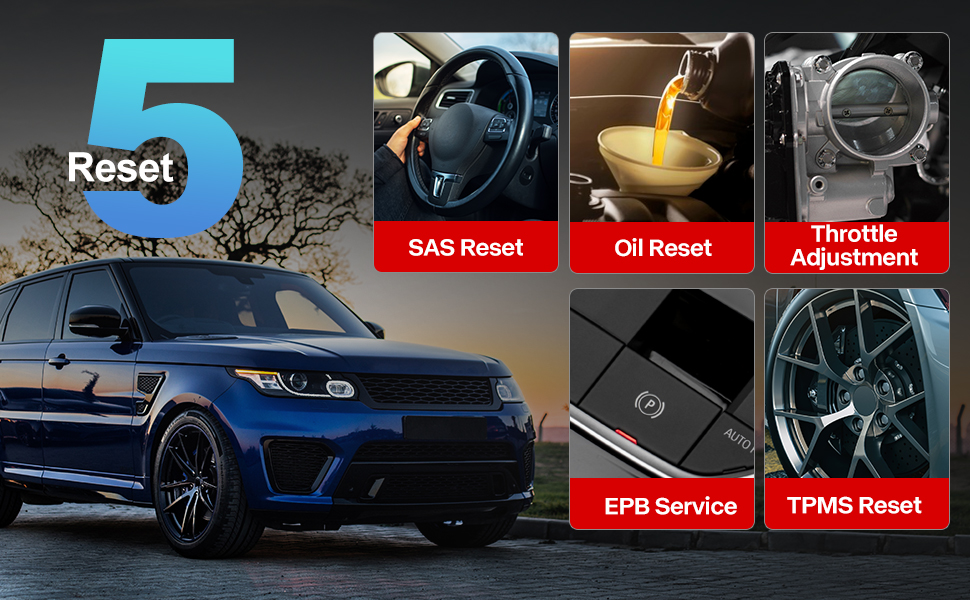
Image: A visual guide to the comprehensive OBD2 functions available on the ThinkScan SR6, including code reading, live data, and vehicle information retrieval.
3.3 DTC Lookup Function
When a Diagnostic Trouble Code (DTC) is retrieved, the ThinkScan SR6 can help you understand its meaning. Navigate to Informații de reparație > Biblioteca de coduri de eroare OBD to input the code and receive a detailed description.
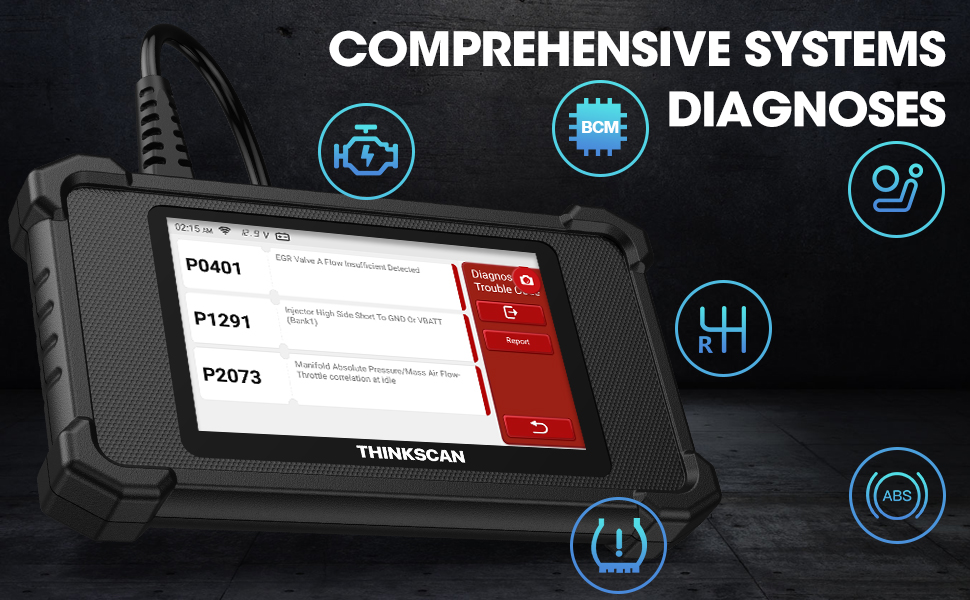
Image: The DTC Lookup function displaying fault codes and their corresponding meanings, aiding in quick diagnosis.
3.4 Live Data Graph
The Live Data function allows you to view real-time sensor data in a graphical format, making it easier to identify anomalies and diagnose intermittent problems. Select OBD > Date live pentru a accesa această funcție.
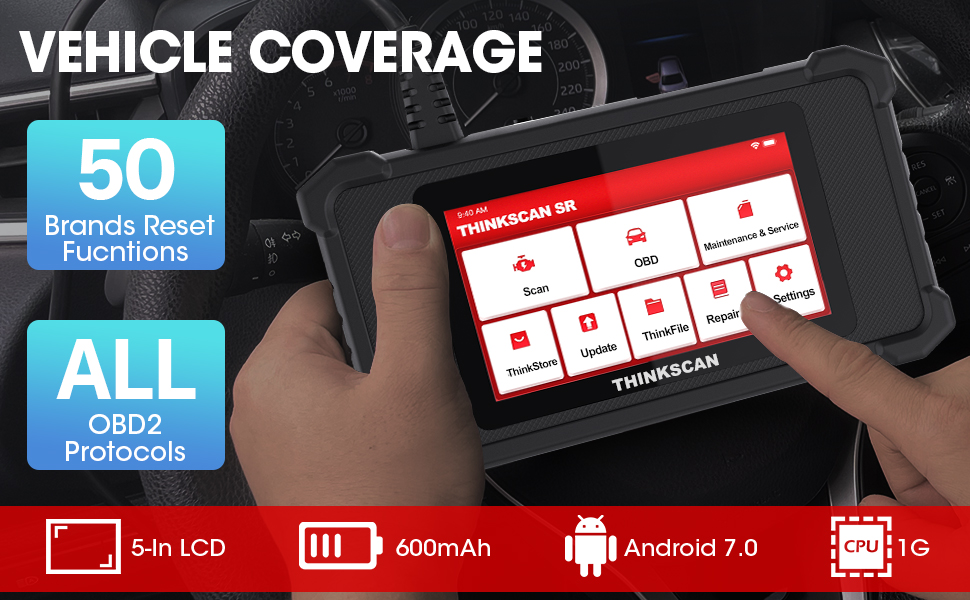
Image: The ThinkScan SR6 displaying live vehicle data in a graphical format, illustrating real-time sensor readings for diagnostic purposes.
4. Maintenance & Service Functions
The ThinkScan SR6 provides five commonly used reset functions to assist with vehicle maintenance. Access these by selecting Întreținere și service din meniul principal.
- Resetare martor ulei: Resetează martorul luminos de service al uleiului după un schimb de ulei.
- Serviciu EPB: Resetează sistemul electronic de frână de parcare după înlocuirea plăcuțelor de frână.
- Resetare SAS: Calibrates the steering angle sensor after steering system repairs.
- Resetare TPMS: Resets the tire pressure monitoring system after tire rotation or sensor replacement.
- TBA (Throttle Body Adjustment): Reînvață poziția corpului clapetei de accelerație.

Image: An illustration of the five free reset functions offered by the ThinkScan SR6, including throttle adjustment and various system resets.
4.1 Actualizări de software
Regular software updates are essential to ensure your ThinkScan SR6 has the latest vehicle models, diagnostic functions, and bug fixes. The device supports Wi-Fi updates for convenience.
- Asigurați-vă că dispozitivul este conectat la o rețea Wi-Fi stabilă.
- Din meniul principal, selectați Actualizare.
- Urmați instrucțiunile de pe ecran pentru a descărca și instala actualizările disponibile.

Image: A comparison highlighting the ThinkScan SR6's features, including its 5-inch touch screen, Android 7.0 OS, and one-click Wi-Fi update capability.
5. Depanare
If you encounter issues with your ThinkScan SR6, consider the following common solutions:
- Dispozitivul nu pornește: Ensure the OBD2 cable is securely connected to the vehicle's DLC and the vehicle's ignition is ON. Check the vehicle's battery voltage.
- Connection errors: Verify the OBD2 cable connection. Try connecting to a different vehicle (if available) to rule out vehicle-specific issues. Ensure Wi-Fi is stable for updates.
- Funcția de diagnosticare nu funcționează: Ensure the vehicle model and year are supported for the specific function. Perform a software update.
- Understanding fault codes: Utilizați Biblioteca de coduri de eroare OBD sub Informații de reparație to look up DTC meanings.
For more detailed troubleshooting or specific repair information, the device includes a Informații de reparație section with a fault code library, coverage list, and video tutorials. You can also connect the device to Wi-Fi and use the Video option to search for relevant repair guides.
6. Specificații
| Caracteristică | Detaliu |
|---|---|
| Marca | thinkcar |
| Numărul de model | TKSR6 |
| Dimensiunea ecranului | 5 inchi |
| Sistem de operare | Android 7.0 |
| Sursa de alimentare | Alimentat cu baterie |
| Greutatea articolului | 1 lire sterline |
| Dimensiunile produsului | 4.13 x 8.07 x 1.18 inci |
| baterii | Sunt necesare 1 baterii cu litiu polimer (incluse) |
| Acoperire vehicul | US-based vehicles after 1996, EU-based vehicles after 2000, Asia-based vehicles after 2008 |
7. Garanție și asistență
For technical assistance, warranty information, or any inquiries regarding your ThinkScan SR6 device, please contact thinkcar customer support. The manufacturer provides 7*24 hours support.
E-mail: jushi@thinkcar.com
Please refer to the official thinkcar website or the included warranty card for detailed warranty terms and conditions.


