Introducere
The cimetech Wireless Mouse TM004 is a 2.4G cordless mouse designed for comfort and efficiency. It features silent clicks, adjustable DPI settings, and broad compatibility with various operating systems and devices. This manual provides instructions for setup, operation, maintenance, and troubleshooting to ensure optimal performance.

Image: The cimetech Wireless Mouse TM004 in grey, shown with its compact USB receiver.
Conținutul pachetului
- 1 x Mouse fără fir
- 1 x Receptor USB
- 1 x Manual de utilizare
Instrucțiuni de configurare
1. Instalarea bateriei
The cimetech Wireless Mouse TM004 requires one (1) AA battery for operation. To install the battery:
- Localizați capacul compartimentului bateriei pe partea inferioară a mouse-ului.
- Deschideți capacul.
- Introduceți o baterie AA, asigurându-vă că polaritatea (+/-) corespunde cu diagrama din interiorul compartimentului.
- Închideți bine capacul compartimentului bateriei.

Image: The bottom of the mouse, indicating the battery compartment, USB receiver storage, and the power switch.
2. Conectați receptorul USB
The mouse uses a 2.4G wireless connection via a USB receiver. To connect:
- Scoateți receptorul USB din slotul său de stocare de pe partea inferioară a mouse-ului.
- Conectați receptorul USB la un port USB disponibil de pe computer sau dispozitiv.
- Your operating system should automatically detect and install the necessary drivers. This is a plug-and-play device, requiring no additional software installation.

Image: The wireless mouse in use, demonstrating its connection to a laptop via the USB receiver.
3. Pornire/Oprire
Localizați comutatorul Pornit/Oprit pe partea inferioară a mouse-ului. Glisați comutatorul în poziția „Pornit” pentru a activa mouse-ul. Glisați-l în poziția „Oprit” atunci când nu îl utilizați pentru a economisi bateria.
Instrucțiuni de operare
Funcții de bază
- Butonul din stânga: Primary click function, typically used for selecting items.
- Butonul din dreapta: Secondary click function, typically used for context menus.
- Rotiță de defilare: Folosit pentru derularea documentelor și web pagini. Poate funcționa și ca buton pentru clic din mijloc.
Ajustare DPI
The mouse features 3 adjustable DPI (Dots Per Inch) settings: 800, 1200, and 1600. DPI controls the cursor sensitivity and speed. To adjust the DPI:
- Press the DPI Switch Button located behind the scroll wheel.
- Each press cycles through the available DPI settings (800 → 1200 → 1600).
- Select the DPI setting that best suits your work or entertainment needs for accurate and fast tracking.

Image: The mouse highlighting its DPI adjustment button and the silent click feature, with DPI levels of 800, 1200, and 1600.
Butoane înainte/înapoi
The mouse is equipped with additional side buttons, typically located on the left side. These buttons are often used for navigation, such as 'Forward' and 'Backward' in web browsere sau file explorers, enhancing efficiency.
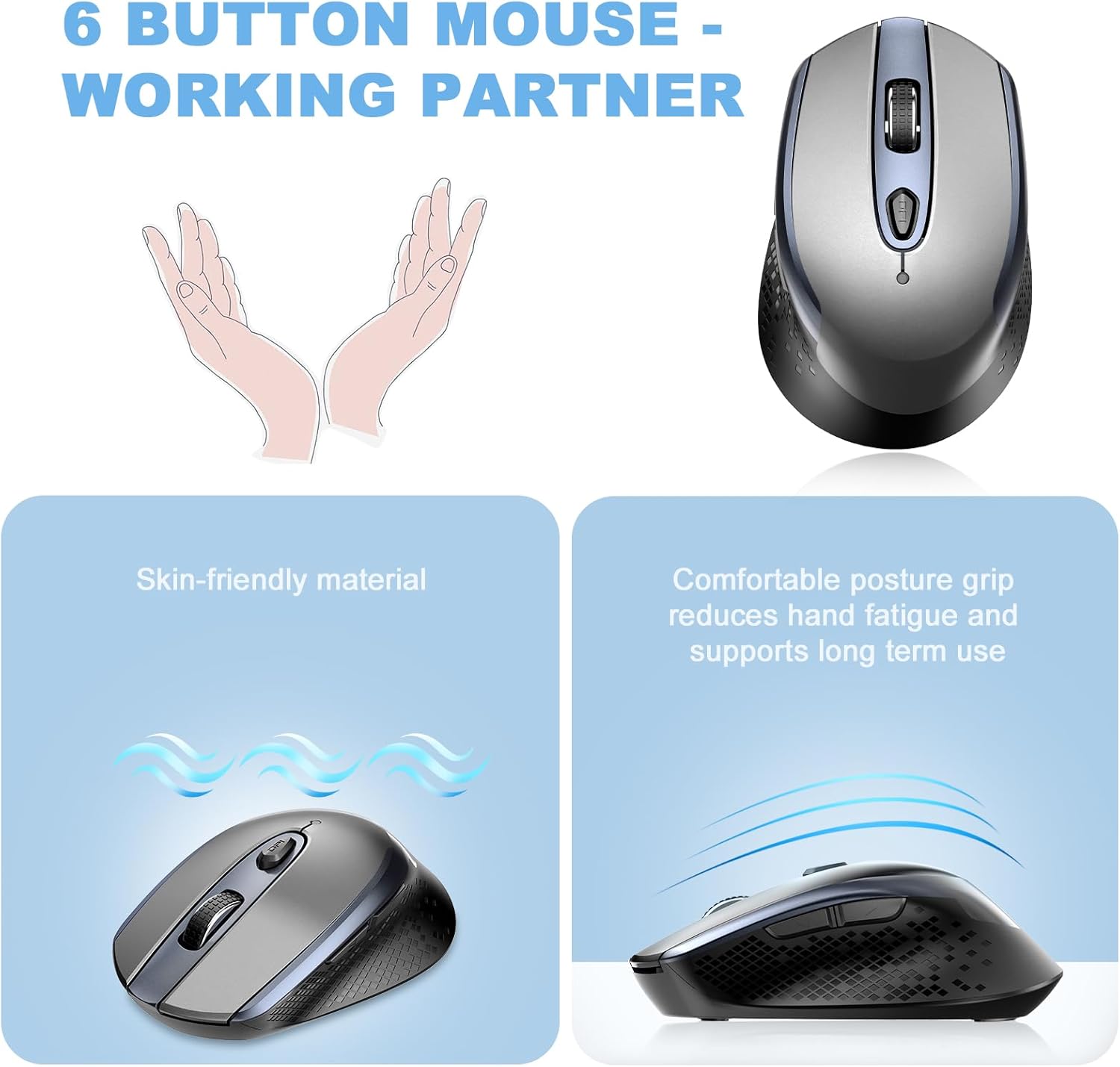
Imagine: O imagine de sus în jos view of the mouse, illustrating its six-button layout including the side navigation buttons.
Compatibilitate
The cimetech Wireless Mouse TM004 is compatible with a wide range of operating systems and devices, including:
- Windows 7/8/10/XP
- Vista 7/8
- Linux
- Desktops, Laptops, PCs
- ChromeBook, Galaxy Book, Vivobook, IdeaPad, Nitro, MateBook, HP Stream, ElliteBook, Dell Inspiron, Windows Surface, and other devices.
Întreţinere
Curatenie
Pentru a menține performanța și aspectul mouse-ului:
- Folosiți o lavetă moale și uscată pentru a șterge exteriorul mouse-ului.
- Pentru murdăria persistentă, dreaptă ușorampClătiți laveta cu apă sau o soluție de curățare delicată, apoi ștergeți-o imediat.
- Evitați utilizarea substanțelor chimice dure sau a materialelor abrazive, deoarece acestea pot deteriora suprafața.
- Keep the optical sensor on the underside clean and free of dust or debris.
Înlocuirea bateriei
When the mouse performance degrades (e.g., erratic cursor movement, unresponsiveness), it may be time to replace the AA battery. Follow the battery installation steps outlined in the Setup section.
Depanare
| Problemă | Cauza posibila | Soluţie |
|---|---|---|
| Șoarecele nu răspunde | Low battery; USB receiver disconnected; Mouse powered off. | Replace battery; Ensure USB receiver is securely plugged in; Turn mouse On. |
| Mișcare neregulată a cursorului | Low battery; Dirty optical sensor; Unsuitable surface; Interference. | Replace battery; Clean optical sensor; Use on a mouse pad or smooth, non-reflective surface; Move closer to receiver or away from other wireless devices. |
| Connection issues (intermittent) | Distance from receiver; Interference; USB port issue. | Ensure mouse is within 50 feet of receiver; Avoid obstacles; Try a different USB port. |
| Setarea DPI nu se modifică | Butonul DPI nu a fost apăsat corect. | Press the DPI button firmly to cycle through settings. |
Specificații
- Număr de model: TM004
- Tehnologie de conectivitate: 2.4GHz Wireless (USB Wireless Receiver)
- Tehnologia de detectare a mișcării: Optic
- DPI reglabil: 800 / 1200 / 1600
- Butoane: 6 (Stânga, Dreapta, Rotiță de derulare, Comutator DPI, Înainte, Înapoi)
- Caracteristici speciale: Ergonomic Design, Portable Lightweight, Silent Click, Water Resistant (design), Wireless Soundless
- Sursa de alimentare: 1 x baterii AA (nu sunt incluse)
- Greutatea articolului: 2.82 uncii
- Dimensiuni pachet: 4.29 x 2.8 x 1.73 inci
- Raza wireless: Până la 50 de picioare
Garanție și suport
For warranty information or technical support, please refer to the contact details provided with your purchase or visit the official cimetech website-ul. Păstrați chitanța de achiziție pentru cererile de garanție.


