Introducere
This manual provides detailed instructions for the Superior Electronics Ready5 Smart Universal Remote Control, Model SUPTRB019. This remote is designed for immediate use with a wide range of LG, Samsung, Sony, Philips, and Panasonic televisions, eliminating the need for complex programming.
Caracteristicile cheie includ:
- Universal compatibility with major TV brands (LG, Samsung, Sony, Philips, Panasonic).
- Ready-to-use functionality; no programming required.
- Full Smart TV compatibility for enhanced control.
- Dedicated quick access buttons for popular streaming services like Netflix and Prime Video.
- Ergonomic design with intuitive button layout for comfortable and immediate operation.
- Construit din materiale durabile pentru performanțe de lungă durată.

Image: The Superior Electronics Ready5 Smart Universal Remote Control shown in its retail packaging, highlighting its "Ready to Use" feature and compatibility with various TV brands.
Înființat
1. Introducerea bateriilor
The remote control requires two (2) AAA batteries (not included). Follow these steps to insert them correctly:
- Localizați capacul compartimentului bateriei de pe spatele telecomenzii.
- Glisați capacul în jos sau apăsați zăvorul (dacă există) pentru a deschide compartimentul.
- Insert two AAA batteries, ensuring that the positive (+) and negative (-) terminals align with the indicators inside the compartment. Incorrect polarity can prevent the remote from functioning.
- Glisați capacul compartimentului bateriei la loc până când se aude un clic.

Imagine: Spate view of the remote control, illustrating the location of the battery compartment for easy access and battery insertion.
2. Utilizare inițială
The Superior Electronics Ready5 Smart remote control is designed for immediate use with compatible LG, Samsung, Sony, Philips, and Panasonic TVs. Once the batteries are correctly inserted, the remote is ready to operate your television without any additional programming or setup. Simply point the remote at your TV and begin using its functions.
Instrucțiuni de operare
This section details the primary functions of the buttons on your Ready5 Smart remote control.

Imagine: față view of the Superior Electronics Ready5 Smart remote control, displaying all buttons and their layout for easy identification.
S-au terminat funcțiile butonuluiview
| Buton | Funcţie |
|---|---|
| Putere (●) | Pornește sau oprește televizorul. |
| Intrare | Selectează sursa de intrare (HDMI, AV etc.). |
| Smart Video / NET.TV | Direct access to Smart TV features or specific streaming apps. |
| 3D | Activează sau dezactivează modul 3D (dacă este compatibil cu televizorul). |
| Ghid | Afișează ghidul electronic de programe. |
| Meniu | Deschide meniul principal al televizorului. |
| Subt. | Activează sau dezactivează subtitrările. |
| Fav | Accesează lista de canale favorite. |
| Info | Afișează informații despre programul sau intrarea curentă. |
| Navigare (Sus, Jos, Stânga, Dreapta, OK) | Navighează prin meniuri și confirmă selecțiile. |
| Spate | Revine la ecranul sau meniul anterior. |
| Ieșire | Ieșire din meniul sau aplicația curentă. |
| Vol +/- | Reglează volumul în sus sau în jos. |
| Mut | Dezactivează sau activează sunetul televizorului. |
| Ch +/- | Schimbă canalul în sus sau în jos. |
| Bloc numeric (0-9) | Directly enters channel numbers or numerical inputs. |
| Listă | Afișează o listă de canale sau media. |
| Netflix | Directly launches the Netflix application. |
| Prime Video | Directly launches the Amazon Prime Video application. |
| Butoane colorate (roșu, verde, galben, albastru) | Functions vary depending on the TV model and current menu/application. |
| Media Control (Play, Pause, Stop, Rewind, Fast Forward, Record) | Controlează redarea media (de exemplu, USB, aplicații de streaming). |
Smart TV and Streaming Access
The Ready5 Smart remote is designed to seamlessly integrate with your Smart TV's functionalities. Use the navigation buttons to browse Smart TV menus and applications. The dedicated Netflix and Prime Video buttons provide instant access to these popular streaming platforms, allowing you to start watching your favorite content with a single press.
Întreţinere
Curățarea telecomenzii
To ensure optimal performance and longevity of your remote control, follow these cleaning guidelines:
- Scoateți întotdeauna bateriile înainte de curățare.
- Folosiți o lavetă moale și uscată pentru a șterge suprafața telecomenzii.
- Pentru murdăria persistentă, dreaptă ușorampClătiți laveta cu apă sau cu un detergent blând, neabraziv. Evitați umiditatea excesivă.
- Nu utilizați substanțe chimice dure, produse de curățare abrazive sau solvenți, deoarece acestea pot deteriora finisajul sau componentele interne ale telecomenzii.
- Ensure the remote is completely dry before reinserting batteries.
Îngrijirea și înlocuirea bateriei
Replace batteries when the remote's response becomes sluggish or it stops functioning. Always replace both batteries at the same time with new AAA batteries. Do not mix old and new batteries, or different types of batteries. Dispose of used batteries responsibly according to local regulations.
Depanare
If you encounter issues with your Ready5 Smart remote control, refer to the following common problems and solutions:
Telecomanda nu răspunde
- Verificați bateriile: Asigurați-vă că bateriile sunt introduse corect, respectând polaritatea corectă (+/-) și că nu sunt descărcate. Înlocuiți-le cu baterii AAA noi, dacă este necesar.
- Linia de vedere: Make sure there are no obstructions between the remote control and the TV's infrared receiver. Point the remote directly at the TV.
- Distanţă: Ensure you are within the effective operating range (up to 10 meters).
- Putere TV: Confirm that your TV is powered on and not in standby mode.
Anumite butoane nu funcționează
- Funcționalitate generală: If most buttons work but a few do not, it might indicate a specific TV model's lack of support for that particular function via universal remote, or a dirty contact under the button.
- Smart TV/Streaming Buttons: Ensure your TV is a Smart TV and has the respective applications (Netflix, Prime Video) installed and updated.
Probleme de compatibilitate
The Ready5 Smart remote is pre-programmed for LG, Samsung, Sony, Philips, and Panasonic TVs manufactured from 2000 onwards. If your TV is from a different brand or an older model, full functionality may not be guaranteed. No programming is required for the listed compatible brands.
Specificații
| Caracteristică | Detaliu |
|---|---|
| Numele modelului | Ready5 Smart |
| Numărul de model | SUPTRB019 |
| Marca | Superior Electronics |
| Dispozitive compatibile | LG, Samsung, Sony, Philips, Panasonic Televisions (models from 2000 onwards) |
| Tehnologia de conectivitate | infraroșu (IR) |
| Sursa de alimentare | 2 x baterii AAA (nu sunt incluse) |
| Raza maximă | 10 metri (aproximativ 33 de picioare) |
| Dimensiunile produsului | 5 x 1.5 x 19 cm (aprox. 1.97 x 0.59 x 7.48 inci) |
| Greutate | 100 de grame (aproximativ 3.53 uncii) |
| Culoare | Negru |
| Caracteristica specială | Universal, immediately ready for use (no programming) |
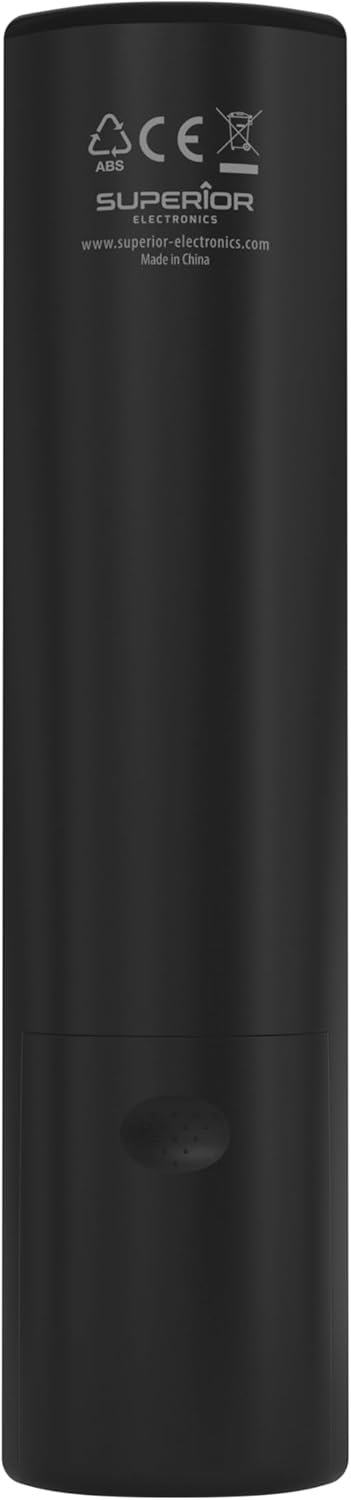
Image: The remote control with its approximate dimensions (4.8 cm width, 19.5 cm length) highlighted for reference.
Informații despre garanție
Specific warranty details for the Superior Electronics Ready5 Smart Universal Remote Control are typically provided with your purchase documentation or can be found on the official Superior Electronics website. Vă rugăm să consultați aceste resurse pentru informații complete privind acoperirea garanției, termenii și condițiile.
Sprijin
For further assistance, technical support, or additional product information, please visit the official Superior Electronics website or contact their customer service department. Contact details are usually available on the product packaging or the manufacturer's website-ul.
Manufacturer: Superior Electronics
Pentru mai multe informații, puteți vizita Superior Electronics Store on Amazon.


