1. Introducere
Thank you for choosing the Hama EWS-3200 Wireless Weather Station. This device provides accurate indoor and outdoor temperature and humidity readings, weather forecasts, moon phase display, and a radio-controlled clock with alarm functions. Please read this manual carefully to ensure correct setup and operation.
2. Instrucțiuni de siguranță
- Protejați produsul de murdărie, umiditate și supraîncălzire.
- Do not use the product in the immediate vicinity of heaters or other heat sources.
- Nu scăpați produsul și nu îl expuneți la șocuri puternice.
- Do not open the product and do not operate it if it is damaged.
- Nu lăsați acest produs, ca toate produsele electrice, la îndemâna copiilor.
- Aruncați imediat materialul de ambalare conform reglementărilor locale aplicabile.
- Bateriile trebuie introduse cu polaritatea corectă.
- Scoateți bateriile din produs dacă acesta nu va fi utilizat pentru o perioadă lungă de timp.
3. Conținutul pachetului
- 1 Hama EWS-3200 Weather Station (Base Unit)
- 1 Senzor exterior fără fir
- 3 AA Mignon Batteries (for Base Unit)
- 2 AAA Micro Batteries (for Outdoor Sensor)
- 1 manual de instrucțiuni
4. Caracteristicile produsului
- Indoor and Outdoor Temperature/Humidity Display: Shows current conditions for both locations.
- DCF Radio Clock: Automatic time setting for the most accurate time display.
- Prognoza meteo: Icons for sunny, partly cloudy, cloudy, rainy, and stormy conditions.
- Tendința presiunii aerului: Displays rising, stable, or falling air pressure.
- Afișarea fazelor lunii: Afișează faza lunară curentă.
- Funcția de alarmă: Two adjustable alarms, including a weekday alarm.
- Alarmă de temperatură: Individually adjustable alarm for outdoor temperature.
- Funcție de amânare: For temporary alarm interruption.
- Lumină de fundal albastră: For improved readability in low light.
- Max/Min Data Memory: Records highest and lowest temperature/humidity values.
- Afișajul capacității bateriei: For both base station and outdoor sensor.
- Opțiuni de montare: Can be wall-mounted or freestanding.
5. Configurare
5.1 Instalarea bateriei
The base station and outdoor sensor require batteries for operation. Ensure correct polarity when inserting batteries.


- Senzor exterior: Open the battery compartment on the back of the outdoor sensor. Insert 2 AAA Micro batteries, observing the polarity markings (+/-). Close the compartment securely.
- Unitate de baza: Open the battery compartment on the back of the base unit. Insert 3 AA Mignon batteries, observing the polarity markings (+/-). Close the compartment securely.
5.2 Plasarea senzorului
Place the outdoor sensor in a location protected from direct sunlight and rain to ensure accurate temperature and humidity readings. The maximum wireless range is 50 meters. Avoid placing the sensor near large metal objects or other electronic devices that may cause interference.
5.3 Sincronizare inițială
After inserting batteries into both units, the base station will automatically search for the outdoor sensor and the DCF radio signal. This process may take a few minutes. Once synchronized, the outdoor temperature and humidity will appear on the base station display, and the time will be set automatically.

6. Instrucțiuni de utilizare
6.1 Afișare pesteview
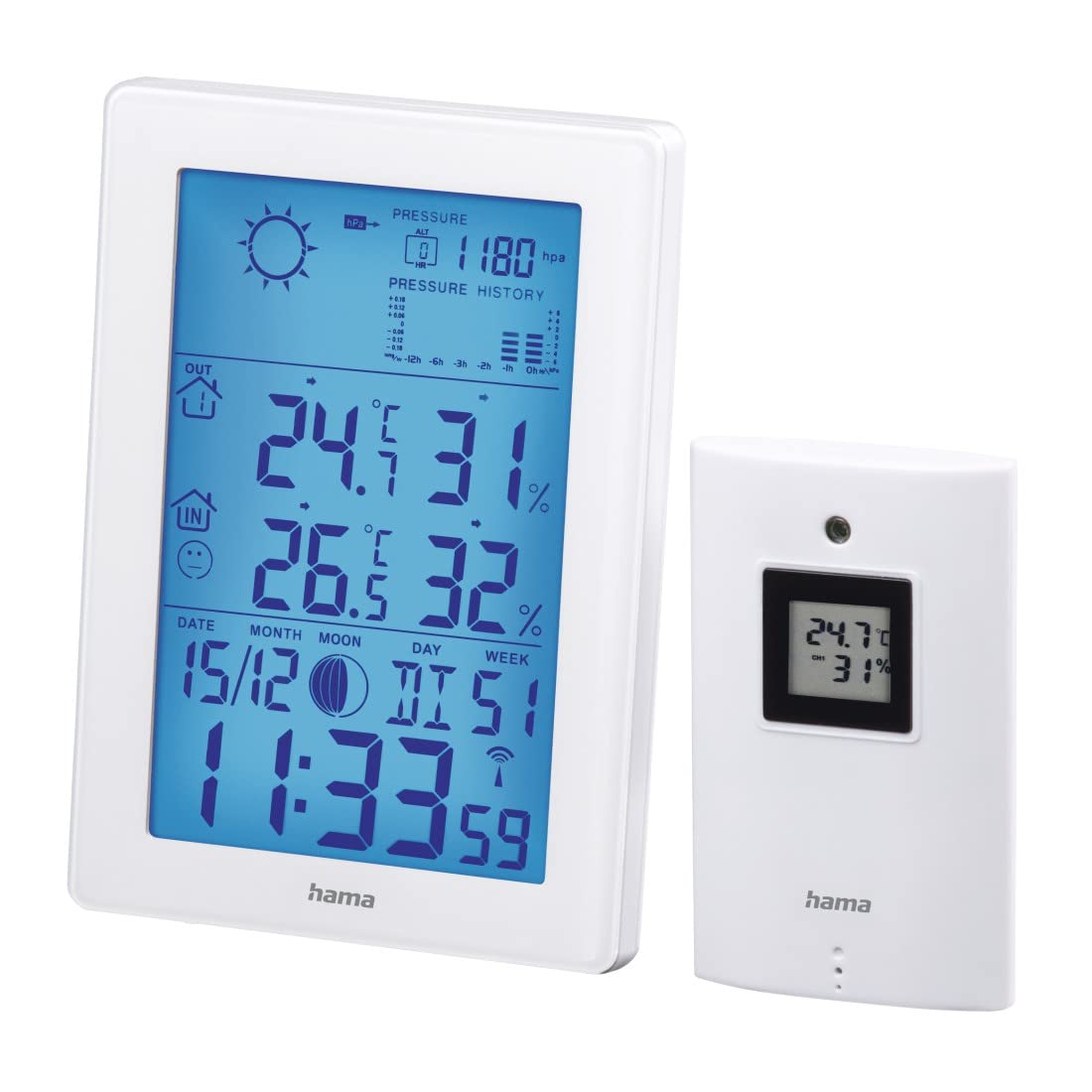
The main display of the base unit shows various information at a glance.

- Ora și data: Displays current time (12/24h format) and date.
- Temperatura și umiditatea interioară: Current readings inside.
- Temperatura și umiditatea exterioară: Citiri curente de la senzorul wireless.
- Pictograme pentru prognoza meteo: Indicates predicted weather conditions.
- Istoricul presiunii aerului: Bar graph showing pressure trends over the last 12 hours.
- Faza Lunii: Graphic representation of the current moon phase.
- Indicatoare baterie: Shows battery status for both units.
6.2 Setări de oră și dată
The weather station automatically sets the time via the DCF radio signal. If manual adjustment is needed (e.g., for different time zones):
- Țineți apăsat butonul MOD butonul pentru a intra în modul de setare a orei.
- Utilizați + şi - butoane pentru ajustarea valorilor.
- Presa MOD again to confirm and move to the next setting (e.g., 12/24h format, time zone, year, month, day, weekday language).
6.3 Afișajul temperaturii și umidității
- Selectarea unității: Apăsați tasta - pentru a comuta între grade Celsius (°C) și Fahrenheit (°F) pentru afișarea temperaturii.
- Valori maxime/minime: Apăsați tasta MOD button repeatedly to cycle through current, maximum (MAX), and minimum (MIN) temperature and humidity readings. To clear MAX/MIN records, press and hold the ISTORIE button while MAX/MIN values are displayed.
6.4 Prognoza meteo
The weather station predicts weather conditions based on air pressure changes. The forecast icons (sunny, partly cloudy, cloudy, rainy, stormy) indicate the expected weather for the next 12-24 hours. The bar graph shows the air pressure trend over the last 12 hours.
6.5 Funcții de alarmă
- Setarea alarmelor: Apăsați tasta MOD button until the alarm time is displayed. Press and hold MOD pentru a intra în modul de setare a alarmei. Folosiți + şi - to adjust the hour and minute, and MOD to confirm. You can set two separate alarms, including a weekday alarm (Monday-Friday).
- Funcție de amânare: Când sună o alarmă, apăsați butonul SNOOZE / LUMINĂ button to activate the snooze function. The alarm will sound again after a few minutes.
- Alarmă de temperatură: An individually adjustable temperature alarm can be set to alert you when the outdoor temperature reaches a certain threshold (e.g., for frost warning). Refer to the manual for specific steps to set the temperature alarm.
6.6 Lumina de fundal
Apăsați tasta SNOOZE / LUMINĂ button to activate the blue backlight for a few seconds, improving display visibility in dark conditions.
7. Întreținere
- Curăţaţi acest produs numai cu un damp, cârpă fără scame și nu utilizați agenți de curățare agresivi.
- Asigurați-vă că nu pătrunde apă în produs.
- Înlocuiți bateriile când pe afișaj apare indicatorul de baterie descărcată.
8. Depanare
| Problemă | Cauza posibila | Soluţie |
|---|---|---|
| No display on base unit | Bateriile sunt descărcate sau introduse incorect. | Verificați polaritatea bateriei și înlocuiți-o dacă este necesar. |
| Citirile în exterior nu sunt afișate | Sensor out of range, interference, or dead batteries. | Move sensor closer to base unit, check for interference, replace sensor batteries. Initiate manual synchronization if needed. |
| Afișare incorectă a orei | DCF signal interference or manual time zone setting needed. | Relocate the base unit away from electronic devices. Manually set the time zone if the DCF signal is received but the time is incorrect. |
| Prognoza meteo inexactă | Weather forecast is based on air pressure trends and is an estimation. | This is normal. The forecast is a prediction and may not always match actual conditions perfectly. |
9. Specificații
- Număr de model: 00186307
- Tip de afișare: LCD, Digital
- Culoare: Alb
- Material: Metal sau plastic
- Sursa de alimentare: Alimentat cu baterie
- Base Unit Batteries: 3 x AA Mignon (included)
- Outdoor Sensor Batteries: 2 x AAA Micro (incluse)
- Interval de temperatură interioară: 0 ° C până la +50 ° C (32 ° F până la 122 ° F)
- Interval de temperatură exterioară: -20 °C până la +60 °C
- Wireless Range (Outdoor Sensor): Până la 50 metri
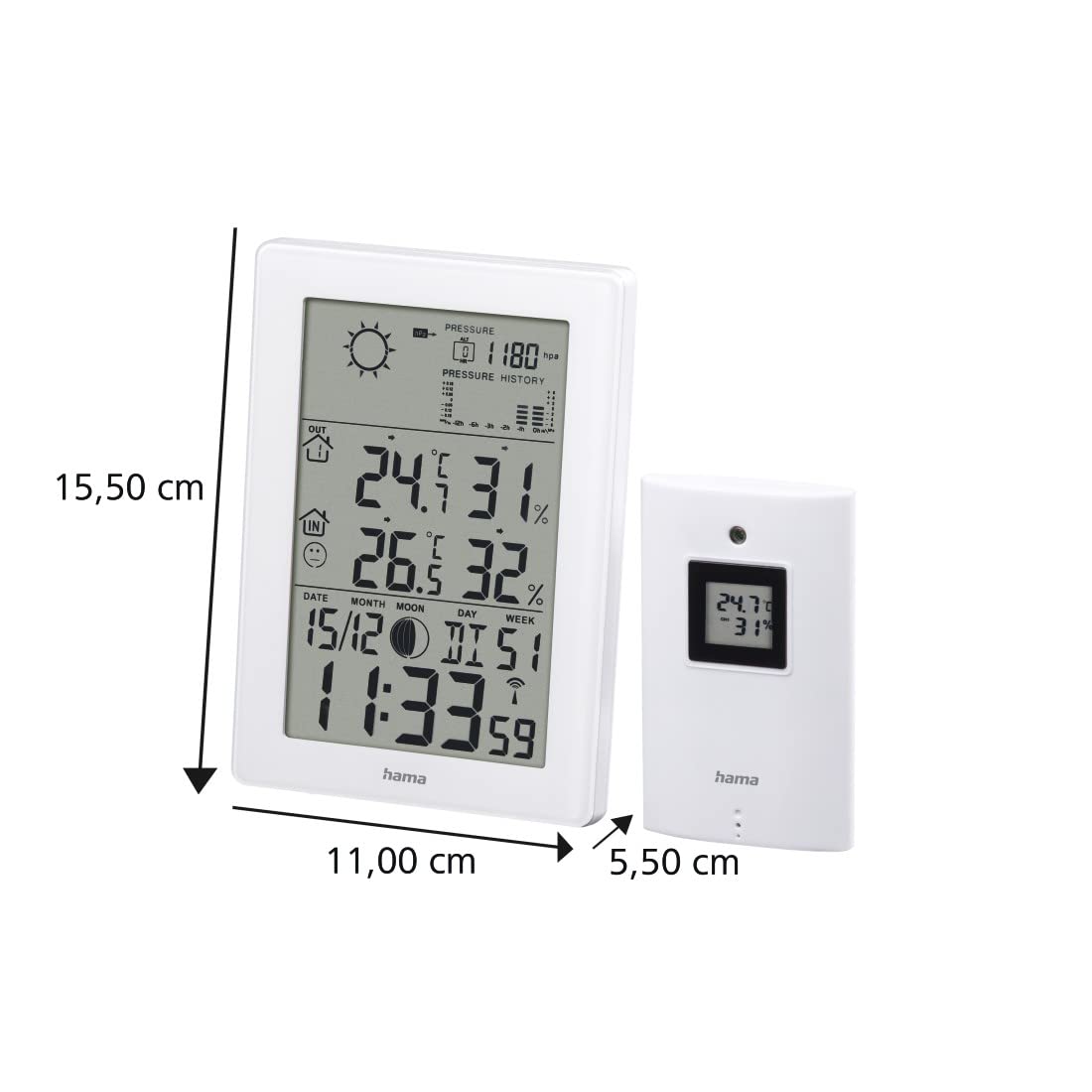
- Base Unit Dimensions (L x W x H): 15.5 x 11 x 5.5 cm
- Greutate: 530 de grame
- Tehnologie de conectivitate: Frecventa radio
- Caracteristici speciale: Temperature Alarm, Snooze Function, Moon Phase Display, Backlight
10. Garantie
Hama GmbH & Co.
11. Suport
For technical support or warranty claims, please contact your local Hama customer service or visit the official Hama website-ul pentru informații suplimentare.
Website: www.hama.com


