Introducere
Thank you for choosing the Casio AW-90H-2BVDF Wristwatch. This manual provides essential information regarding the setup, operation, and maintenance of your watch. Please read it carefully to ensure proper use and to maximize the lifespan of your timepiece.

Imagine: față view of the Casio AW-90H-2BVDF Wristwatch, displaying its analog and digital time displays.
Ghid general
Your Casio AW-90H-2BVDF watch features both analog hands and a digital display. It typically includes multiple buttons for various functions. While specific button labels may vary, common functions are usually assigned to buttons located on the sides of the watch case.
- Butonul de mod: Comută între diferite moduri (Mesurare a orei, Alarmă, Cronometru, Oră duală).
- Buton de reglare: Used to select items for setting in various modes.
- Buton Start / Stop: Used to start/stop stopwatch, or change values during setting.
- Buton luminos: Activează lumina de fundal pentru iluminare.
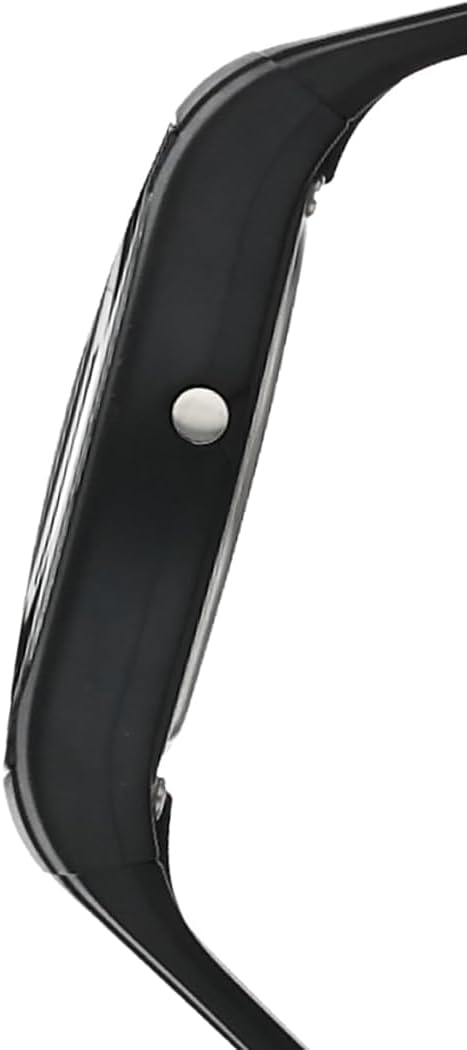
Imagine: Laterală view of the Casio AW-90H-2BVDF Wristwatch, highlighting one of the control buttons.
Setup and Timekeeping
Setarea orei și datei digitale
- În modul de indicare a orei, apăsați butonul Regla apăsați butonul până când cifrele secundelor încep să clipească, indicând ecranul de setări.
- Apăsați tasta Modul button to cycle through the setting options: Seconds → Hour → Minutes → Year → Month → Day.
- Utilizați Pornire/Oprire button to increase the flashing value. Hold down to change rapidly.
- După ce toate setările sunt corecte, apăsați butonul Regla butonul pentru a ieși din ecranul de setare.
Reglarea acelor analogice
The analog hands are typically synchronized with the digital time. If they are out of alignment, refer to the specific hand adjustment procedure in the full module manual (available on the Casio website by searching your model number). Generally, this involves entering a hand setting mode and using buttons to move the hands.
Moduri de operare
Apăsați tasta Modul buton pentru a parcurge diversele funcții ale ceasului:
- Modul de indicare a orei: Afișează ora și data curente.
- Mod de alarmă: Setați și activați alarme zilnice.
- Mod cronometru: Măsurați timpul scurs.
- Modul orar dublu: View the time in a different time zone.
Utilizarea alarmei
- Enter the Alarm Mode using the Modul buton.
- Apăsați tasta Regla button to enable setting the alarm time. The hour digits will flash.
- Utilizați Pornire/Oprire button to change the hour. Press Modul to switch to minutes and adjust.
- Presa Regla pentru a confirma ora alarmei.
- Pentru a porni/opri alarma, apăsați butonul Pornire/Oprire button while in Alarm Mode (not in setting mode).
Folosind cronometrul
- Enter the Stopwatch Mode using the Modul buton.
- Apăsați tasta Pornire/Oprire buton pentru a porni cronometrul.
- Presa Pornire/Oprire din nou pentru a o opri.
- Apăsați tasta Regla buton pentru a reseta cronometrul la zero.
Iluminare
Apăsați tasta Aprinde button (if available) to illuminate the digital display for a few seconds in low-light conditions.
Îngrijire și întreținere
Rezistenta la apa
Your watch is marked with "WATER RESIST" on the case back, indicating it is suitable for everyday use and can withstand splashes or brief immersion in water. However, it is not designed for diving or prolonged water exposure. Do not operate buttons while the watch is wet or submerged.

Imagine: Spate view of the Casio AW-90H-2BVDF Wristwatch, showing the stainless steel case back with "WATER RESIST" engraving.
Curatenie
Ștergeți ceasul cu o cârpă moale și uscată pentru a îndepărta murdăria și umezeala. Pentru murdăria persistentă, folosiți o cârpă moale.ampened with water and a mild neutral detergent, then wipe dry. Avoid using volatile agents like thinner or benzine, which may damage the resin components.
Informații despre baterie
This watch uses one CR123A battery (included). When the display becomes dim or functions become erratic, it is time to replace the battery. Battery replacement should ideally be performed by a qualified watch technician to ensure proper sealing and water resistance.
Depozitare
When not in use for extended periods, store your watch in a dry place away from direct sunlight, extreme temperatures, and strong magnetic fields.
Depanare
- Ora incorectă: Ensure you have correctly set both the digital and analog times. If the analog hands are misaligned, refer to the hand adjustment procedure.
- Afișaj gol sau întunecat: Bateria poate fi descărcată sau descărcată. Înlocuiți bateria.
- Butoanele care nu răspund: Ensure the watch is not in a locked mode (if applicable) or that it is not wet. If the issue persists after drying, the battery may be low.
- Atenție la apă în interior: If you notice condensation or water droplets inside the watch, have it inspected immediately by a qualified technician to prevent further damage.
Specificații
| Numărul de model | AW-90H-2BVDF |
| Producător | Casio |
| Dimensiunile produsului | 2.44 x 4.09 x 3.7 inci |
| Greutatea articolului | 2.08 uncii |
| Tip baterie | 1 CR123A (inclus) |
| Rezistenta la apa | Water Resistant (suitable for splashes, not diving) |
| Limbă | engleză |
Informații despre garanție
Ceasul dumneavoastră Casio este acoperit de o garanție a producătorului împotriva defectelor de materiale și de fabricație. Termenii specifici și durata garanției pot varia în funcție de regiune. Vă rugăm să consultați cardul de garanție inclus odată cu achiziția sau să vizitați site-ul oficial Casio. website pentru informații detaliate despre garanție.
Asistență pentru clienți
For further assistance, technical support, or service inquiries, please contact Casio customer support. You can find contact information and frequently asked questions on the official Casio website. When contacting support, please have your watch model number (AW-90H-2BVDF) readily available.


