DISH 50.0 Remote Pairing and Setup
Pair a DISH 50.0 remote to your TV and receiver. Find the button sequence for the TV Pairing Wizard and what to check when volume or power does not work.
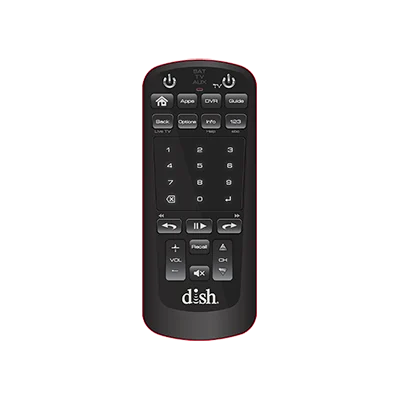
Find your setup instructions
Programming instructions
DISH 50.0 · On-screen setupProgram this remote through the receiver’s pairing menu.
The 50.0 has a touchpad. Click its center to select a highlighted menu option.
Pair to a TV or other device
- Press HOME twice.
- Choose Settings and then Remote Control.
- Choose TV and launch the TV Pairing Wizard. Select the TV’s brand and follow the on-screen tests.
- Confirm when the TV responds. Test its power and volume. For an audio system or disc player, choose Auxiliary if your receiver shows that option.
Pair to the DISH receiver
SYSTEM INFOSAT buttonConfirmation beeps
- Turn on the receiver and TV. Press SYSTEM INFO on the receiver. On Joey 4 or Wireless Joey 4, use the button on top.
- Press the SAT button on the remote. Listen for the beeps confirming the connection.
- Check that the remote can open the receiver’s guide before configuring TV volume or power.