 User Manual Q&A
Answer

Sep 01, 2025 - 09:43 PM
1. **Connection:**

   - Ensure the power supply is disconnected before making any connections.

   - Connect the RGB LED strip to the controller using the  xxxx  terminals or quick connection terminals as per the diagram provided.

   - Make sure to respect the polarity and not overvoltage or overload the controller.


2. **Pairing the Remote Control:**

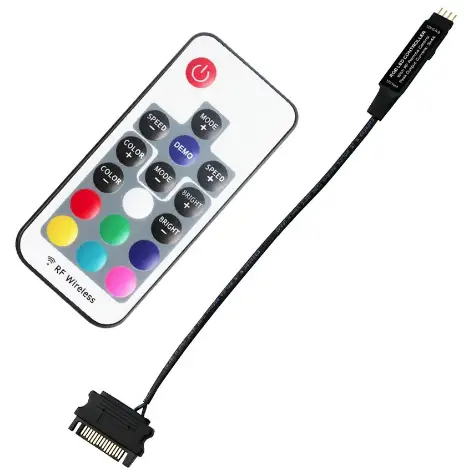
   - If the RF remote control does not work, it may need to be paired with the controller.

   - Power off the controller and then power it on.

   - Within 6 seconds, press and hold the red button (RED) on the remote control to pair it with the controller.

   - Once paired successfully, the remote control should now be able to control the RGB LED strip.


3. **Additional Tips:**

   - The remote control operates on a CR2025 battery, ensure it is properly inserted.

   - The remote control offers functions such as brightness regulation, color changing, and 6 preset light effects.

   - The transmission distance of the remote control is up to 30 meters.


By following these steps and guidelines provided in the user manual, users can effectively connect and pair the RF remote control with the RGB Strip LED Controller for optimal performance and control of their LED lighting setup.


Add New Comment