Introdução
Obrigado pela compra.asing the Philips TAX5000 Bluetooth Party Speaker. This manual provides essential information for setting up, operating, and maintaining your speaker to ensure optimal performance and longevity. Please read these instructions carefully before using the product.
O que está na caixa
Verifique se todos os componentes estão presentes na embalagem:
- Philips TAX5000 Bluetooth Party Speaker
- Cabo USB
- Guia de início rápido
- Certificado de Garantia
Produto acimaview
The Philips TAX5000 is a portable party speaker designed for powerful audio output and dynamic lighting effects. It features dual 8-inch woofers and 2-inch tweeters, delivering 200W maximum sound output with Bass+ technology. The integrated RGB LED lightshow offers 13 modes. Connectivity options include Bluetooth, auxiliary input, and USB playback. For expanded audio, True Wireless Stereo (TWS) and Auracast multi-speaker connections are supported. The speaker also includes dual microphone inputs and a guitar input with independent volume and echo controls for karaoke and live performances. Its design incorporates wheels and a carry handle for portability, and it is IPX4 splash-resistant. A rechargeable battery provides up to 14 hours of playback.
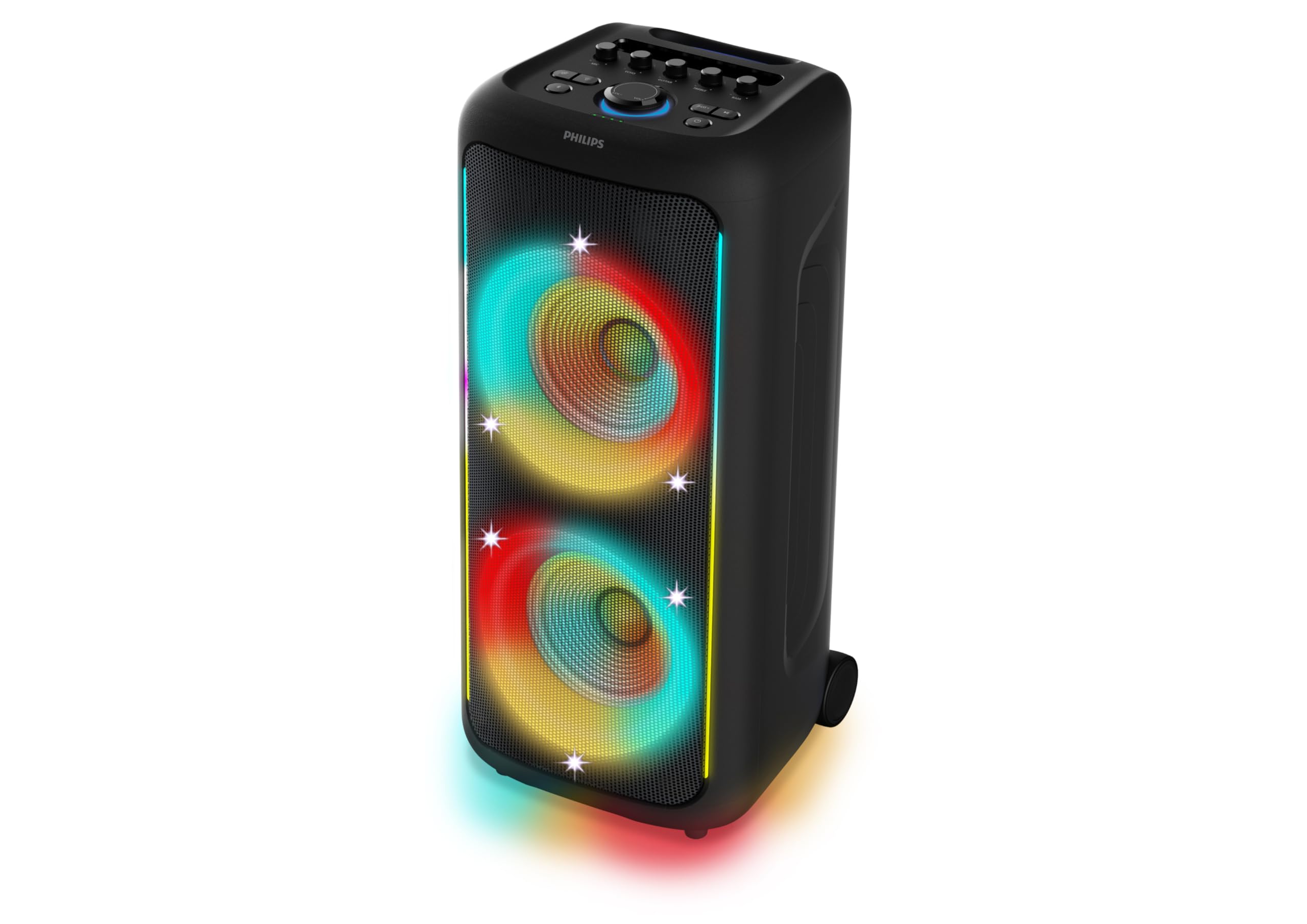
Figura 1: Frente view of the Philips TAX5000 speaker, showcasing the active RGB lightshow around the dual woofers.
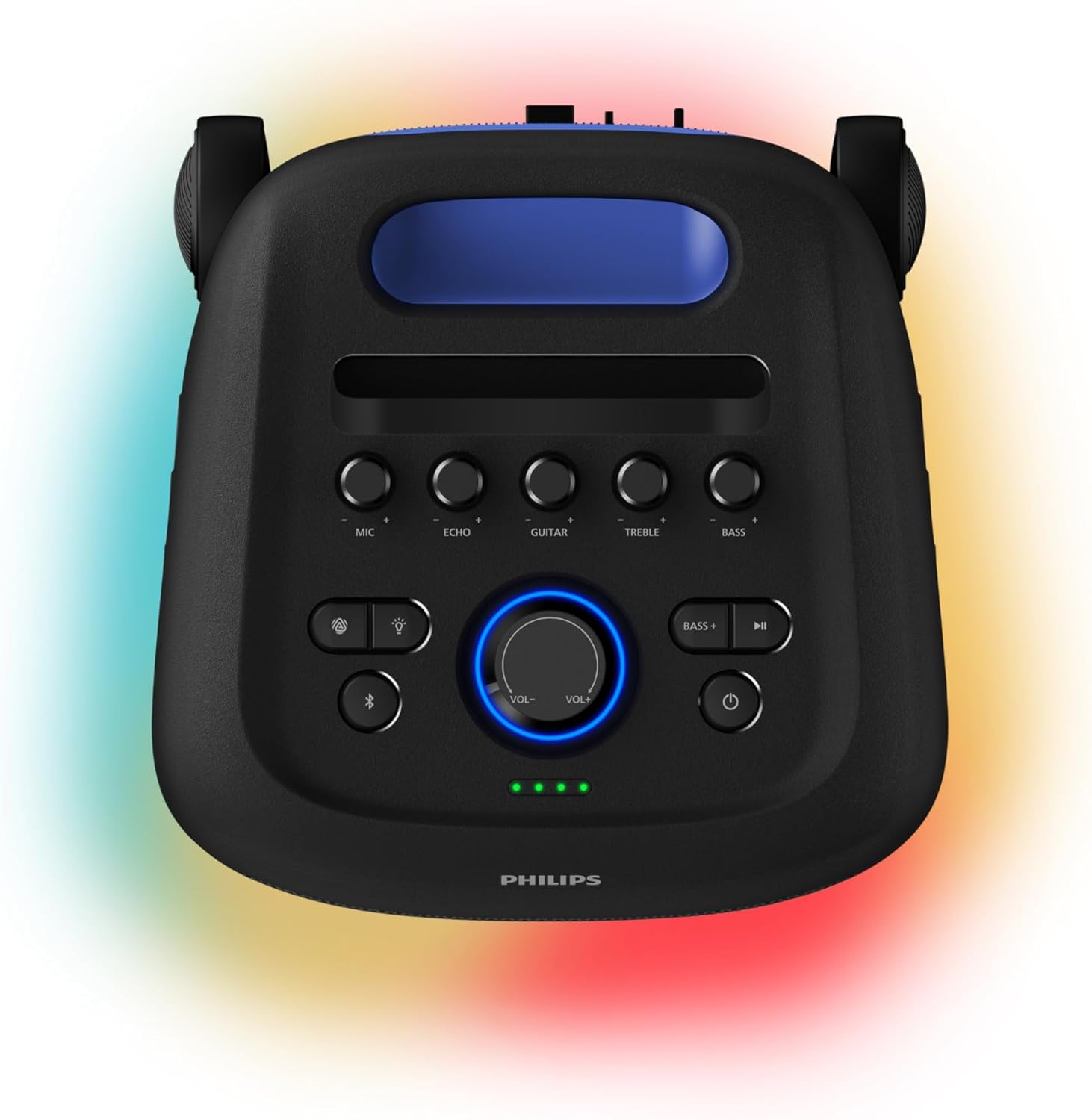
Figure 2: Top control panel of the speaker, showing buttons for microphone, echo, guitar, treble, bass, volume, light modes, Bluetooth, and power.
Configurar
1. Carregando o alto-falante
Before initial use, fully charge the speaker. Connect the provided USB cable to the speaker's charging port and a suitable power adapter (not included). A full charge takes approximately 4 hours and provides up to 14 hours of playback. The battery pack is replaceable.
2. Ligar / desligar
- To power on: Press and hold the Power button on the control panel until the indicator lights illuminate.
- To power off: Press and hold the Power button again until the indicator lights turn off.
3. Emparelhamento Bluetooth
- Certifique-se de que a caixa de som esteja ligada e no modo de emparelhamento Bluetooth (a luz indicadora do Bluetooth piscará).
- No seu dispositivo móvel, ative o Bluetooth e pesquise os dispositivos disponíveis.
- Select "Philips TAX5000" from the list of devices.
- Após o emparelhamento, a luz indicadora de Bluetooth no alto-falante ficará acesa continuamente.
Instruções de operação
1. Reprodução de áudio
- Bluetooth: After pairing, play audio from your connected device. Control volume and track selection via the speaker's controls or your device.
- Reprodução USB: Insira uma unidade USB contendo áudio. files into the USB port. The speaker will automatically begin playback.
- Entrada auxiliar: Connect an audio device using a 3.5mm auxiliary cable (not included) to the AUX input port.
2. Lightshow Control
The speaker features an RGB LED lightshow with 13 dynamic modes. Use the dedicated Light button on the control panel to cycle through modes or turn the lights off. Further customization is available via the Philips Entertainment App.
3. Entradas para karaokê e guitarra.
The speaker is equipped with two microphone inputs and one 6.3mm guitar input. Connect your microphones and/or guitar. Use the dedicated MIC, ECHO, GUITAR, TREBLE, and BASS knobs on the control panel to adjust levels and apply echo effects.
4. Multi-Speaker Connection (TWS & Auracast)
- Estéreo sem fio verdadeiro (TWS): To pair two TAX5000 speakers for stereo sound, follow the instructions in the Quick Start Guide for TWS pairing.
- Auracast: For broadcasting audio to multiple compatible speakers, refer to the Philips Entertainment App or the full user manual for Auracast setup instructions.
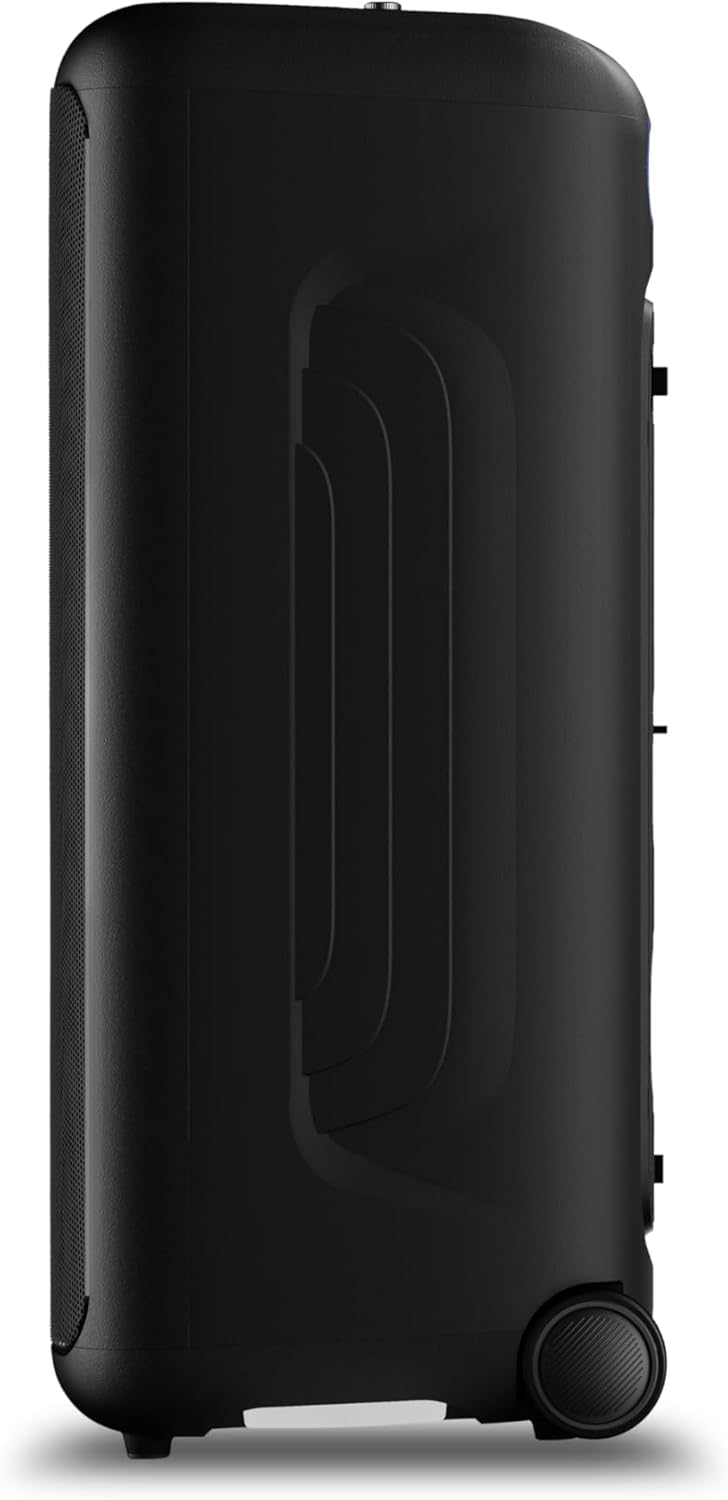
Figura 3: Lateral view of the speaker, highlighting the integrated wheels for easy transport.

Figura 4: Traseira view of the speaker, illustrating the pull-out handle for portability.
Manutenção
To maintain your Philips TAX5000 speaker in optimal condition:
- Limpeza: Use a soft, dry cloth to clean the exterior surfaces. Do not use abrasive cleaners or solvents.
- Armazenar: Guarde a caixa de som em local fresco e seco, longe da luz solar direta e de temperaturas extremas.
- Exposição à água: While IPX4 splash-resistant, avoid submerging the speaker in water or exposing it to heavy rain. Ensure all port covers are securely closed when near liquids.
Solução de problemas
Se você tiver problemas com seu alto-falante, consulte as seguintes soluções comuns:
| Problema | Solução possível |
|---|---|
| A caixa de som não liga. | Ensure the battery is charged or the speaker is connected to AC power. Press and hold the Power button. |
| Nenhuma saída de som | Check volume levels on both the speaker and the connected device. Ensure the correct input source is selected. Re-pair Bluetooth if necessary. |
| Falha no pareamento Bluetooth | Ensure the speaker is in pairing mode. Move the speaker closer to your device. Turn off and on Bluetooth on your device. Clear previous pairings. |
| Microfone/Guitarra não funciona | Check connections. Adjust MIC/GUITAR volume knobs. Ensure microphones are powered on if applicable. |
Especificações
| Recurso | Detalhe |
|---|---|
| Nome do modelo | IMPOSTO5000/37 |
| Tipo de alto-falante | Portátil, para uso externo |
| Potência de saída do alto-falante | 200 Watts Max / 100 Watts RMS |
| Diâmetro do woofer | 8 polegadas (x2) |
| Diâmetro do tweeter | 2 polegadas (x2) |
| Tecnologia de Conectividade | Bluetooth, Auxiliar (3.5 mm), USB |
| Comunicação sem fio | Bluetooth |
| Características especiais | RGB Lightshow (13 modes), PA System, Portable with Wheels, Rechargeable Battery, TWS & Auracast Multi-Speaker, Dual Mic & Guitar Input, Karaoke |
| Duração da bateria | Até 14 horas |
| Tempo de recarga da bateria | Aproximadamente 4 horas |
| Fonte de energia | Plug In Electric (AC) / Rechargeable Battery |
| Método de controle | Aplicativo, controles por toque |
| Classificação IP | IPX4 Splash-Proof |
| Dimensões do produto (P x L x A) | 12.6" x 12.6" x 28.74" |
| Peso do item | 39.7 libras |
Garantia
This Philips TAX5000 Bluetooth Party Speaker comes with a limited warranty. Please refer to the included Warranty Certificate for detailed terms, conditions, and registration information. Keep your proof of purchase for warranty claims.
Apoiar
For further assistance, product updates, or detailed troubleshooting, please visit the official Philips support website or contact Philips customer service. Contact information can be found on the warranty certificate or the Philips website.
Vídeos de produtos
Philips TAX5000 Overview
Este vídeo oferece uma visão geral.view of the Philips TAX5000 Bluetooth Party Speaker's features and capabilities.
Philips TAX5000 Features Highlight
A short video highlighting key features of the Philips TAX5000 speaker, such as its portability and lightshow.


