1. Introdução
This manual provides detailed instructions for the operation and maintenance of your BAOFENG UV-5R Mini handheld ham radio. Please read this manual thoroughly before using the device to ensure proper function and safety.
Principais características:
- Multi-band reception and transmission
- APP Programming and CHIRP compatibility
- NOAA Weather Receiver with 10 channels
- USB-C charging for versatile power options
- Voice Activation (VOX) for hands-free operation
- Amplo visor LCD colorido
- 999 canais programáveis
- Função de lanterna
- Dual PTT keys
- Copy frequency function for quick setup
- Airband receive capability
- CTCSS and DCS Encryption for privacy
2. Configuração
2.1. Desembalagem e inspeção inicial
Carefully unpack all components. Ensure the package contains two radios and any included accessories such as antennas, earpieces, and USB-C charging cables. Inspect for any visible damage.

Image: Two Baofeng UV-5R Mini radios, one with a long 8-inch antenna and another with a shorter 3.65-inch antenna, illustrating different communication ranges. A small inset shows the radios in their packaging.
2.2. Carregando a bateria
The UV-5R Mini radios are equipped with rechargeable batteries and support multiple charging methods via USB-C. Connect the provided USB-C charging cable to the radio and a power source (e.g., power bank, PC, car charger, laptop, or any USB slot). The charging indicator will show the charging status.
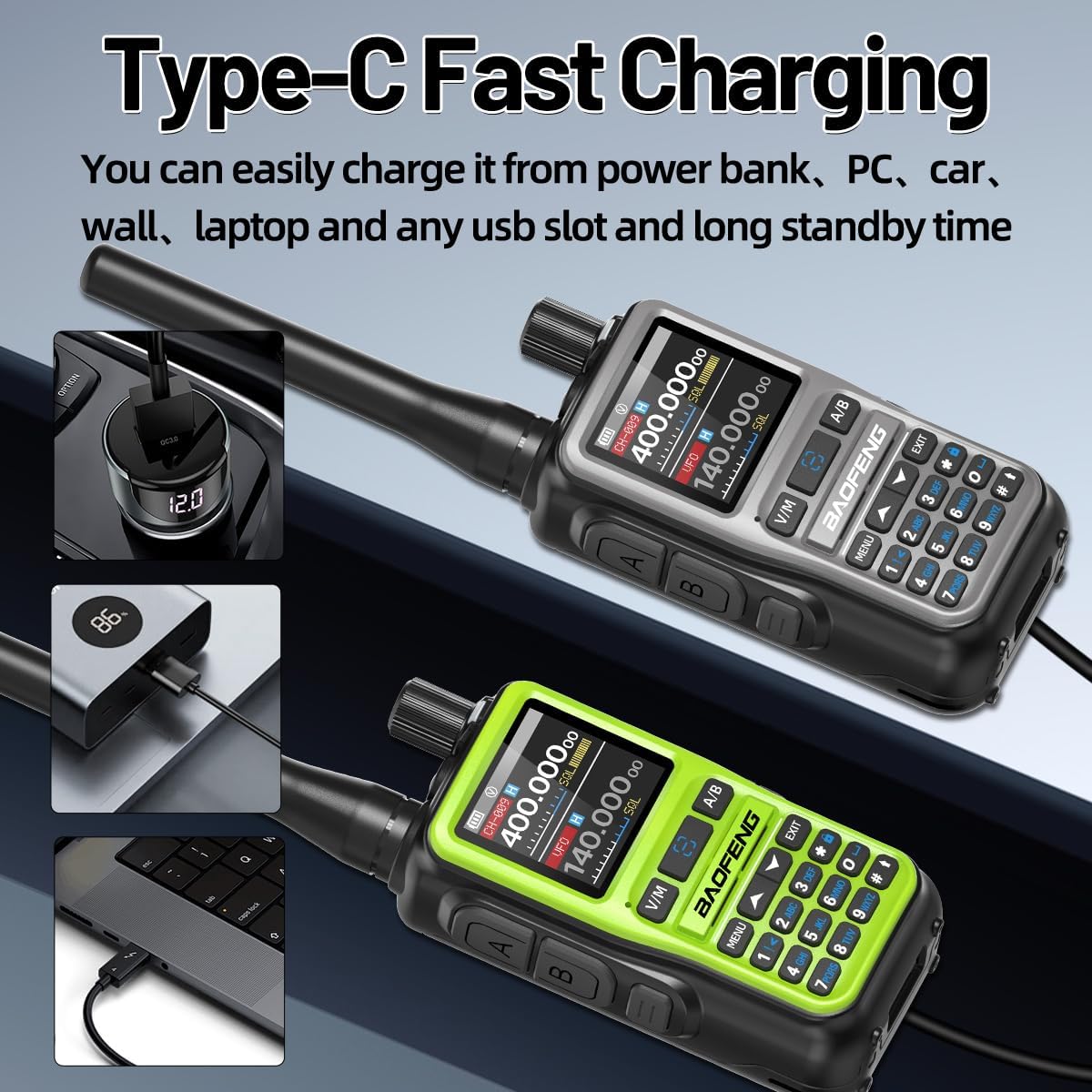
Image: Two Baofeng UV-5R Mini radios, one grey and one green, connected to various USB-C power sources like a car charger, power bank, and laptop, demonstrating multiple charging options.
2.3. Conectando a antena
Screw the desired antenna (long or short) clockwise onto the antenna connector at the top of the radio until it is finger-tight. Do not overtighten.
3. Instruções de operação
3.1. Ligar/desligar e controle de volume
Para ligar o rádio, gire o botão de volume no sentido horário. Para desligar, gire-o no sentido anti-horário até ouvir um clique. Ajuste o volume girando o botão.
3.2. Seleção de Canal e Frequência
The radio supports 999 channels. Use the keypad to directly enter frequencies or navigate through channels. The large LCD display shows current frequency and channel information.
3.3. APP Programming and CHIRP Software
The BAOFENG UV-5R Mini can be programmed using a smartphone application (OLA Radio, available on Apple App Store and Google Play Store) or PC software like CHIRP. This allows for easy management of channels, frequencies, and other functions.
Video: Demonstrates the process of connecting the BAOFENG UV-5R Mini to a smartphone via Bluetooth and programming frequencies using the OLA Radio application. It shows turning on Bluetooth on the radio, connecting to the device, reading existing frequencies, and writing new ones.

Image: Illustration of two programming methods: PC Programming using CHIRP software and APP Programming using the OLA Radio application, both compatible with the UV-5R Mini.
3.4. Transmissão e Recepção
To transmit, press and hold the Push-To-Talk (PTT) button on the side of the radio. Speak clearly into the microphone. Release the PTT button to receive. The UV-5R Mini features Dual PTT keys for convenience.
3.5. VOX (Voice Activated Transmission)
Activate the VOX function for hands-free communication. When VOX is enabled, the radio will automatically transmit when it detects your voice, eliminating the need to press the PTT button.

Image: A Baofeng UV-5R Mini radio with a VOX icon, indicating its voice-activated transmission feature for hands-free use.
3.6. Receptor Meteorológico da NOAA
The radio includes a NOAA Weather Receiver with 10 channels to provide timely warnings for severe weather conditions. This feature can be crucial for safety during outdoor activities or emergencies.

Image: A Baofeng UV-5R Mini radio with a flashlight active, set against a backdrop of various weather phenomena like a tornado, hurricane, heavy rain, and tsunami, highlighting its 10 NOAA Weather Channels feature.
3.7. Função de lanterna
The integrated flashlight can be activated for illumination in low-light conditions.

Imagem: Um close-up view of the top of a Baofeng UV-5R Mini radio, showing the activated flashlight emitting light.
3.8. Fast Frequency Replication
The radio features a fast frequency replication function, allowing for quick decoding and matching of frequencies with another compatible device.

Image: Two Baofeng UV-5R Mini radios, one grey and one green, with arrows indicating a fast frequency replication process between them.
4. Manutenção
4.1. Limpeza
Limpe o exterior do rádio com um pano macio e seco.amp cloth. Do not use harsh chemicals or abrasive cleaners. Ensure the USB-C port is free from dust and debris.
4.2. Cuidados com a bateria
To prolong battery life, avoid fully discharging the battery frequently. Store the radio in a cool, dry place when not in use for extended periods. Recharge the battery regularly, even if not used.
5. Solução De Problemas
5.1. Radio Not Powering On
- Certifique-se de que a bateria esteja instalada e carregada corretamente.
- Check if the volume knob is rotated clockwise to the 'on' position.
5.2. No Transmission or Reception
- Verifique se a antena está firmemente fixada.
- Check if the frequency or channel is correctly set and within the radio's operating range (VHF UHF).
- Certifique-se de que a bateria tenha carga suficiente.
- Confirm that CTCSS/DCS settings match the other radio if used.
5.3. Problemas de Programação
- For APP programming, ensure Bluetooth is enabled on both the radio and your smartphone, and the correct model (5R Mini) is selected in the app.
- For CHIRP programming, ensure you have the correct driver installed and select "UV-5R MINI" as the model.
- Refer to the programming video for detailed steps.
6. Especificações
| Recurso | Detalhe |
|---|---|
| Número do modelo | UV-5R Mini |
| Peso do item | 1.59 libras |
| Dimensões da embalagem | 13.15 x 5.87 x 2.6 polegadas |
| Baterias | 2 pilhas de 12V (incluídas) |
| Número de canais | 999 |
| Faixa de frequência | Rádio VHF UHF |
| Características especiais | Battery Saver Mode, Long Range, NOAA, Rechargeable, Weather Alert |
| Nível de resistência à água | Não resistente à água |
| Componentes incluídos | 2X Radio |
| Dispositivos compatíveis | Earpieces, Baofeng Radios, VHF/UHF Devices |
Vídeo: Um excessoview of the BAOFENG UV-5R Mini ham radio, highlighting its compact size, multiple programming methods (PC and APP), AM/FM receiver capabilities (AM: 108-136MHz, FM: 65-108MHz), NOAA weather receiver, flashlight, VOX function, dual PTT keys, and USB-C charging.
7. Informações de garantia
De acordo com as especificações do produto, existe NÃO explicit warranty provided for this product. Please refer to your retailer's return policy for any issues.
8. Suporte
For further assistance or inquiries, please contact the retailer or refer to the official BAOFENG website for additional resources and community forums.


