1. Introdução
The CIGMAN CM-S01 is a versatile 3x360° green laser level designed for various construction and alignment tasks. It projects one 360° horizontal line and two 360° vertical lines, providing comprehensive coverage for walls, ceilings, and floors. This device features self-leveling capabilities, manual mode, pulse mode, and can be controlled via a dedicated smartphone application or remote control for enhanced convenience and precision.
2. Instruções de segurança
Leia e compreenda todas as instruções de segurança antes de operar o dispositivo. O não cumprimento dessas instruções pode resultar em exposição à radiação laser, choque elétrico, incêndio ou ferimentos graves.
- Radiação laser: This product is a Class II laser product. Do not stare directly into the laser beam. Avoid direct eye exposure to the laser.
- Fonte de energia: Use only the specified charging cable and power adapter. Do not attempt to modify the battery or charging system.
- Ambiente operacional: Não utilize o nível a laser em atmosferas explosivas, como na presença de líquidos, gases ou poeira inflamáveis.
- Manutenção: Não tente desmontar ou reparar o dispositivo sozinho. Encaminhe todos os serviços para pessoal de serviço qualificado.
- Crianças: Mantenha o dispositivo fora do alcance de crianças.
3. Conteúdo da embalagem
Verifique se todos os itens listados abaixo estão incluídos em seu pacote:
- 1x Nível a Laser CIGMAN CM-S01
- 1x Bolsa Portátil
- 1x Cabo de carregamento tipo C
- 1x Manual do Usuário
- 1x Placa de Alvo a Laser
- 1x Mini Tripod Base
- 1x Magnetic "L" Base
4. Produto acabadoview
The CM-S01 laser level features a robust design with multiple laser emitters for 360-degree coverage. It includes control buttons on the top panel for manual operation and a pendulum lock mechanism for transport and manual mode.

5. Configuração
- Descompacte: Carefully remove the laser level and all accessories from the portable bag.
- Carregamento: Before first use, ensure the device is fully charged using the provided Type-C cable. Refer to the 'Battery & Charging' section for details.
- Colocação: Place the laser level on a stable surface or mount it using the mini tripod base or magnetic L-base. Ensure the surface is as level as possible to assist the self-leveling function.
- Ligar: Slide the pendulum lock switch to the unlocked position to power on the device and activate self-leveling mode.
6. Modos de operação
6.1 Modo de autonivelamento
When the pendulum is unlocked, the laser level will automatically self-level within a 4° range. If the device is outside this range, the laser lines will flash continuously to indicate it is out of level. Adjust the position of the device until the laser lines become stable.
6.2 Modo Manual
To activate manual mode, slide the pendulum lock switch to the locked position. In this mode, the laser lines are locked and can be projected at any desired angle. This is useful for tasks that require angled lines, such as installing handrails or decorative patterns.
6.3 Modo de pulso
Press the pulse mode button on the device or activate it via the CIGMAN APP to enter external pulse mode. This mode extends the laser's working range up to 164 feet (50 meters) when used with an optional laser receiver (e.g., CIGMAN CLD-100). Pulse mode is particularly useful for outdoor applications or in brightly lit environments where the laser lines might be difficult to see with the naked eye.


7. APP Control & Bluetooth
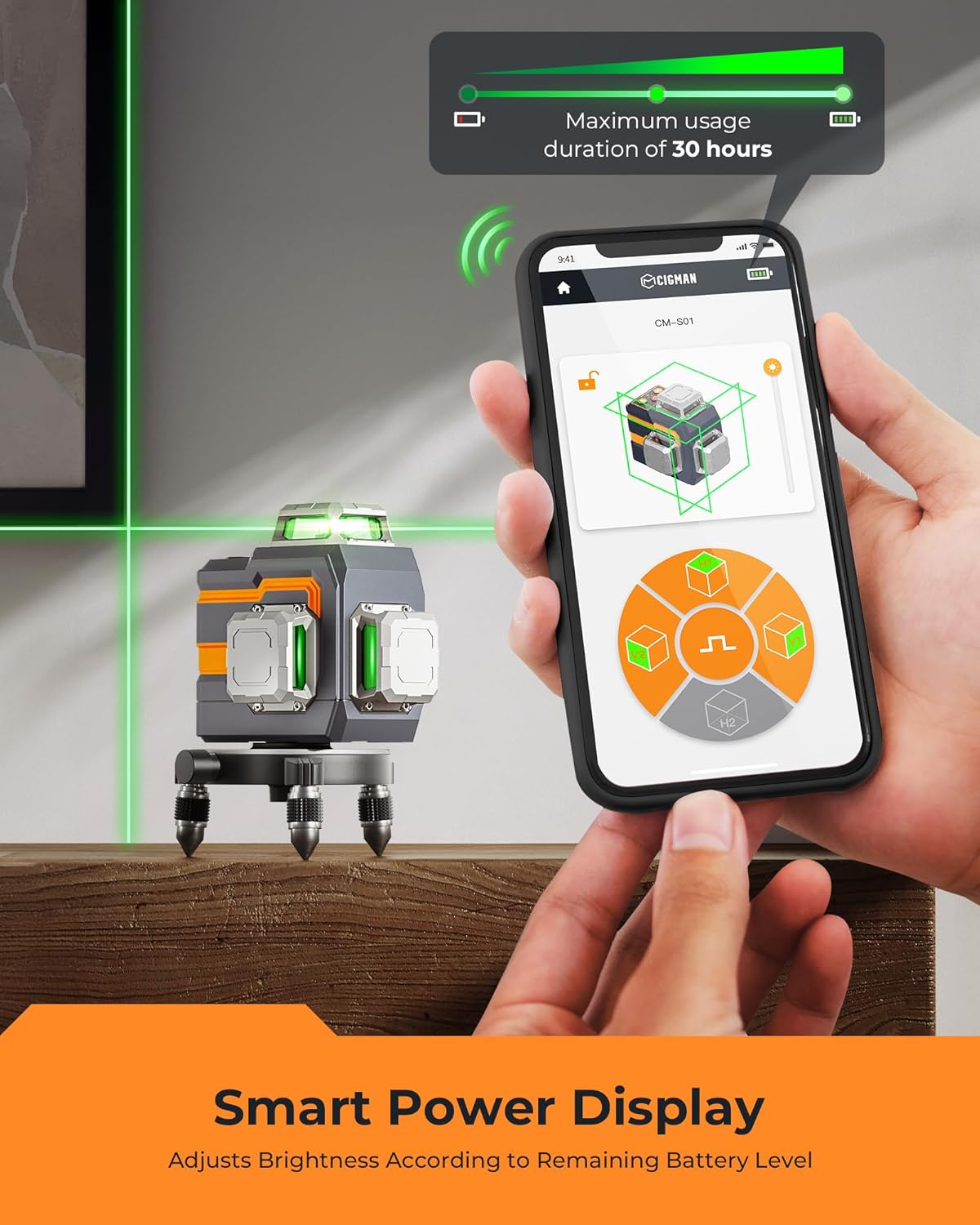
The CIGMAN CM-S01 can be controlled remotely via the CIGMAN smartphone application using Bluetooth technology. This allows for convenient adjustment of settings from a distance.
- Baixar aplicativo: Download the CIGMAN APP from the App Store (iOS) or Google Play Store (Android).
- Ativar Bluetooth: Certifique-se de que o Bluetooth esteja ativado em seu smartphone.
- Conectar: Open the CIGMAN APP and follow the on-screen instructions to connect to your CM-S01 laser level.
- Funções de controle: No aplicativo, você pode:
- Individually select horizontal (H) and vertical (V) laser planes.
- Turn pulse mode on/off.
- Adjust laser brightness (4 levels).
- Monitore o nível da bateria.


8. Bateria e Carregamento
The CM-S01 is equipped with an integrated 4000mAh rechargeable Lithium-Ion battery.
- Duração da bateria: The battery provides up to 12 hours of continuous operation at maximum light intensity and up to 56 hours at minimum intensity on a full charge.
- Carregamento: Use the provided Type-C cable to charge the device. Connect the cable to the Type-C port on the laser level and to a compatible USB power source.
- Indicador de carga: The device will indicate charging status, and the CIGMAN APP can display the current battery level.

9. Opções de montagem
The CM-S01 offers flexible mounting options for various applications:
- Mini Tripod Base: Use the included mini tripod base for stable placement on flat surfaces.
- Magnetic "L" Base: The magnetic L-base allows for attachment to metal surfaces and offers 360° rotation for easy angle adjustment.
- Standard Tripod/Pole Mounting: The device features a 1/4"-20 thread, making it compatible with most standard tripods or telescopic poles.

10. Manutenção
- Limpeza: Clean the laser level with a soft, damp pano. Não use produtos de limpeza abrasivos ou solventes.
- Armazenar: When not in use, store the device in its portable bag in a dry, cool place. Ensure the pendulum lock is engaged during storage and transport to prevent damage.
- Cuidados com a bateria: Para armazenamento a longo prazo, carregue a bateria até aproximadamente 50% a cada três meses para manter sua saúde.
11. Solução De Problemas
| Problema | Possível causa | Solução |
|---|---|---|
| Laser lines are flashing | Device is out of its self-leveling range (>4°) | Place the device on a more level surface until the lines stabilize. |
| Laser não liga | Battery is depleted or pendulum is locked | Charge the battery. Ensure the pendulum lock switch is in the unlocked position. |
| Não é possível conectar ao APP | Bluetooth is off or device is too far | Ensure Bluetooth is enabled on your phone. Move closer to the laser level. Restart the app and device. |
| Laser lines are dim | Brightness setting is low or operating in bright conditions | Adjust brightness via the app or device buttons. Use pulse mode with a receiver for outdoor/bright conditions. |
12. Especificações
- Modelo: CM-S01
- Classe Laser: Classe II, potência de saída <1mW
- Cor a laser: Verde
- Laser Configuration: One 360° Horizontal, Two 360° Vertical
- Precisão: ±1/9 inch at 33 feet (±2.5mm at 10m)
- Faixa de autonivelamento: ±4°
- Faixa de operação: Até 98.4 pés (30 metros)
- Operating Range (with Receiver in Pulse Mode): Até 164 pés (50 metros)
- Bateria: Integrated 4000mAh Lithium-Ion
- Duração da bateria: Up to 12 hours (max intensity), up to 56 hours (min intensity)
- Porta de carregamento: Tipo C
- Rosca de montagem: 1/4"-20
- Dimensões: 3.94 x 2.95 x 0.04 polegadas (aproximadamente)
- Peso: 2.64 libras (aproximadamente)
13. Garantia e suporte
CIGMAN provides a 36-month warranty for the CM-S01 laser level. For any concerns, technical assistance, or warranty claims, please contact CIGMAN customer support. Refer to the contact information provided in your product packaging or on the official CIGMAN website.


