Introdução
This manual provides detailed instructions for the setup, operation, maintenance, and troubleshooting of your 3PLUS Vibe Pro Smart Watch. Please read this manual thoroughly to ensure proper use and to maximize the features of your device.

Image: The 3PLUS Vibe Pro Smart Watch, featuring a black watch body with a black silicone band, accompanied by an additional pink silicone band. The watch display shows time, date, activity metrics, and weather.
Configurar
1. Carregando o dispositivo
Before initial use, fully charge your 3PLUS Vibe Pro Smart Watch. Connect the magnetic charging cable to the charging contacts on the back of the watch and plug the USB end into a power adapter (not included) or a computer USB port. The watch display will indicate charging status.
2. Instalação do aplicativo
To unlock the full potential of your smart watch, download the official 3Plus app on your smartphone. The app is compatible with both iPhone and Android devices.
- Procurar "3Plus" in the Apple App Store (for iOS) or Google Play Store (for Android).
- Baixe e instale o aplicativo.
- Siga as instruções na tela para criar uma conta ou fazer login.
3. Emparelhando seu Smartwatch
Certifique-se de que o Bluetooth do seu smartphone esteja ativado.
- Open the 3Plus app on your smartphone.
- Navigate to the device pairing section (usually found under 'Devices' or 'Profile').
- Select 'Add New Device' or similar option.
- The app will search for nearby 3PLUS Vibe Pro Smart Watches. Select your watch from the list.
- Confirme a solicitação de pareamento no seu relógio e no smartphone.
Instruções de operação
Navegação básica
- Tela sensível ao toque: Deslize para a esquerda/direita ou para cima/para baixo para navegar pelos menus e telas. Toque para selecionar uma opção.
- Botão lateral: Pressione para retornar à tela inicial ou ativar o dispositivo. Pressione e segure para acessar as opções de energia.
Principais características
Rastreamento GPS
The integrated GPS allows for accurate tracking of outdoor activities without needing your phone. Ensure GPS is enabled in the watch settings for outdoor workouts.
Monitoramento da frequência cardíaca
O relógio monitora continuamente sua frequência cardíaca. View real-time data on the watch or detailed trends in the 3Plus app.
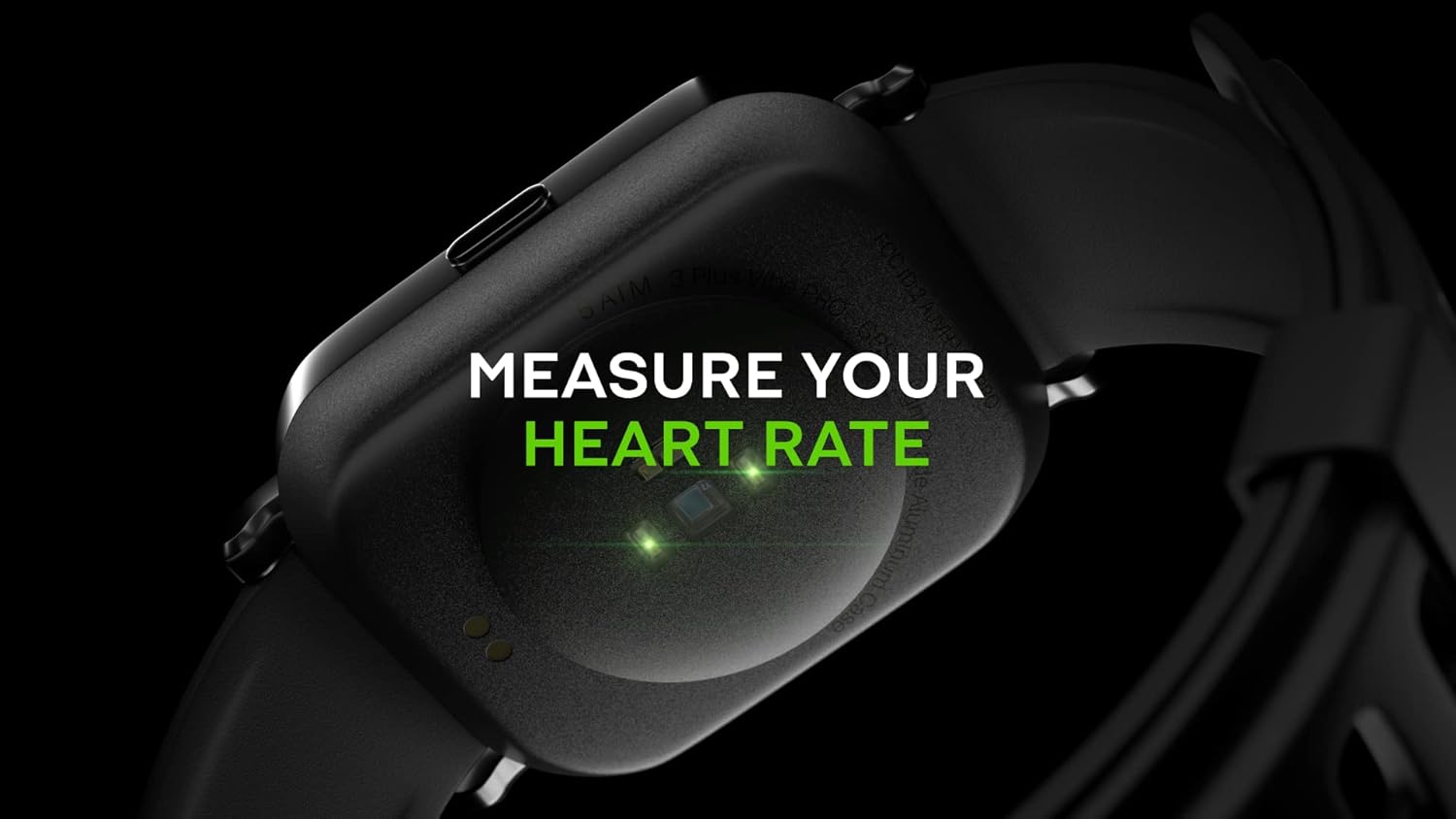
Image: Close-up of the back of the 3PLUS Vibe Pro Smart Watch, showing green LED lights indicating heart rate measurement in progress. Text overlay reads "MEASURE YOUR HEART RATE".
Monitoramento de oxigênio no sangue (SpO2)
Measure your blood oxygen saturation levels directly from your wrist. For accurate readings, remain still during measurement.

Image: The 3PLUS Vibe Pro Smart Watch display showing a blood oxygen measurement in progress, with a circular animation and text instructing the user to stay still. Text overlay reads "MEASURE YOUR BLOOD OXYGEN".
Monitoramento do sono
O relógio monitora automaticamente seus padrões de sono, incluindo sono profundo, sono leve e períodos de vigília.view your sleep data in the 3Plus app to understand your sleep quality.

Image: A person sleeping with the 3PLUS Vibe Pro Smart Watch on their wrist, showing the watch display with sleep data (deep sleep, light sleep, awake time). Text overlay indicates "6 HOURS 52 MINUTES SLEPT".
Múltiplos modos de esportes
Select from various sports modes to track specific activities like running, cycling, basketball, and more. Each mode provides relevant metrics for your workout.

Image: The 3PLUS Vibe Pro Smart Watch display showing a list of workout modes, including Basketball and Soccer, with a basketball player in the background. Text overlay reads "MULTIPLE SPORTS MODES".
Notificações inteligentes
Receive notifications for calls, messages, and app alerts directly on your wrist when connected to your smartphone.

Image: The 3PLUS Vibe Pro Smart Watch display showing various notifications from messaging apps like Messenger, Instagram, and Facebook. Speech bubbles representing these apps are floating around the watch.
5ATM Resistência à Água
The watch is rated 5ATM water resistant, meaning it can withstand pressures equivalent to a depth of 50 meters. It is suitable for swimming and showering but not for diving or high-pressure water activities.

Image: The 3PLUS Vibe Pro Smart Watch covered in water droplets, emphasizing its water resistance. Text overlay reads "5 ATM RATED WATER RESISTANT".
Manutenção
Limpando seu relógio inteligente
- Regularly clean the watch body and bands with a soft, damp pano.
- For the charging contacts and sensors on the back, use a dry cotton swab to gently remove any dirt or debris.
- Evite usar produtos químicos agressivos ou materiais abrasivos, pois podem danificar o dispositivo.
Cuidados com a Banda
If your watch comes with silicone bands, clean them regularly with mild soap and water to prevent skin irritation, especially after workouts or prolonged wear. Ensure the band is completely dry before reattaching it to the watch.
Solução de problemas
Relógio não liga
- Certifique-se de que o relógio esteja totalmente carregado. Conecte-o ao carregador por pelo menos 30 minutos.
- Try performing a soft reset by pressing and holding the side button for 10-15 seconds.
Não é possível emparelhar com o smartphone.
- Certifique-se de que o Bluetooth esteja habilitado no seu smartphone.
- Ensure the watch is within Bluetooth range (typically 10 meters or 33 feet).
- Reinicie o relógio e o smartphone.
- Check if the 3Plus app is updated to the latest version.
- Se já estiverem emparelhados anteriormente, tente desemparelhar o dispositivo nas configurações de Bluetooth do seu telefone e, em seguida, emparelhá-lo novamente pelo aplicativo.
Inaccurate Readings (Heart Rate, SpO2, Sleep)
- Certifique-se de que o relógio esteja bem ajustado ao seu pulso, aproximadamente a largura de um dedo acima do osso do pulso.
- Mantenha o sensor limpo e livre de sujeira e suor.
- For SpO2, remain still during the measurement.
As notificações não estão aparecendo.
- Verify that the watch is connected to your smartphone via Bluetooth.
- Check notification settings within the 3Plus app to ensure app notifications are enabled.
- Ensure your phone's notification settings allow the 3Plus app to send notifications.
Especificações
| Recurso | Especificação |
|---|---|
| Nome do modelo | Relógio Inteligente Vibe Pro |
| Tamanho da tela | 1.78 Inches AMOLED Color Touchscreen |
| Resistência à água | 5 ATM (até 50 metros) |
| Conectividade | Bluetooth |
| GPS | GPS integrado |
| Sensores | Heart Rate Monitor, Blood Oxygen Monitor |
| Compatibilidade | iPhone & Android |
| Peso do item | 7.8 onças |
| Dimensões da embalagem | 6.69 x 4.09 x 2.28 polegadas |
| Primeira disponibilidade | 14 de janeiro de 2022 |
Garantia e Suporte
For warranty information and customer support, please refer to the official 3Plus website or contact their customer service directly. Details can typically be found on the product packaging or within the 3Plus mobile application.
Official 3Plus Store: Visit the 3Plus Store on Amazon
Vídeos oficiais do produto
Não foram encontrados vídeos oficiais de vendedores para este produto nos dados fornecidos.


