1. Introdução
Thank you for choosing the boAt Airdopes 641 Truly Wireless Earbuds. This manual provides essential information for setting up, operating, and maintaining your earbuds to ensure optimal performance and longevity. Please read this guide carefully before using the product.
2. Produto acabadoview
The boAt Airdopes 641 are designed for a seamless audio experience, featuring advanced connectivity and intuitive controls.

Imagem: Key features of the Airdopes 641, highlighting RGB LEDs, Instant Wake N' Pair (IWP) technology, Bluetooth 5.0 connectivity, 6mm Dual Drivers for audio, and a Capacitive Touch Panel for controls.
2.1 Componentes
- Fones de ouvido: Left and Right truly wireless earbuds with in-ear design.
- Estojo de carregamento: Estojo portátil para carregar e guardar os fones de ouvido.
- Cabo USB Tipo-C: Para carregar o estojo.
- Manual do usuário: Esse documento.
2.2 Características
- Bluetooth 5.0: Para conectividade sem fio estável e eficiente.
- IWP (Instant Wake N' Pair): Enables quick pairing with your device once the case lid is opened.
- Capacitive Touch Panel: For easy control of music, calls, and voice assistant.
- 6mm Dual Drivers: Delivers immersive audio experience.
- LEDs RGB: Indicator lights for status.
- Modo animal: Low latency mode for gaming.
- IPX5 Water & Sweat Shield: Oferece proteção contra respingos e suor.
- Up to 30 Hours Total Playback: Combined battery life of earbuds and charging case.
- Carregamento USB tipo C: Porta de carregamento moderna e prática.
3. Configuração
3.1 Carregando os fones de ouvido e o estojo
Antes da primeira utilização, certifique-se de que tanto os fones de ouvido quanto o estojo de carregamento estejam totalmente carregados.
- Place both earbuds into the charging case, ensuring they are correctly seated. The earbuds will automatically begin charging.
- Connect the USB Type-C charging cable to the charging port on the case and plug the other end into a compatible USB power adapter (not included).
- The LED indicators on the case will show the charging status. Once fully charged, the indicators may change or turn off.
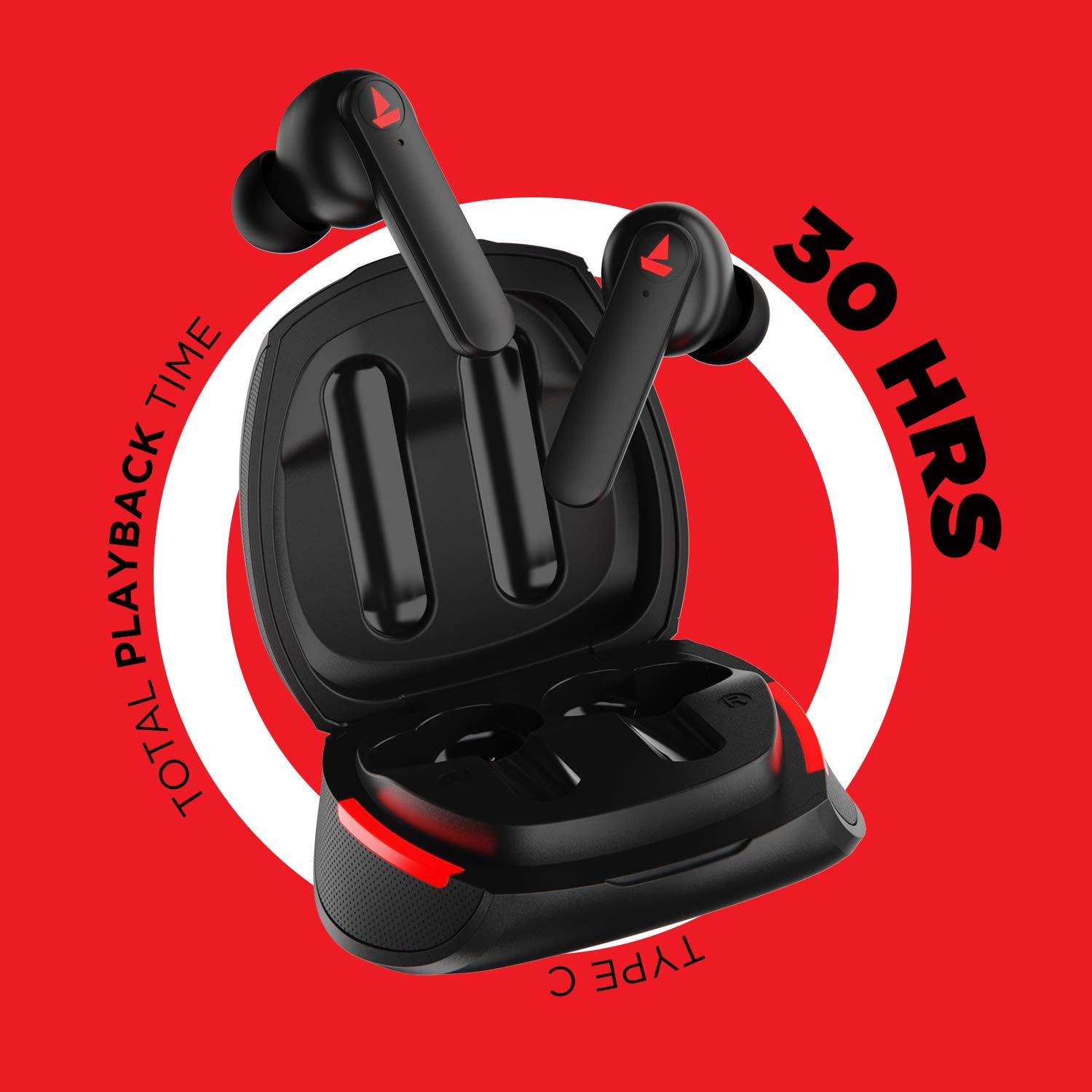
Imagem: The Airdopes 641 earbuds resting in their charging case, illustrating the Type-C charging capability and the impressive 30 hours of total playback time.
3.2 Initial Pairing (IWP Technology)
The Airdopes 641 feature Instant Wake N' Pair (IWP) technology for quick and effortless connection.
- Abra a tampa do estojo de carregamento. Os fones de ouvido serão ligados automaticamente e entrarão no modo de emparelhamento.
- No seu smartphone ou dispositivo com Bluetooth, ative o Bluetooth.
- Procurar "Airdopes 641" in the list of available devices and select it to pair.
- Once paired, you will hear an audio prompt, and the earbuds will be ready for use.
- The earbuds will automatically connect to the last paired device when the case lid is opened, provided Bluetooth is enabled on the device.
4. Instruções de operação
4.1 Ligar/Desligar
- Ligar: Open the charging case lid. The earbuds will power on automatically. Alternatively, long-press the Capacitive Touch Control (CTC) on both earbuds for 3 seconds.
- Desligar: Place the earbuds back into the charging case and close the lid. They will power off automatically. Alternatively, long-press the CTC on both earbuds for 5 seconds.
4.2 Capacitive Touch Controls (CTC)
The Airdopes 641 feature intuitive touch controls on each earbud.
- Reproduzir/Pausar: Single tap on either earbud's CTC.
- Próxima faixa: Double tap on the right earbud's CTC.
- Faixa anterior: Double tap on the left earbud's CTC.
- Atender/encerrar chamada: Single tap on either earbud's CTC.
- Rejeitar chamada: Long press on either earbud's CTC for 2 seconds.
- Ative o Voice Assistant: Triple tap on either earbud's CTC.
- Aumentar o volume: Long press the right earbud's CTC.
- Volume baixo: Long press the left earbud's CTC.
4.3 Modo BEAST (Jogos com Baixa Latência)
Activate BEAST Mode for a low-latency audio experience, ideal for gaming.

Imagem: The Airdopes 641 earbuds and their sleek charging case, emphasizing the "BEAST Mode" feature designed to provide a low-latency audio experience for gamers.
- Activate BEAST Mode: Triple tap on the right earbud's CTC.
- Desativar o Modo BESTA: Triple tap on the right earbud's CTC again.
5. Manutenção
Proper care ensures the longevity and performance of your Airdopes 641.
5.1 Limpeza
- Limpe delicadamente os fones de ouvido e o estojo de carregamento com um pano macio, seco e sem fiapos.
- Não utilize produtos de limpeza abrasivos, álcool ou solventes químicos.
- Limpe regularmente as pontas auriculares e a tela de proteção para evitar o acúmulo de cera, que pode afetar a qualidade do som.
5.2 Resistência à água e ao suor (IPX5)

Imagem: The Airdopes 641 earbuds and their charging case surrounded by water splashes, illustrating their IPX5 rating for water and sweat resistance.
The Airdopes 641 are rated IPX5, meaning they are protected against low-pressure water jets from any direction. This makes them suitable for workouts and light rain.
- Não mergulhe os fones de ouvido em água.
- Do not expose them to high-pressure water or steam.
- Certifique-se de que os fones de ouvido estejam secos antes de colocá-los de volta no estojo de carregamento para evitar danos.
5.3 Armazenamento
Guarde os fones de ouvido no estojo de carregamento quando não estiverem em uso para protegê-los e mantê-los carregados.
6. Solução De Problemas
If you encounter issues with your Airdopes 641, try the following solutions.
6.1 Fones de ouvido não emparelham/conectam
- Certifique-se de que ambos os fones de ouvido estejam carregados.
- Make sure Bluetooth is enabled on your device and the earbuds are within range.
- Try forgetting "Airdopes 641" from your device's Bluetooth list and re-pairing.
- Perform a factory reset as described below.
6.2 Redefinição de fábrica
A factory reset can resolve many common issues by restoring the earbuds to their original settings.

Imagem: A visual guide detailing the steps for a factory reset of the Airdopes 641. It emphasizes clearing the device from pairing history first, then long-pressing the Capacitive Touch Control (CTC) on both earbuds inside the case for 10 seconds until a green LED flashes three times, followed by closing and reopening the case.
- Etapa 1: Before performing the reset, clear "Airdopes 641" from your pairing device history by forgetting the device on your phone/tablet.
- Etapa 2: Place both earbuds back inside the charging case in the correct orientation.
- Etapa 3: Long press the Capacitive Touch Control (CTC) on both earbuds inside the case for up to 10 seconds. The successful reset will be indicated by the flashing of a green LED three times.
- Etapa 4: Feche a tampa do estojo de carregamento e volte a abri-lo.
- Etapa 5: Once you take the earbuds out from the charging case, they automatically restart and are ready for a new pairing.
Note: Please make sure the case is charged before performing a factory reset.
6.3 Sem som/Volume baixo
- Verifique os níveis de volume tanto no seu dispositivo quanto nos fones de ouvido.
- Certifique-se de que os fones de ouvido estejam devidamente encaixados em seus ouvidos.
- Limpe qualquer resíduo da tela de proteção dos fones de ouvido.
- Tente emparelhar os fones de ouvido novamente.
7. Especificações
| Nome do modelo | Airdopes 641 |
| Tecnologia de Conectividade | Wireless (Bluetooth) |
| Tecnologia de comunicação sem fio | Bluetooth 5.0 |
| Tipo de controle | Controle por toque e voz |
| Tipo de driver de áudio | Driver dinâmico (6 mm) |
| Colocação da orelha | No ouvido |
| Fator de forma | No ouvido |
| Material | Plástico |
| Classificação de resistência à água | IPX5 |
| Porta de carregamento | USB Tipo C |
| Dispositivos compatíveis | Tablets, celulares, laptops, computadores de mesa, alto-falantes inteligentes, televisores |
8. Garantia e Suporte
For warranty information and customer support, please refer to the warranty card included with your product or visit the official boAt website. Guarde o recibo de compra para reclamações de garantia.
Fabricante: Imagine Marketing Pvt Ltd


