1. پیژندنه
This manual provides essential information for setting up, operating, maintaining, and troubleshooting your Google Pixel 10 Pro XL smartphone. Please read this guide thoroughly to ensure optimal performance and longevity of your device.
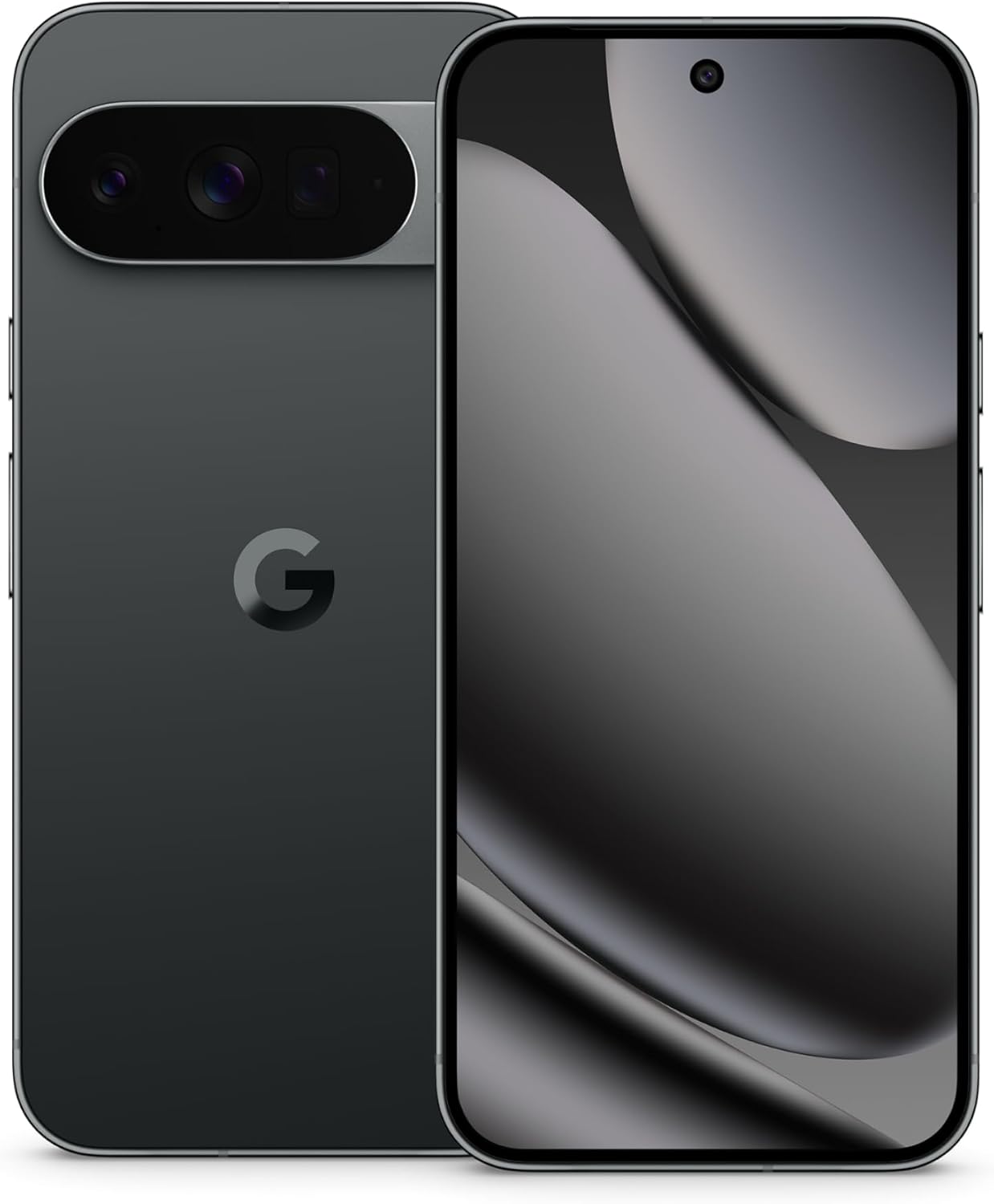
Image: The Google Pixel 10 Pro XL in Obsidian, showcasinد هغې ښکلی ډیزاین او د کیمرې بار.
2. ترتیب کول
۲. په بکس کې څه دي؟
Upon opening your Google Pixel 10 Pro XL package, you should find the following items:
- Google Pixel 10 Pro XL Cell Phone
- د USB ډول - سي کیبل
Please note that other accessories, such as a power adapter or headphones, may be sold separately.
2.2. ان باکسینګ او ابتدايي معاینه
Carefully remove the phone and accessories from the packaging. Inspect the device for any visible damage before proceeding with setup.
Video: An unboxing demonstration of the Google Pixel 10 Pro XL. This video illustrates the packaging contents and the initial appearance of the device.
2.3. پاور کول او ابتدايي ترتیب
- Press and hold the Power button (located on the right side of the device) until the Google logo appears.
- د خپلې ژبې غوره کولو لپاره د سکرین پرامپټس تعقیب کړئ، د وای فای شبکې سره وصل شئ، او شرایط او مقررات ومنئ.
- د خپل ګوګل حساب سره لاسلیک وکړئ یا یو نوی جوړ کړئ. دا د ګوګل خدماتو او پلی سټور ته د لاسرسي لپاره اړین دی.
- Transfer data from your old device (optional). The setup wizard will guide you through options like Quick Switch Adapter or cloud backup.
2.4. SIM Card Activation (eSIM)
The Google Pixel 10 Pro XL supports eSIM technology, eliminating the need for a physical SIM card. During phone setup, you will be prompted to activate your eSIM. For more details, visit g.co/pixel/esim.
3. ستاسو وسیله چلول
3.1. بنسټیز نیویګیشن
Your Pixel 10 Pro XL runs on Android 16, offering intuitive gesture navigation. Swipe up from the bottom to go home, swipe up and hold for recent apps, and swipe from the left or right edge to go back.
۳. د کیمرې سیسټم
The device features a Triple Rear Camera System. Open the Camera app to access various modes, including Photo, Video, Portrait, and Night Sight.

Image: The Pixel 10 Pro XL's 100x Pro Res Zoom in action, capturing distant subjects with clarity.
د کارولو 100x Pro Res Zoom for detailed distant shots. The upgraded 50 MP camera also supports Super Steady Videos for stable cinematic footage.

Image: The Pixel 10 Pro XL's Super Steady Video feature, ensuring smooth recording even during dynamic scenes.
۳.۲. د جیمني AI مرستیال
Your Pixel 10 Pro XL integrates the Gemini AI Assistant. Access it by saying "Hey Google" or by swiping from a corner (configurable). Gemini can assist with tasks, answer questions, and provide real-time information.

Image: The Gemini Live feature on the Pixel 10 Pro XL, allowing users to share their camera view for real-time AI assistance.
3.4. د بیټرۍ مدیریت
The device is equipped with a fast-charging battery designed to last 24+ ساعته on a single charge. To optimize battery life:
- د سکرین روښانتیا تنظیم کړئ.
- د اړتیا په وخت کې د بیټرۍ سیور حالت فعال کړئ.
- په شاليد کې روان نه کارول شوي ایپسونه بند کړئ.
For faster charging, use a compatible USB Type-C fast charger (sold separately).
3.5. ښکاره کول
Experience vibrant visuals on the 6.8" Super Actua Display. This display offers high brightness and clarity for various viewING شرایط.

Image: Details of the Pixel 10 Pro XL's Super Actua display and its robust build quality.
4. ساتنه
۱. خپل وسیله پاکول
To clean your Pixel 10 Pro XL:
- یو نرم ، لوند پاک ټوکر وکاروئ.
- د خړوبونکي موادو یا سخت کیمیاوي موادو څخه ډډه وکړئ.
- د سختو داغونو لپاره، لږ څهampد اوبو سره ټوکر.
4.2. Software Updates (Pixel Drops)
Google regularly releases software updates, known as "Pixel Drops," to enhance features, improve performance, and provide security patches. Ensure your device is connected to Wi-Fi and has sufficient battery life before installing updates.

Image: The Pixel Drops program, illustrating how the phone receives ongoing software enhancements.
4.3. د بیټرۍ پاملرنه
To prolong the lifespan of your battery:
- د سخت تودوخې څخه ډډه وکړئ.
- Do not consistently drain the battery to 0% or charge it to 100% if not necessary.
- Use certified charging accessories.
5. ستونزه حل کول
۷.۲. عامې ستونزې
- وسیله ځواب نه ورکوي: د بیا پیلولو لپاره د شاوخوا 30 ثانیو لپاره د بریښنا تڼۍ فشار ورکړئ او ونیسئ.
- د اتصال ستونزې (وای فای/بلوتوث): Try toggling Wi-Fi or Bluetooth off and on. If the issue persists, restart your device or reset network settings.
- د اپلیکیشنونو خرابېدل: Clear the cache and data for the problematic app in Settings > Apps. If it continues, uninstall and reinstall the app.
5.2. د فابریکې ری سیٹ
A factory reset will erase all data from your phone and restore it to its original factory settings. This can resolve persistent software issues but should be used as a last resort. مخکې له دې چې پرمخ لاړ شئ خپل معلومات بیک اپ کړئ.
- ترتیبات> سیسټم> د بیا تنظیم کولو اختیارونو ته لاړ شئ.
- "ټول معلومات پاک کړئ (د فابریکې بیا تنظیم)" غوره کړئ.
- Confirm your decision and enter your PIN/password if prompted.
6. مشخصات
The Google Pixel 10 Pro XL is engineered for advanced performance and user experience.

Image: An illustration of the Pixel 10 Pro XL's internal components, emphasizing its powerful processor and memory.
| فیچر | تفصیل |
|---|---|
| د ماډل نوم | د پکسل ۹ پرو ایکس ایل |
| عملیاتي سیسټم | Android 16 |
| پروسیسر | Google Tensor (3.78 GHz CPU Speed) |
| RAM | 16 جي بي |
| داخلي ذخیره | 256 GB (Maximum 256 GB Flash Memory Supported) |
| د ښودلو اندازه | 6.8 انچه سوپر اکټوا ډسپلے |
| د ښودلو ریزولوشن | 3292 x 3292 |
| د بیټرۍ ظرفیت | 5200 mAh (Battery Power Rating: 5200) |
| ارتباط | Bluetooth, NFC, Wi-Fi, USB Type-C |
| ابعاد (محصول) | 6.4 x 3 x 0.3 انچه |
| د توکي وزن | 12.3 اونس (0.35 کیلوګرامه) |
| رنګ | Obsidian |
| بې سیم کیریر | د ټولو بار وړونکو لپاره خلاص |
7. تضمین او ملاتړ
7.1. محدود تضمین
Your Google Pixel 10 Pro XL is covered by a limited warranty from Google. This warranty typically covers defects in materials and workmanship under normal use. For specific terms and conditions, including duration and coverage details, please refer to the warranty information provided with your purchase or visit the official Google support webسایټ
7.2. د پیرودونکي ملاتړ
For further assistance, technical support, or warranty claims, please contact Google Support:
- آنلاین ملاتړ: Visit the official Google Pixel Help Center (ملاتړ.ګوګل.com/پکسل فون).
- د ټولنې فورمونه: Engage with other Pixel users and experts for solutions.
When contacting support, have your device's serial number and proof of purchase ready.


