1. محصول ختم شوview
The TORRAS PolarCircle Qi2.2 Wireless Charger is an advanced charging solution designed for efficiency and device longevity. It integrates 25W ultra-fast wireless charging with a TEC semiconductor cooling chip and a 45W IceNano cooling plug to prevent overheating and extend battery life. The charger also features a versatile 360° adjustable stand for various usage scenarios.
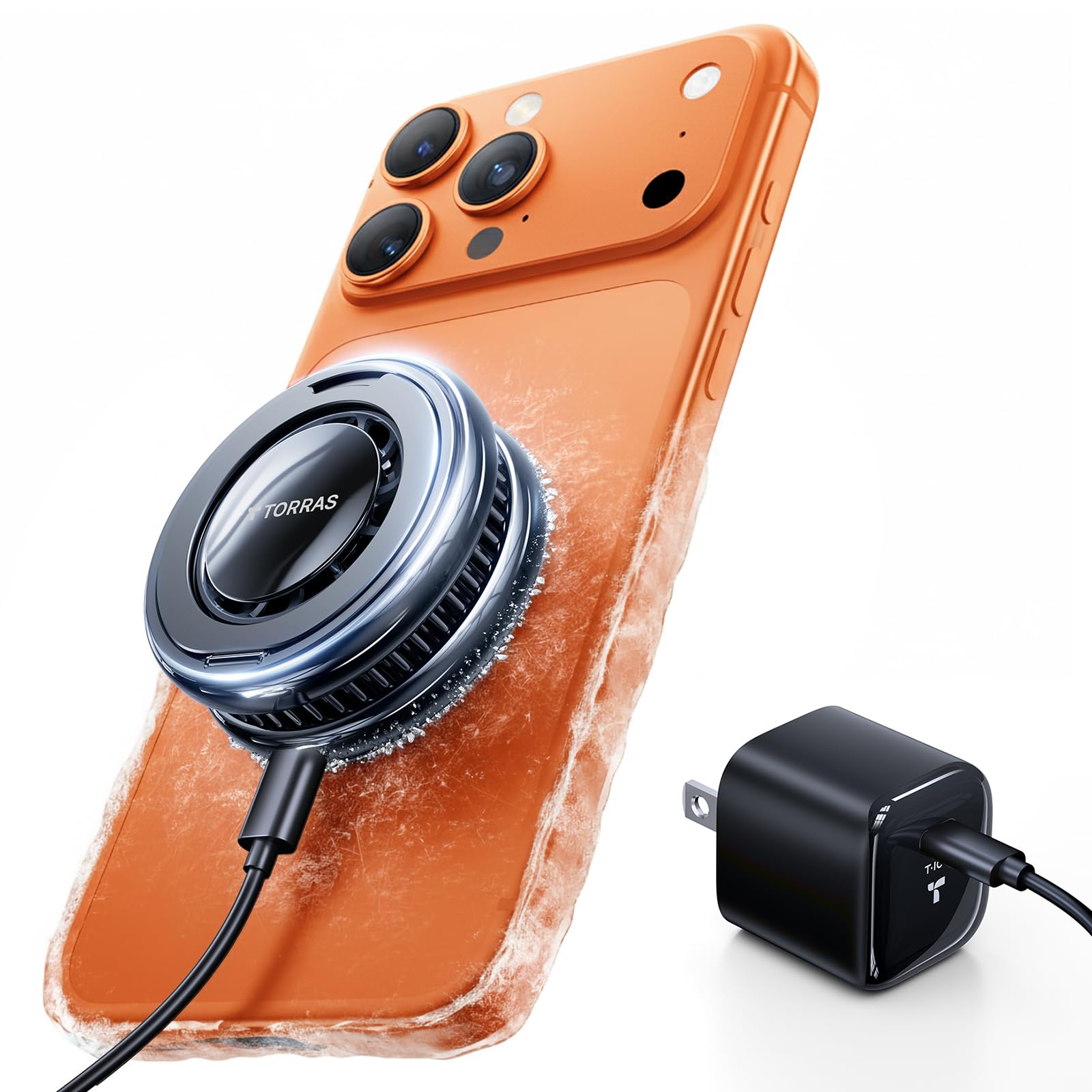
Image 1.1: The TORRAS PolarCircle Qi2.2 Wireless Charger attached to a smartphone, showcasing its sleek design and cooling capabilities.
کلیدي ځانګړتیاوې:
- Qi2.2 25W Ultra-Fast Wireless Charging: Experience rapid and efficient power delivery.
- TEC Semiconductor Cooling Chip: Actively dissipates heat to maintain optimal device temperature.
- 45W IceNano Cooling Plug: Provides stable and powerful cooling support, enhancing charging efficiency.
- 360° Adjustable Spin Stand: انعطاف منونکي وړاندیزونه viewing angles for various uses like gaming, video watching, or as a bedside clock.
- Battery Health Care: Low-temperature charging helps prevent battery aging and extends phone lifespan.
- مقناطیسي سمون: Ensures secure and precise attachment for stable charging.
2. د بسته محتويات
Upon opening your TORRAS PolarCircle Qi2.2 Wireless Charger package, you should find the following items:
- TORRAS PolarCircle Qi2.2 Wireless Charger (Model wx3a)
- د USB ډول - سي چارج کیبل
- 45W IceNano Power Adapter
- د کارن لارښود

Image 2.1: The package includes the 25W cooling wireless charger, a USB-C cable, and a 45W fast-charging plug.
3. د تنظیم کولو لارښود
3.1 د بریښنا سره وصل کول
- Connect the provided USB Type-C cable to the charging port on the TORRAS PolarCircle Wireless Charger.
- Plug the other end of the USB Type-C cable into the 45W IceNano Power Adapter.
- Insert the power adapter into a wall outlet. The charger's indicator light will illuminate, confirming it is powered on.
یادونه: For optimal 25W fast charging and effective cooling, use the included 45W IceNano Power Adapter or a compatible power adapter with at least 30W Power Delivery (PD) output.

Image 3.1: The charger connected to its power adapter, ready for use.
۳.۱ ستاسو د وسیلې سره نښلول
The PolarCircle Wireless Charger features strong magnetic alignment for secure attachment.
- ډاډ ترلاسه کړئ چې ستاسو سمارټ فون د میګ سیف سره مطابقت لري یا د میګ سیف سره مطابقت لرونکی کیس لري.
- Align the back of your smartphone with the charging surface of the PolarCircle Wireless Charger. The magnets will automatically snap into place, ensuring proper alignment for charging.

Image 3.2: Magnetic attachment of the charger to a smartphone.
4. عملیاتي لارښوونې
4.1 Initiating Charging and Cooling
- Once your device is magnetically attached and the charger is powered, charging will begin automatically.
- The TEC semiconductor cooling chip and turbine fan will activate to provide active cooling, indicated by the blue LED light.
Video 4.1: An introduction to the cooling charger, demonstrating its activation and cooling effect.
4.2 Using the 360° Spin Stand
The integrated 360° rotating stand allows for flexible positioning of your device.
- Gently pull out the ring stand from the back of the charger.
- Rotate the stand to achieve your desired viewing angle, whether vertical for video calls or horizontal for watching videos and gaming.

Image 4.2: The 360° adjustable stand provides versatile viewing options for various activities.
4.3 Sleep Mode (Turning Off Cooling Fan)
If you prefer silent charging or do not require active cooling, you can disable the fan.
- Press and hold the small button located on the side of the charger for approximately 3 seconds.
- The cooling fan will turn off, and the LED light will extinguish, indicating sleep mode. Charging will continue without active cooling.
- To reactivate the cooling fan, press and hold the button again for 3 seconds.

Image 4.3: Instructions for activating Sleep Mode to turn off the cooling fan.
5. ساتنه
To ensure the longevity and optimal performance of your TORRAS PolarCircle Wireless Charger, follow these maintenance guidelines:
- پاکول: د چارجر سطحه د نرم او وچ ټوکر څخه پاکه کړئ. د کثافاتو پاکوونکو یا محلولونو کارولو څخه ډډه وکړئ.
- د مينه والو پاملرنه: Periodically check the cooling fan vents for dust or debris. Gently clean with a soft brush or compressed air to ensure unobstructed airflow.
- ذخیره کول: کله چې کارول نه وي، چارجر په یو یخ، وچ ځای کې د مستقیم لمر وړانګو او خورا تودوخې څخه لرې وساتئ.
6. ستونزه حل کول
۵.۲ وسیله چارج نه کوي
- د بریښنا پیوستون: Ensure the USB Type-C cable is securely connected to both the charger and the power adapter, and the adapter is firmly plugged into a working wall outlet.
- د بریښنا اډاپټر: Verify that you are using the included 45W IceNano Power Adapter or a compatible 30W+ PD adapter. Lower wattage adapters may not provide sufficient power.
- د وسیلې سمون: Confirm that your smartphone is correctly aligned with the magnetic charging surface. The magnets should snap into place.
- د تلیفون قضیه: If using a phone case, ensure it is MagSafe compatible and not excessively thick, which could interfere with wireless charging.
6.2 Device Overheating During Charging
- Cooling Fan Activation: Ensure the cooling fan is active (blue LED light on). If not, press and hold the side button for 3 seconds to activate it.
- Airflow Obstruction: Check that the fan vents are not blocked by dust, debris, or other objects.
- چاپیریال: Avoid charging in extremely hot environments or direct sunlight.
6.3 Fan Noise is Too Loud
- د خوب حالت: If the fan noise is bothersome, activate Sleep Mode by pressing and holding the side button for 3 seconds. This will turn off the fan while charging continues.
6.4 Weak Magnetic Hold
- د تلیفون قضیه: Ensure your phone case is MagSafe compatible. Non-MagSafe cases may not provide sufficient magnetic strength.
- بهرني شیان: Check for any foreign objects between the charger and your phone/case that might interfere with the magnetic connection.
7. مشخصات
| فیچر | تفصیل |
|---|---|
| د محصول ابعاد | 2.42 x 1.07 x 2.42 انچه |
| د توکي وزن | 10.5 اونس |
| د توکي ماډل شمیره | wx3a |
| برانډ | توراس |
| د نښلونکي ډول | د USB ډول C |
| مطابقت لرونکې وسیلې | iPhone 17 Pro Max, iPhone 17 Pro, iPhone 17, iPhone 16 Pro Max, iPhone 16 Pro, iPhone 16, iPhone 15 series, iPhone 14 series, Samsung S25 ultra, Samsung S25, Samsung S24 ultra, Samsung S24, Google Pixel 10 series, Google Pixel 9 series, AirPods Series |
| شاملې برخې | USB Type-C Cable, 45W IceNano Power Adapter |
| ځانګړی ځانګړنه | 360° Rotating Stand, Charging Indicator, MagSafe Compatible, Qi2.2 25W Fast Charging, Wireless Charging, TEC Semiconductor Cooling Chip |
| رنګ | ژور تور |
| ننوتۍ جلدtage | 12 ولټه (DC) |
| ټول USB پورټونه | 1 |
| واټtage | ۴۵ واټه |
8. تضمین او ملاتړ
TORRAS د لوړ کیفیت محصولاتو او غوره پیرودونکو خدماتو چمتو کولو ته ژمن دی.
- تضمین: The Qi2.2 wireless charger is guaranteed by FCC, UL, TUV, DOE, CEC, UN, and RoHS certificates.
- Care & Support: We offer an 18-month care period and 7x24 hours lifetime professional support.
- بیرته راستنیدنه او تبادله: Free returns and exchanges are available on TORRAS magnetic accessories.
For any issues or inquiries, please contact TORRAS customer support. You can also visit the Official TORRAS Store on Amazon د نورو معلوماتو او مرستې لپاره.


