1. پیژندنه
This manual provides detailed instructions for the OUKITEL Smartwatch V3. This device is designed to enhance your daily life by combining communication features with comprehensive health and fitness tracking. Please read this manual thoroughly to ensure proper use and optimal performance of your smartwatch.
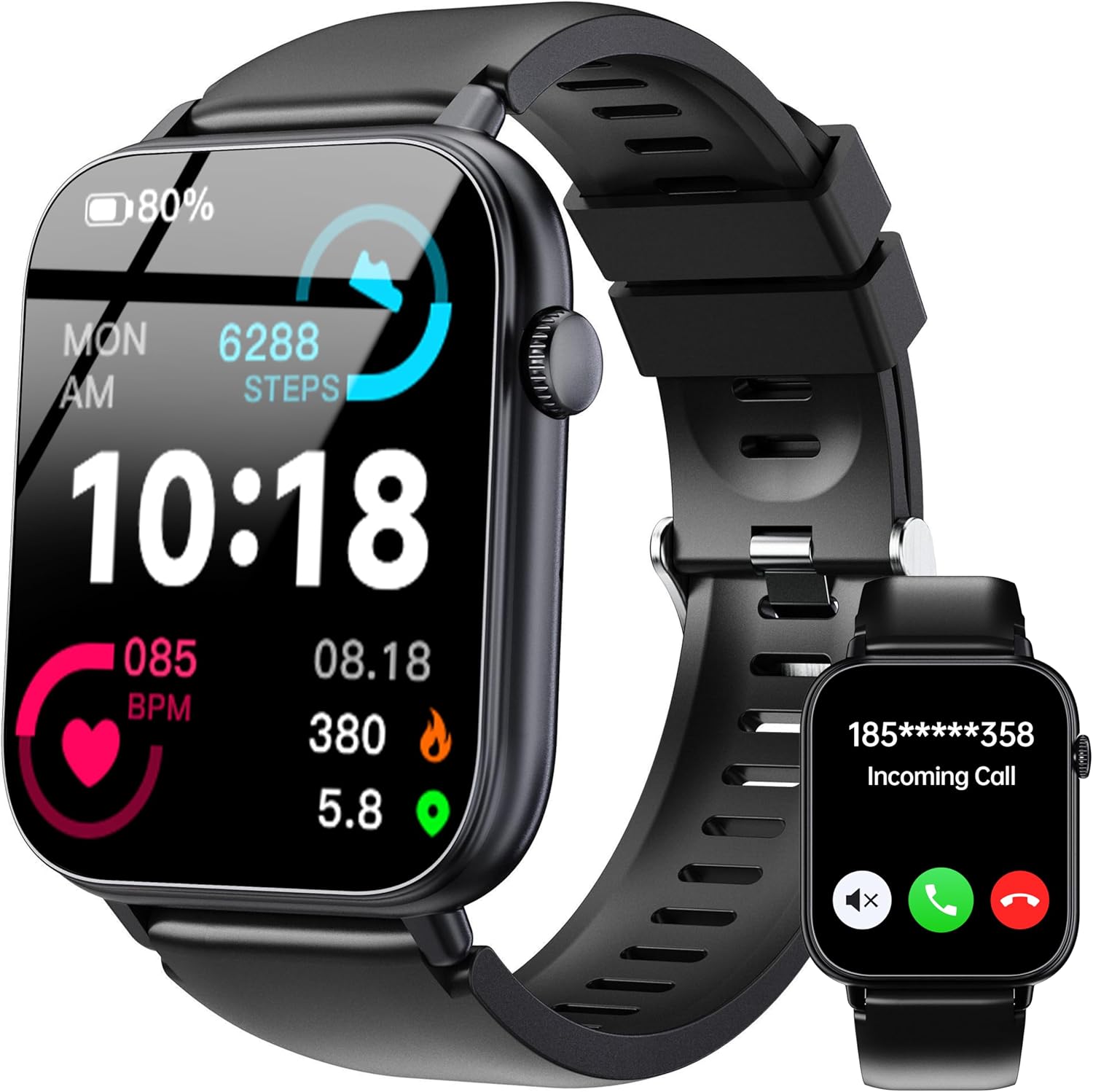
Figure 1: OUKITEL Smartwatch V3 main display showing time, activity data, and a Bluetooth call notification.
2. د بسته محتويات
د بکس خلاصولو پر مهال، مهرباني وکړئ تصدیق کړئ چې لاندې لیست شوي ټول توکي شتون لري:
- OUKITEL Smartwatch V3 (with strap)
- د چارج کیبل
- User Manual (this document, or a quick start guide with QR code)

Figure 2: Illustration of the OUKITEL Smartwatch V3 package contents and device dimensions.
3. د تنظیم کولو لارښود
۴.۱ د سمارټ واچ چارج کول
Before initial use, fully charge your OUKITEL Smartwatch V3. Connect the magnetic charging cable to the charging points on the back of the watch and plug the USB end into a power adapter (not included) or a computer's USB port. A full charge typically takes approximately 2 hours.

Figure 3: The smartwatch connected to its magnetic charger, indicating charging status and battery life.
۳.۳ د اپلیکیشن نصب او جوړه کول
د خپل سمارټ واچ بشپړ فعالیت خلاصولو لپاره، ډاونلوډ او نصب کړئ Dee Fit app on your smartphone. The app is compatible with both iOS and Android devices.
- Scan the QR code provided in the quick start guide or search for "Dee Fit" in your smartphone's app store.
- اپلیکیشن نصب کړئ او یو حساب جوړ کړئ یا ننوتل وکړئ.
- ډاډ ترلاسه کړئ چې ستاسو په سمارټ فون کې بلوتوټ فعال دی.
- Open the Dee Fit app, navigate to the device section, and select "Add Device" or similar option.
- Select "OUKITEL V3" from the list of available devices to initiate the pairing process.
- Follow any on-screen prompts on both your phone and smartwatch to confirm the connection.
Once paired, the smartwatch will synchronize data with the app, and you will be able to receive notifications and manage settings.
4. عملیاتي لارښوونې
4.1 بنسټیز نیویګیشن
- ټچ سکرین: د مینو او ځانګړتیاو له لارې د نیویګیټ کولو لپاره کیڼ/ښي، پورته/ښکته سوائپ کړئ. د غوره کولو لپاره ټایپ کړئ.
- د غاړې تڼۍ: د سکرین د راویښولو لپاره فشار ورکړئ، کور سکرین ته بیرته راشئ، یا د اپلیکیشن مینو ته لاسرسی ومومئ.
۴.۳ بلوتوث زنګونه او خبرتیاوې
After successful Bluetooth pairing, your smartwatch can handle calls and display notifications.
- زنګ وهل: Access the dial pad or synchronized contacts directly from the watch to make calls.
- تلیفونونه ترلاسه کول: When a call comes in, the watch will display the caller ID. You can answer or reject the call directly from your wrist using the built-in microphone and speaker.
- خبرتیاوې: The watch vibrates and displays incoming messages (SMS, WhatsApp, Facebook, etc.) from your paired smartphone. Ensure notification permissions are enabled in the Dee Fit app.

Figure 4: The smartwatch displaying smart notifications from various applications.
4.3 سپورت موډونه
The OUKITEL Smartwatch V3 supports over 100 sports modes to track your physical activities.
- From the main screen, swipe to find the "Sports" or "Workout" icon and tap to enter.
- Select your desired activity (e.g., Running, Walking, Cycling, Rowing Machine).
- Tap to start the workout. The watch will begin recording data such as steps, distance, calories burned, and real-time heart rate.
- To end the workout, swipe or press the side button and select "End" or "Pause".

Figure 5: The smartwatch tracking data during a sports activity, showing calories, steps, and heart rate.
4.4 د روغتیا څارنه
The smartwatch continuously monitors your heart rate and sleep patterns.
- د زړه ضربان: Access the heart rate monitor feature on the watch to view your current heart rate. Historical data and detailed analysis are available in the Dee Fit app.
- د خوب تعقیب: Wear the watch to bed for automatic sleep monitoring. The Dee Fit app provides a comprehensive breakdown of your sleep cycles (deep sleep, light sleep, REM) and overall sleep quality.

Figure 6: Heart rate monitoring on the smartwatch and sleep analysis data displayed in the companion app.
5. کلیدي ځانګړتیاوې
۴.۱ ښودنه او تنظیمول
The smartwatch features a 1.83-inch HD display with 4 levels of brightness adjustment for clear visibility in various lighting conditions. Personalize your watch with over 100 online watch faces available through the Dee Fit app, or create custom watch faces using your own photos.

Figure 7: A selection of customizable watch faces available for the OUKITEL Smartwatch V3.
5.2 Multi-Function Assistant
Beyond core functions, the OUKITEL Smartwatch V3 includes several utility features:
- د هوا وړاندوینه: View د هوا اوسني شرایط او وړاندوینې.
- د موسیقۍ کنټرول: په خپل جوړه شوي سمارټ فون کې د میوزیک پلې بیک کنټرول کړئ.
- د الارم ساعت: له خپل ساعت څخه مستقیم الارمونه تنظیم کړئ.
- د ریموټ کیمرې کنټرول: خپل ساعت د خپل سمارټ فون کیمرې لپاره د ریموټ شټر په توګه وکاروئ.
- د غږ همکار: Access your smartphone's voice assistant.
- بې ځایه یادونه: د غیر فعالیت دورې وروسته د حرکت لپاره خبرتیاوې ترلاسه کړئ.
- تلیفون پیدا کړئ: خپل ورک شوی سمارټ فون ومومئ.
- د روښانتیا سمون: د سکرین روښانتیا کنټرول کړئ.

شکل 8: پایview of the smartwatch's multi-functional capabilities.
6. ساتنه
۴.۴ د بیټرۍ ژوند او چارج کول
The OUKITEL Smartwatch V3 is equipped with a 300mAh battery, providing up to 7-10 days of normal use on a single 2-hour charge. Standby time can extend up to 30 days. For optimal battery health, avoid extreme temperatures during charging and use.
۶.۱ د اوبو مقاومت (IP68)
The smartwatch has an IP68 water resistance rating, meaning it is protected against dust and can withstand immersion in water up to 1.5 meters for up to 30 minutes. It is suitable for daily activities such as washing hands, sweating, rain, and swimming. However, it is not recommended for hot showers, saunas, or diving, as steam and high water pressure may compromise the seal.
Clean پاکول او پالنه
To maintain your smartwatch, regularly clean the device and strap with a soft, dry cloth. If necessary, use a slightly damp ټوکر په نرم صابون سره ومینځئ، بیا په ښه توګه وچ کړئ. د سختو کیمیاوي موادو یا خړوبولو موادو کارولو څخه ډډه وکړئ.
7. ستونزه حل کول
If you encounter issues with your OUKITEL Smartwatch V3, please refer to the following common solutions:
| ستونزه | د حل لاره |
|---|---|
| Watch not turning on or unresponsive | Ensure the watch is fully charged. Press and hold the side button for 10-15 seconds to perform a force restart. |
| د سمارټ فون سره جوړه نشي کیدی |
|
| خبرتیاوې ندي ترلاسه شوي |
|
| Inaccurate health data (e.g., sleep tracking) |
|
| د بیټرۍ لنډ ژوند |
|
8. مشخصات
| فیچر | تفصیل |
|---|---|
| برانډ | OUKITEL |
| د ماډل شمیره | V3 |
| د سکرین اندازه | ۷۸۷ انچه |
| د ارتباط ټیکنالوژي | بلوتوث |
| د بې سیمه مواصلاتو معیار | بلوتوث |
| ځانګړي ځانګړتیاوې | Time Display, Phone Call, Text Messaging, Activity Tracker, Touchscreen |
| مطابقت لرونکې وسیلې | سمارټ فون (iOS او Android) |
| د بیټرۍ جوړښت | لیتیم پولیمر |
| د بیټرۍ ظرفیت | 300 mAh |
| د چارج کولو وخت | نږدې 2 ساعته |
| د بیټرۍ ژوند (عادي استعمال) | 7-10 ورځې |
| ولاړ وخت | تر 30 ورځو پورې |
| د اوبو د مقاومت درجه | IP68 |
| د حافظې د ذخیره کولو ظرفیت | 64 MB |
| GPS | د سمارټ فون له لارې GPS |
| شکل | مستطیل |
| رنګ | تور |
9. تضمین او ملاتړ
OUKITEL products are designed and manufactured to the highest quality standards. For information regarding warranty coverage, please refer to the warranty card included with your purchase or contact OUKITEL customer support directly.
For further assistance, troubleshooting, or to connect with other users, you may visit the official OUKITEL community or support channels. A relevant community link is provided below:
Official OUKITEL Facebook Group: https://www.facebook.com/groups/1028002818698287
Please have your product model (V3) and purchase details ready when contacting support.


